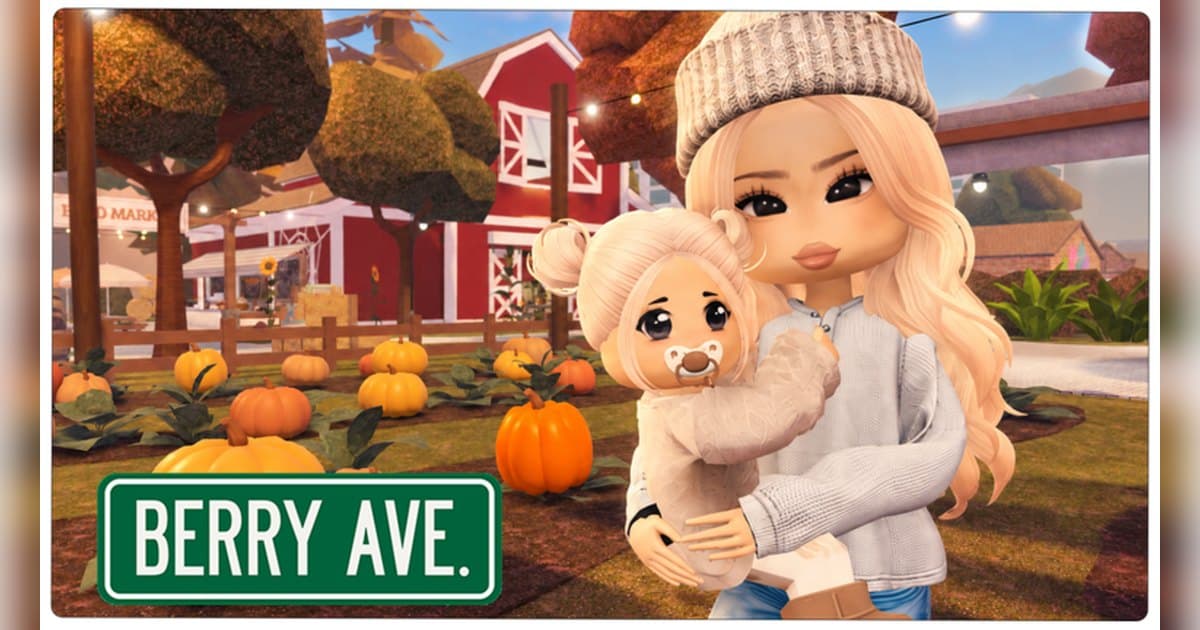
Berry Avenue RP is the neighbourhood its official description promises: a place to roleplay, hang out and explore. The creator is Amberry Games, a Roblox group with a verified badge whose community counts roughly 2.4 million members. The experience was created on 7 January 2022, an update landed on 18 October 2026, lifetime visits sit at about 8.9 billion, and on 19 October 2026 roughly 18,000 people were playing at once. A server holds up to 31 players, so you can cast a student, a teacher, a police officer and a doctor and still have room for everyone's friends. This guide treats Berry Avenue less as a list of things to do and more as a question of preparation: how two or three people agree on a scene, and how that scene survives as video afterwards. Roleplay here moves constantly, out of a house, into a car, across town to the school or the hospital, and the best lines arrive without warning. That combination rewards deciding roles and a scene order up front and recording the whole session with sound. The general PC recording setup for Roblox is in record Roblox gameplay. Experience details were checked on 19 October 2026, and the house, vehicle and prop lineup keeps growing with updates.
The short answer: settle roles and locations first, then pick your lines out of one continuous recording
The usual sticking point when friends gather is deciding what the roleplay actually is. Starting from the roles in the official description is quicker than inventing one: student at the High School, working at the grocery store, robbing the bank or playing the police officer, and treating patients at the hospital are the officially named threads, and houses, cars and roleplay items come from a list you pick through. Use whatever house and car you already have, and check the shop when a scene needs a bigger backdrop. Listed options include a pass granting five premium houses, a vehicle pack with six luxury cars and a helicopter, a three-car classic pack, a two-car luxury pack, the Palm Springs and Rustic Mountain mansions, a top-floor penthouse, a yacht, and first class travel with premium accommodation on Berry Airlines trips. A pass that lets you create a server for specific roleplays or privacy is also registered. Prices and contents move with updates, so confirm current terms in the in-experience shop. Outfit codes get traded around in this community; which codes and items work changes with every update, so the in-experience notices and the Amberry Games community are the reliable places to check. The habit of assembling a themed outfit fast carries over from the Dress To Impress themes guide, and finding the official community is covered in find and join a Roblox group. Recording splits by device. Roblox has a built-in Capture in the in-experience menu that saves a video of up to 30 seconds; per the official help pages it records the screen, the file sits in the Roblox app's storage, and exporting moves it to your PC Videos folder or your phone's camera roll. A single roleplay beat, leaving the house, getting in the car and arriving somewhere, already runs several minutes, so on PC it is far easier to record the session with sound and pick the strong stretches later.
Preparing a roleplay scene, and keeping it, in order
- 1Start recording before you joinThe line you most want back in roleplay is the one a friend just said, and you cannot stage it again. Join with recording already on. With DOR on PC, leave the app running and launch the PC build of Roblox from roblox.com, and recording begins as you enter an experience. If you join an experience the instant Roblox opens, the first recording can begin 15 to 20 seconds later, so spend the first moments greeting each other and the margin takes care of itself.
- 2Find the experience and gather in one serverSearch Roblox for Berry Avenue RP and confirm the creator is Amberry Games. In some languages the title appears in a localised form, so the creator line is a steadier check than the name. A server holds up to 31 players, so have everyone join through whoever got in first. A pass for creating a server for specific roleplays or privacy is also registered in the experience, with current terms shown in the in-experience shop.
- 3Pick roles from the officially named threadsOverlapping roles are what makes a scene fall apart, and the official description already supplies the threads: High School student, grocery store worker, bank robber and police officer, hospital patient and the person treating them. With three people, cast a lead, a counterpart and whoever causes the incident; with five, try two family members and three outside roles. Agreeing on one line about how each character speaks makes the recorded dialogue far clearer.
- 4Lock the house and the car so the backdrop stays fixedDecide which house the scene happens at, then standardise on one vehicle. Houses and cars are chosen from a list, and when a scene needs more space the shop lists a five-house premium pass, the Palm Springs and Rustic Mountain mansions and a top-floor penthouse. Vehicles include a pack with six luxury cars and a helicopter, a three-car classic pack, a two-car luxury pack and a yacht. Contents and prices change, so check inside the experience; a scene works on the starting options too, as long as the backdrop is fixed.
- 5Write the scene order as three linesA short script is the only kind that survives a roleplay session. Agree on three lines only: the opening location, one incident, and how it wraps. Something like oversleeping at home, an accident on the way to school, resolution at the hospital tells everyone what comes next. Those three lines double as your edit points later, which is what keeps editing short.
- 6Narrate during the travel stretchesThe few minutes spent driving can look empty on camera. Talking through what is happening and where you are heading turns that stretch into the explanation scene for the edit. Game sound and your mic record together in one track, so the conversation stays with the footage. If any of it is going online, tell your friends their voices are being recorded.
- 7Mark each beat as it ends, then stitch after the sessionPressing F8 as each incident resolves saves the preceding seconds and leaves you an easy marker to find later. When the session ends, open that day's recording in the library, cut the segments in the three-line order you agreed, and stitch them in the browser into one piece. Export 9:16 for the stretch going out as a short and 16:9 for the full story, and you have both.
Berry Avenue scenes: what to agree on and how to save them
| Roleplay scene | Agree on this first | How to record and save it |
|---|---|---|
| The morning school run (house, car, High School) | Who drives, who rides in the back, which house you leave from and which gate you arrive at. | The drive is too long for one clip. Cut it from the session recording, from stepping outside to arriving at the gate. |
| A hospital emergency with a patient and a doctor | Where the patient collapses, who calls it in, and who takes them to the hospital. | Lines carry this scene, so leave game sound and mic recording together, and press F8 once the emergency resolves. |
| A bank robbery and a police chase | Who robs, who responds, and where the chase ends. Both roles are named in the official description. | Chases move fast and are easy to miss. Raise clip length to 60 seconds and save right after the chase ends. |
| A grocery store shift with customers | Who works the register, the order customers arrive in, and one complication such as a lost card or a refund. | Short exchanges fit inside one clip, so press F8 straight after a line lands and keep the previous 30 seconds. |
| The first day with a new house or car | Whether it is a housewarming or a drive, and who gets invited. If you bought a premium house or vehicle pack, build the scene around it. | A first reaction happens once, so record from the moment you join. Interiors crop well at 16:9 while in-car talk suits 9:16. |
| Departure day for a Berry Airlines trip | Departure time, seats, and who handles the luggage. With the first class pass, settle accommodation and seats beforehand. | Boarding to arrival is long, so rely on the session recording and stitch only boarding, take-off and arrival. |
Check before recording a roleplay session
- Roblox is running from the PC build downloaded at roblox.com.
- The recording app is running with room for a session that may last hours; over 30GB free is comfortable.
- Roles, the house, the vehicle and the three-line scene order are agreed with your friends.
- You have agreed to press the clip hotkey as each incident resolves, so the markers are there later.
- Your friends know their voices are recorded and may appear in a posted video.
- Interiors are earmarked for a 16:9 cut and in-car conversations for 9:16.
Keeping a whole roleplay session, sound included, with DOR
DOR is a free Windows PC app that detects the PC build of Roblox downloaded from roblox.com. Recording starts when you enter an experience and ends when you leave it, whether you return to the home screen or close Roblox. It is on by default and adjustable under the full-game recording setting. Any experience is recorded regardless of genre or creator, so a session in Berry Avenue arrives in the library as a single mp4. Roleplay moves between the house, the school, the hospital and the airport, and travel inside the same experience keeps the recording running. Right after a good line, press F8 (remappable) and the previous 30 seconds are saved as their own clip, with 15, 30, 45 and 60 seconds available; the hotkey works while recording inside an experience, which makes it handy as a marker each time a beat resolves. Game sound and your mic are recorded together in one track with noise suppression, so the dialogue you traded with friends stays in the file. Quality is 1080p at 30fps by default with 60fps available, and resolution and frame rate are set before recording starts. Afterwards the trim tool in the app library sets a start and an end and exports 16:9, 9:16 or 1:1, with text available on the 1:1 output, while a dor.gg share link plays straight in a phone browser. DOR Studio runs in the browser with nothing to install: stitch several scenes, add text, background music and effect templates such as punch zoom, shake zoom, handheld and glitch transitions, then download the mp4, which fits a cut running from the morning school run to the hospital ending. On a day of long sessions, check your storage first, as a warning appears when free space drops under 30GB. For keeping a screen you will want to re-check later, such as a trade or an agreement, see the Adopt Me trading guide.
 #Roblox