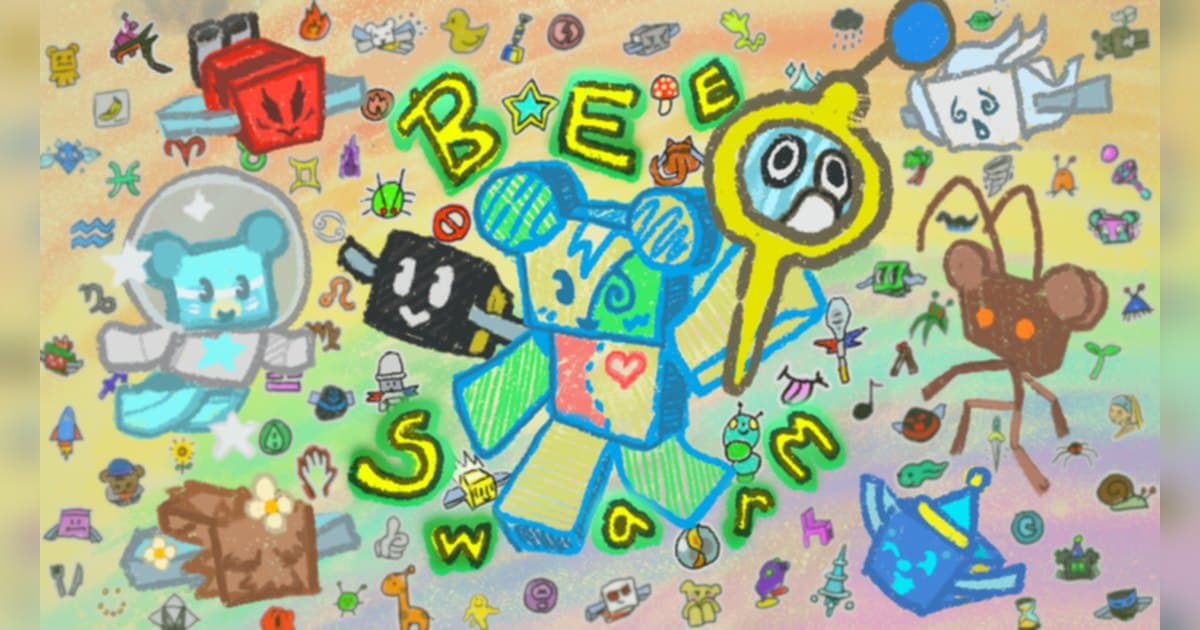
Bee Swarm Simulator is one of the longest-running collection experiences on Roblox. Onett created it on 21 March 2018 and it was still being updated on 22 August 2026. The official description is unusually clear about what you do: grow your own swarm of bees, collect pollen and make honey, meet friendly bears and complete their quests for rewards, explore further up the mountain as your hive grows larger, use your bees to defeat dangerous bugs and monsters, look for treasures hidden around the map, and discover new types of bees that each have their own traits and personalities. On 19 October 2026, the day the numbers here were checked, it was running around 29,000 concurrent players with roughly 4.6 billion visits and about 6.56 million favourites. A server holds only six players, so it never feels crowded, and the official group linked from the description, Bee Swarm Simulator Club, had about 18.23 million members on the check date. This guide builds a routine out of the goals the official description and badges confirm, then looks at which moments in that routine are worth keeping and how to keep them with sound on a PC. General recording setup is covered in how to record Roblox gameplay on PC.
The short answer: fix your field order, then pull out the moments a rank lands
The first decision in this experience is which fields you work and in what order. The badge list confirms eight of them: Sunflower, Dandelion, Mushroom, Blue Flower, Clover, Spider, Strawberry and Bamboo, and each one has its own ladder at 250 thousand, 2.5 million, 25 million and 250 million pollen, running from Cadet up to Master. That means grinding a single field still produces visible progress, while rotating fields spreads the badges out evenly. Overall progress is measured in honey: Honey Cadet at 1 million, Honey Hotshot at 10 million, Honey Ace at 100 million and Honey Master at 1 billion. Combat has its own track, with Battle Cadet, Hotshot, Ace and Master at 100, 1,000, 10,000 and 50,000 battle points, so the time you spend on pollen and the time you spend on bugs and monsters are both recorded. The official description says the larger your hive grows the further up the mountain you can explore, which makes the natural order obvious: bank honey near the starting fields first, then push upward. How you add bees and what each type does shifts with updates, so read the current terms from the in-experience shop and from the bears' quests. It is also worth planning for the length: this is a collection game and a session easily runs for hours. Roblox's own capture, found under Capture in the in-experience menu, records videos up to 30 seconds, and per the official help article those files hold the picture, so the swarm audio and your commentary come from a PC recorder. Pulling a single result out of a long grind works the same way across collection experiences, so the hatching version of this is in Pet Simulator 99 huge pets and the harvesting version in Grow a Garden mutations.
One lap of the pollen routine, ending with your clips
- 1Start the recording before the routineThis experience has you running the same route for a long time, and the keeper moments turn up at irregular points inside it. That makes a running recording plus a hotkey the natural setup. Roblox's own capture is in the in-experience menu under Capture, saves videos of up to 30 seconds into the Roblox app storage, and exports to your PC's Videos folder; per the official help article what lands in those videos is the picture. To keep the swarm audio and your own commentary, start a recorder on your Windows PC before you join.
- 2Find Bee Swarm Simulator and joinSearch Roblox for Bee Swarm Simulator and confirm the creator reads Onett before joining. The experience dates back to 2018 and there are plenty of beekeeping-themed imitators, so the creator name is the reliable check. A server holds six players, which makes it a good fit for a quiet lap with a couple of friends. To record on PC, run Roblox from the build you downloaded at roblox.com.
- 3Work a nearby field and bank the pollenThe loop the official description describes is collecting pollen and making honey. Start with one of the near fields the badges confirm, such as Sunflower, Dandelion or Mushroom, fill your bag and then return to the hive to convert. Early on, cutting the round trip short beats covering ground, and since every field starts handing out rank badges from 250 thousand pollen, where you grind is recorded too.
- 4Pick up the bears' quests for rewardsThe official description includes meeting friendly bears, completing their quests and getting rewards. When you pass a bear on a field, take the quest and let your normal pollen lap satisfy its conditions, so two things progress in the same hour. Quest types and rewards change with updates, so read the current terms from the dialogue inside the experience.
- 5Grow the swarm and look at what each bee doesThe official description puts the appeal plainly: discover new types of bees, all with their own traits and personalities. More bees change how fast pollen comes in, which makes the whole routine shorter. How you add bees and what each type does moves with updates, so check the in-experience shop and the bears' quests for the current terms. A new bee joining is over in seconds, so it is worth having the recording already running.
- 6Add combat and the higher fields to your rangeThe official description covers using your bees to defeat dangerous bugs and monsters as well as exploring further up the mountain as the hive grows. Battle points carry rank badges at 100, 1,000, 10,000 and 50,000, so it pays to keep fighting in the mix. Later fields like Spider and Bamboo are confirmed by their own badges, which makes them good targets when you extend the route, and the description also tells you to look for treasures hidden around the map.
- 7Choose your moments when the lap endsWith the whole routine recorded, you pick afterwards. Find the new bee, the honey or battle rank that landed, the first arrival at a higher field and the treasure you dug up, then trim with a little air on either side. Export 16:9 for a normal upload and 9:16 for Shorts, Reels or TikTok. To show several days of growth in one video, join the moments in the browser-based DOR Studio and add text and background music before downloading the mp4.
Moments worth keeping in Bee Swarm Simulator, and the goal behind each
| Moment | The goal it ties to | How to keep it |
|---|---|---|
| A new type of bee joining the hive | The official description names discovering new types of bees with their own traits and personalities as a core reward. The reveal is brief. | Press your clip hotkey while the result window is still up, and keep the clip length at 15 seconds so you get only the reveal. |
| A honey rank badge landing | Honey Cadet at 1 million, Hotshot at 10 million, Ace at 100 million and Master at 1 billion. Each one caps off hours of routine. | You can see it coming, so raise the clip length to 45 seconds in advance and start from the moment you deposit pollen at the hive. |
| Your swarm clearing a bug or monster | Battle points have rank badges at 100, 1,000, 10,000 and 50,000, so fighting is recorded right alongside collecting. | A fight resolves in tens of seconds, so set the clip length to 30 seconds and press the hotkey as soon as it ends. |
| Reaching a field further up the mountain for the first time | The official description ties exploring further up the mountain to a bigger hive, which makes a new field proof of growth. | The climb takes a while, so cut the trip and the arrival together out of the full-session recording. |
| Crossing a rung on a single field's ladder | All eight fields have 250 thousand, 2.5 million, 25 million and 250 million pollen steps, so even one field keeps handing you targets. | Because the route repeats, scan the full recording for the moments a step landed and collect them as short cuts. |
| Finding a treasure hidden on the map | The official description invites you to look for treasures hidden around the map, so a first find is a story on its own. | Searching takes time, so leave the full-session recording running and use the hotkey right after a find to keep just that stretch. |
Set this up before recording a long routine
- Roblox was launched from the roblox.com PC build.
- Your recorder is open before you join, so the routine is captured from its first lap.
- You have decided today's field order, for example Sunflower, then Dandelion, then Mushroom.
- You have set clip lengths by situation: 15 seconds for a new bee, 30 for a fight, 45 for a rank.
- You have 30GB or more free so a one or two hour routine has room.
- Your mic is live and you have checked that the friends in your six-player server land in the file.
Keeping a multi-hour pollen routine with DOR
Experiences with long sessions, like Bee Swarm Simulator, are easier with a recorder left running. DOR is a free app for Windows PCs and picks up the Roblox build installed from roblox.com on its own. The recording begins as you load into an experience and closes out when you head back to the home screen or quit Roblox. The behaviour is on out of the box, the Full Game Recording setting is where you manage it, and every experience arrives in the library as a single mp4. Open Roblox first and then join, and the routine is captured cleanly from its first lap. Right after a new bee joins, or right after a honey or battle rank lands, press F8 and the previous 30 seconds are saved as a separate clip, with 15, 30, 45 and 60 seconds available. The hotkey works while a recording is running inside an experience and can be remapped. Game sound and your mic are recorded together into one track, so the swarm and the friends doing laps with you both land in the file, and the mic is on by default with noise suppression. Video defaults to 1080p at 30fps and can go to 60fps; set resolution, frame rate and clip length before the recording starts. Leave 30GB or more free and a multi-hour routine fits comfortably. Once the lap is done, the app library lets you mark a start and an end, export that stretch at 16:9, 9:16 or 1:1 with text on the 1:1 output, and hand it over as a dor.gg link. DOR Studio runs in the browser and joins several moments into one video with text, background music and effect templates, which is how several days of hive growth become a single upload. The same single-result approach is used in Fish It! rare catches, and for update announcements as they land, how to find a Roblox group covers that.
 #Roblox