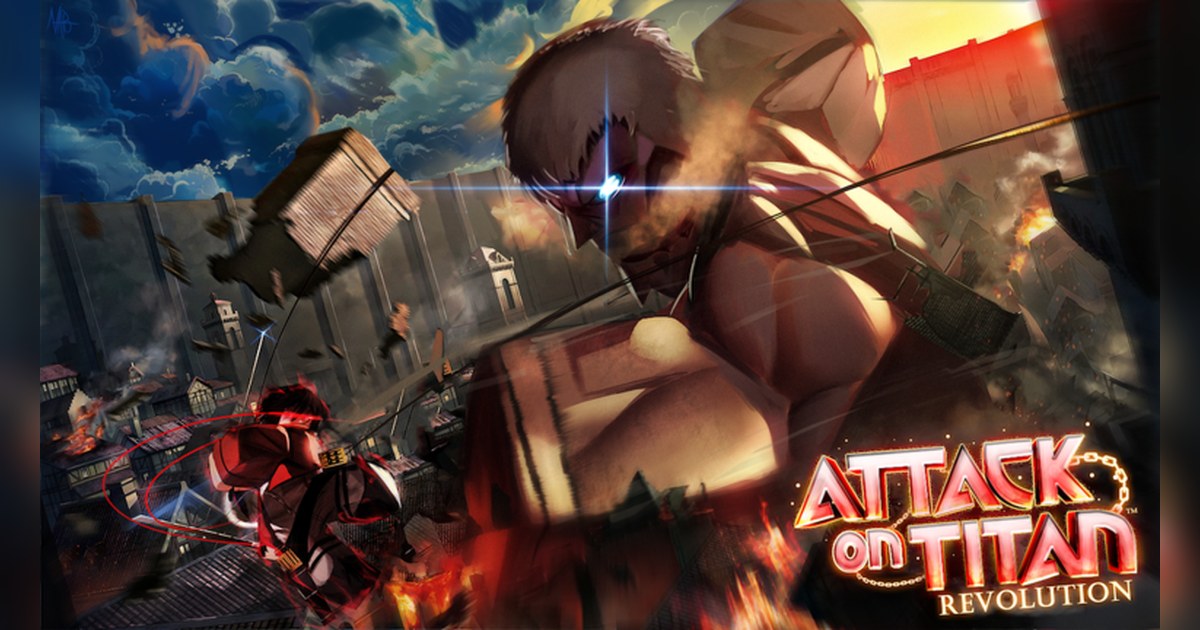
Anime Adventures is a Roblox tower defense game with more than 2.5 billion visits, and right now it sits near the top of the Top Trending chart. Right now its name reads [☀️UPD 21🏖️] Anime Adventures. The experience is published by the Roblox group Gomu and was created in December 2021.
Its official genre is Strategy, Tower Defense, and the description sets up the story in two sentences: a catastrophic event has summoned countless threats across multiple worlds, and it has also brought all the heroes together.
Your job is to summon the strongest heroes and save those worlds together. The same description says plainly that the experience was made by fans, is unofficial, and is not affiliated with or approved by the owners of any anime, manga or game it draws on.
We checked the official Roblox data on PC around 12:35 UTC on November 3, 2026. Anime Adventures had about 2.56 billion visits, more than 90,000 people playing at that moment, more than 1.8 million favorites and a like ratio of roughly 92 percent.
It was second in worldwide Top Trending and ninth in Top Playing Now. By country it was first in Top Trending in Japan and Taiwan, second in Brazil and third in the United States and Vietnam.
Gomu has also run an official Roblox event called Christmas and Re-release, subtitled The Return, from December 25, 2024 to January 1, 2025, announcing a Christmas update along with re-release content.
This guide covers only what the official experience page, that official event and the game pass texts confirm. Unit tier lists, summon rates and code lists from unofficial sites are left out.
The short version: summon in the lobby, defend in the worlds, and keep your best pulls on video
Anime Adventures splits into two halves, and knowing which one you are in tells you what to do next. The first half happens in the lobby. That is where you summon heroes, which the game calls units, and where your collection lives.
The official game pass texts confirm a few things about this half. Summons can produce shiny units, a rarer version that the Shiny Hunter pass says it makes three times as likely. Your unit storage has a limit, because the Unit Storage pass adds 100 slots to it.
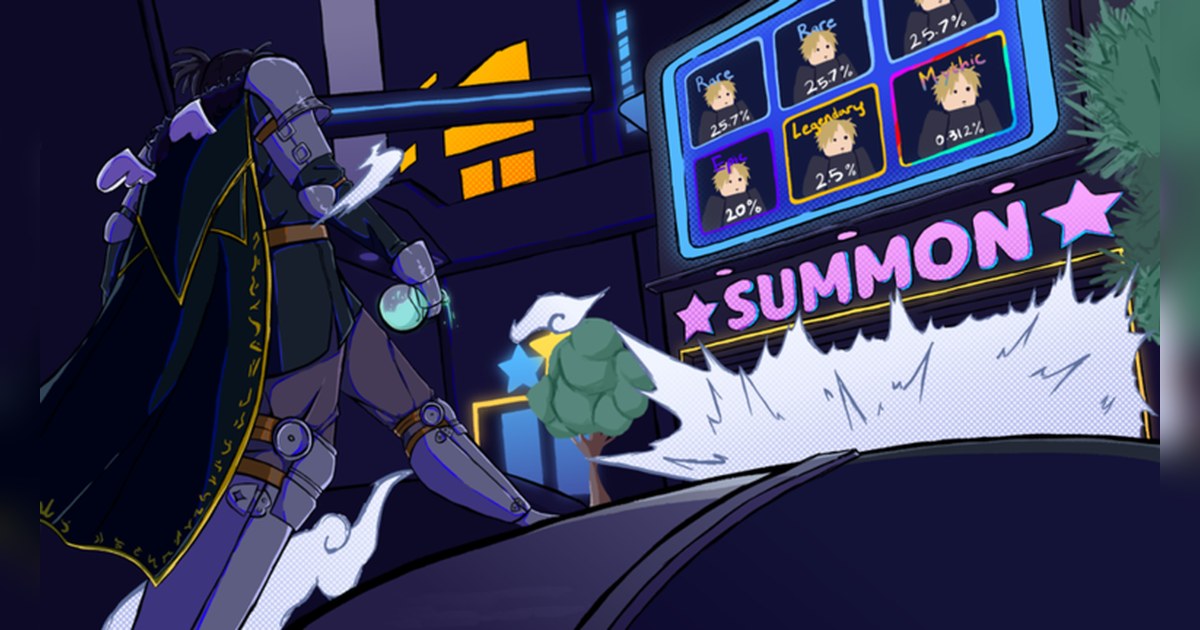
And the lobby doubles as a showroom, since the Display 3 Units pass puts three of your units around you there. The official thumbnail shows a summon screen with Rare, Epic, Legendary and Mythic tiers, so the top tiers are what everyone is hoping for each time a summon starts.
The second half is the defense itself. As the Tower Defense label says, you place your units so that the threats coming into a world do not get through, and the description asks you to save the worlds together, so playing with friends is part of the design.
The stronger your units, the easier the worlds get, and the VIP pass text shows your account also earns Player XP. When a world feels too hard, look at your lineup before anything else. When the screen fills with units and effects and Roblox starts to stutter, run through Roblox FPS boost settings before a long session.
Starting Anime Adventures: a first session in this order
- 1Find the real Anime Adventures by its creatorSearch Anime Adventures on Roblox. On November 3 the top result was the one made by Gomu. Search also shows similar names such as Anime Expeditions and Anime Defenders, and a Roblox client set to another language shows a translated name, so check that the creator is Gomu before you join.
- 2Join on PC and bring friends into the same serverThe server you join from the experience page holds up to 30 players. To play together, open the profile of a friend who is already in and use Join Experience to land in the same server (the button appears only if your friend allows others to join them). If Roblox closes the moment you join, start with fixing Roblox crashes on PC.
- 3Check your unit storage, then summonSummoning is how you get heroes, and the units you collect go into your storage. Before a long run of summons, check how much room is left. On the result screen, watch the tier: the official thumbnail lists Rare, Epic, Legendary and Mythic, and a shiny unit is the rarer version on top of that.
- 4Place your units and defend a worldHead out from the lobby into a world and place your units where the threats come through. The description invites you to save these worlds together, so bringing friends along fits how the game is built. Your first clear with a newly summoned unit is a moment worth keeping.
- 5Show off your best units in the lobbyThe game pass list includes Display 3 Units, which shows three of your units around you in the lobby, and Display All Units. If you have one of them, a walk past your new Mythic in the lobby makes a natural last shot for a summon video.
What the official sources confirm, and what to keep on video
| Element | What the official sources confirm | When to keep it on video |
|---|---|---|
| Summons | The description asks you to summon the strongest heroes; the official thumbnail shows a summon screen with Rare, Epic, Legendary and Mythic tiers. | From the moment you start a summon to the last unit revealed. |
| Shiny units | The Shiny Hunter pass text: triples chance of summoning shiny units. | Your first shiny, with your reaction. |
| Unit storage | Storage is limited; the Unit Storage pass adds 100 slots. | Your collection before and after a big summon session. |
| Lobby display | Display 3 Units shows three units in the lobby around you; Display All Units is also listed. | Walking past your best units in the lobby. |
| Defending worlds | Genre Strategy (Tower Defense); threats have appeared in multiple worlds and players save them together. | The final stretch of a clear with a new unit on the field. |
| Servers | Up to 30 players in the server you join; the Servers tab on the experience page shows whether private servers are available. | Friends reacting when someone pulls a top tier unit. |
| Update 21 | The name carries [☀️UPD 21🏖️]; the page lists no update notes and shows it was updated on November 3. | Your first session after an update, before and after. |
Before you start a session
- You joined Anime Adventures made by Gomu, not a game with a similar name.
- You checked how much unit storage is left before summoning.
- Your friends are joining the same server.
- DOR is running on your PC, set to 60fps if you want smoother summon animations.
- You set Roblox graphics quality to suit your PC before units and effects pile up.
Keep your best summons on video with DOR
Install DOR, a free Windows PC app, and recording starts automatically when you launch Roblox and join Anime Adventures. When you leave the experience, the session lands in My Clips, so the summon that gave you a Mythic, the shiny you did not see coming and the clear right after are all there.
Game audio and your microphone are captured together on one track, so your own reaction to a Mythic stays in sync with the moment. Open My Clips, find the moment, trim that section and choose 16:9, 9:16 or 1:1.
Recording defaults to 1080p at 30fps, and you can switch to 60fps for smoother summon animations.
Pulls from several sessions can be joined into one video in DOR Studio (dor.gg/studio), where you add effect templates such as Shake Zoom and Punch Zoom, a Glitch transition, text, background music and volume, then export an mp4 or share a dor.gg link that friends can play straight in a phone browser.
Tower defense sessions run long, and older videos are cleared only when the full gameplay storage share (5GB by default) is exceeded, while your latest recordings and liked videos stay. The steps for sending a link are in how to share Roblox gameplay videos.