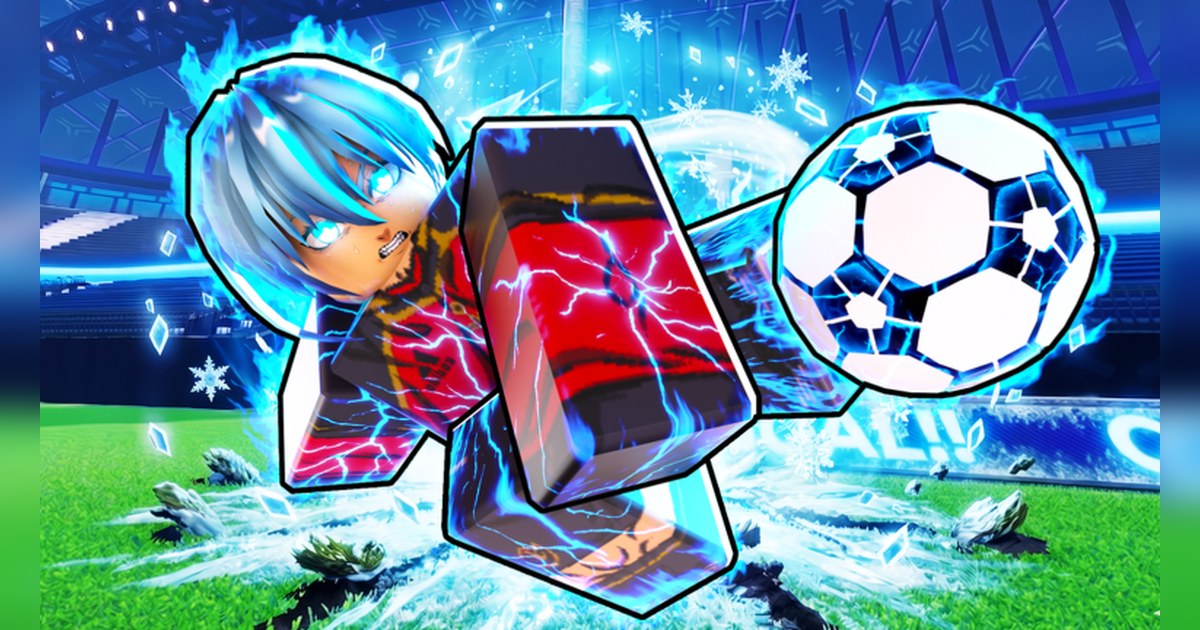
Blue Lock: Rivals is a Roblox soccer experience inspired by the anime Blue Lock, built by a fan group; its experience info lists it as created on July 26, 2024.
When we checked on November 3 it showed about 5 billion visits, a like ratio of roughly 97% and around 11,000 people playing at once, so it is far from a niche game.
The question players ask most is whether they can make a private server to practice with friends, so this guide starts there: where to check, how to make one, and how the store passes differ, based on Roblox's own documentation and experience data.
After that it walks through how a 5v5 match plays out from joining to your first goal, a quick-reference table of what the official sources say, and a checklist to run before you record.
Every number and update detail here comes from Roblox's official APIs (experience info, game passes and the events feed) checked on November 3. Spin odds, prices and fan-wiki tier lists are left out on purpose, because they shift with almost every weekly update.
How to make a Blue Lock Rivals private server, and where to check first
The quickest way to know is to look at the experience page itself. Roblox's official creator documentation says private servers only exist when a developer switches on Allow private servers in the Creator Dashboard, and the developer also decides whether they cost Robux or are free.
So log in on PC, open the Blue Lock: Rivals page and go to the Servers tab. If a button to create a private server is there, you can make one on the spot and the price is shown with it; if there is no button, private servers are not available at that moment.
Settings can change with any update, so check the Servers tab on the day you plan a private session. The confusing part is the store. A pass called Private Servers+ is listed for sale, and its official description reads 'Access to the private server admin panel!
(only available in owned private server)'. In other words it adds admin tools inside a private server you already own; it does not create one, so it is only useful once you have a server. The VIP pass is another trap for searchers, because private servers used to be called VIP servers.
Its description lists 2x currency, 2x EXP, a player card and a chat tag, nothing to do with servers. If you just want to play with friends without a private server, join them from your Roblox friends list while they are in a match, as long as their privacy settings allow friends to join.
Public servers cap at 10 players, so a full server will turn you away; the reliable move is for the whole group to join at the same moment, or to regroup in a server with open slots.
How a 5v5 match plays out, from joining to your first goal
- 1Find the real experienceSearch results include look-alikes such as BL:R RECREATION and BL:R OG. The original is made by the group Blue Lock Rivals Unofficial Fans, and its page URL carries the number 18668065416. The tag at the front of the name, currently ZENTETSU, changes with each update, so go by the creator rather than the title.
- 2Get your frame rate steady firstThe ball moves fast, and a stutter at the wrong moment ruins a volley. Lowering the graphics slider and checking for lag are covered in our Roblox FPS boost settings guide.
- 3Pick a style and learn its kitThe official description says you choose a character class with abilities inspired by the show; in game these are called styles. Update posts keep reworking each style's moves, its Flow and Awakening scenes, and the Chemical Reactions that trigger when two styles link up. New styles tend to arrive alongside quest-unlock events and events that hand out Lucky Spins.
- 4Play your role in the 5v5Each server holds 10 players for a 5v5 match. Goals are the headline, but steals, saves and ankle-breaker dribbles each have their own sound-effect pass, which tells you where the big moments happen. With friends, agree on who stays high and who presses for the ball. To learn the controls, record your first few matches and rewatch which input did what.
- 5Move to ranked once you are comfortableRanked arrived in June 2025 with an Elo-based rating and limited-time ranked rewards, and another RANKED update was announced in March 2026. Practising moves and Chemical Reactions in public matches first is the quicker path.
- 6Keep your goals on videoThe goal you just scored or the last-second steal is easy to forget to save. If your PC recorder is already running when you join, the whole match is kept, and you can cut the best moment afterward.
Blue Lock Rivals at a glance: what the official sources say (November 3)
| Item | What the official sources say | What it means for you |
|---|---|---|
| Name and creator | [ZENTETSU] Blue Lock: Rivals, by the group Blue Lock Rivals Unofficial Fans, created July 26, 2024 | The bracketed tag changes with each update; the creator does not |
| Link to the anime | Fan-made and unofficial; permitted under Roblox License Manager, with no supervision or endorsement from the original authors or Kodansha | Enjoy it as a fan project, not as an official Blue Lock game |
| Match format | 5v5 soccer per the description; public servers cap at 10 players | A squad of five needs open slots, so join together |
| Private servers | Creatable only when the developer turns on Allow private servers, and the developer sets them paid or free (Roblox creator docs); Private Servers+ is an admin panel 'only available in owned private server' | Look for a create button in the Servers tab before buying the pass |
| VIP pass | 2x currency, 2x EXP, player card, chat tag | Not a server; buy it only if you want those perks |
| Latest update | ZENTETSU: new style, Lucky Spins, new bundles; event start October 31 at 17:00 UTC (1 PM ET) | Balance shifts after a new style, so give it a few matches |
| Update rhythm | Every Saturday from September 5 to October 31 (SNUFFY, LORENZO, SENDOU, AIKU, QOL, ZENTETSU and more); events from November 2025 to February 2026 started at 18:00 UTC (1 PM EST) | Check the event card on the experience page for the next start time |
| Event modes | Goal Rush Duos (April 2025), 8v8 Mayhem (August 2025, billed as a limited time mode), 3v3 (February 2026), and a World Tournament played on country teams (July and August 2026) | Check the lobby and the latest event post for what is open now |
Checklist before a private session or a recording
- The Servers tab shows a button to create a private server before you spend Robux on Private Servers+
- The experience you joined is made by Blue Lock Rivals Unofficial Fans
- Your friends' privacy settings let friends join them in experiences
- Your recorder is running and set to 60fps, so fast shots stay smooth
- After an update, you have read the event post for new styles and balance changes
Record Blue Lock Rivals goals with DOR and turn them into Shorts
DOR is a free Windows PC app that detects Roblox and starts recording the moment you join an experience. When you leave Blue Lock: Rivals, every match you played in that session lands in My Clips as one video, so you never have to remember to save a goal mid-game.
Game sound and your microphone are captured together on one track, so the shout you let out as the ball hits the net stays in sync with the picture. Recording defaults to 1080p at 30fps, and 720p or 60fps can be picked in settings; for a fast ball game, 60fps is the one to choose.
Afterward, open My Clips, trim the goal, the steal or the Chemical Reaction, and pick 9:16 to get a vertical video ready for TikTok or YouTube Shorts.
To turn goals from several matches into one highlight reel, open DOR Studio (dor.gg/studio), join the clips, drop a Punch Zoom or Shake Zoom effect template on the moment of the shot, set text, background music and volume, then export an mp4 or share a dor.gg link that plays right in a phone browser.
Older full session videos are cleared only once they pass the space set aside for full play videos (5GB by default), and your latest recordings and liked videos stay. The sharing steps are in how to share Roblox gameplay videos, and cropping a landscape match into a Short is covered in making a vertical 9:16 game video.