ArcheAge Chronicles went live in Steam Early Access on Tuesday, November 3, 2026 at 3:00 PM PST (6:00 PM EST), which was already the morning of November 4 in Korea and Japan.
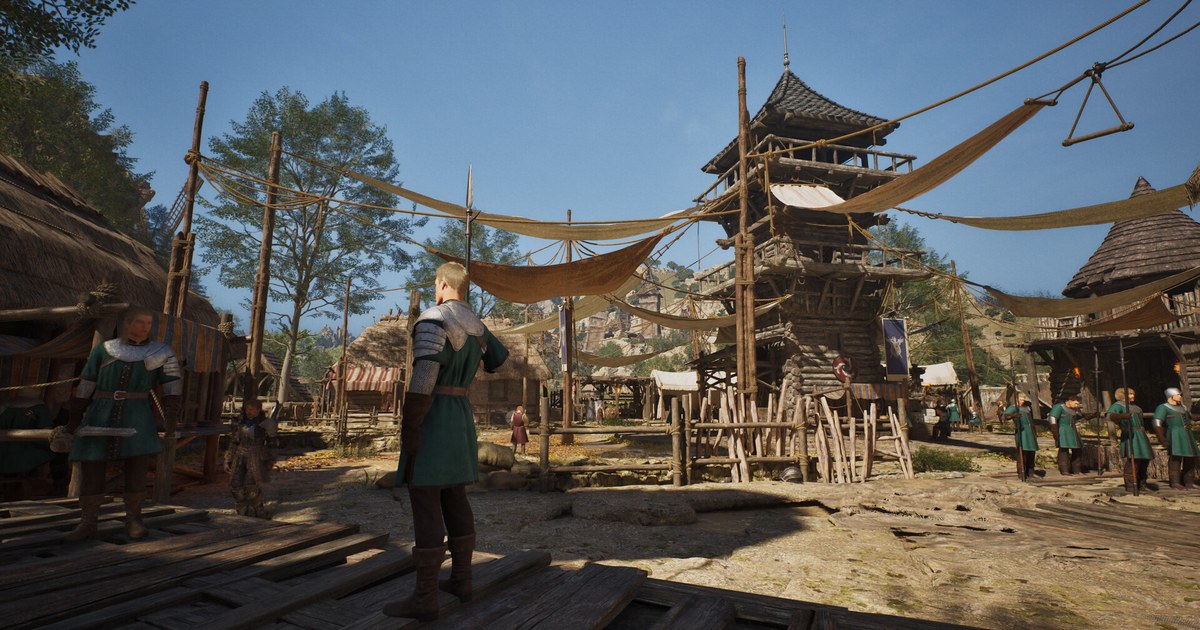
It is an open world action MMORPG built on Unreal Engine 5 and set on Auroria, the continent from the original ArcheAge, roughly 50 years after that game. XLGAMES is publishing it directly with no outside publisher, so patch notes, roadmap news and customer support all come straight from the studio.
Right now it is a Windows PC game on Steam only, sold as a one time purchase with no subscription: as of November 10, 2026 it costs US$29.99 on the US Steam store, with no discount running and only one edition on sale.
XLGAMES expects Early Access to run for about 9 to 12 months and says that window may shift depending on player feedback and development progress.
Everything below comes from the Steam store page, its Early Access section and system requirements, and the official announcements posted before and after launch, all checked on November 10, 2026.
It covers what is actually in the game today, what is still missing, whether your PC can run it, how to pick a server, and the known launch week issues along with the workarounds XLGAMES has posted.
Should you jump in now? What Early Access includes and what is still missing
The Early Access build opens three regions of Auroria: Diamond Shores, Gylden Ruins and Astron Plains.
The demo only showed a slice of Diamond Shores; launch adds most of the rest of it plus the two new regions, which XLGAMES describes as more than 60 areas with over a thousand exploration and collection points, roughly twenty times the size of the demo.
There are four classes, each with two weapons, for eight weapons in total, and the content list covers exploration, dungeons, raids, PvP, housing, crafting, trading, and company and guild activities. The gaps are just as clear.
Every class is still locked to one gender, and no class has its third weapon yet.
XLGAMES says the first update in December will add a female Warrior and the Gladius as the Warrior's third weapon, with other classes following one at a time, and its goal is to remove gender locks from every class by full release.
The full version is also planned to bring new regions, combat balance and progression work, party and channel quality of life changes, and more life skill and community content. A detailed roadmap was promised soon after launch and had not been posted as of November 10.
On pricing, XLGAMES says the price may change at full release and that any change will be announced in advance; it has also said no in game cash shop would run at the start of Early Access. Reception depends on where you look.
On November 10, Steam showed 71% positive across 1,821 English reviews (Mostly Positive), while the score across all languages was 64% of 4,648 reviews (Mixed).
In its launch day notice, XLGAMES apologized for progression blocking bugs and said it was hearing both praise and criticism about combat feel, class depth and character progression.
If you enjoy playing a game while it takes shape and three regions with four classes sound like enough, now is a fine time to start. If you are waiting for gender options, third weapons or a smoother early game, the December update and the roadmap are sensible checkpoints.
Your first session: a setup order that avoids the common snags
- 1Check your PC and free SSD spaceCompare your CPU, graphics card and RAM with the table above. If you are not sure what is inside your PC, check your specs in Windows 11 first. You need 100GB of free space, and an SSD is required. The minimum tier targets 30 FPS at 1080p on Low with upscaling set to Quality, so if your card sits right at the minimum, start on Low instead of the default.
- 2Pick your server with friends in mindDuring Early Access a character cannot move to another server, and players on different servers cannot play together. Your region is chosen automatically from your location, but the server is your call, so agree on a server name with friends or your guild before you create a character. The demo ran servers in North America (East and West), Central Europe and Asia (East and South); for launch XLGAMES added Brazil, which shows under the NA category, and Singapore.
- 3Let the first launch finish compiling shadersThe first launch now shows a shader compilation screen instead of the black screen many demo players saw, so wait for it to finish. If upscaling or frame generation does not work on your system, the game switches the setting automatically and tells you. If you get stuck at anti cheat initialization, XLGAMES asks you to take a screenshot of that screen and open a ticket with Customer Support, which you can also reach from the in game ESC menu.
- 4Set your language and chat filtersChange the language under Options, General, Language. If Region or World chat fills up with languages you cannot read, use the Chat Language Filter under Settings, Game Options. The November 6 maintenance (PT) also added options to toggle the mini chat window and to choose which channels appear in notifications.
- 5Keep your dungeon party togetherXLGAMES confirmed that if the party leader leaves or the party disbands mid dungeon, progression can stall or you may be unable to move to the next area, and said a fix will take time because of how the system is built. Stay grouped until everyone has moved on to the next area, and make sure each member picks up their own key item, since some keys are not shared.
- 6Use Escape and the bug report channel when stuckIf your character is stuck in the terrain, press ESC and select Escape; if that fails, restart the game, log back in and try once more. For quests or bosses that will not progress, XLGAMES asks for a detailed report in the bug report channel of its official Discord. Two temporary maintenances on November 4 and November 6 (PT) fixed tutorial progression, characters that failed to appear and several channels players could not enter or leave, so update through your Steam Library before you play.
ArcheAge Chronicles Early Access at a glance (as of November 10, 2026)
| Item | Early Access today | What to know or what is planned |
|---|---|---|
| Launch | November 3, 2026 at 3:00 PM PST on Steam | Early Access expected to last about 9 to 12 months; the timeline may change |
| Platform and service | Windows PC on Steam, self published by XLGAMES, one time purchase at US$29.99 on the US Steam store (as of November 10, 2026, no discount, single edition) | Epic Games, PlayStation and Xbox have wishlist buttons on the official site; no release dates announced |
| Regions | Diamond Shores, Gylden Ruins, Astron Plains (60+ areas) | More regions of Auroria planned before full release |
| Classes and weapons | 4 classes with 2 weapons each (8 total), gender locked | Female Warrior and the Gladius in the first December update, then a third weapon for each class |
| Languages | English, Korean (with voice), Simplified and Traditional Chinese | Japanese and Brazilian Portuguese as machine translated text; other languages under review |
| Minimum specs | Windows 10 64-bit, Core i5-10400 or Ryzen 5 3600, 16GB RAM, RTX 2060 SUPER or RX 6600 (8GB VRAM) | Targets 30 FPS at 1080p on Low with upscaling set to Quality |
| Recommended specs | Windows 11 64-bit, Core i7-12700 or Ryzen 7 5700X, 32GB RAM, RTX 4060 Ti 16GB or RX 7700 XT (12GB VRAM) | Targets 60 FPS at 1080p on High with upscaling set to Quality |
| Shared requirements | DirectX 12, 100GB storage, SSD required | Linux and Steam Deck are not officially supported; Steam Family Sharing is not available |
Before you buy
- You have at least 100GB free on an SSD and a GPU at or above an RTX 2060 SUPER or RX 6600 with 8GB of VRAM.
- You and your friends or guild have agreed on one server, since transfers are not available during Early Access.
- You know the game cannot be played through Steam Family Sharing, so each player needs their own copy.
- You are fine with gender locked classes for now, with options arriving class by class starting with the Warrior in December.
- You will play on a Windows PC rather than Linux or Steam Deck.
Want to keep long MMO sessions on record?
DOR is a free Windows app that detects supported games when you launch them and records the whole match, or the full session from launch to exit. Recordings land in My Clips inside the app, where you cut the moments you want and save them in 16:9, 9:16 or 1:1.
To merge several clips or add text and music, open DOR Studio (dor.gg/studio), then export an mp4 or share a dor.gg link. Steam also has its own built in game recording, and we compare the two in how to record Steam games.
For sessions that run for hours, like dungeon runs or long trade routes, see recording long gameplay without stutter, and if your PC is close to the minimum specs, read recommended specs for game recording first.
Older recordings are only cleared once the full gameplay video allowance (5GB by default) is exceeded, and recent recordings and videos you have liked are kept.
The free plan records at 720p or 1080p and 30 or 60 FPS (1080p at 30 FPS by default), and on supported NVIDIA graphics cards such as the RTX series it records with NVENC hardware encoding.