
If you are choosing clipping software for Brawlhalla, here is the answer up front: use a recorder that captures your whole play session automatically once it is running.
DOR, a free Windows app, detects when Brawlhalla launches, starts recording, and keeps every match in one video until you close the game. Afterward you open My Clips, cut out the ring-out or weapon combo, and export it as a 9:16 short.
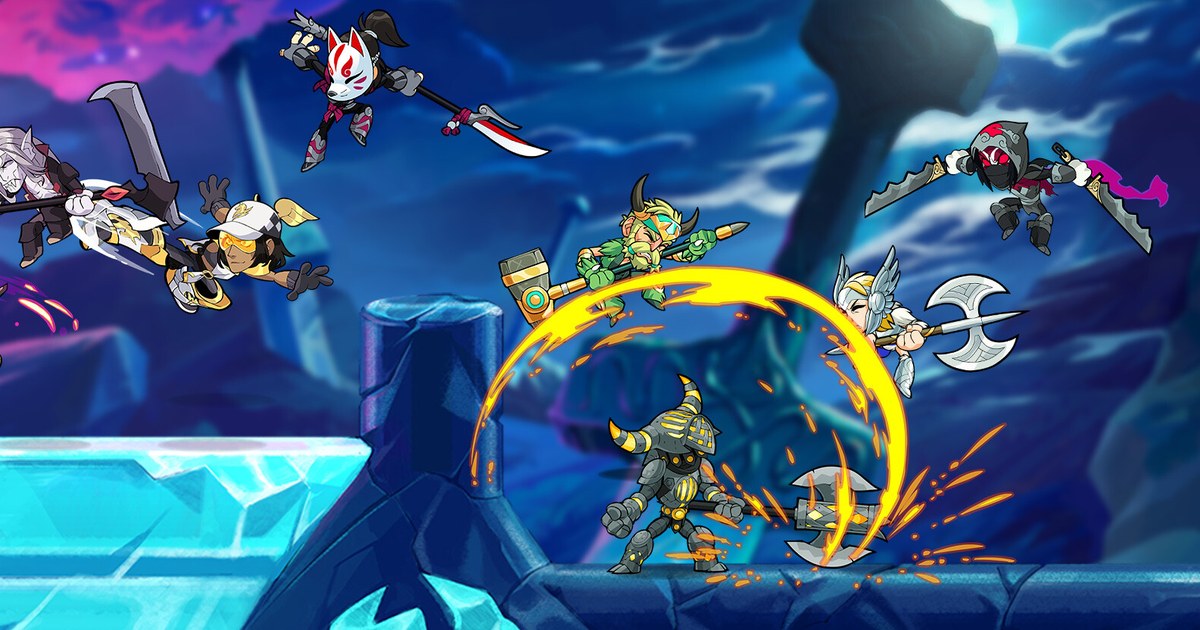
Brawlhalla is a free 2D platform fighter where up to 8 players brawl on one stage, and because matches are short you can play dozens in a single night.
That is why hotkey saving is easy to forget in the few seconds before the next match starts, and even when you do press it, a short save length can cut off the start of your combo.
This guide compares in-game replays, Xbox Game Bar, the NVIDIA app, AMD Software, OBS Studio, Medal, and DOR for Brawlhalla as of November 29, 2026, and walks through making combo clips from an automatic recording. Game details and DOR recording support are on the Brawlhalla game page.
Pick automatic session recording over hotkey saving
In Brawlhalla, the deciding factor is that you never know when the good moment will happen.
Saving the last few dozen seconds with a hotkey needs a free hand right after the moment ends, but in Brawlhalla your opponent respawns right after a ring-out or the next match starts almost immediately, so it is hard to let go of the controls.
If you play on a controller, reaching for a keyboard shortcut is a hassle in itself. Recording the whole session instead means there is no save button to press, and you can go back later and trim generous room before and after the moment.
A combo only means something if the opening hit is visible, so not losing the start of the clip matters most. In-game replays let you rewatch a match, but they are not video files: the game replays the match from a record, so they only play inside the game.
Replays saved on an older game version cannot be played after the game updates, so anything you want to keep for a long time is safer recorded as video. Where the replay files are stored is covered in Brawlhalla replay file location. How much setup time each approach takes is broken down in game recorder vs OBS.
Brawlhalla clipping software compared (as of November 29, 2026)
| Tool | How Brawlhalla moments get saved | Best for |
|---|---|---|
| In-game replays | A record the game replays internally, not a video file | Players who only want to review matches inside the game |
| Xbox Game Bar | Built into Windows. Start a recording yourself, or turn on background recording (off by default) and save the last moments with a shortcut | Occasional clips with nothing extra to install |
| NVIDIA app | Instant Replay saves the last stretch of gameplay with a hotkey | GeForce owners who already have the hotkey habit |
| AMD Software: Adrenalin Edition | Instant Replay saves the last stretch of gameplay (configurable up to 20 minutes) | Players on Radeon graphics cards |
| OBS Studio | Free and open source. Set up recording or the Replay Buffer yourself and save with a hotkey | People who want to configure scenes and encoders by hand |
| Medal | A clip hotkey saves the last stretch, with an option to record the full session | Players who want to post clips to the community right away |
| DOR | Detects Brawlhalla, records the whole session automatically, and lets you cut just the moments you want in My Clips | Anyone who wants a free app that records on its own with no save button |
Check these before you pick Brawlhalla clipping software
- Decided whether you can press a hotkey after every match or need automatic recording
- Know that in-game replays only play inside the game, so record the moments you want to keep as video
- Leave enough save length or trimming room so the start of the combo is not cut off
- Cut to 9:16 for shorts, or 16:9 or 1:1 for moments that need the stage edges in view
- Checked that you have enough storage space for your recordings
How to make Brawlhalla combo clips with DOR
- 1Install DOR and leave it runningDOR is a free Windows app. Once installed it waits for a supported game to launch, and you do not need to press anything to start recording. The free plan lets you choose 720p or 1080p at 30 or 60 fps (the default is 1080p at 30 fps).
- 2Launch Brawlhalla and play as usualWhen you start Brawlhalla from Steam, DOR detects it and starts recording automatically. From ranked 1v1 and 2v2 to private rooms with friends, every match stays in one video until you close the game, no matter how many times the match changes.
- 3Find the moment in My ClipsWhen you close the game, the recording lands in My Clips. The Legend select screen and the results screen mark where each match begins and ends, so skimming by the match order you remember gets you to the ring-out quickly.
- 4Trim from the first hit to the finishLeave two or three extra seconds at the start so the opening hit is visible, and keep the reaction after the ring-out. Choose 16:9, 9:16, or 1:1, and see how to trim game clips for tips on setting exact start and end points.
- 5Share a link or combine clips in the StudioSend the trimmed clip right away as a dor.gg link, or open DOR Studio (dor.gg/studio) to join several moments, add text, BGM, and effect templates, and export an mp4.
How to save and share Brawlhalla clips with DOR
DOR is a free Windows app that detects supported games when you launch them and records your entire play session. Brawlhalla is recorded as a full session from launch to exit, so you can focus on playing without thinking about a save button after every match.
Recordings collect in My Clips, where you can cut just the part you want and save it as 16:9, 9:16, or 1:1. To combine highlights from several matches, join them in DOR Studio, add effect templates such as shake zoom and punch zoom along with text and BGM, then export an mp4 or share a dor.gg link.
On supported NVIDIA graphics cards such as the RTX series, DOR records with NVENC hardware encoding, and nothing you make carries a watermark. To send the deciding hit to the friend you just fought, see send a Brawlhalla ring-out clip, and for uploading in shorts format, see turn gameplay into YouTube Shorts.