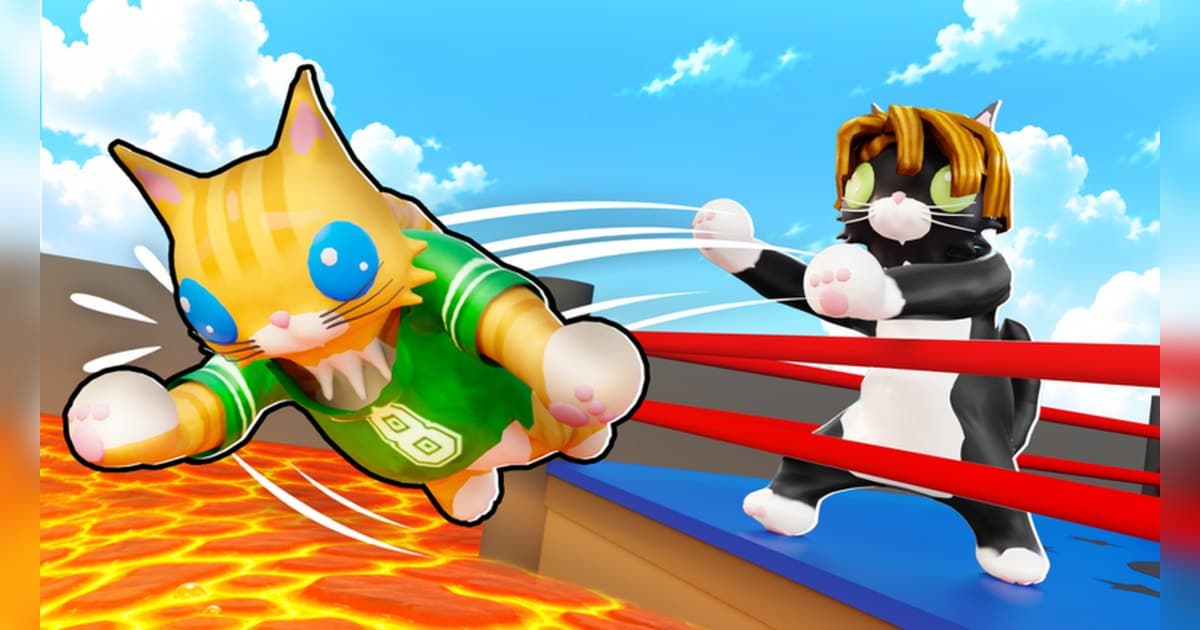
Cat Battles is, as the first line of its description says, a Roblox brawler where you push, slap and toss cats out of the ring. It is made by the Cute Malt Games group and is brand new, created on October 5, 2026. On October 20 it showed about 23.7 million visits, about 56,000 favorites and roughly 42,000 people playing at that moment, with up to 10 players per server. Two weeks after launch it was already on several charts: ninth in worldwide Top Trending, second in worldwide Up-and-Coming and 27th in Top Playing Now. In the US it was 11th in Top Trending, third in Up-and-Coming and 20th on Fun with Friends, and in Spain it was third in Top Trending. The country breakdown is in popular Roblox games right now. This guide sticks to the official description and the event posts. Fur tier lists and crate odds are left out.
The short version: hold the middle of the ring, master one ability, and play team modes with friends
The official description is short and clear: grab, punch and shove your way to the top, and the last cat standing in the ring wins. The basic moves are punch, grab, kick and lift, and on top of those you use one ability. There are eight: Dash, Pounce, Hiss, Anchor, Stomp, Catnip, Fluff Up and Hairball. You earn coins at the end of every bout and spend them on crates for furs, sumo gear and emotes. Furs run from Ginger, Tuxedo, Calico and Tiger to rarer ones like Snow Leopard, Gold, Crystal, Rainbow, Galaxy and Glitch. There are three modes: Classic, where everyone is an opponent, 2 Teams and 4 Teams. The update posts show the Alien Invasion update on October 17 adding a new rocket ship map and new quests, with more promised the following week. The description also lists free coin codes: RELEASE, NEWGAME and CATS, as of October 20. For a new player, build the habit of staying off the edge of the ring in Classic, pick one ability and learn it, then play 2 Teams or 4 Teams with friends. The moment you are the last cat left never replays, so keep it on video. If you have not recorded Roblox before, start with how to record Roblox gameplay.
Starting Cat Battles: do it in this order
- 1Join with the PC version of RobloxOpen the experience in the PC version of Roblox from roblox.com. With DOR installed, recording starts with nothing to press, so your first bout is on video.
- 2Redeem the official codes for starting coinsEnter RELEASE, NEWGAME and CATS from the official description for free coins. Codes can end at any time, so check them as soon as you join.
- 3Learn the basic moves in ClassicGet punch, grab, kick and lift into your hands first. Standing at the edge of the ring makes you easy to push out, so holding the middle is the basic rule.
- 4Pick one ability and stick with itChoose one of the eight abilities and use it for several bouts before switching. The names say a lot: Dash and Pounce close distance, while Anchor and Fluff Up help you stay in.
- 5Play 2 Teams and 4 Teams with friendsWith 10 players per server it is easy to split a group into teams. If your usual group is offline, try the Roblox group finder.
Cat Battles moments worth keeping, and what officially backs them
| Moment | What the official sources confirm | How to keep it |
|---|---|---|
| Being the last cat standing | The win condition in the description is the last cat standing. | Press the clip hotkey right after the win to keep the final shove. |
| Holding on at the edge of the ring | The abilities include Anchor and Fluff Up. | A 30 second clip covers being pushed through to holding on. |
| Knocking several cats out at once | Grab and lift are basic moves, and Stomp is an ability. | It happens in a flash, so find and trim it from the full recording. |
| A rare fur from a crate | Coins earned every bout open crates with furs. | Leave the result screen up a few extra seconds before saving. |
| Your first bout on the rocket ship map | The October 17 update added a new rocket ship map. | Keep that first bout whole to learn the layout later. |
Before you join Cat Battles
- You are using the PC version of Roblox from roblox.com.
- You checked whether the codes in the description still work.
- You read the posts for this week's new map and quests.
- Servers hold 10 players, so you know how your friends will join the same one.
- You will ask before posting clips with a friend's voice.
Keep every Cat Battles bout with sound using DOR
All you do is launch Roblox. There is no button to press and nothing to set up: DOR, a free Windows PC app, recognizes the PC version of Roblox and starts AI auto recording the moment you join Cat Battles. When you leave to the home screen, that session lands in your library as one mp4. Game audio and your microphone are recorded together on one track, so the laughing while you shove your friends around stays in the file, and AI voice notes log what was said with timestamps so you can jump back to the loudest moments. To keep the edge save you just pulled off on its own, press the clip hotkey and the last 30 seconds are saved as a clip, with 15, 30, 45 or 60 seconds to choose from. Recording defaults to 1080p at 30fps, with 60fps available. Pick the clips you saved and press Create highlight, and the AI highlight joins them into one video; trim any part to 16:9, 9:16 or 1:1 and share it with a single dor.gg link. DOR Studio opens right in your browser for text, background music and effect templates. For soccer with items and no referees, see the Illegal Soccer guide.
 #Roblox