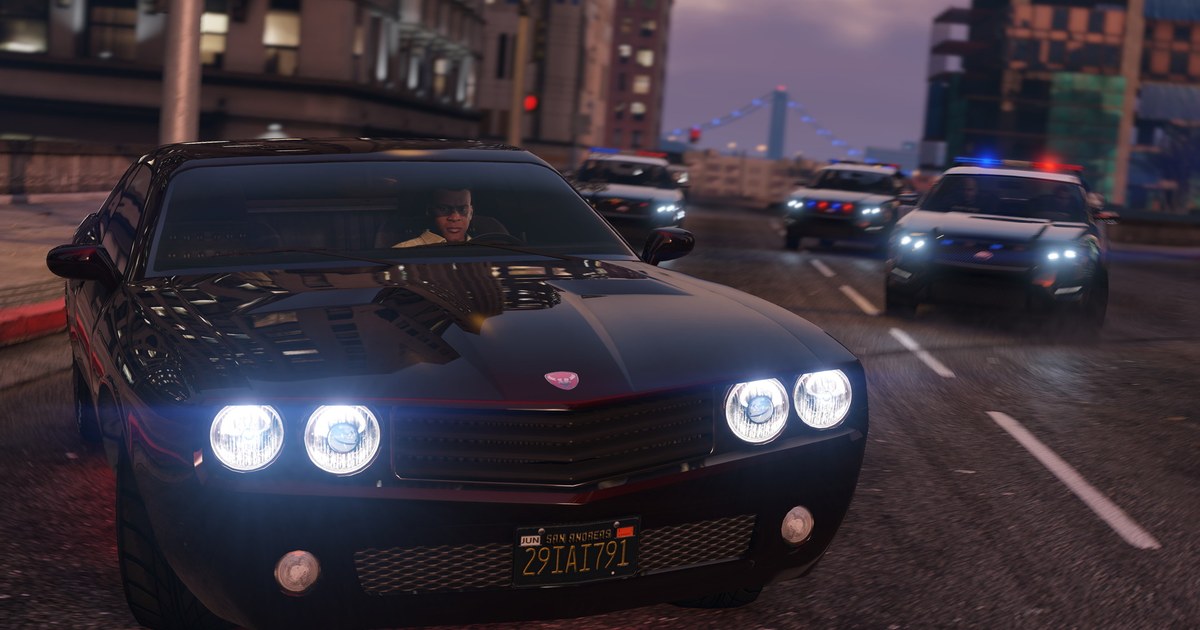

If you are choosing FiveM clipping software, the short answer is to record the entire session automatically and cut clips afterward. DOR, a free Windows app, detects FiveM when it launches and records one continuous video from joining the server until you close the game.
When you are done, you open My Clips, trim the scenes you want and send them as a dor.gg link.
RP runs without a script, so police chases, bank job escapes and perfect in character lines happen with no warning, and a save key you have to press after the fact gets missed more the deeper you are in the scene.
This guide compares the tools FiveM players weigh up most often: Medal, Instant Replay in the NVIDIA app, the OBS Replay Buffer and DOR.
We look at whether each one misses moments in long sessions, how proximity voice and your mic are captured, storage and sharing, based on each official page as of November 29, 2026. If you mainly want the difference between Medal and OBS, read Medal vs OBS as well.
Verdict: if you cannot spare a hand for the save key, record the session
If you reliably hit the save key during RP, any of these tools will do. If you do not, automatic session recording is the better fit. The NVIDIA app product page describes Instant Replay as instantly saving the last 30 seconds of gameplay.
The OBS Replay Buffer is turned on under Settings > Output, keeps the Maximum Replay Time you set, and writes a file only when you press the save hotkey. Medal clips work the same way, saving the last 15, 30 or 60 seconds, up to 20 minutes, when you press the clip key.
All three are fast and light, but in a bank job negotiation that runs for minutes before it explodes, or a chase where you cannot take your hands off the controls, you forget the key or press it late and lose the start of the scene. We explain how last moment saving works in how to save the moment you just saw.
You can also capture everything. Medal supports session recording from game launch to close, and the clip key becomes a bookmark while it runs. OBS records for as long as you like after you press Start Recording.
The catch is that Medal session recording has to be switched on in settings or started manually, and OBS has to be started by hand every time. DOR starts recording on its own when FiveM opens, so there is nothing to do when you join a server.
In short: Instant Replay for quick stunts, Medal if turning clips into share links fast matters most, OBS if you want to build your own scenes, and DOR if you want something you can leave running and forget.
FiveM clipping tools compared (as of November 29, 2026)
| Tool and method | What works well for FiveM RP | What to check before choosing |
|---|---|---|
| NVIDIA app Instant Replay | Saves the last moment with one hotkey, manual recording up to 4K HDR at 120 fps | Officially needs GeForce RTX 20, 30, 40 or 50 Series and driver 551.52 or later, and you must press the key |
| Medal clips | Saves from the last 15 seconds up to 20 minutes, records game, mic and Discord on separate tracks, share link per clip | FiveM is not on the event detection list in the Medal FAQ, so you save with the clip key |
| Medal session recording | Records from game launch to close, the clip key becomes a bookmark | Must be turned on in settings or started manually, and an 8 hour session stores 8 hours of video |
| OBS Replay Buffer | Free and open source, you set the buffer length and scene layout yourself | Enable it under Settings > Output and press Start Replay Buffer every time |
| OBS recording | Design your own scenes and audio tracks | Start and stop recording yourself and tune encoder settings |
| DOR automatic session recording | Records FiveM from launch to close on its own, trim in My Clips and share a dor.gg link | A free app that records whenever it is running, trim or like the scenes you want to keep |
Checks before sharing a FiveM clip
- Recording and clip sharing rules differ by server, so check the server rules first for scenes that show other players.
- Trim out stretches where out of character (OOC) talk or personal details can be heard before you send.
- If your server radio runs over Discord, use record Discord call audio to confirm the call voice is captured.
- As of November 29, 2026, the official FiveM site lists FiveM for GTA V Legacy alongside FiveM for GTA V Enhanced in Early Access. Test recording on the one you play.
- Improvised scenes need context to land, so keep a few dozen seconds before the key line.
How to pick and test a FiveM clipping tool
- 1Think about how long your missed moments areRecall the scenes you regretted losing in past RP. Were they a few seconds of stunt or several minutes of negotiation? Under 30 seconds, last moment saving is enough. If long improvised scenes are common, keeping the whole session fits better.
- 2Check your graphics card and game headroomThe NVIDIA app officially requires a GeForce RTX 20 Series card or newer. FiveM runs on top of GTA V, so it leans hard on the GPU. Tidy up your game settings with FiveM FPS boost and best settings before recording and you will see less stutter while capturing.
- 3Decide how voice gets capturedProximity voice is sound you hear inside the game, so it is recorded along with it when your tool captures game or system audio. Your own lines go through the mic. Always confirm in a test recording that you can hear other characters speaking.
- 4Run a test sessionJoin a server briefly with the tool you picked. With a save key method, press it a few times on purpose and check that files appear. With a session method, check that recording starts from the connect screen. If NVIDIA saving fails, see NVIDIA Instant Replay not working.
- 5Set a storage and keeping habitSession recording uses space in proportion to its length. Medal itself notes that an 8 hour session stores 8 hours of video. Point recordings at a drive with plenty of room and trim the scenes you want to keep the same day so cleanup stays easy.
DOR: a free app that records whenever it is running
DOR is a free Windows app. Once installed, it detects FiveM automatically and records one video from joining the server until you close the game, and recordings collect in My Clips inside the app. There is no save key to press, so the scene is kept even when you are deep in RP.
Afterward, pick the chase, arrest or best line in My Clips, trim it to 16:9, 9:16 or 1:1, and send it straight to your server Discord as a dor.gg link.
Select several scenes and press AI Highlight to join the chosen clips into one video, and in DOR Studio you can merge videos, add effect templates such as shake zoom, punch zoom and glitch transitions, add text and BGM, and export an mp4.
Game sound and your mic are recorded on one track, so what you heard in game and your own lines stay with the scene, and the results carry no watermark.
Turn on Match Notes under Settings > Labs (it is off by default) and after a match DOR transcribes the talk on your PC, so tapping a note line jumps to that moment.
Free recording quality is 720p or 1080p at 30 or 60 fps (1080p at 30 fps by default), and on supported NVIDIA cards such as the RTX series DOR records with NVENC hardware encoding.
Space is managed by clearing the oldest videos first only when full play recordings pass their share (5GB by default), and liked videos are kept, so like the scenes you want to hold on to. For more comparisons with other clip apps, see Medal alternatives.