If you are choosing Garry's Mod clipping software, here is the answer up front: run an app that records your entire session automatically from the moment the game launches.
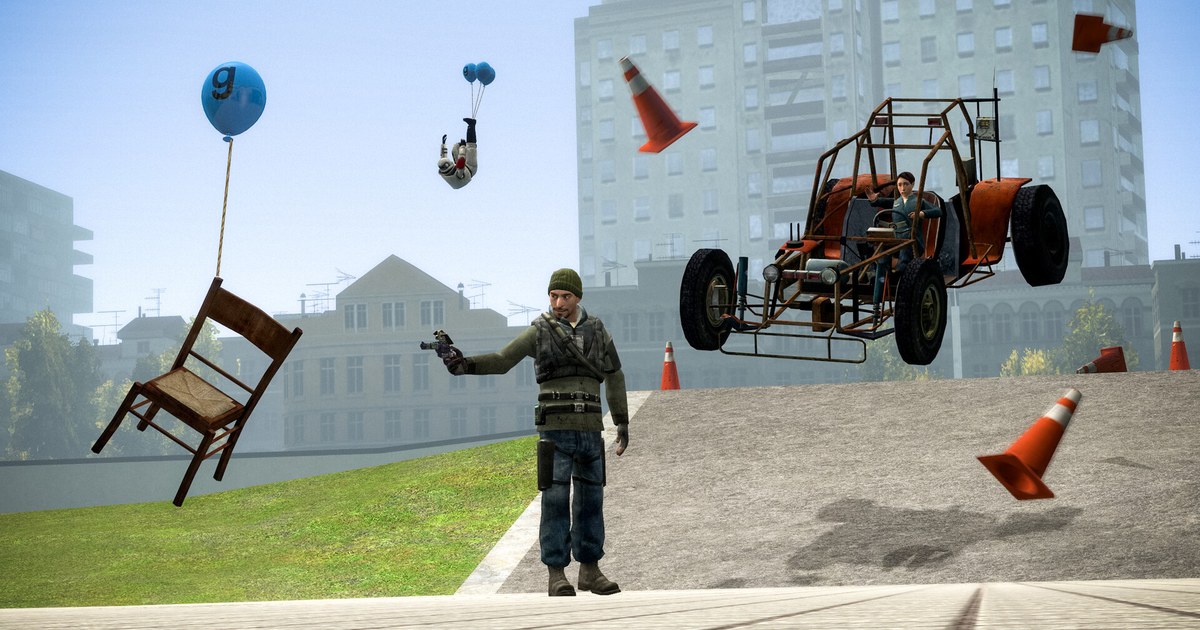
The traitor revealing themselves in TTT (Trouble in Terrorist Town), the chair in Prop Hunt that survives until the final seconds and then gets spotted, the sudden chaos on a DarkRP server: nobody knows when these will happen. That is why saving "what just happened" with a hotkey often fails in GMod.
Everyone is laughing and nobody presses the key, or the moment started earlier than the buffer reaches back, so the setup gets cut off. DOR, a free Windows app, detects Garry's Mod when it launches and records everything from launch to quitting as one video.
After the session, you open My Clips and trim just the part you want.
This guide compares OBS Studio, the NVIDIA app, Xbox Game Bar, Medal, Steam Game Recording and DOR for the way GMod game modes actually play, as of November 29, 2026, and covers what to check for voice chat, storage and display mode. You can also see how DOR records the game on the Garry's Mod page.
Full session auto recording fits GMod better than saving the last few seconds
In Garry's Mod, a tool that keeps recording from the start and lets you pick later works better than one that saves only after you press a key. The reason is how the game modes play. In TTT, a small action early in the round becomes the clue for a twist minutes later.
In Prop Hunt, a short reveal comes at the end of a long stretch of hiding. On roleplay servers like DarkRP, conversations build up and then suddenly turn into chaos. A save the last seconds tool only reaches back as far as the length you set, so if the setup runs longer than that, the context is gone.
You also have to press the key right after the moment, and the funniest GMod moments usually happen exactly when everyone is laughing too hard to touch the keyboard. A full session recording removes the timing problem entirely, and you can scrub through afterward and trim with the lead up included.
Recording a whole session sounds like it would eat storage, but with an app that clears the oldest videos automatically, you rarely have to delete anything yourself. For how the last seconds approach works in detail, see how to save just the moment you saw.
Garry's Mod clip tools compared (as of November 29, 2026)
| Tool | How it saves | Best for in GMod |
|---|---|---|
| Garry's Mod demo recording | A file you replay inside the game, not a video file like mp4 | Rewatching a moment in game; to share it you have to record the playback separately |
| OBS Studio Replay Buffer | Keeps the last Maximum Replay Time in memory and writes a file when you press the save hotkey, which you assign yourself | Players who want fine control over scenes and audio sources and can press a key right after the moment |
| NVIDIA app Instant Replay | Saves the most recent stretch with a hotkey on GeForce graphics cards | NVIDIA card owners who want to stay inside the driver app |
| Xbox Game Bar | With background recording on, Win+Alt+G saves what just happened and Win+Alt+R starts or stops a recording | Occasional saves using built in Windows features with nothing to install |
| Medal | Saves what just happened as a clip with a hotkey and creates a share link | Posting clips to a community right away |
| Steam Game Recording | Records games launched from Steam in the background and overwrites older footage once your chosen storage fills | Players who want to stay entirely inside Steam |
| DOR | Detects Garry's Mod automatically, records the whole session from launch to quitting, and you trim in My Clips afterward | Never missing moments that come out of nowhere: a free app that records on its own while it runs |
What to check before picking a GMod clip tool
- Decided whether you can press a save key right after a moment or need automatic recording
- Checked whether you mostly play modes like TTT or Prop Hunt where the start of the round matters
- Decided whether to keep server voice chat with your mic, or capture Discord voice separately
- Checked free space on the recording drive and how old videos get cleared
- If you use OBS, made a short test recording in fullscreen to confirm the screen is not black
How to make Garry's Mod clips with DOR
- 1Install DOR and leave it runningOnce DOR is installed on your Windows PC, there is no record button to press. The free version lets you choose 720p or 1080p at 30 or 60fps, and the default is 1080p at 30fps.
- 2Launch Garry's Mod and play as usualWhen you start Garry's Mod, DOR detects it and starts recording. Join a TTT server from the server browser, then hop to a Prop Hunt server, and it is all recorded as one session until you close the game.
- 3Just remember roughly when the funny moment happenedYou do not need to press anything when something happens. Remember the rough time or which round it was. TTT and Prop Hunt are played in rounds, so working backward from the end of the round is the fastest way to find it.
- 4Trim the section in My Clips and pick an aspect ratioAfter you close the game, open the video in My Clips and trim it with the lead up and the reaction included. Save 16:9 for YouTube, 9:16 for Shorts or TikTok, and 1:1 for square posts.
- 5Share a link or stitch scenes together in the studioSend the trimmed moment to friends as a dor.gg link, or combine several moments in DOR Studio, add effect templates like Shake Zoom or Punch Zoom, text and background music, and export an mp4. There is no watermark on the result.
Capture GMod moments with DOR: it records from the moment you launch
DOR is a free Windows app that detects Garry's Mod when you launch it and records your whole session from start to exit. Recordings collect in My Clips, and after you finish playing you can trim just the moments you want in 16:9, 9:16 or 1:1.
Game sound and your mic are captured together on one track, so the server's reaction and yours end up in the same video.
On supported NVIDIA graphics cards such as the RTX series, it records with NVENC hardware encoding, and the free version offers 720p or 1080p at 30 or 60fps (1440p, 4K and 120 or 144fps are in DOR Pro).
Storage is only cleaned up, oldest videos first, when full session recordings go over their share (5GB by default), and recent recordings and videos you liked are kept. Share trimmed moments as a dor.gg link, or merge several of them into one video in DOR Studio.
Tips for finding Prop Hunt and TTT moments and sending them as a link are in share Garry's Mod gameplay video, and estimating recording size is covered in game clip save location and storage.