
The short answer: install DOR, a free Windows app, and launch Helldivers 2. DOR detects the game and records everything from launch to exit automatically, and the video lands in My Clips inside the app. After that, your only job is to mark the start and end of the moment you want to post and trim it.
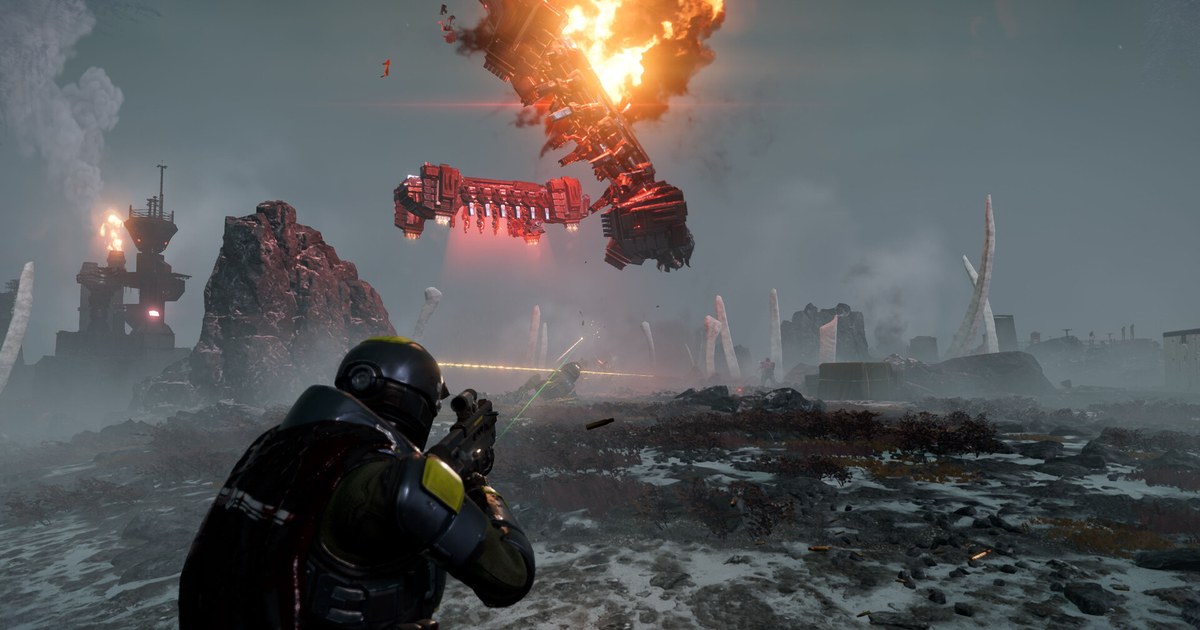
Helldivers 2 is a co-op shooter where up to four players tackle missions together, so a stratagem landing on your own squad, a giant enemy going down, or a last second run to the extraction ship can happen with no warning.
Reaching for a record button each time makes it easy to miss the moment that mattered. Saving the whole session first and choosing scenes afterwards avoids that. For the general trimming method, see how to trim game clips; this guide focuses on the path from a Helldivers 2 recording to a finished clip.
The answer: record the whole session, trim the scenes afterwards
For Helldivers 2 recording, one workflow is enough: let the app record automatically once the game starts, then trim only the scenes you want to post when your drop is over. You never have to press start or stop mid fight, and you keep a video whether the mission succeeded or the whole squad wiped.
Helldivers 2 is a game DOR supports, so it is detected as soon as it launches. You can check game specific details on the Helldivers 2 hub. When you pick scenes, keep one story per clip: one friendly fire accident, one giant enemy takedown, one final dash to extraction, cut to roughly 10 to 30 seconds. Clips that short are easy to post as Shorts or Reels and easy to send to a friend.
Steps to record Helldivers 2 and make clips
- 1Install DOR and launch Helldivers 2Install DOR, then start Helldivers 2 as you normally do. The game is detected and recording begins, so there is no record button to press. The first time, leave every setting alone and just play.
- 2Start with the default qualityFree recording quality is 720p or 1080p at 30 or 60 fps, with 1080p at 30 fps as the default. Record a few sessions on the default and keep it if the video looks good. On supported NVIDIA graphics cards such as the RTX series, DOR records with NVENC hardware encoding.
- 3Find scenes in My Clips after you playOpen My Clips when you are done and you will find the video of the session you just played. Watch it and note where a stratagem strike lands, where a friendly fire accident happens, or where you board the extraction ship. Two or three scenes per drop is usually plenty.
- 4Trim the range and save the clipSet the start and end of the scene, trim it in the app and save. You can pick 16:9 for landscape, 9:16 for Shorts and Reels, or 1:1 for square posts. For more on vertical video, continue with how to make vertical game videos.
- 5Combine scenes in Studio and shareIf you have several scenes, merge them into one video in DOR Studio at dor.gg/studio. Add effect templates, text, BGM and volume, then export an mp4 or share a dor.gg link. The merge order is covered in how to combine game clips.
From Helldivers 2 recording to finished clip at a glance
| Stage | What to do | How |
|---|---|---|
| First time | Install DOR | Install the free Windows app and launch Helldivers 2 as usual |
| While playing | Press nothing | When a supported game launches, DOR detects it and records from launch to exit |
| After you play | Open the video in My Clips | The session you just played is saved there as a video |
| Picking a scene | Set start and end, then trim | Trim in the app and choose 16:9, 9:16 or 1:1 |
| Combining scenes | Merge them in DOR Studio | Add effect templates, text, BGM and volume to make one video |
| Posting | Export an mp4 or share a link | Save an mp4 to upload, or send one dor.gg link to friends |
Check before you post
- The recording is saved in My Clips
- Each clip holds only one scene
- You picked the ratio that fits where you post (16:9, 9:16 or 1:1)
- The combined video is not too long when you merge scenes
- You have enough storage space (check the default 5GB limit if needed)
DOR for Helldivers 2, from recording to sharing
DOR is a free Windows game recording app. When you launch a supported game such as Helldivers 2, it detects the game automatically and records from launch to exit, and recordings collect in My Clips inside the app.
For Helldivers 2, the workflow is to pick the scenes you want from the recorded video, then trim and save them yourself. In the app you can trim a range and choose 16:9, 9:16 or 1:1.
In DOR Studio at dor.gg/studio you can merge several videos, change the ratio, add effect templates such as shake zoom and punch zoom, add text and BGM, adjust volume, and then export an mp4 or share a dor.gg link. DOR output carries no watermark. To send a friendly fire disaster to a friend, continue with how to share Helldivers 2 gameplay videos.