You get better at Overwatch by choosing one thing to fix per match, watching your own game back, and checking in the next match whether that one thing changed. The official tools for this are Replays, Highlights, Game Reports, the Practice Range and Hero Mastery, and a video of your own match gives you review material that does not depend on any in-game list. How to open Replays and move the camera is covered in our Overwatch replay guide, so this article stays on the order of the review loop itself. Everything here is based on the PC version and was checked on October 2, 2026.
The Short Answer: Look at Choices, Fix One Thing
The point of a review is not whether you won or lost, but which choices you made just before and during a fight. If you try to fix several things at once you cannot tell which change helped, so limit each match to one fix and check only that one when the same situation comes up again. The Highlights the game shows are short moments and cannot replace the flow of a whole match. How Highlights get saved is explained in our Overwatch Play of the Game saving guide. This article does not promise a higher rank or win rate, and it uses only tools described in official documents plus general learning principles.
The Six-Step Review Loop
- 1Have DOR running so full matches get recorded — A review only starts after the match ends, so DOR has to be running before the match begins. According to the official announcement, in-game replays focus on recent matches and can reset with a patch, so it is safer to keep the matches you care about as video files. Save lost matches the same way as won ones.
- 2Pick one match to review — However many matches you played that day, start with a single one. A match that felt lost, or one where a single fight swung the flow, is a good candidate. Watching many matches at once brings up many things to fix and makes it hard to narrow down to one.
- 3Ask three questions while you watch — Use only three general questions. First, how was your position related to your team when the fight started? Second, who opened the fight, and what were you doing at that moment? Third, had you already spent your abilities and ultimate before the fight, or did you still have them when needed? The official replay announcement also suggests the map overlay for seeing how team fights unfold, and spectating both a player and the enemy they are attacking to see how that player uses a hero.
- 4Write the one thing to fix as a sentence — From your answers, pick the one that repeated most and phrase it as an action, such as staying closer to your team when a fight begins. It should not be a number or a win-rate goal. It must be something you can check yourself in the next match as done or not done.
- 5Repeat only that one thing in an official practice tool — The Practice Range lets you practice against training bots, and Hero Mastery is described as a single-player mode of hero courses. Neither reviews live decisions, so take only the part of your fix that can be practiced by hand. Check the current setup and hero list in your own client.
- 6Check the same situation in your next match — Record the next match too, then watch only the moments where your chosen fix should have appeared. If the situation never came up, hold off on judging. If it came up and you missed it, keep the same goal one more time. If you did it, move on to the next single thing.
Official Practice and Feedback Tools vs Recording Your Own Match (Checked October 2, 2026)
| Tool | What it shows | Limits and what to confirm |
|---|---|---|
| Replays | Watch past matches from the Replays tab of your Player Profile in first-person, third-person or a bird's-eye view, with adjustable playback speed, hideable UI and a map overlay. | The official announcement (2019, PC at the time) says it loads the 10 most recent matches, excludes Tutorial and Practice Range, and resets when a new patch launches. The September 22, 2026 patch notes also say replay codes were wiped, so check your own list. |
| Highlights (including Play of the Game) | Short moments saved by the game, found in the History tab of your Career Profile according to the October 4, 2022 patch notes. | Short moments cannot show the choices and flow of a whole match. How they are saved is covered in the Play of the Game saving guide, and you should confirm it on your own PC. |
| Game Reports | A History-tab summary of the matches you played this session, split by mode. Open a match to see the heroes you used and per-hero stats from the scoreboard. | The September 28, 2022 announcement describes it as session-based and mentions persistence and a key-moments timeline only as future updates. Whether they shipped is unconfirmed, so check your own History tab. |
| Practice Range | Practice alone or in a group against training bots. The August 10, 2023 patch notes describe a new Firing Range in the Practice Range, with large and small, stationary and mobile targets and a high score to chase. | It is a practice tool, not a way to review your match, and replays exclude it. The source is a 2023 patch note, so confirm the current setup in your client. |
| Hero Mastery | An always-available single-player mode with hero-specific courses, scored by finish time, bots defeated and Emblems collected, with Recruit, Agent and Expert levels. | Based on the September 2023 and January 2024 announcements. The October 2026 hero list was not verified, so check your client. With no human opponents, it cannot teach live decision-making. |
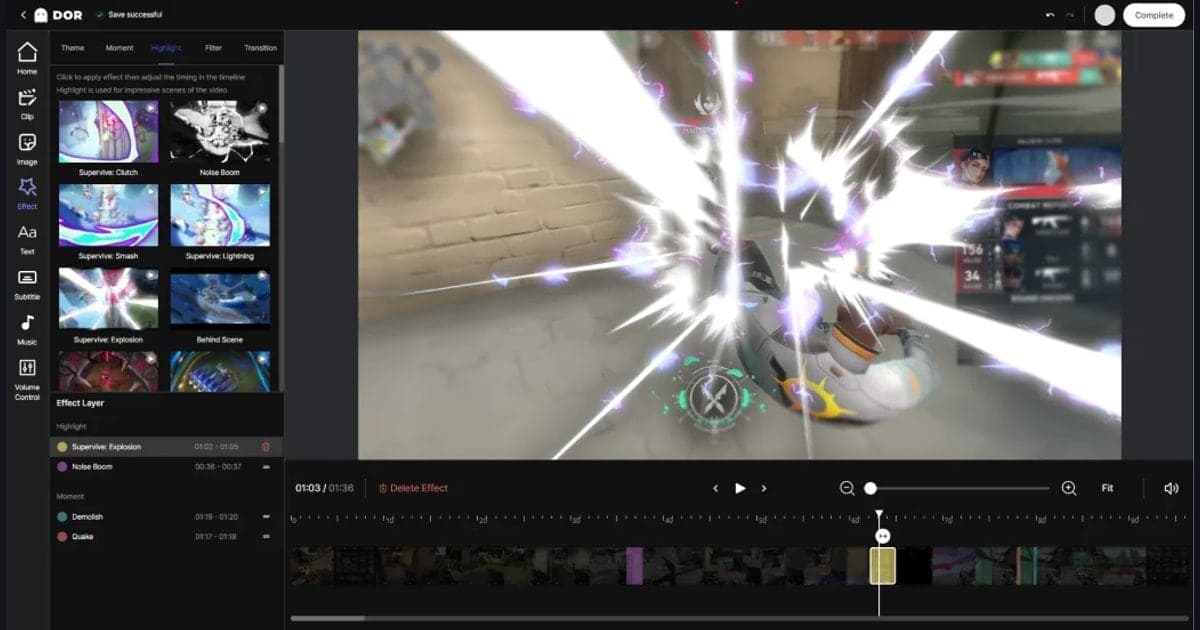
| DOR full-match recording | Automatically saves your whole match as mp4, and for Overwatch it also makes kill highlight clips automatically. You can trim a section in the app library. | It only keeps the video, and you decide what to fix. NVENC applies only on NVIDIA graphics cards. |
Checklist After Reviewing One Match
- I picked just one match to review.
- I focused on the choices before a fight, not on the result.
- I answered the three questions on position, who opened the fight, and when abilities and ultimate were used.
- I wrote my one fix as a single action sentence.
- In the Practice Range or Hero Mastery I repeated only the part that can be practiced by hand.
- I saved matches I still need as video before in-game replays reset.
Keeping Your Own Matches on Video With DOR
Overwatch is a game where DOR records full matches automatically, and kill-style highlight moments are also turned into clips automatically. In a review loop, DOR's job ends at keeping the whole match as an mp4. On an NVIDIA graphics card, NVENC hardware encoding is used by default, and game sound and your microphone are recorded together, so when you review you can hear your own voice and the game as they were. You decide what to fix, as in the six steps above. If you want to study a single fight, you can set a start and end in the app library and save just that section, as explained in how to trim game clips.
Official Sources and How Far They Apply
These are the official documents checked on October 2, 2026. Replay controls and the storage rule come from the official Overwatch Replays announcement, the replay code wipe from the September 2026 patch notes, and the Hero Mastery mode from the official Hero Mastery announcement. The unlinked 2022 and 2023 announcements and patch notes were checked on the same overwatch.blizzard.com news site. The replay rule is from a 2019 announcement, Game Reports from the September 28, 2022 announcement and the Practice Range from the August 10, 2023 patch notes, so confirm current behavior in your own client.