
The short answer: buy the SUPERLIGHT 2, then match cursor speed, not DPI
With the Worlds 2026 final days away, plenty of players are searching for LCK pro settings. Here is the verdict up front. If you want the mouse League pros use most, get the Logitech G PRO X SUPERLIGHT 2.
It tops a public database of 167 League pros with 24 users, and the top three spots (SUPERLIGHT 2, original SUPERLIGHT with 21, G PRO Wireless with 17) all share the same shell. For settings, do not copy a pro's DPI number.
First find the cursor speed that lets one wrist flick carry the pointer across a 1920×1080 screen, then build your DPI and in game speed around that.
- To copy the pros: Logitech G PRO X SUPERLIGHT 2. Number one in the League pro database, 60 g, up to 8000 Hz.
- Budget pick: Logitech G305. A 1000 Hz wireless mouse that four players listed on LCK teams actually use.
- Newest tech: Logitech PRO X2 SUPERSTRIKE. The database lists Keria on it since July 2026.
- If Razer shapes fit your hand: Razer Viper V3 Pro. 54 g, with both 800 and 1600 in its factory DPI stages.
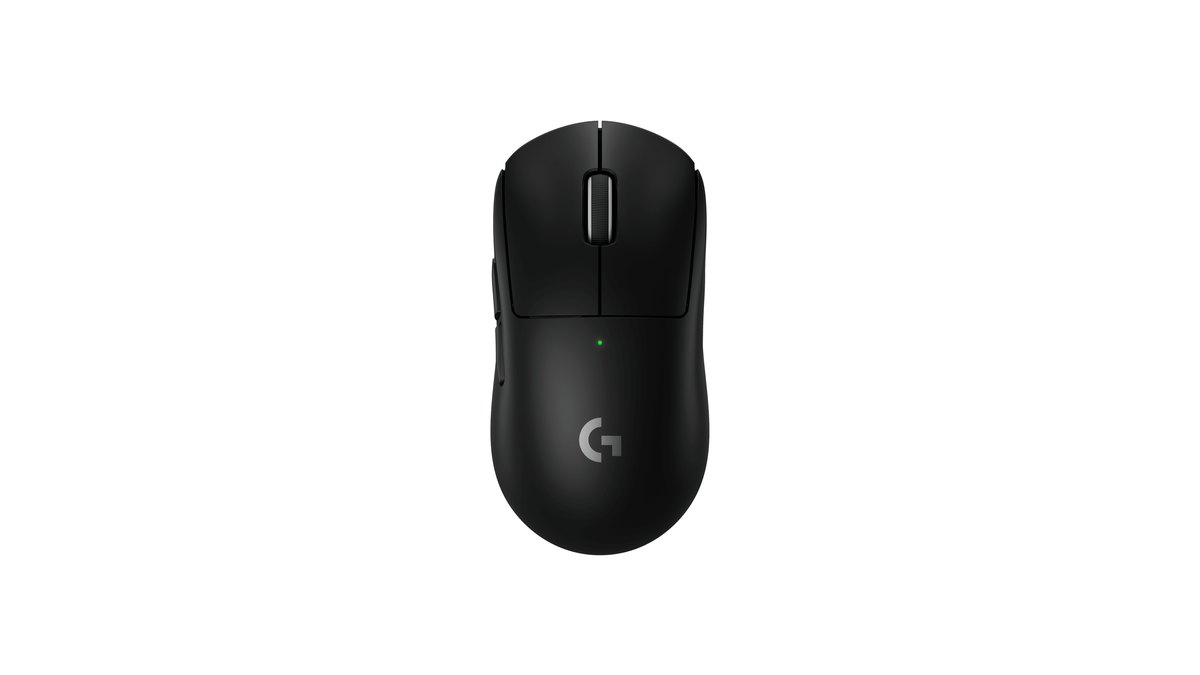
On paper the SUPERLIGHT 2 weighs 60 g and measures 125 × 63.5 × 40 mm in a symmetrical shape. It uses the HERO 2 sensor, supports polling up to 8000 Hz through G HUB, lasts up to 95 hours of continuous motion, and pairs optical and mechanical parts in its LIGHTFORCE hybrid switches.
Logitech covers it with a two year limited hardware warranty. Lab measurement reviews put its real weight at 59.4 g and describe click latency as very low and consistent, with a shape that suits most hand sizes and grips. The main criticism is that its feet glide less smoothly than some rivals.
To compare it against other shapes and budgets, see our best gaming mouse picks. It is a poor fit if you prefer a large ergonomic shell for a full palm grip.
Most used mice among League pros: the top three share one Logitech shell
| Rank | Model | Players | Share |
|---|---|---|---|
| 1 | Logitech G PRO X SUPERLIGHT 2 | 24 | 14.37% |
| 2 | Logitech G PRO X SUPERLIGHT (original) | 21 | 12.57% |
| 3 | Logitech G PRO Wireless | 17 | 10.18% |
| T4 | Razer Viper V4 Pro | 9 | 5.39% |
| T4 | Razer DeathAdder V3 Pro | 9 | 5.39% |
By brand, Logitech accounts for 102 players (61.08%) and Razer for 46 (27.54%), with Corsair, SteelSeries and others at two or three each. Very few League pros use button heavy MMO or MOBA mice; they mostly use the same light, symmetrical mice you see in FPS esports.
The skew is even stronger among players listed on LCK teams. Of the 41 with a recorded mouse, 34 use Logitech: G PRO Wireless (9), the SUPERLIGHT 2 family (8), PRO X2 SUPERSTRIKE (5) and G305 (4).
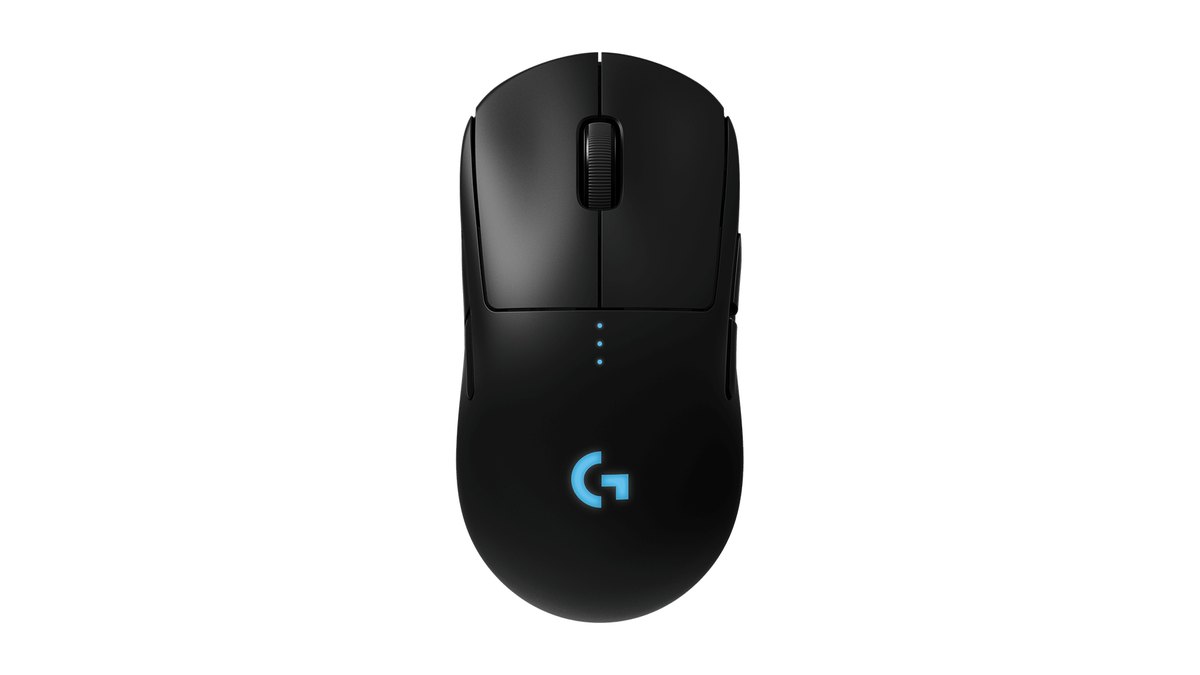
The G PRO Wireless, used by nine players listed on LCK teams, is an older 80 g mouse with a HERO 25K sensor and 1000 Hz polling. The interesting detail is that the G PRO Wireless, SUPERLIGHT, SUPERLIGHT 2 and PRO X2 SUPERSTRIKE all share identical 125 × 63.5 × 40 mm dimensions.
A reasonable reading is that many players keep a shape their hand knows and simply move up a generation. Even the database itself suggests that anyone buying new today should pick a SUPERLIGHT model instead.
What DPI do League pros use: 1600 overall, 800 on LCK teams
| Group | Players with DPI listed | Most common DPI | Median |
|---|---|---|---|
| All League pros (167) | 105 | 1600 (29 players) | 1500 |
| Listed on LCK teams (42) | 30 | 800 (12 players) | 850 |
| Listed on LPL teams | 7 | 1600 (5 players) | 1600 |
| All other regions | 68 | 1600 (19 players) | 1600 |
| For comparison: VALORANT pros | Database guide figures | 800 (about half) | eDPI 240 |
You will often read that League pros play on 1600 DPI. That is true for the whole database, not for the LCK. Among players listed on LCK teams, half (15) sit at 800 or below and only 7 use 1600 or higher.
In game mouse speed is 50 for 62 of 97 recorded players, with a median of 50. Camera move speed also has a median of 50, and about 68% of players set mouse speed and camera speed to the same value. Resolution is 1920×1080 for 165 of 167 players and for all 42 listed on LCK teams. Note that the database records the in game mouse speed slider, not the Windows pointer setting.
Why League pros set up their mouse this way
In shooters like VALORANT, sensitivity is set by how many centimeters it takes to turn 360 degrees, which is why 400 and 800 DPI dominate. League never rotates a camera around you. You move a cursor across the screen, right click to walk and aim skillshots.
The reference point becomes how fast a single wrist motion carries the cursor edge to edge on a 1080p display, so League DPI values trend higher than in FPS games overall.
So why is 800 the most common value on LCK teams? Because DPI is only one part of the final speed. Your actual cursor speed is DPI multiplied by the in game mouse speed (and by the Windows pointer speed).
A player on 800 DPI with a higher in game speed can feel almost identical to a player on 1600 DPI with a lower one. Copying the DPI number alone will not reproduce the feel.
Another common explanation for 1600 being popular overall is simply that most gaming mice ship with a 1600 DPI stage as the default.
Weight preferences also differ from FPS. Among players listed on LCK teams, 15 use mice at 61 g or lighter and another 15 use mice at 80 g or heavier.
One reasonable reading is that League revolves around cursor travel and clicking rather than big flick shots, so a heavier mouse costs less than it would in an FPS.
For context, Logitech Korea announced an official LCK partnership on January 13, 2026, its ninth straight year since the 2018 LCK Summer split. That is league sponsorship, and nothing ties it to the personal gear choices of individual players.
Keyboards, headsets and monitors: PRO X 2 and the 25GR75FG lead
| Gear | Players listed on LCK teams | Most used model | Takeaway |
|---|---|---|---|
| Keyboard (42) | Logitech 31, Razer 5, Corsair 3 | PRO X TKL 7, G512 5 | Standard mechanical; one magnetic board |
| Headset (36) | Logitech 22, Razer 8, ASTRO 3 | PRO X 2 LIGHTSPEED 11 | Wireless models lead |
| Monitor (30) | LG 19, ASUS 6, HP 3 | LG 25GR75FG 17 | 24.5 inch 1080p at 360 Hz |
| Mouse pad (37) | Logitech 20, Razer 7, custom 7 | G840 9, G640 5 | Large cloth pads |
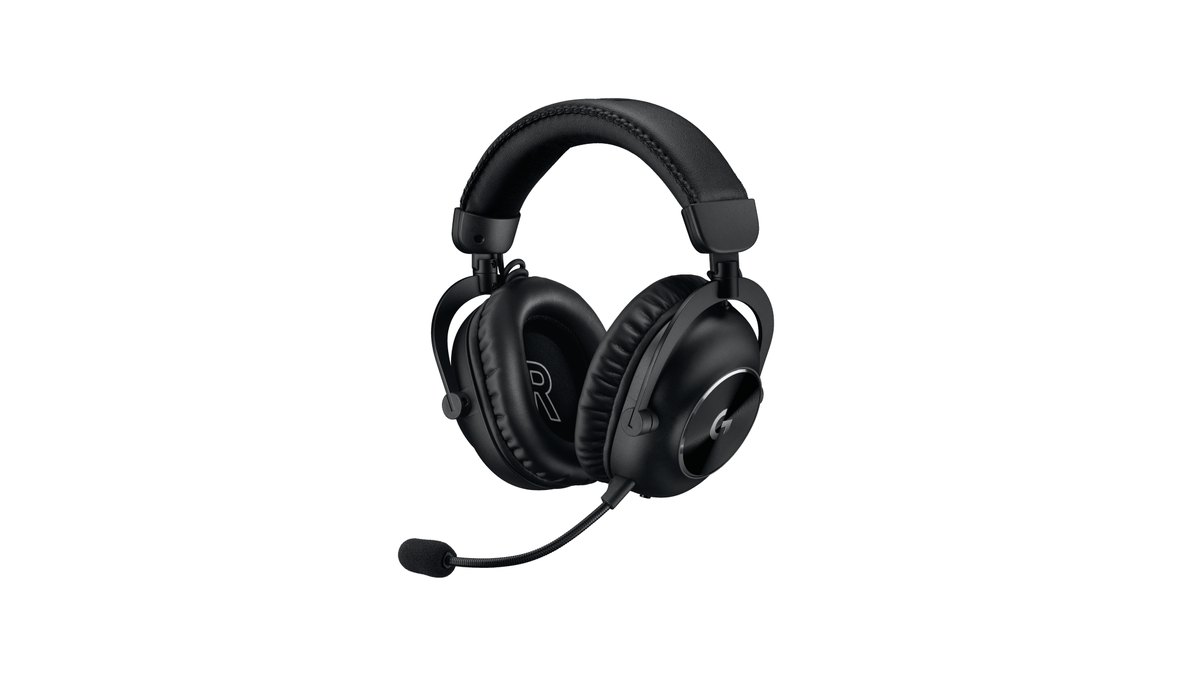
The PRO X 2 LIGHTSPEED is the top headset, used by 27 League pros overall and 11 listed on LCK teams. Official specs list 345 g, 50 mm graphene drivers, a 20 Hz to 20 kHz response, a cardioid microphone, up to 50 hours of battery, 2.4 GHz LIGHTSPEED wireless and a two year warranty.
Its successor, the PRO X3, is already out, so compare both generations before you buy. Our best gaming headset guide covers the wider field.
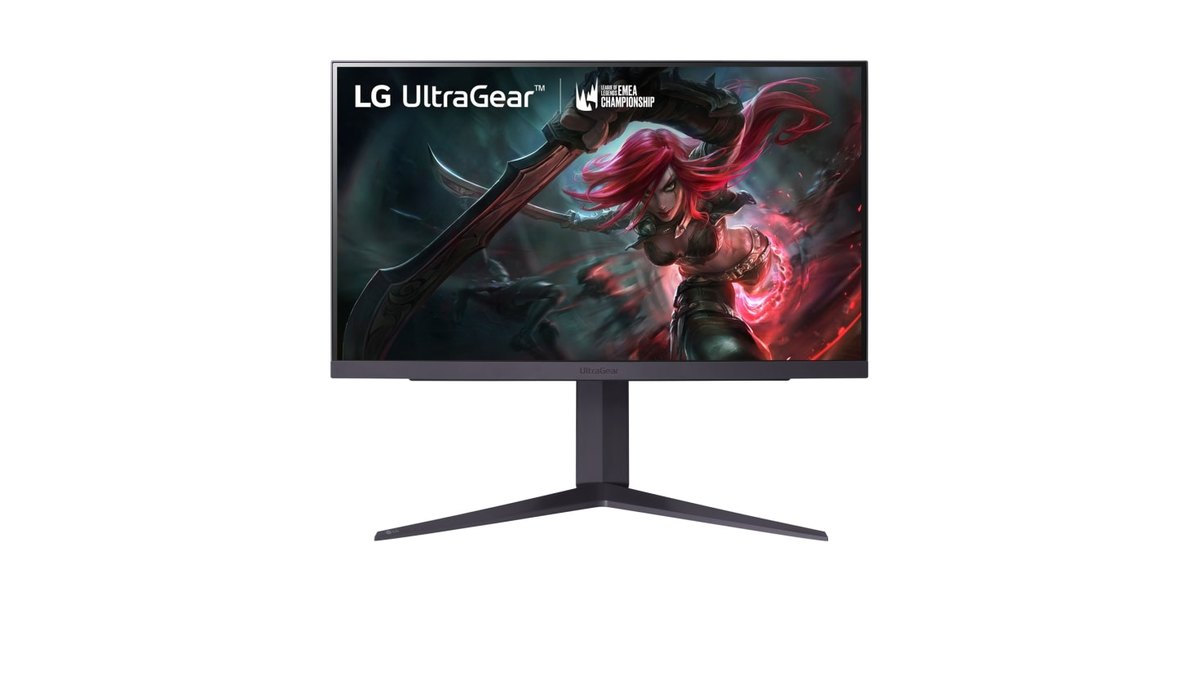
On monitors, the LG 25GR75FG dominates with 17 players listed on LCK teams. It is a 24.5 inch 1920×1080 IPS panel at 360 Hz with 1 ms GtG response, G-SYNC and ULMB support, DisplayHDR 400 and 97% sRGB coverage.
LG Korea now marks it as discontinued, so availability varies; any current 24.5 inch 1080p high refresh model is the practical stand in. The database's own settings guide says refresh rate matters less in League than in shooters and suggests aiming for 144 Hz or higher if you can. See our best gaming monitor picks for current options.
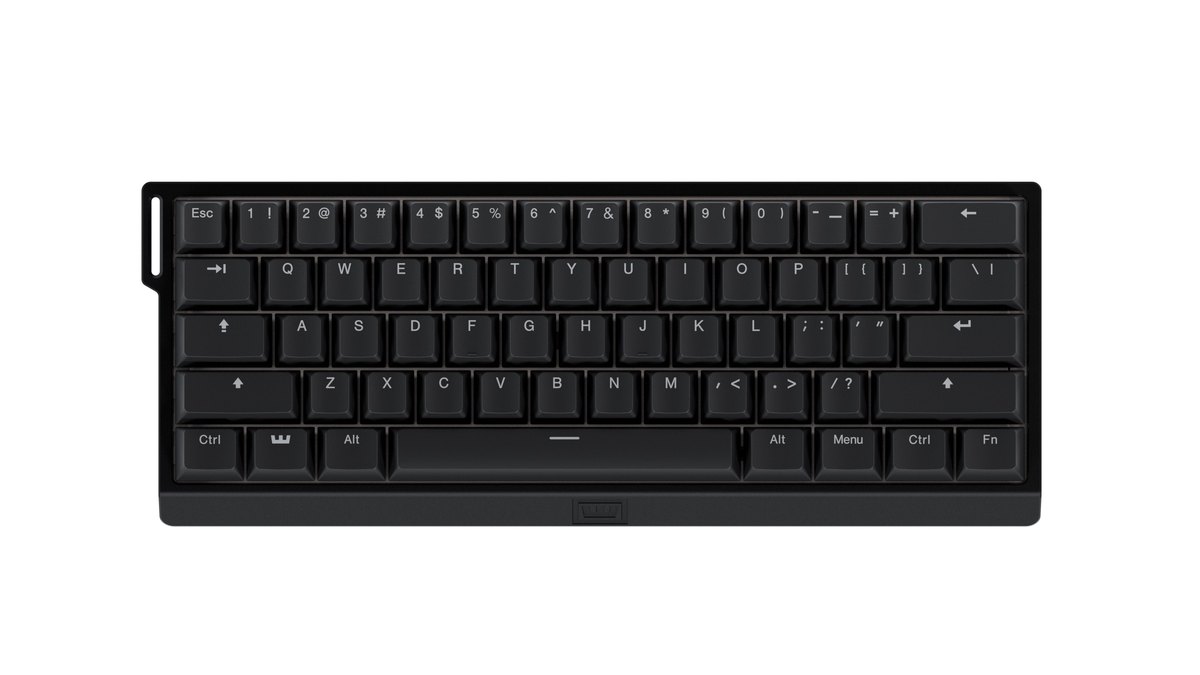
Rapid trigger magnetic keyboards are everywhere in FPS esports, but they are rare in League. Only 2 of 167 League pros use a Wooting, and just one player listed on an LCK team.
Because you move with right click instead of WASD, the signature benefit of rapid trigger (instant strafe direction changes) matters less.
If you still want one, the Wooting 60HE v2 is one option: a 60% magnetic switch board with true 8 kHz polling in Tachyon mode, actuation adjustable in 0.1 mm steps, rapid trigger, and a four year warranty (LEDs excluded).
Wooting itself suggests tuning actuation on QWER and using rapid trigger for skills that fire on key release. Compare more boards in our best gaming keyboard picks.
Dated LCK player examples: Keria, ShowMaker and Zeka
- Keria (listed on T1): PRO X2 SUPERSTRIKE, listed since July 27, 2026. 800 DPI, mouse speed 40, camera speed 40. Earlier entries show the G PRO Wireless and SUPERLIGHT 2.
- ShowMaker (listed on Dplus KIA): PRO X2 SUPERSTRIKE, listed since February 26, 2026. 2500 DPI, mouse speed 60. A high DPI example among LCK players.
- Zeka (listed on HLE): Razer Viper V3 Pro, listed since May 18, 2026. 650 DPI, mouse speed 30, camera speed 50. A low DPI example.
- Faker's mouse is reported differently by different sources, so we leave his numbers out here. The full story is in our Faker mouse and gear guide.
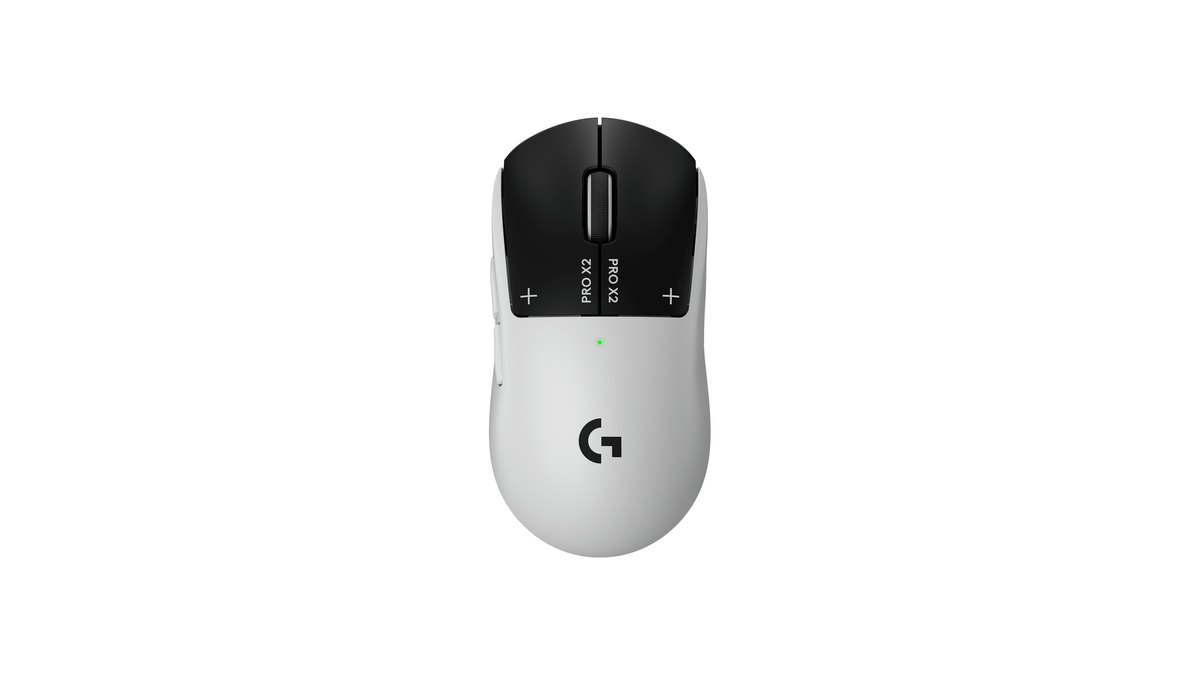
Keria and ShowMaker use the same mouse, yet their DPI differs by more than three times (800 versus 2500). That is the core lesson of this article: identical hardware, completely different wrist motion and speed combinations.
Officially the PRO X2 SUPERSTRIKE weighs 61 g, measures 125 × 63.5 × 40 mm, uses HERO 2 (100 to 44,000 DPI), polls at up to 8000 Hz wireless and 1000 Hz wired, runs 90 hours per charge and carries a two year warranty. Six League pros overall use it, five of them listed on LCK teams.
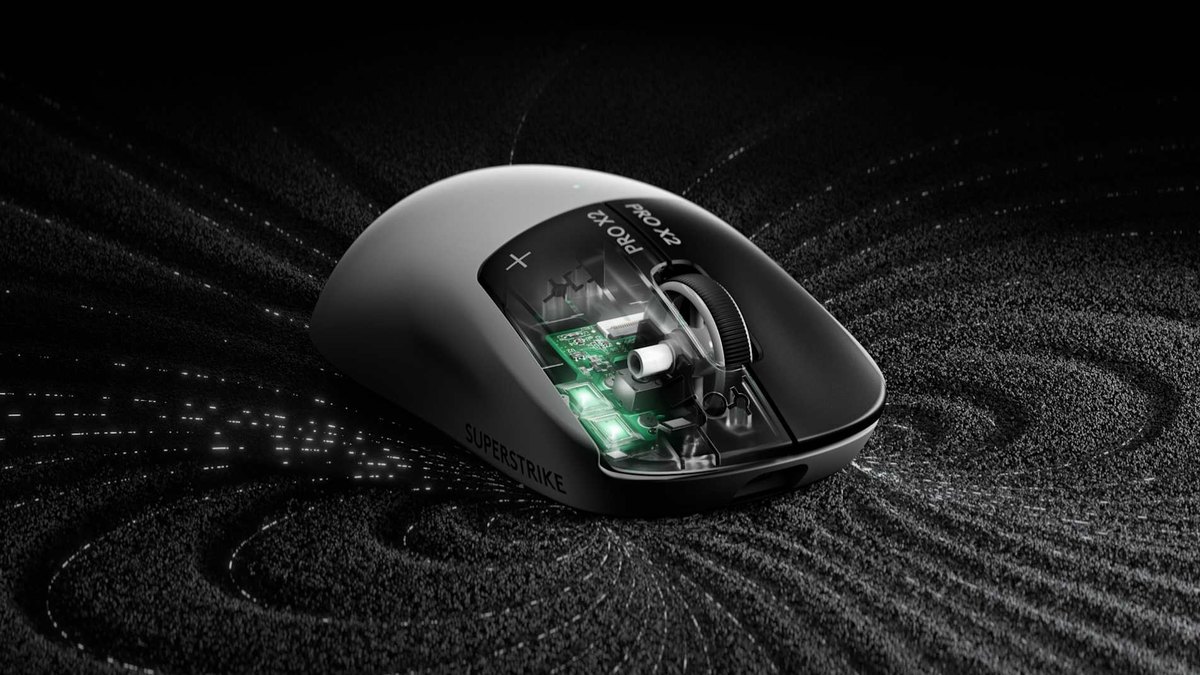
What sets it apart is HITS. Instead of micro switches it detects clicks inductively and adds haptic feedback, with 10 actuation levels for the main buttons, 5 rapid trigger reset levels and 6 haptic strength levels.
Logitech says it cuts click latency by up to 30 ms; treat that as a manufacturer claim. Lab measurement reviews report 60.8 g, very low click latency and nearly silent main clicks, but also note UHMWPE feet that glide slower than PTFE and a front heavy feel for some users.
Among user posts there is one praising the quiet clicks and one case of a return over the front weight. For the newer generation, read PRO X3 SUPERSTRIKE vs Viper V4 Pro.
What regular players should copy, and what to skip
- Copy: set the cursor speed first so one wrist motion crosses a 1920×1080 screen, then combine DPI and in game speed to reach it.
- Copy: keep mouse speed and camera move speed at the same value, as about 68% of pros in the database do.
- Copy: pick a light symmetrical shell that fits your hand; nearly every top League pro mouse is symmetrical.
- Skip: copying a pro's DPI number alone. A different in game speed means a different feel.
- Skip: buying 8000 Hz polling or new click tech just for League. Many LCK players still use 1000 Hz mice.
- Skip: treating an MMO mouse or rapid trigger keyboard as essential. Both are rare among League pros.
- Skip: treating a 360 Hz monitor as essential. The top pro model is 360 Hz, but the database's guide suggests 144 Hz or higher for League.
Alternatives by budget: G305, SUPERLIGHT 2, then X2 SUPERSTRIKE
| Budget | Mouse | Why | Pair with |
|---|---|---|---|
| Entry | Logitech G305 | 1000 Hz wireless used by 4 LCK listed players | 24.5 inch 1080p monitor at 144 Hz or more |
| Mid | PRO X SUPERLIGHT 2 or Viper V3 Pro | Top League pro mouse / 54 g symmetrical | PRO X 2 LIGHTSPEED headset |
| High | PRO X2 SUPERSTRIKE or Viper V4 Pro | 5 LCK listed players / tied 4th overall | Wooting 60HE v2 if you want one |
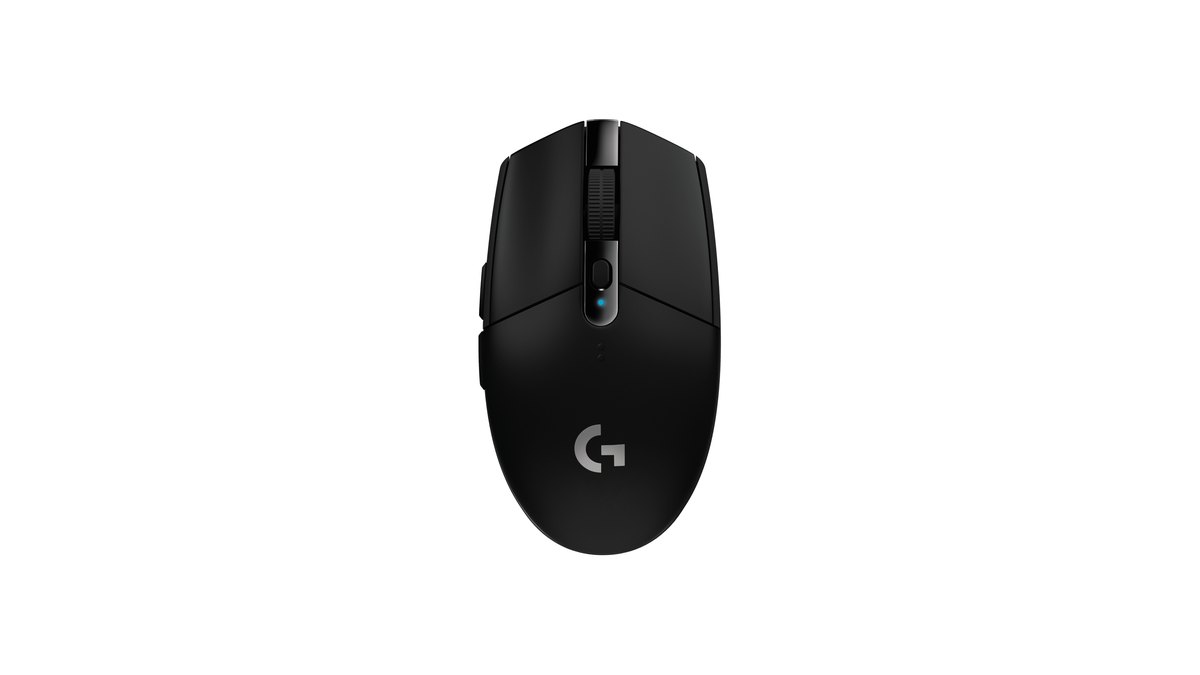
The G305 (sold as the G304 in Korea and Japan) weighs 99 g with a single AA battery, uses a HERO sensor with 200 to 12,000 DPI, polls wirelessly at 1000 Hz, runs up to 250 hours and has a two year warranty.
It is heavy and dated, yet four players listed on LCK teams and seven League pros overall still use it, and user feedback often names it as the go to starter mouse. If weight matters less in League, as the pro data suggests, it is a sensible first wireless mouse.
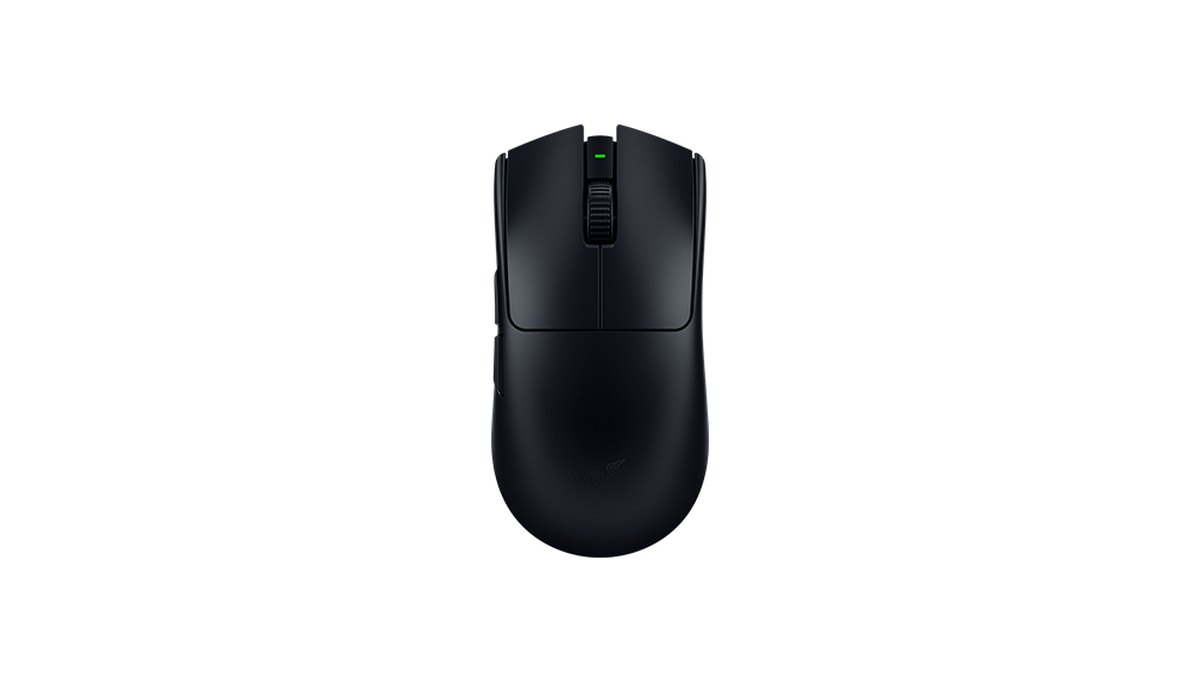
The Viper V3 Pro weighs 54 g (55 g in white) and pairs a Focus Pro 35K Gen 2 sensor with up to 8000 Hz polling, Gen 3 optical switches rated for 90 million clicks, up to 95 hours of battery, and a right handed symmetrical shape aimed at claw and fingertip grips.
Its factory DPI stages are 400, 800, 1600 (default), 3200 and 6400, so you can flip between the two common League starting points with one button. Lab reviews measured 53.8 g with very low click latency and excellent sensor performance. It is Zeka's listed mouse, and the Faker Edition is a special edition built on the same model.
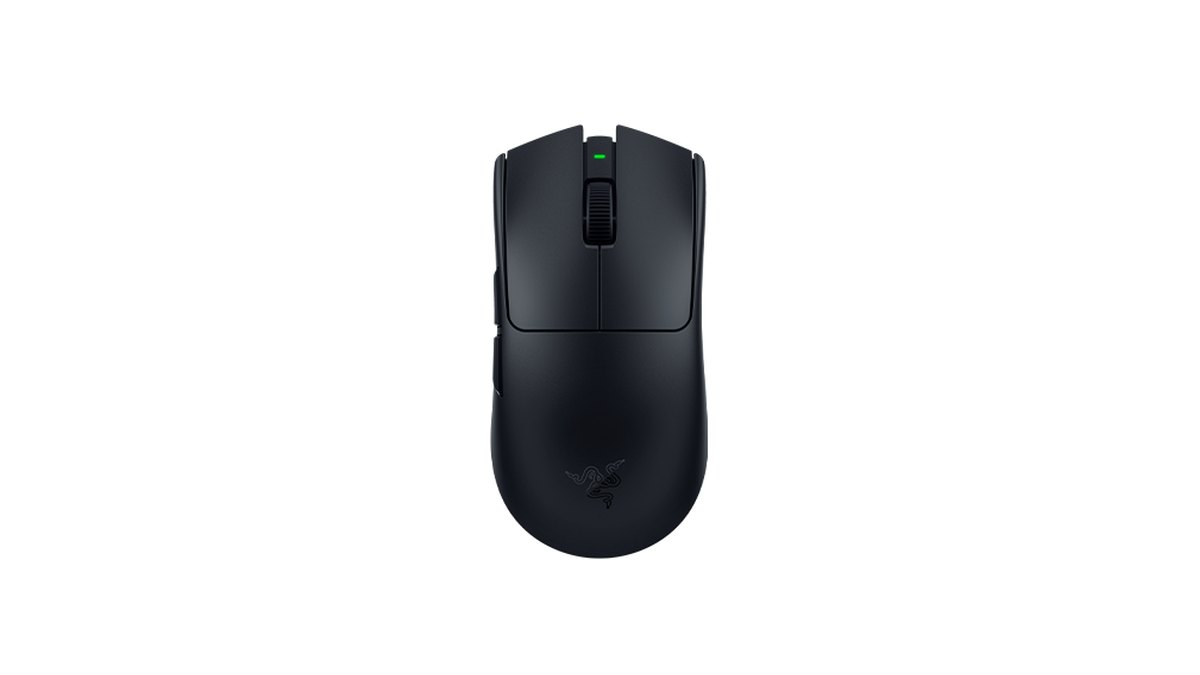
The Viper V4 Pro, tied for fourth among League pros with nine users, is Razer's newest ultralight. Official specs list under 49 g, up to 8000 Hz wired and wireless, 180 hours of battery at 1000 Hz, and Gen 4 optical switches. At the high end the choice is simple: the Viper V4 Pro if you want the lightest option, the PRO X2 SUPERSTRIKE if the Logitech shell already feels like home.
Prices as of November 10, 2026
| Product | MSRP | Street price |
|---|---|---|
| Logitech G305 | $59.99 | $59.99 at the official store |
| Logitech PRO X SUPERLIGHT 2 | $159.99 | $159.99 at the official store |
| Razer Viper V3 Pro | $159.99 | $129.99 on sale at the official store |
| Logitech PRO X2 SUPERSTRIKE | $179.99 | $179.99 at the official store |
| Razer Viper V4 Pro | $159.99 | $159.99 at the official store |
| Logitech PRO X 2 LIGHTSPEED | $229.99 | $219.99 on sale at the official store |
| Wooting 60HE v2 | $239.99 aluminum, $179.99 plastic | Check your retailer |
Prices change often with sales and stock, so check the final price and warranty terms with your retailer before you buy. On these numbers the G305 is by far the cheapest way into a pro used mouse, while the Viper V3 Pro currently undercuts the SUPERLIGHT 2 while it is on sale.
How to dial in your League sensitivity
- 1Set your edge to edge targetOn a 1920×1080 screen, check whether one wrist motion moves the cursor from the left edge to the right edge. If you need your arm, it is too slow; if small clicks feel jumpy, it is too fast.
- 2Pick a DPI starting pointStart at 800 or 1600 DPI in your mouse software. 800 is most common among players listed on LCK teams, 1600 across the whole database.
- 3Adjust in game mouse speedStart the League mouse speed slider at 50 and nudge it until you hit your edge to edge target. Set the Windows pointer speed once and leave it alone.
- 4Match camera move speedSet camera move speed to the same value as mouse speed. Most pros in the database do this, and it keeps cursor and screen panning consistent.
- 5Lock it for a week and compareKeep the new values for at least a week, and record games before and after the change so you can compare skillshots and movement in similar situations.
Record before and after you change gear
Whether a new mouse or sensitivity actually helps is easier to judge on video than by feel. DOR is a free Windows recording app. Launch League of Legends and it detects the game and records the whole match automatically, and kills, multikills and objectives are saved as automatic clips in My Clips.
Replay and spectator recording is on by default for League, so playing back a .rofl replay records that too; our guide to saving League replays as MP4 walks through it. To watch a teamfight from before and after a gear change side by side, combine both videos in DOR Studio. For what to compare and how, see recording before and after a gear upgrade.