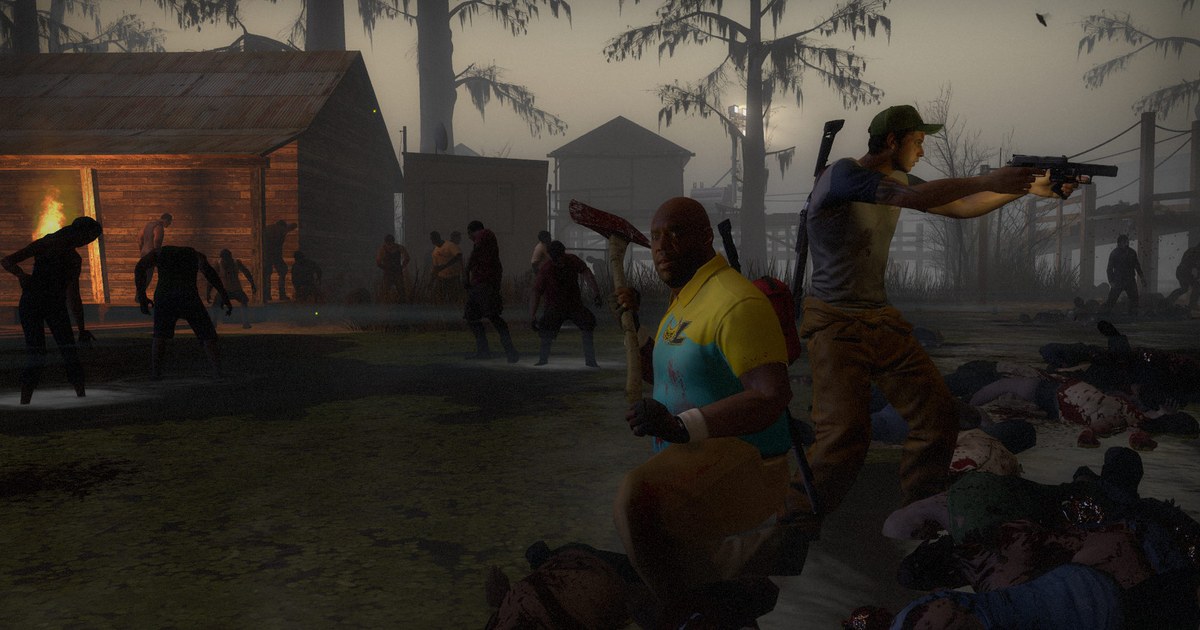
If you are choosing Left 4 Dead 2 (L4D2) clipping software, the answer is an app that records an entire campaign run just by being on. The Tank music kicks in out of nowhere, someone startles a Witch, and when four survivors are scrambling to hold out there is no time to hit a hotkey.
DOR, a free Windows app, detects L4D2 when it launches, records the whole session until you close the game, and collects the recordings in My Clips. Picking the moments can wait until the match is over.
Left 4 Dead 2 is a four player co-op zombie shooter that Valve released in November 2009, and its Steam store page lists Campaign, Versus, and Survival modes plus Steam Workshop support. Because the game has been loved for so long, there are many ways to capture it.
This guide compares the built-in demo recorder, OBS, the NVIDIA app, Xbox Game Bar, Medal, and DOR on four questions: does it miss Tank and horde moments, is voice kept, does it work on Workshop maps, and how does it handle storage. Each tool's features are described as of November 29, 2026.
Short answer: auto record the session and cut later, and save demos only when you need a source to re render
If the goal is never missing a moment, session auto recording is the right fit. Last moment tools (OBS Replay Buffer, NVIDIA app Instant Replay, Xbox Game Bar, Medal) save a fixed length counted back from when you press the button.
A long Tank fight easily runs past that length, and when all four survivors get swarmed in a finale nobody has a free hand for the hotkey. An L4D2 demo is the opposite: it keeps the whole match, but as game data rather than video.
You have to play the demo back inside the game, export frame images (TGA) and sound (WAV), and combine them in an editor before you get an mp4.
Demo files do not contain the map, so a demo recorded on a Workshop campaign only plays if the same add-on is installed, and older demos sometimes stop playing after a game update (true of Source engine demos in general). So the order is simple.
Let DOR record your everyday play automatically, and cut Tank, horde, and Witch moments from My Clips after the match. Keep a demo as well only when you want a montage that changes the camera angle or re renders frame by frame. The setup time difference compared with OBS is covered in game recorder vs OBS.
Six L4D2 clipping tools compared (as of November 29, 2026)
| Tool | How it captures L4D2 moments | Miss risk, voice, Workshop maps |
|---|---|---|
| In game demo (record command) | Start with record plus a name in the developer console and end with stop. It saves .dem game data, and to get video you play it back with playdemo, export TGA and WAV with startmovie, and combine them. | The whole match is kept, so little is missed. Playback needs the same map, so Workshop maps need the add-on installed, and demos may stop playing after updates. |
| OBS Studio | Free and open source. Record everything with the start recording button or save the last moments with Replay Buffer, and set up scenes, sources, and audio yourself. | With full recording on you miss nothing, but you have to remember to start and stop it every match. Mic and game audio are set in the audio settings. |
| NVIDIA app | Turn on Instant Replay and save the last moments with a hotkey. Manual recording is also available. | Needs an NVIDIA graphics card. A Tank fight longer than the replay length loses its opening. |
| Xbox Game Bar | Built into Windows. Turn on background recording and save with Record that. | Nothing extra to install, and the saved length is whatever you set. You have to press the shortcut after the moment happens. |
| Medal | Free, with Premium optional. While it runs, it saves the last 30 seconds as a clip and shares it as a link. | The moments you press the hotkey for become clips. A long finale takes several presses. |
| DOR | Free Windows app. It detects L4D2, records the whole session until you close the game, and lets you cut the moments you want from My Clips after the match. | Just leave it on and the whole match is kept, Tank and horde moments included. Game audio and mic go on one track, and Workshop campaigns are recorded exactly as they appear on screen. |
Check these before choosing a clipping tool
- If you want long moments like Tank fights and finales, check whether the replay length is long enough or whether the tool records the whole session.
- If you want to keep the banter with friends, check which audio the tool captures. DOR records game audio and your mic on one track.
- If you play Workshop campaigns often, recording the screen as it is is easier than demos.
- On long play days, check storage. DOR only clears the oldest videos once the full play video allowance (5GB by default) is exceeded, and keeps recent recordings and videos you liked.
- If you plan to post Shorts, check that you can switch a trimmed clip to 9:16.
How to clip L4D2 with DOR
- 1Install DOR and leave it runningInstall the free Windows app DOR and keep it open. The default recording is 1080p at 30fps, and for free you can choose 720p or 1080p and 30 or 60fps. Pick 60fps if you want hordes rushing in to look smooth.
- 2Launch L4D2 from SteamWhen the game starts, DOR detects it and begins recording. Everything from choosing a campaign and difficulty in the lobby to the finale escape is kept as one session until you close the game. Add-on campaigns from the Workshop are recorded the same way.
- 3Just focus on playingThere is nothing to press while recording runs. A Tank spawning, a Witch getting startled, a horde stopped with a single Molotov, all of it lands in the session. If you play while on a Discord call, check your audio setup first in recording Discord call audio.
- 4Find and trim the moment in My ClipsClose the game and the session video appears in My Clips. Set the start and end of the Tank fight or horde rush, trim it, and choose 16:9, 9:16, or 1:1. For tips on picking a start point, see how to trim game clips.
- 5Share it or stitch clips togetherSend a trimmed clip right away as a dor.gg link or export it as an mp4. Moments picked from several chapters can be joined into one video in DOR Studio.
Keep an entire campaign run with DOR
Leave DOR, a free Windows PC app, running and recording starts automatically the moment you launch Left 4 Dead 2, with Campaign, Versus, or Survival kept as one session until you close the game.
Recordings collect in My Clips, so after the match pick only the Tank kill, the save on a teammate dragged off by a Charger, or the finale escape, and trim those parts. Choose 16:9, 9:16, or 1:1, then export an mp4 without a watermark or share a dor.gg link.
Moments picked from several chapters can be merged into one video in DOR Studio (dor.gg/studio), where you can also add effect templates such as shake zoom, punch zoom, handheld, and glitch transitions, plus text, background music, and volume. The merging steps are detailed in how to merge game clips.
Game audio and mic are recorded together on one track, and on supported NVIDIA graphics cards such as the RTX series, recording uses NVENC hardware encoding.
For storage, the oldest videos are cleared only once the full play video allowance (5GB by default) is exceeded, and recent recordings and videos you liked are kept.