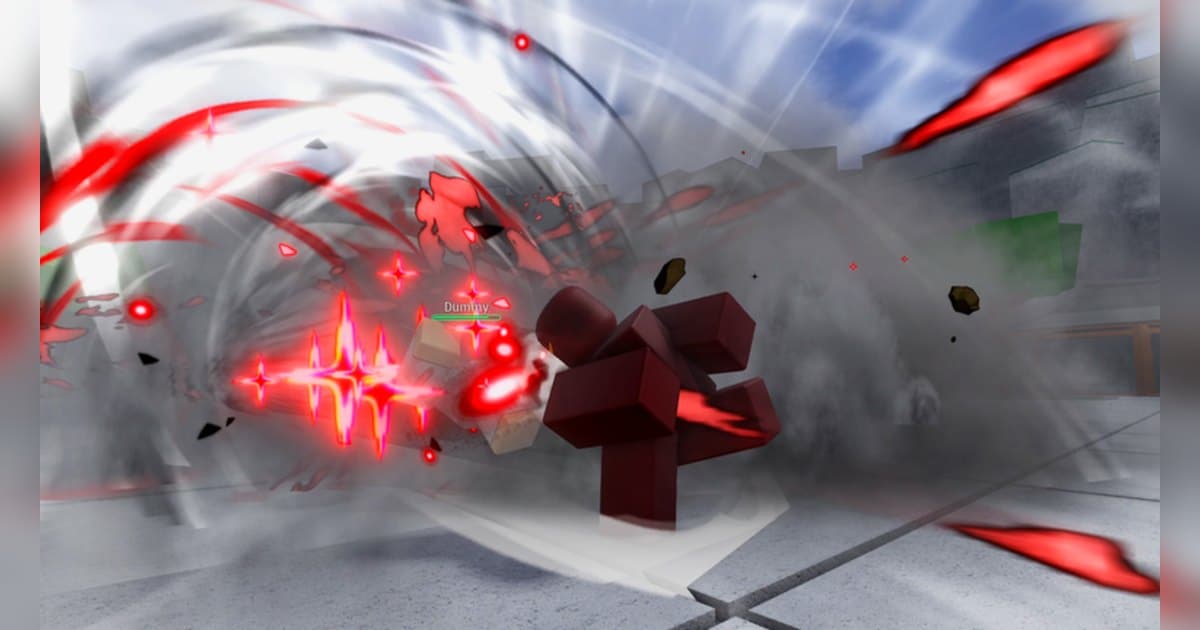
Legends Battlegrounds, or LBG, is a Roblox battlegrounds style fighting experience where a whole server fights on one map. It is made by the Arts of Vermillion group, which has about 1.45 million members, and it was created on November 5, 2023. On October 20, 2026 it showed about 519 million visits, about 5.96 million favorites and roughly 11,000 people playing at that moment, with about 87 percent positive votes, a 15 player server size and the last update on October 19. According to the official description every character is a stickman, either an original character or one taken from an anime, and the game can be played on any device. That day it was eighth in Top Trending for Mexico, tenth for Vietnam, 13th for Japan and Thailand and 15th worldwide, and it also sat on the Fun with Friends lists in Japan and Taiwan. The country breakdown is in popular Roblox games right now. This guide sticks to the official description and the update posts on the experience page. Character tier lists and combo damage numbers that are not published officially are left out.
The short version: survive with dash and block, learn the ragdoll escape, and save awaken for the right moment
The official goal is one line: fight to become the ultimate legend. The control list in the description is short as well. Dash closes or opens distance, and the same dash input while you are ragdolled becomes an evasive move that cancels the ragdoll. Block absorbs attacks, Awaken switches your character into its powered up state, left click is the light attack, and the emote wheel is for showing off. Because battlegrounds fights put many players on one map at once, learning how to get out of a ragdoll is worth more than learning a new attack if you want to stay alive. Recent changes come from the update posts. The October 17 post is titled FREE SHINJI and says Shinji is now free, hitboxes got significant improvements, and a new Early Access character has arrived. The [SHINJI] tag in front of the experience name points to that update. There are paid passes such as Early Access, an Awakening Outfit, a kill sound and kill messages, but the basic loop the description lays out is the same without them. For a new player, learn dash, block and the evasive escape with one character, get a feel for when to awaken, and only then branch out to others. The moment an awakening fires and a combo that connects are worth having on video, both to share and to fix your own timing. If you have not recorded Roblox before, start with how to record Roblox gameplay.
Starting Legends Battlegrounds: do it in this order
- 1Join with the PC version of RobloxOpen the experience in the PC version of Roblox from roblox.com. It runs on any device, but mouse and keyboard make the controls easier to learn. With DOR installed, recording starts with nothing to press.
- 2Learn dash and block with one characterDo not switch characters too often at first. Learn the range of dash, block and the light attack with one, and the newly free Shinji is a fine place to start.
- 3Practice the ragdoll escapePer the description, a dash input while ragdolled becomes an evasive that cancels the ragdoll. In a brawl this alone changes how long you survive.
- 4Decide when to awakenAwaken switches your character into a stronger state. Decide each match whether to open it when several opponents are near or to save it as a finisher in a one on one.
- 5Test combos with friends on the same serverWith 15 players per server you can join friends and test combos on each other. If you need sparring partners, try the Roblox group finder.
Legends Battlegrounds moments worth keeping, and what officially backs them
| Moment | What the official sources confirm | How to keep it |
|---|---|---|
| The moment you awaken | Awaken is one of the controls in the description. | Awakenings run long, so a 45 second clip keeps the lead in and the payoff. |
| Escaping a ragdoll with the evasive | Dash while ragdolled is listed as an evasive and ragdoll cancel. | It usually leads into a counter, so trim it from the full recording later. |
| A counter after a block | Block is one of the controls in the description. | Use 30 seconds or more so the block and the finish land in one clip. |
| Your first match with the free Shinji | The October 17 update made Shinji free. | Keep the mistakes in your first match with a new character for later comparison. |
| A many player brawl | Up to 15 players fight on one map per server. | Brawls have many moments, so keep the session whole and split clips later. |
Before you join Legends Battlegrounds
- You are using the PC version of Roblox from roblox.com.
- You read the latest update post for character changes.
- You went through the control list in the description once.
- There is enough free space to keep long brawls.
- You will ask before posting clips with a friend's voice.
Keep every Legends Battlegrounds brawl with sound using DOR
All you do is launch Roblox. There is no button to press and nothing to set up: DOR, a free Windows PC app, recognizes the PC version of Roblox and starts AI auto recording the moment you join Legends Battlegrounds. When you leave to the home screen, that session lands in your library as one mp4. Game audio and your microphone are recorded together on one track, so the trash talk while you fight your friends stays in the file, and AI voice notes log what was said with timestamps so you can jump back to the loudest moments. To keep the combo that just connected on its own, press the clip hotkey and the last 30 seconds are saved as a clip, with 15, 30, 45 or 60 seconds to choose from. Recording defaults to 1080p at 30fps, with 60fps available. Pick the clips you saved and press Create highlight, and the AI highlight joins them into one video; trim any part to 16:9, 9:16 or 1:1 and share it with a single dor.gg link. DOR Studio opens right in your browser for text, background music and effect templates. If anime style powers in an RPG appeal to you, see the Your Bizarre Adventure guide.
 #Roblox