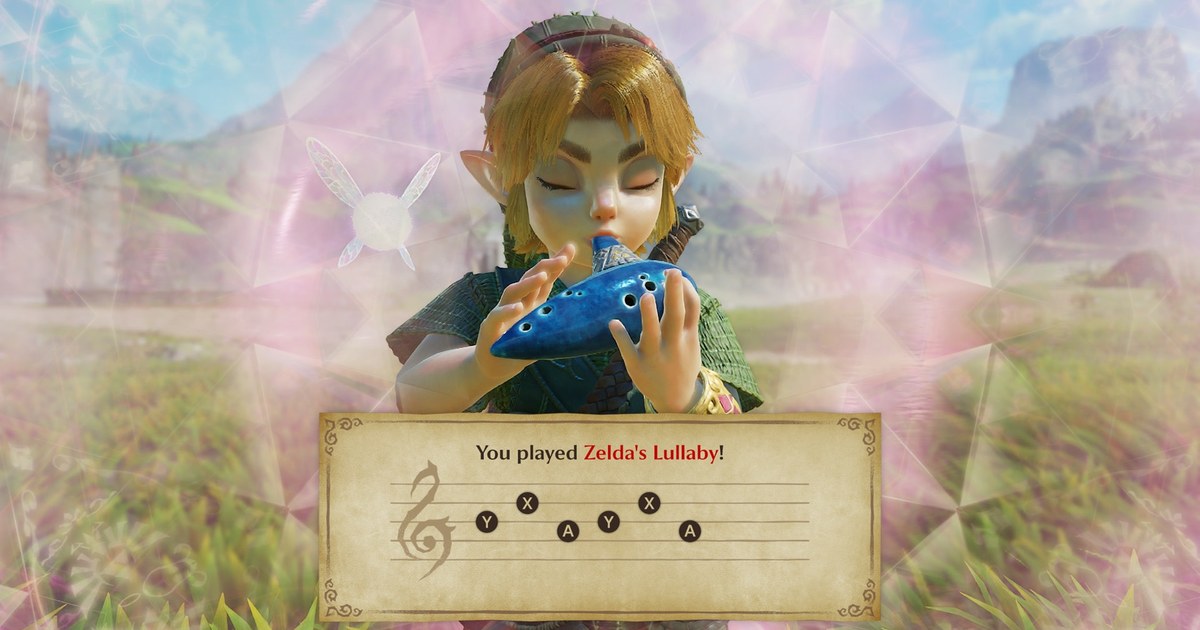
Here is the short answer: the Ocarina of Time remake has 12 songs. Zelda's Lullaby, Epona's Song, Saria's Song, Sun's Song, Song of Time, and Song of Storms are field songs, and Minuet of Forest through Prelude of Light are the six warp songs you learn from Sheik.
As of November 24, 2026, the inputs below use the default Switch 2 button layout. Several guides agree on them, and they follow the same note mapping as the original N64 game. You play with the A, X, Y, L, and R buttons, and pressing ZL opens the songbook, which shows the sequence.
This guide gives each song one line with its input, where you learn it, and what it does, so you can look it up when you are stuck. If you also want to keep your play on video, see how to record gameplay for free.
The answer: a table for field songs, steps for warp songs
Memorize Zelda's Lullaby, Song of Time, and Song of Storms first, since story progress asks for them most often. Zelda's Lullaby opens paths marked with the Triforce, the Song of Time opens the Door of Time and moves blue blocks, and the Song of Storms makes it rain and reveals hidden grottos.
Epona's Song calls Epona as an adult, Saria's Song gets you hints from Saria, and Sun's Song switches day and night. The table below covers these six songs. The six warp songs are listed in the order you learn them from Sheik, with their inputs and destinations in the steps. If you want to keep a tricky puzzle or a boss approach on video, use how to trim game clips to cut only the part you need.
Six warp songs: inputs and destinations
- 1Minuet of Forest to Sacred Forest MeadowThe input is L X Y A Y A, and you learn it from Sheik. Playing it warps you to Sacred Forest Meadow, which helps when you return to the Forest Temple.
- 2Bolero of Fire to Death Mountain CraterThe input is R L R L A R A R, and you learn it from Sheik. Playing it warps you to Death Mountain Crater, a quick way back toward the Fire Temple.
- 3Serenade of Water to Lake HyliaThe input is L R A A Y, and you learn it from Sheik after you get the Iron Boots. Playing it warps you to Lake Hylia, on the way to the Water Temple.
- 4Requiem of Spirit to Desert ColossusThe input is L R L A R L, and you learn it from Sheik. Playing it warps you to Desert Colossus, which shortens the trip to the Spirit Temple.
- 5Nocturne of Shadow to Kakariko GraveyardThe input is Y A A L Y A R, and you learn it from Sheik. Playing it warps you to Kakariko Graveyard, convenient for heading to the Shadow Temple.
- 6Prelude of Light to Temple of TimeThe input is X A X A Y X, and you learn it from Sheik. Playing it warps you to the Temple of Time, the first song to use when you are lost. To put your clips together, see how to merge game clips.
Six field songs: inputs and effects
| Song | Input (default Switch 2) | Effect |
|---|---|---|
| Zelda's Lullaby | Y X A Y X A | Opens Triforce marked paths and changes the water level in the Water Temple |
| Epona's Song | X Y A X Y A | Calls Epona as an adult, and playing it to cows gives Lon Lon Milk |
| Saria's Song | R A Y R A Y | Lets you talk to Saria for hints, and also works on Mido, Darunia, and the Skull Kid |
| Sun's Song | A R X A R X | Switches day and night and briefly stuns ReDeads |
| Song of Time | A L R A L R | Opens the Door of Time and moves blue blocks |
| Song of Storms | L R X L R X | Makes it rain and reveals hidden grottos |
If a song will not work, check this
- Open the songbook with ZL and confirm the input matches the table for your layout
- If you turned on the option that swaps ocarina controls, follow the songbook display
- You have met the conditions to learn it, such as meeting Sheik or getting the Iron Boots
- Epona's Song needs adult Link and the Song of Time needs all three Spiritual Stones
- You pressed each note slowly, one at a time, in the right order
Organize your play footage on PC with DOR
DOR is a free Windows game recording app. When you launch a supported game, it detects it automatically and records the whole match, and recordings collect in My Clips.
Screens that are not games can be captured with screen recording, so a gameplay video or guide video on your PC screen can live in the same app.
Trim a section in the app to 16:9, 9:16, or 1:1, then join several videos in DOR Studio, add text and background music, and export an mp4 or share a dor.gg link. DOR output carries no watermark, so it is ready to post for friends or a community.