Three questions keep coming up about PEAK: does the game save progress, can you stop at a campfire and continue the run tomorrow, and why did yesterday's save vanish. The short answer is that PEAK does save. The March 30, 2026 update added campfire autosaves, which let you leave an expedition at your most recent campfire and pick it up later. Plenty of pages near the top of search results still say there is no save system and that campfires are not checkpoints, but those pages were written before that update. The catch is in the conditions: the autosave is gone once the run ends, once you start a new expedition, and once an update rotates the map you were on out of the pool. This guide walks through the developer announcements by date so you know the rule as it stands, then covers how to stop at a campfire properly, what changes when you are not the host, and what to check when continuing a run fails. Climbing the same run across several evenings also means keeping the same crew together, and the way to find a group that sticks around is covered in finding gaming friends and parties.
The short version: campfire autosaves exist, and three things delete them
Saving in PEAK is not a menu with slots. You light a campfire, finish your session there, and the game keeps an autosave based on your most recent campfire. Next time you pick the option that resumes the run on the main menu, labelled Continue Run in the English build, and you start again from that point. The March 30, 2026 announcement is explicit about the limits: the campfire autosave lasts until you win, lose, or start a new expedition, and if an update removes the map you were playing on, the save is erased. Patch 1.65.a on July 23, 2026 changed autosaves so they self-destruct after a player successfully resumes the run rather than when the map starts loading. THE FINAL ASCENT on August 11, 2026 changed it again: loading an existing autosave no longer deletes it, and saves are now only deleted when the run ends, win or lose. Multiplayer adds one more thing to plan around. The 2.6.a notes from October 2, 2026 say that players who are not the host do not get complete world state in their game saves the way the host does, and that when someone other than the original host hosts a run from a save, item spawning is still a little odd. In the same post the developers explain that integrating console support created a lot of bugs around how player and world state are saved, and they ask players to report anything left through the bug reporting channel on the official PEAK Discord. If you need to find and vet that kind of server first, finding a game Discord server covers how to check one before you join.
How to save and quit at a campfire, then continue the run
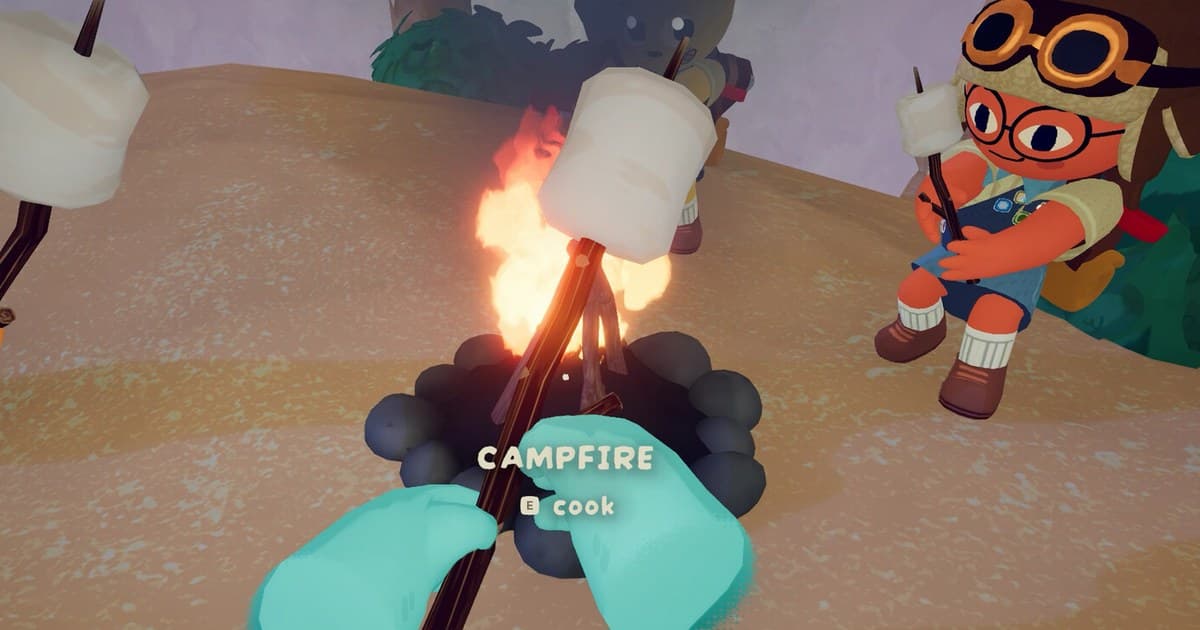
- 1Finish the session at a lit campfireThe autosave is tied to your most recent campfire, so where you stop decides where you restart. The March 30, 2026 announcement also added chill campfires: next to a lit fire you stop gaining hunger and the fog stops progressing, and the fire will not go out until any scout leaves. If you know the group is wrapping up for the night, climb to the next campfire before you quit, light it, and have everyone leave from there instead of logging off mid-wall.
- 2Gather the gear you need at the campfirePatch 2.04.a on September 2, 2026 changed this: your campfire save now remembers all the items you have around the campfire instead of just what you are carrying on you. Before that, patch 1.61.a on April 13, 2026 only stored the state of items that spawned around the fire, such as marshmallows, and the developers told players to make sure everything they needed was in their pockets before disconnecting. Patch 2.6.a on October 2, 2026 then extended the tracking to the luggage and other objects around the campfire in the Citadel. So the practical version today is to pile the gear you want next to the fire or keep it on you, rather than counting on things you left scattered down the slope.
- 3Agree on who hosts the next sessionAs of the 2.6.a notes on October 2, 2026, players who are not the host do not get complete world state in their saves the way the host does, and the developers warn that when anyone other than the original host opens a run from a save, item spawning is still a little weird. For a run you plan to spread over several nights, decide up front that whoever opened the lobby first will open it again, and let the rest of the group join that session.
- 4Resume from the main menu next timeStart the game and pick the option that resumes your run on the main menu. The English build labels it Continue Run, which is how it appears in the 1.60.c notes from April 1, 2026 where the developers fixed that button not being selectable on a controller. If you play in another language, look for the same slot in the menu rather than the exact wording. You come back at the campfire where you stopped, and the save is then deleted when that run ends.
- 5If continuing fails, check your version and how you joinedAs of October 16, 2026 the most recent patch announcement is Patch Notes 2.6.b, dated October 6, 2026, which tidied up issues around joining a run in progress. The 2.6.a patch before it fixed players coming back dead after reconnecting to a run continued from a save, and fixed more cases where joining with a bad room code left the game stuck on a loading screen. So confirm Steam has actually installed the update, and if the same symptom survives that, write it up in the bug reporting channel on the official PEAK Discord.
- 6Set up a record of the run before you lose itOnce a save is deleted under the published conditions, no in-game recovery has been announced. If you want to keep what actually happened on that climb, video is the practical route. With DOR installed, everything from the moment PEAK launches to the moment you close it is recorded as one video, so the climb up to the campfire where you stopped is still there. Press F8 to keep the last 30 seconds as a separate clip, and like the session when you are done for the night.
PEAK save rules and the announcement behind each one (checked October 16, 2026)
| Question | Rule as it stands | Announcement |
|---|---|---|
| Campfire autosave | You can leave an expedition at your most recent campfire and continue it later. There are no manual save slots to pick from. | THE PLAY IT YOUR WAY UPDATE (2026-03-30) |
| How long the save lasts | Until one of three things happens: you win, you lose, or you start a new expedition. | THE PLAY IT YOUR WAY UPDATE (2026-03-30) |
| Does loading delete it | Not any more. The save survives loading and is only deleted when the run ends, regardless of winning or losing. Before that it was deleted right after a player resumed the run. | THE FINAL ASCENT (2026-08-11), 1.65.a (2026-07-23) |
| Items around the campfire | Since patch 2.04.a the save remembers all the items you have around the campfire, not just what you are carrying. Before that, only items that spawned there naturally were covered. | 2.04.a (2026-09-02), 1.61.a (2026-04-13), 2.6.a (2026-10-02) |
| When you are not the host | Non-host saves do not carry the complete world state the host's save does, so it is safer for the original host to open the run again. | 2.6.a (2026-10-02) |
| Map rotation | The map rotates every 24 hours, and if an update removes the island you were climbing, your save is erased. | Steam store description, THE PLAY IT YOUR WAY UPDATE (2026-03-30) |
Check these before you log off for the night
- You ended the session at a lit campfire. The autosave is tied to your most recent campfire, so if nobody ever lit one there is nothing to resume from.
- The gear you need is at the campfire or on you. Since patch 2.04.a, items around the campfire are saved too.
- The group has agreed that whoever opened the lobby first will host again next time.
- Nobody started a new expedition. Starting a new run clears the previous autosave.
- The game is updated to 2.6.b, dated October 6, 2026, or later.
- In DOR, Settings > Game has full-session recording switched on for PEAK, and the drive holding your recordings has more than 20GB free.
Keeping the climb on video with DOR: automatic recording from launch to exit
DOR is a free recording app for Windows PCs. PEAK is one of the games it detects by Steam app ID, so recording starts when the game launches and the session is saved as a single video when you close it. It is on by default on personal PCs and off by default in PC cafes, and you can switch it per game under Settings > Game, where the option is full-session recording. When a fall or a rescue is worth keeping, press F8 and the last 30 seconds is saved as a separate clip. You can set that length to 15, 30, 45 or 60 seconds and change the key. Resolution, frame rate and clip length are decided before you launch PEAK. The default is 1080p at 30fps, 60fps is available, and 1440p or higher and 120fps or higher are Pro settings. Audio is recorded as one track: with record all sounds on, which is the default, everything your PC plays is included, Discord calls among it, and with it off you get the game window plus your microphone. Leave it on if you want the screaming on the way down, but remember other people's voices and names end up in the file, so review it before you export anything. Below 30GB free you get a warning, and below 20GB recording will not start or will stop, so if space is the problem work through the guide to fixing low disk space for Steam game recording first. Recordings live in your clip library, where the trim tool cuts a section at 16:9, 9:16 or 1:1 and asks you to sign in to finish. With four scouts each recording their own screen you end up with one run from several angles, and the DOR party clip walkthrough covers how to bring those angles together. DOR runs on Windows PCs, so this is the flow when PEAK is played on a Windows PC.