
Can your PC run Rust? Three lines on the spec sheet decide it: RAM, graphics card and storage. On the Steam store page, Rust asks for 12GB of RAM at minimum and 16GB recommended.
The minimum GPU is an AMD RX 470, NVIDIA GTX 1060 or Intel Arc A580, and the recommended GPU is an RX 6600 XT, RTX 3060 or Intel Arc B580.
Both tiers list 45GB of storage, but the additional notes differ: the minimum tier says an SSD is highly recommended or you should expect longer than average load times, while the recommended tier simply says SSD required. The 12GB RAM floor is the line players most often miss.
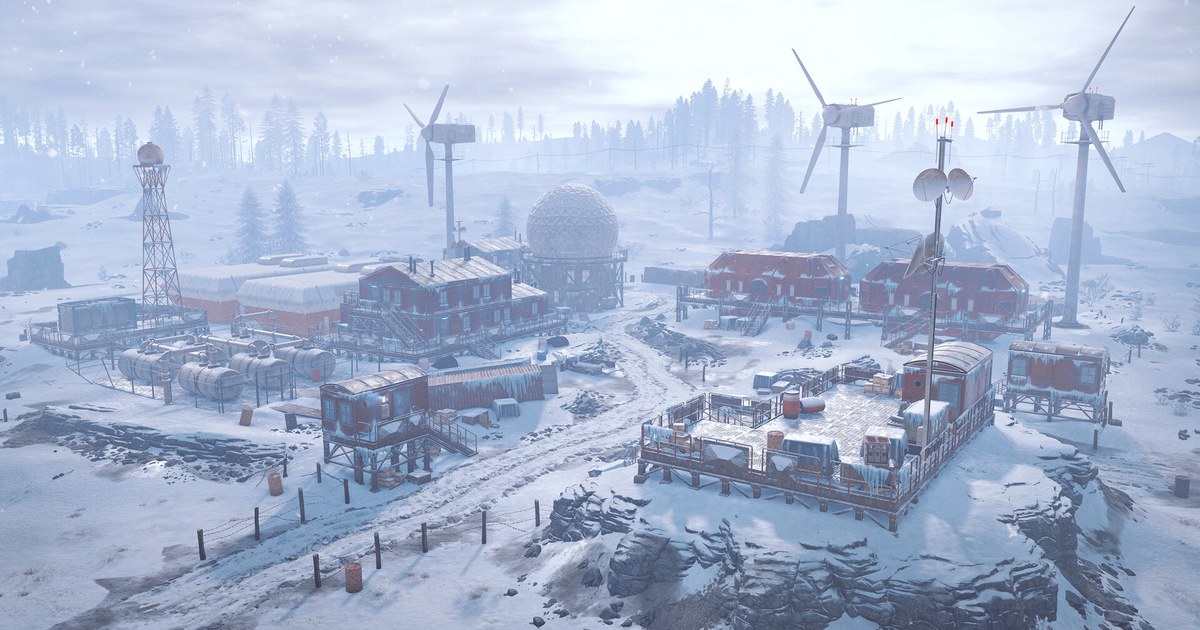
Rust is the survival game from Facepunch Studios that left early access on Steam on February 8, 2018, and it still gets a large content update every month.
As of November 10, 2026, it costs US$39.99 on the US Steam store with no discount running, and the monthly updates come at no extra cost once you own the game. English is supported with full audio.
Everything below was checked against the Steam store page and Facepunch's official update notes on November 10, 2026.
Rust PC requirements (as of November 10, 2026)
| Spec | Minimum | Recommended |
|---|---|---|
| OS | Windows 11 64 bit | Windows 11 64 bit |
| CPU | AMD Ryzen 5 1400 or Intel Core i5 6600 | AMD Ryzen 7 3700X or Intel Core i7 6700K |
| Memory | 12GB RAM | 16GB RAM |
| Graphics | AMD RX 470, NVIDIA GTX 1060, Intel Arc A580 | AMD RX 6600 XT, NVIDIA RTX 3060, Intel Arc B580 |
| DirectX | Version 11 | Version 12 |
| Network | Broadband internet connection | Broadband internet connection |
| Storage | 45GB available space | 45GB available space |
| Additional notes | SSD highly recommended, or expect longer load times | SSD required |
Why Rust recommends 16GB of RAM, and how to read the spec sheet
Rust usually feels heavy in memory and storage before it feels heavy on the GPU. A single server holds hundreds of player bases, walls and traps on one map, and when you join, your client has to load all of it.
Facepunch's own November 5 Printed and Polished notes say a lot of work went into reducing the noticeable hitches when loading a base, and say that stripping unneeded objects saved about 1.44GB of memory on a populated server.
According to the same notes, total memory use dropped by about 1.6GB in staging, garbage collection now runs roughly every 12 minutes instead of every 6, which means fewer periodic hitches, and the median frame rate rose by around 10 percent.
The store page still says 12GB minimum and 16GB recommended, though. If you sit near 12GB, a browser and Discord running in the background will eat most of your headroom, so treat 16GB as the realistic starting point. The second line to check is the OS: both tiers currently list Windows 11 64 bit.
The third is DirectX, with version 11 on the minimum tier and version 12 on the recommended tier. The GPU line names Intel Arc cards next to NVIDIA and AMD, so match a dedicated card rather than integrated laptop graphics. If you need to claw back frames, our Rust best settings guide covers which options to lower first.
How to check whether your PC can run Rust
- 1Match RAM and graphics card firstOpen Task Manager, go to the Performance tab and note your memory size and GPU name, then compare them with the table. Our guide on how to check PC specs in Windows 11 walks through it. With a 12GB minimum, an 8GB PC needs a RAM upgrade before anything else.
- 2Confirm the install drive is an SSDThe Disk entries in the same Performance tab show SSD or HDD. The recommended tier requires an SSD and the minimum tier warns about long loads without one. Leave well over 45GB free, since monthly patches add to the download.
- 3Check Windows and DirectXPress Windows key + R and type winver to see your Windows version; the store lists Windows 11 64 bit. DirectX should be at least 11, ideally 12, and our DirectX version check guide shows where to look in dxdiag.
- 4Free up memory if you are close to 12GBMemory use can spike while a big server loads in. Close browser tabs and overlays, and see our virtual memory and page file guide if Windows warns that memory is low.
- 5Start from lighter graphics settingsSince the November update, volumetric clouds are always on and the toggle is gone, though Facepunch says their cost is now on par with the old billboard clouds. For the order to lower everything else, see Rust best settings for FPS.
Checklist before you install and join a server
- You have at least 12GB of RAM, ideally 16GB.
- Your GPU is a GTX 1060, RX 470, Arc A580 or better.
- Rust goes on an SSD with well over 45GB free.
- You are on Windows 11 64 bit with DirectX 11 or newer.
- Browser tabs and extra background apps are closed before you join.
Want to keep your raids and fights?
DOR is a free Windows app that detects Rust when you launch it and records the whole session from launch to exit. Recordings land in My Clips inside the app, and you trim out the moments worth keeping, such as a base defense that held or a raid that broke through, then save them in 16:9, 9:16 or 1:1.
Our Rust gameplay sharing guide shows how to find a scene in a long session and send it to friends. Because Rust already uses a lot of memory, give yourself some headroom if you record at the same time.
The free plan records at 720p or 1080p and 30 or 60fps (1080p at 30fps by default), and dropping to 720p at 30fps lightens the load on a tight system. On supported NVIDIA graphics cards such as the RTX series, DOR records with NVENC hardware encoding.
Our recommended specs for game recording explains what to budget when you play and record together. Older footage is only cleared when the full gameplay video allowance (5GB by default) is exceeded, and recent recordings and videos you liked are kept.