
The short answer: turn off Snap Tap for CS2 and leave rapid trigger on
The first thing most people ask after buying a magnetic switch keyboard is whether it can get them banned. The answer depends on which feature you mean.
On Valve official servers in Counter-Strike 2, you need to switch off any SOCD feature, the kind that automatically resolves opposite movement keys, before you queue.
Rapid trigger, which only changes where a single key counts as pressed and released, is not listed as banned in the Valve announcement, and keyboard makers say it works normally in CS2.
Valorant is the game whose official competition rules allowed SOCD unless officials said otherwise, so for most players the fix is simply a CS2 profile with SOCD disabled.
- CS2 on Valve official servers (Premier, Competitive, Casual): SOCD off, rapid trigger fine, and clear out binds that combine movement and shooting on one key
- CS2 community servers: the server operator controls the detection options, so follow the server rules
- Valorant: rapid trigger fine; SOCD has no Riot ban notice for ranked, and in tournaments the officials have the final say
- Apex Legends and Overwatch 2: no official statement on SOCD found, so it is your call in regular matches and the event rulebook decides in tournaments
- Playing several games: save one profile with SOCD on and one with it off, and switch per game
Snap Tap (SOCD) and rapid trigger do different jobs
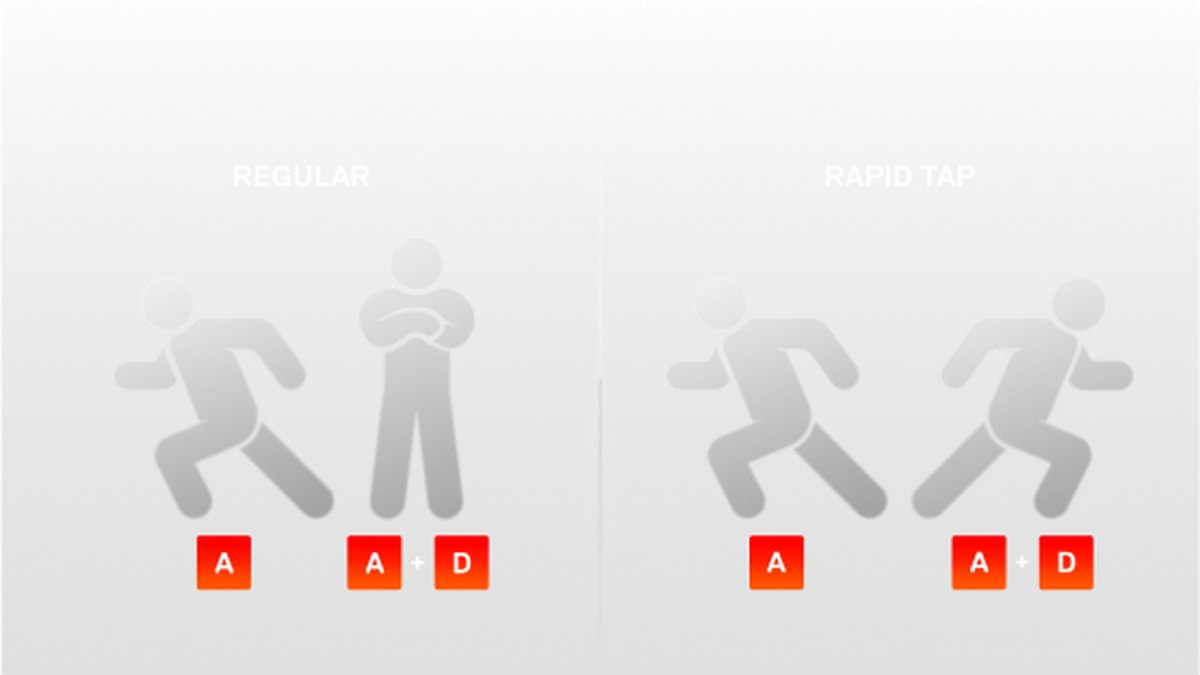
Snap Tap is a rule for two keys that overlap; rapid trigger is about how one key responds. SOCD stands for simultaneous opposing cardinal directions, and it decides what the keyboard sends when you hold A and D at the same time. On a regular keyboard the two inputs cancel out and your character stops.
With a Snap Tap style feature on, pressing D while still holding A makes the newer key win without you lifting A. The keyboard is effectively releasing the first key for you, and that automation is exactly what CS2 drew a line on.
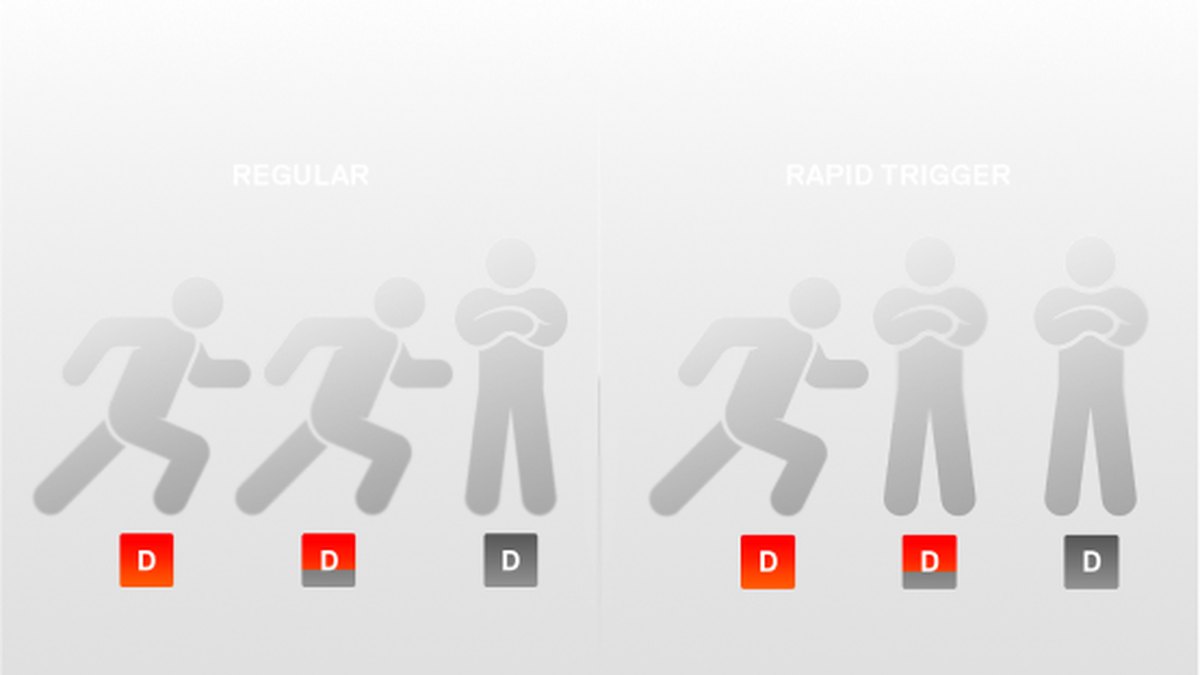
Rapid trigger changes how a single key decides it has been released. Instead of waiting for the key to pass a fixed reset point, the switch treats the key as released the moment your finger starts moving up, and as pressed again the moment it moves down.
It only judges one key faster; it never presses or releases a different key on your behalf, and keyboard makers describe it as a feature that does not generate extra inputs. Picking the right sensitivity in millimeters is a separate topic covered in our rapid trigger settings guide.
| Aspect | SOCD (Snap Tap style) | Rapid trigger |
|---|---|---|
| What it does | Resolves opposite keys automatically when both are held | Decides press and release of one key by the direction it moves |
| Keys involved | Two (a pair such as A and D) | One |
| Acts on another input for you | Yes, treats the older key as released | No |
| CS2 on Valve official servers | Disable before joining, may be kicked if detected | Not named as banned in the Valve announcement |
Game by game rules as of November 10, 2026
Right now there are two official documents that speak to this directly: the Valve announcement for CS2 and the VCT competition ruleset for Valorant. For the other games we could not find an official statement that addresses SOCD, so we do not call them allowed or banned. The practical rule there is to read the rulebook of any event you enter.
| Game | SOCD (Snap Tap style) | Rapid trigger | Status of the evidence |
|---|---|---|---|
| CS2 Valve official servers | Off | Fine to use | Valve bans input automation, match kick possible |
| CS2 community servers | Follow server settings | Fine to use | Server side detection options added September 2024 |
| Valorant ranked | Your choice | Fine to use | No Riot ban notice found |
| Valorant VCT events | Follow officials | Fine to use | 2025 ruleset section 2.3.5 |
| Apex Legends | Your choice, check event rules | Fine to use | No official mention found, ALGS approves equipment in advance |
| Overwatch 2 | Your choice, check event rules | Fine to use | No official mention of PC keyboard SOCD found |
| Fortnite | Check event rules | Check event rules | Read the competitive rulebook for each event |
CS2: disable SOCD before you join a match
In an August 19, 2024 announcement, Valve said it would no longer allow automation, whether through scripting or hardware, that gets around core skills like movement and shooting.
Players suspected of automating several actions from a single input may be kicked from their match, initially only on Valve official servers, and anyone whose keyboard has an input automation feature such as a Snap Tap mode was told to disable it before joining.
The wording is a kick, not an account ban. The release notes the same day said hardware assisted counter strafing would now be detected on official servers, and binds that pack several movement and attack commands onto one key became ignored by default.
In September 2024 Valve added detection options that community server operators can enable, and in November 2024 a setting that stops analog input from moving you at fractional speeds was turned on by default.
We found nothing in Steam announcements up to November 5, 2026 that relaxes or reverses any of this. To see which keyboards and settings top players use, read our CS2 pro settings and gear roundup.
Valorant: the competition rules allowed SOCD, and there is no ranked ban notice
Section 2.3.5 of Riot's 2025 VALORANT Official Competition Ruleset says that, unless instructed otherwise by league officials, players may use Snap Tap, SOCD or equivalent keyboard technologies.
The section right before it, 2.3.4, bans every macro program, including hardware macros stored in a keyboard's onboard memory. We could not locate the full 2026 international ruleset, and the 2026 regional rulebooks we opened do not mention SOCD at all.
We also found no Riot notice banning SOCD in regular ranked play as of November 10, 2026. So the accurate summary is: optional in ranked, and in tournaments the officials decide. For a clean movement layout to go with it, see our Valorant keybinds guide.
Apex, Overwatch and Fortnite: no official word, so check the event rules
The ALGS official rules for Apex Legends (Year 4 edition) never use the words Snap Tap or SOCD. They do say that players choose keyboard and mouse or a controller, keep the same device through a match, and that competitor owned equipment is reviewed and approved by officials in advance.
For Overwatch 2, Blizzard has announced action against unauthorized console peripherals that disguise mouse and keyboard input, but that is about consoles and is a different matter from SOCD on a PC keyboard. For Fortnite, check Epic's competitive rulebook for each event.
Apex Legends and Overwatch 2 have no official statement on SOCD for regular matches, and for all three games the rule of thumb is to read the event rulebook before you compete. For Apex key layouts, see our Apex Legends keybinds guide.
What each keyboard calls SOCD and where to turn it off
Every brand gives the same idea a different name, so the first step is knowing what yours is called. Razer calls it Snap Tap, Wooting has Snappy Tappy and Rappy Snappy, Logitech uses KEY PRIORITY (SOCD), SteelSeries calls it Rapid Tap and Corsair calls it FlashTap. Whatever the label, all of them fall in the category CS2 asks you to disable.
| Keyboard | SOCD feature name | Where to toggle it | Rapid trigger |
|---|---|---|---|
| Razer Huntsman V3 Pro Tenkeyless | Snap Tap | Off by default, FN + left Shift or Razer Synapse | 0.1 to 4.0 mm, not available on the factory default profile |
| Wooting 80HE+ · 60HE v2 | Snappy Tappy, Rappy Snappy | Profile settings in Wootility (web or app) | 0.1 to 4.0 mm, Performance tab of the profile |
| Logitech G PRO X2 RAPID | KEY PRIORITY (SOCD) | Onboard screen and roller, or G HUB | 0.1 to 4 mm in 0.05 mm steps |
| SteelSeries Apex Pro TKL Gen 3 | Rapid Tap | GG QuickSet or the OLED screen | 0.1 to 4.0 mm |
| Corsair K70 PRO TKL (reference) | FlashTap | Off by default, Game Mode button or FN + right Shift | Works in CS2 according to the maker |
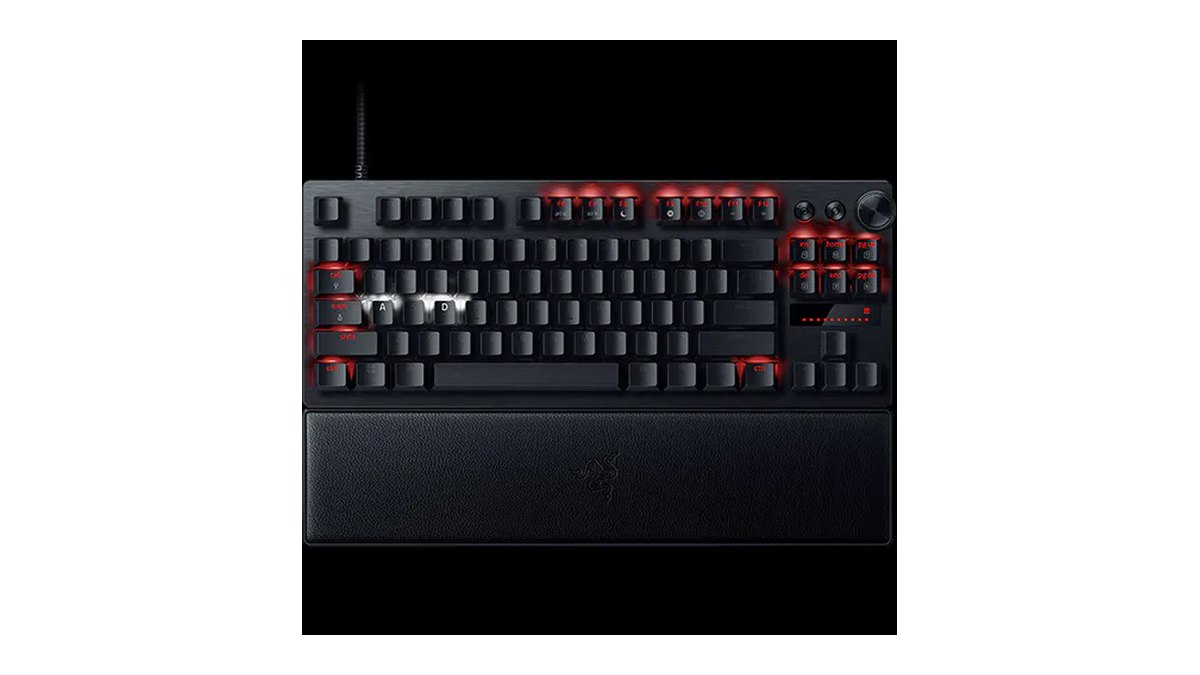
Snap Tap on the Razer Huntsman V3 Pro Tenkeyless ships disabled. You toggle it with FN plus left Shift or in Razer Synapse, and the paired keys (A and D by default) glow white when it is on and red when it is off.
You can change the key pair in Synapse, and Snap Tap can run alongside Rapid Trigger Mode. One catch: rapid trigger cannot be enabled on the factory default profile.
The board stores six onboard profiles, two presets and four user slots, which makes it easy to keep one user profile for CS2 with Snap Tap off and another for Valorant.

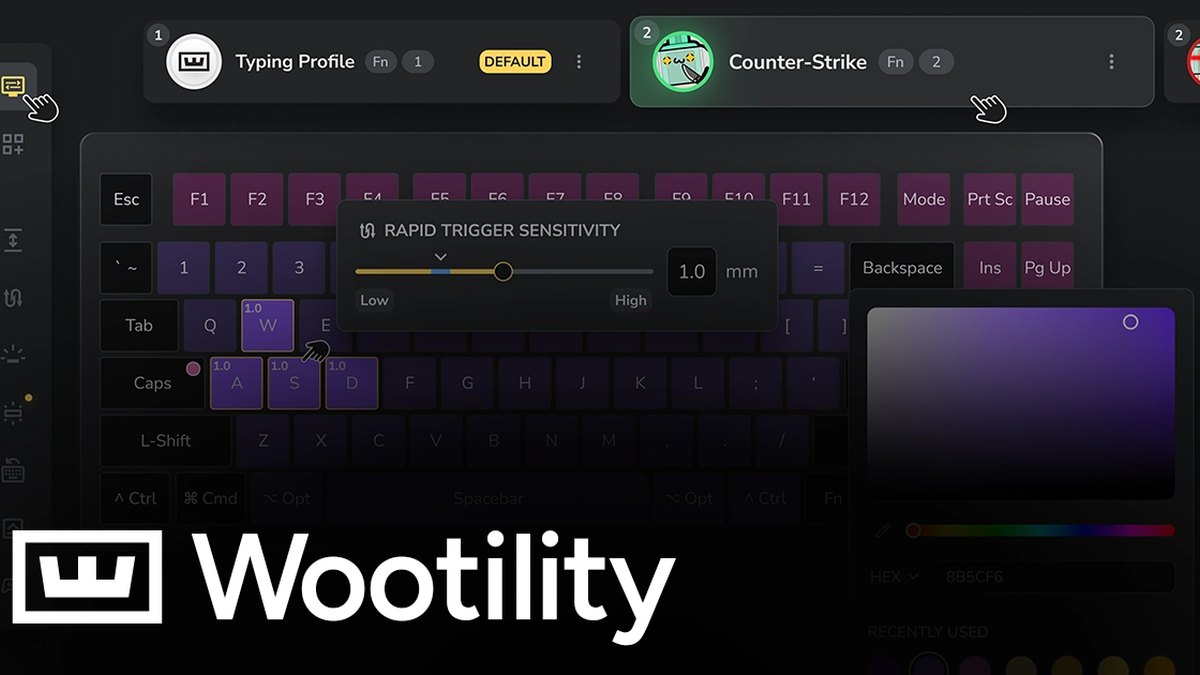
Wooting offers two SOCD modes. Snappy Tappy favors the most recent key, while Rappy Snappy reads analog depth and favors whichever key is pressed further down. Wooting's own CS2 guide says both lead to a match kick on Valve servers and tells you to switch them off in Wootility before you queue.
It also warns that a profile code shared by someone else can arrive with Snappy Tappy already enabled, so check again before CS2. Wootility runs as a web app in Chromium based browsers such as Chrome and Edge, and as a desktop app on Windows 10 and 11.
Rapid trigger lives in the Performance tab of each profile. If you are in the US, the 80HE+ is sold directly by Wooting and through its authorized reseller.
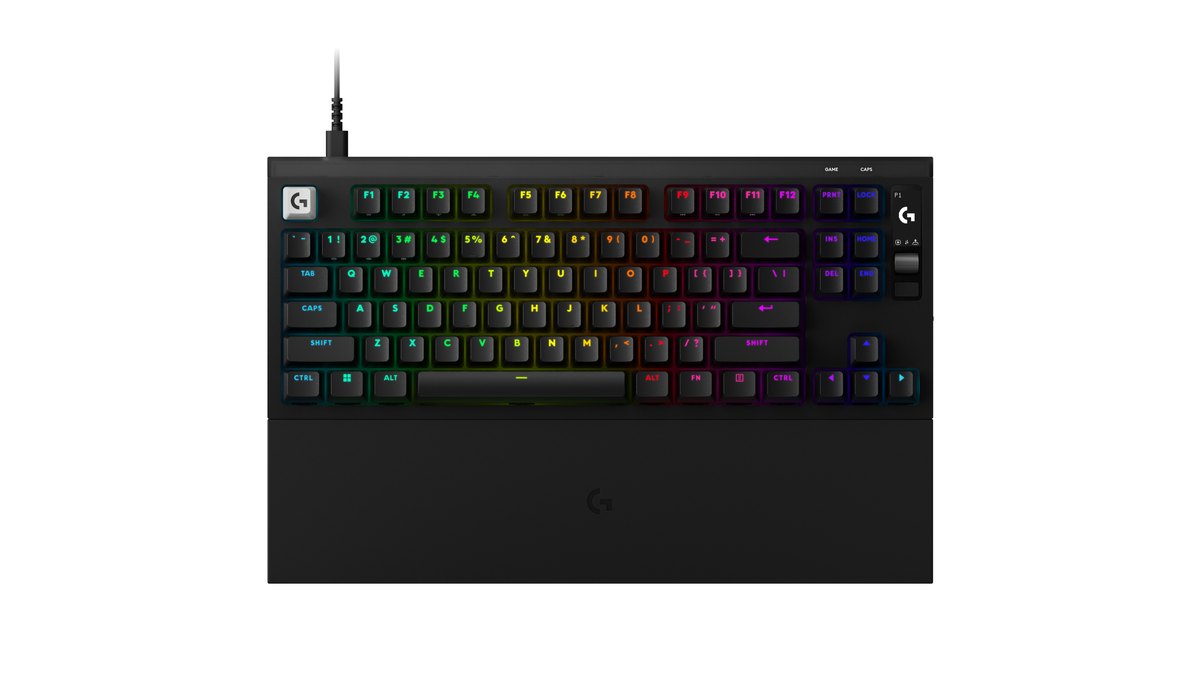
The Logitech G PRO X2 RAPID ships SOCD as KEY PRIORITY. You can adjust it right on the board with the OLED screen and roller, or save detailed settings and profiles in G HUB.
The product page pitches it as a way to counter strafe, yet on Valve servers it belongs to the category the Valve announcement says to disable. It is a good example of marketing copy and game rules pointing in different directions.
Actuation runs from 0.1 to 4 mm in 0.05 mm steps with a separately adjustable reset distance, so you can leave rapid trigger on and only switch KEY PRIORITY off.
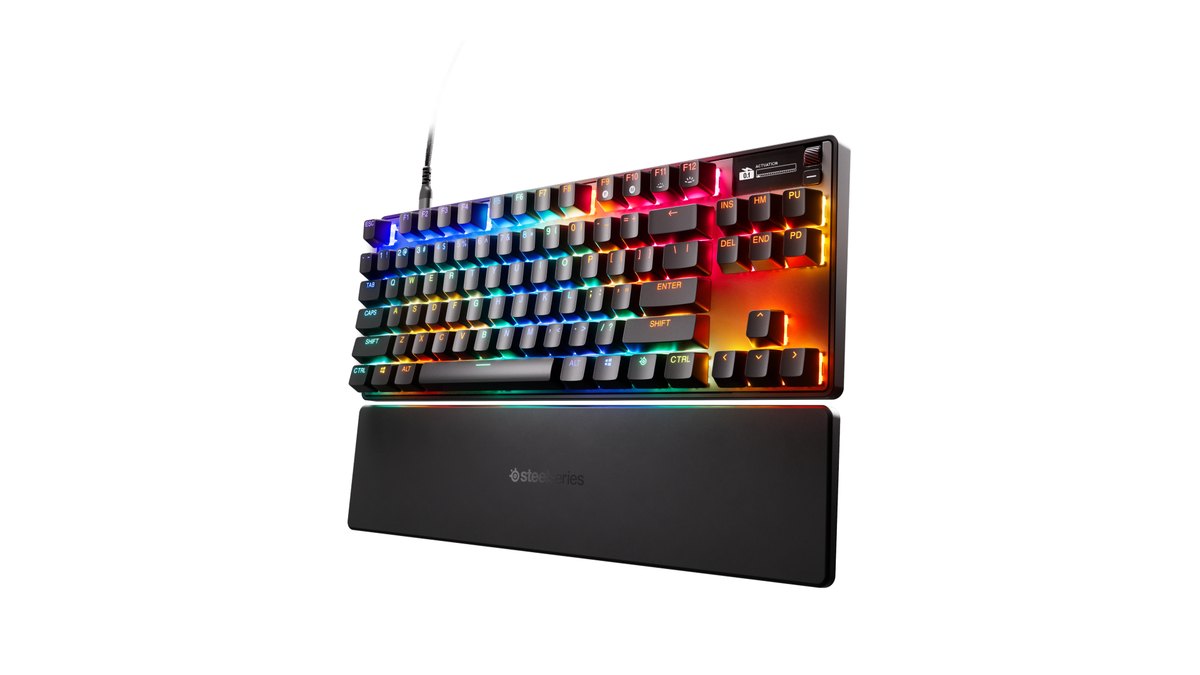
Rapid Tap on the SteelSeries Apex Pro TKL Gen 3 can be assigned to up to five key pairs, and SteelSeries lists counter strafing, peeking and crouch jumping as uses. You set it in GG QuickSet or on the OLED screen.
The names are easy to mix up: Rapid Tap is the SOCD feature and Rapid Trigger is the single key sensitivity feature. If you are still deciding which magnetic keyboard to buy, our gaming keyboard buying guide and best gaming keyboard picks compare SOCD support along with everything else.
Prices (as of November 10, 2026)
| Product | List price (MSRP) | Street price range |
|---|---|---|
| Razer Huntsman V3 Pro Tenkeyless | $219.99 | Check the retailer |
| Wooting 80HE+ | $199.99 (ABS) to $289.99 (zinc) | Sold direct at list price |
| Wooting 60HE v2 | $179.99 (plastic) to $239.99 (aluminum) | Sold direct at list price |
| Logitech G PRO X2 RAPID | $229.99 | Check the retailer |
| SteelSeries Apex Pro TKL Gen 3 | $239.99 | Check the retailer |
| Corsair K70 PRO TKL | $179.99 at launch | About $170 at the official store |
Keyboard prices move often with sales and stock. The same model can cost more or less depending on layout, color, and where you buy it, so confirm the final price and warranty with the seller before you order. None of the settings in this guide depend on what you paid.
Step by step: SOCD off, rapid trigger on
Follow these steps to keep rapid trigger and switch off only SOCD. If you split time between CS2 and other games, the last two steps matter most.
- 1Find your keyboard's SOCD nameCheck the manual or software for Snap Tap, Snappy Tappy, Rappy Snappy, KEY PRIORITY, Rapid Tap or FlashTap. Different names, same thing to disable for CS2.
- 2Razer: toggle with FN and left ShiftOn the Huntsman V3 Pro Tenkeyless, FN + left Shift toggles Snap Tap. Red A and D keys mean it is off, and Razer Synapse shows the same state.
- 3Wooting: turn it off in your Wootility profileOpen Wootility and disable SOCD (Snappy Tappy and Rappy Snappy) on the profile you use for CS2. Double check any imported profile code, and leave rapid trigger enabled in the Performance tab.
- 4Logitech and SteelSeries: use the screen or softwareTurn off KEY PRIORITY on the Logitech screen and roller or in G HUB, and Rapid Tap in SteelSeries GG QuickSet or on the OLED screen. Leave the rapid trigger settings alone.
- 5Split profiles by gameSave a CS2 profile with SOCD off and a Valorant profile set however you like. Switching games then means switching profiles, not hunting through menus.
- 6Clean up your CS2 bindsSince August 2024, binds that combine several commands, such as jump plus throw or movement plus attack, are ignored by default. If you still load an old config, delete those binds and keep one action per key.
Six common mistakes
- Turning rapid trigger off too: what CS2 asks you to disable is SOCD, and rapid trigger is not on the Valve list.
- Using a shared Valorant profile in CS2: the profile code may have SOCD switched on inside it.
- Confusing a ban with a kick: the Valve wording is a match kick, so there is no need to strip every feature out of fear of an account ban.
- Reading marketing copy as permission: a product page saying a feature helps you counter strafe is not the same as the game allowing it.
- Swapping in software or macros that imitate SOCD: CS2 bans automation through scripts and hardware alike, and the VCT ruleset bans onboard macros too.
- Thinking the Razer board is faulty because rapid trigger will not turn on: switch from the factory default to a user profile first.
How to confirm SOCD is really off
The fastest check is the lighting. On Razer boards the paired keys show white when Snap Tap is on and red when it is off, and Corsair says FlashTap is off when A and D are not lit yellow in Game Mode. If your keyboard has no indicator, test it in game.
Go into a practice mode, hold A, then press D. If your character stops in place, SOCD is off. If you start moving toward D without releasing A, it is still on.
Doing this once before you launch CS2 takes a few seconds and removes the risk of being kicked mid match.
Community opinion splits on impact and fairness
Players disagree on how much SOCD actually helps. One side says strafing during fights feels smoother and makes you harder to hit; the other says Valorant has so little momentum after you release a key that the difference is small.
Some point out that it depends on whether you already stop by tapping the opposite key. On fairness, one camp says hardware differences have always existed and SOCD is just another one, while the other says it is automation in the same spirit as a script and should be blocked.
There are also posts asking why rapid trigger is fine when SOCD is not, and questions from people who cannot find the SOCD menu in their keyboard software. Whichever side you lean toward, the rules that apply today are the publisher announcements and the event rulebooks.
Record before and after with DOR to compare your settings
Whether a new rapid trigger sensitivity or SOCD change actually helped is easier to judge from footage than from memory. DOR is a free Windows app that detects supported games when you launch them, records the whole match automatically and collects the recordings in My Clips inside the app.
In Valorant, kills are saved as automatic clips with ace and clutch tags, and in CS2 your kills, deaths and assists are clipped automatically. Record a few matches of the same mode before and after the change, then put your peeks and first shots side by side. Our before and after gear recording guide walks through the comparison, and show key inputs in gameplay videos explains how to put your keypresses on screen too.