Bottom line: CS2 pros run a ZOWIE TN, a 60g class wireless mouse, a rapid trigger keyboard and 1280x960
Two public pro gear counts updated on November 9, 2026 (one covering about 950 players, the other about 1,000) paint a very clear picture of CS2 pro settings.
The monitor is a 24 inch class ZOWIE TN panel, the mouse is wireless and weighs 50 to 60g, the keyboard uses magnetic or analog switches with rapid trigger, the resolution is 1280x960 stretched from 4:3, and sensitivity sits at 400 DPI with an eDPI around 800.
If you only want one monitor and one mouse to copy, buy the ZOWIE XL2566X+ and the Logitech G PRO X SUPERLIGHT 2. The XL2566X+ is the current 400Hz model in the slot the pro favorite XL2566K (360Hz) used to hold, and the SUPERLIGHT 2 is the most used mouse among pros.
That said, resolution, sens and keyboard setup cost nothing and pay off faster than new gear, and a 600Hz or 720Hz monitor only matters if your PC can actually push that many frames.
- Monitor: ZOWIE holds 88 to 91 percent. The top single model is the XL2566K (360Hz), then the XL2546K (240Hz)
- Mouse: all top five are wireless. PRO X SUPERLIGHT 2 first, DeathAdder V4 Pro second
- Keyboard: all top five are magnetic or analog with rapid trigger. Wooting 80HE series first
- Resolution: more than half use 1280x960, and 73 to 74 percent use a 4:3 aspect ratio
- Sensitivity: about two thirds use 400 DPI, and the median eDPI is 800 to 830
CS2 pro gear by the numbers: top two in each category
Pro gear counts work by collecting the gear and settings that players have made public and tallying them. We read two of them together: a count of about 950 players refreshed on November 9, 2026, and a count of about 1,000 players whose settings were collected the same day.
Their samples and labels differ slightly, so the same model can be one to three points apart, and we show ranges where that happens. We only cover the overall distribution, not any individual player.
| Category | Most used | Second | What stands out |
|---|---|---|---|
| Monitor | ZOWIE XL2566K, about 25 to 26% | ZOWIE XL2546K, about 24 to 25% | ZOWIE brand at 88 to 91% |
| Mouse | Logitech G PRO X SUPERLIGHT 2, about 17% | Razer DeathAdder V4 Pro, about 11% | Top five all wireless |
| Keyboard | Wooting 80HE series, about 29% | Razer Huntsman V3 Pro TKL, about 18% | Top five all rapid trigger |
| Headset | Razer BlackShark V3 Pro, about 18% | HyperX Cloud II, about 14% | A wired model is second |
| Mousepad | Artisan Ninja FX Zero, about 9% | SteelSeries QcK Heavy Black, about 8% | Even first place is under 10% |
The big story in that table is how concentrated some categories are and how spread out others are. One brand owns nine out of ten pro monitors, and every top five keyboard is a rapid trigger board. Mice, headsets and pads are different: no single model passes 20 percent.
The more a piece of gear depends on hand shape or fit, the more pros scatter across options. Pro gear is also not the same thing as mainstream best sellers.
On November 10, 2026, the top 30 of a major Japanese price comparison chart for monitors was mostly 27 inch IPS and QHD models with no ZOWIE model at all. The ZOWIE TN line is really a specialist tool for competitive shooters.
Monitors: nine in ten pros use a ZOWIE TN, split between 240Hz and 360Hz
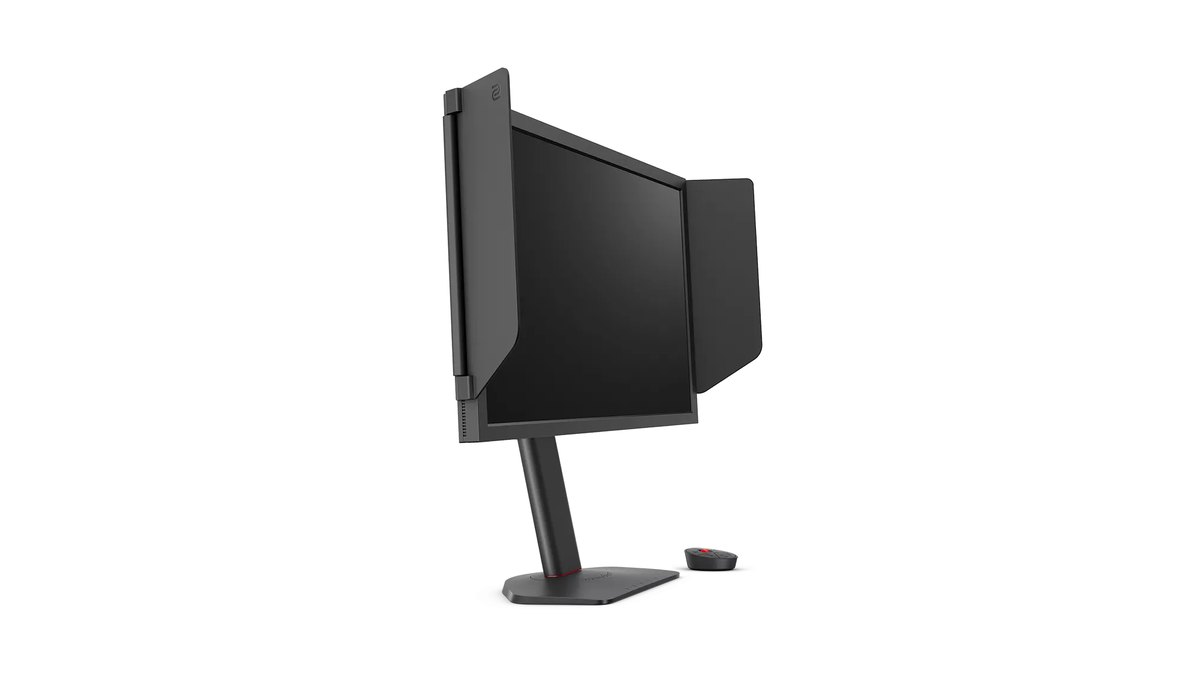
The most used single model is the 360Hz ZOWIE XL2566K, with the 240Hz XL2546K right behind it. Those two alone cover close to half of all counted pros. Next come the 600Hz XL2586X+ at about 9 to 12 percent and the 400Hz XL2566X+ at about 7 to 10 percent.
Group every 240Hz class model together and it is still the largest bloc, while models at 360Hz and above add up to a little under half. Every top model is a 24 inch class TN panel with a version of DyAc, the motion blur reduction feature ZOWIE markets for shooters.
The next brands after ZOWIE are Alienware at 2.9 percent and ASUS ROG at 2.2 percent, which shows how wide the gap is.
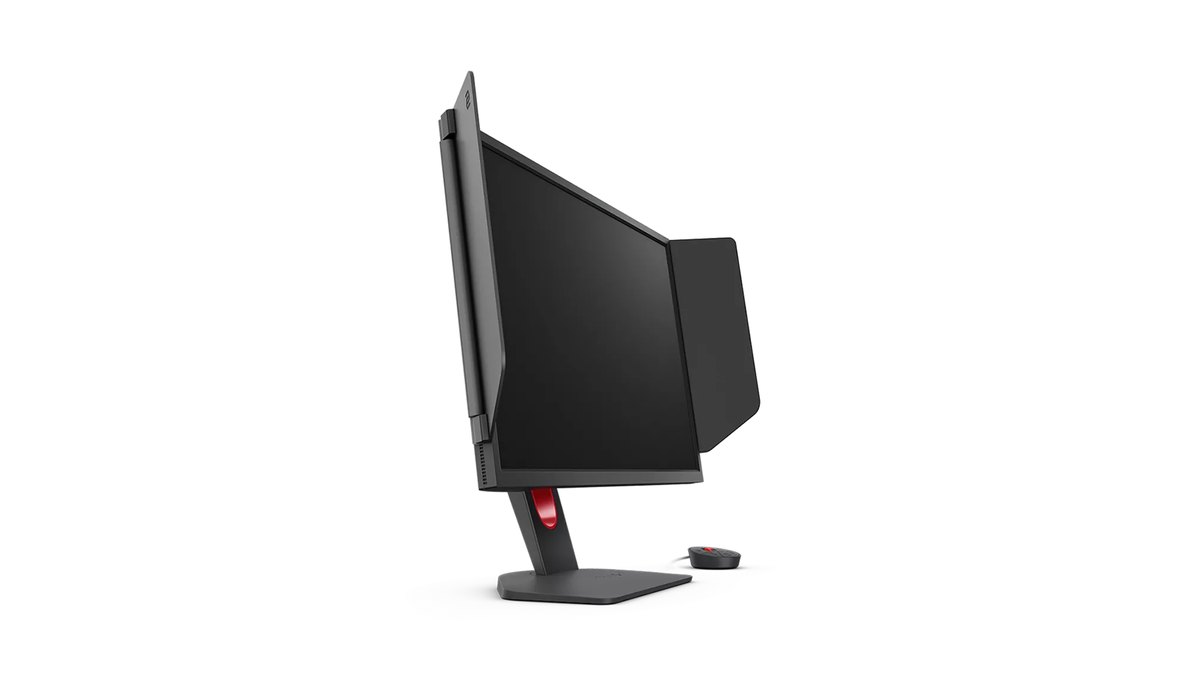
| Model | Size, panel, refresh rate | Pro share |
|---|---|---|
| ZOWIE XL2566K | 24.5 inch TN, 1920x1080 360Hz, DyAc+ | about 25 to 26% |
| ZOWIE XL2546K | 24.5 inch TN, 240Hz, DyAc+ | about 24 to 25% |
| ZOWIE XL2586X+ | 24.1 inch Fast TN, 600Hz, DyAc 2 | about 9 to 12% |
| ZOWIE XL2566X+ | 24.1 inch Fast TN, 400Hz, DyAc 2 | about 7 to 10% |
There are three common explanations for why pros stick with 24 inch class TN screens.
A smaller screen keeps the trip between the minimap and your crosshair short, it matches the screen size pros are used to at events so practice feels the same, and the blur reduction features are tuned for fast motion in shooters.
ZOWIE does not list response time numbers on its official pages, so we will not rank panels against each other in milliseconds. Higher refresh rates also demand more from your PC.
ZOWIE recommends an RTX 40 or RX 7000 class graphics card and an Intel 14th gen or Ryzen 7000 class CPU for the 600Hz XL2586X+, and it notes that Windows 11 builds released before November 1, 2023 top out at 500Hz.
For the 400Hz XL2566X+ it recommends RTX 30 or RX 6000 class cards with an Intel 13th gen or Ryzen 5000 class CPU.
If you shop in the US, watch the model names. On ZOWIE US, the XL2566K page now forwards to the XL2566X+ and the XL2546K forwards to the XL2546X+, while the Asia Pacific site still lists the XL2566K.
In practice that means the XL2566X+ (400Hz) is the US pick for the slot the XL2566K held, and the 280Hz XL2546X+ fills the 240Hz class slot.
ZOWIE also launched the QHD 360Hz XQ series and splits its lineup by game type, calling XL the 5v5 shooter line and XQ the battle royale line, so for CS2 stay with XL.
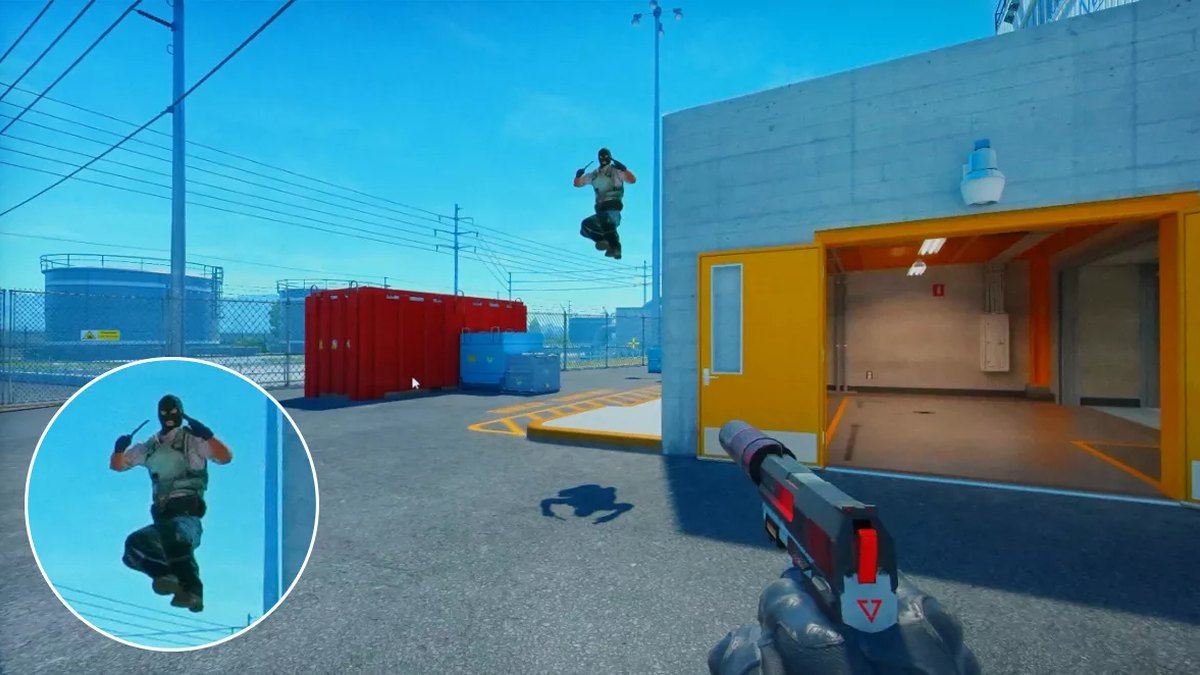
The first OLED Major: official monitor of the PGL CS2 Major Singapore 2026
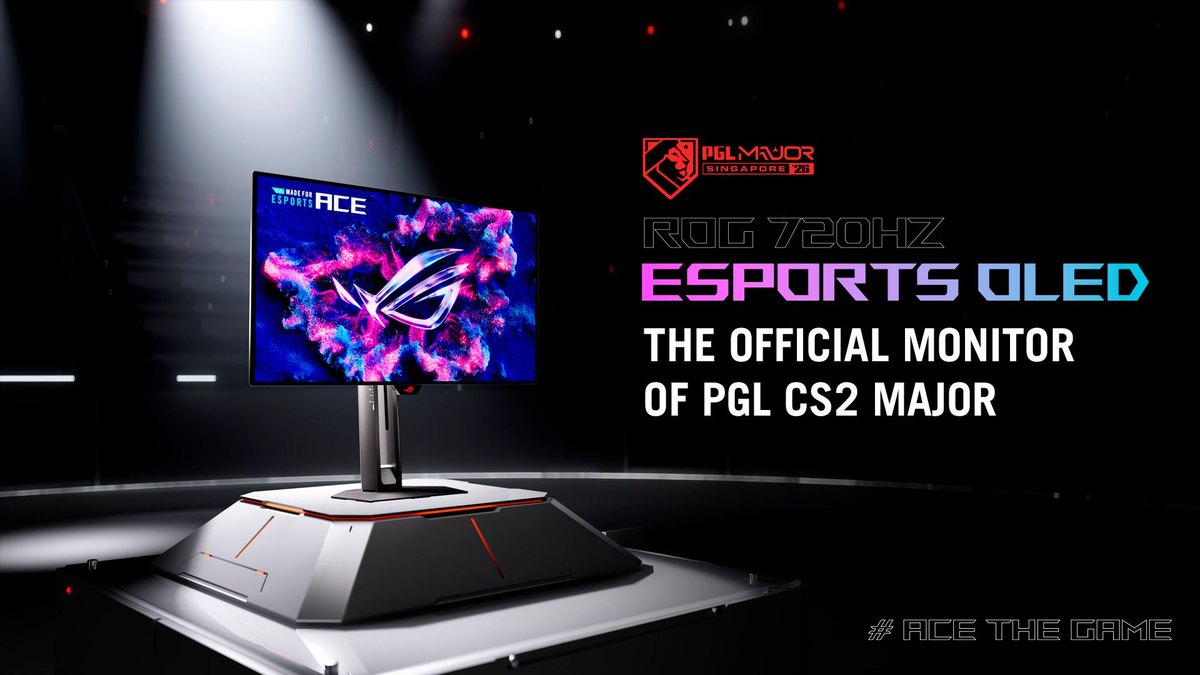
The biggest monitor news for pros this year is OLED. On August 25, 2026, ASUS announced the ROG Swift OLED PG259QWS Ace as the official monitor of the PGL CS2 Major Singapore 2026 and said it would be the first Counter-Strike Major played on OLED.
The event opens in late November and runs through December 13, and you can find dates and times in our PGL Major Singapore 2026 schedule. Still, every top monitor in the November 9, 2026 pro counts is TN, and no OLED model shows up near the top.
This monitor only got its availability announcement on October 28, so it has not had time to appear in the counts. For how high refresh OLED and TN compare, see 720Hz OLED vs 600Hz TN.
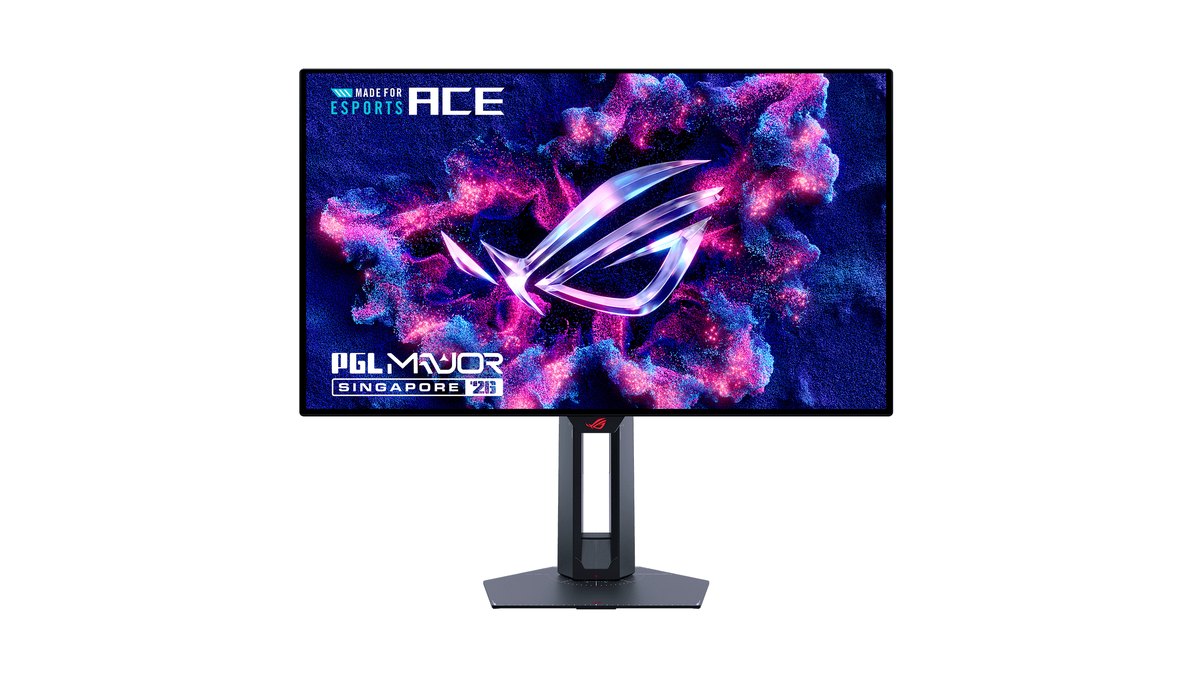
ASUS lists the PG259QWS Ace as a 24.5 inch FHD tandem WOLED panel at 720Hz with a 0.02ms (GtG) response time, which is the maker's own figure, plus DisplayPort 2.1.
It comes with a three year warranty that ASUS says covers burn in, OLED care features such as a proximity sensor, and a position sensor that shows height, tilt and distance on screen. ASUS says it built the monitor with feedback from pro players and PGL.
The US ROG site has a product page, but check the retailer for stock and the exact warranty terms before you order.
Mice: the top five are all wireless and weigh from about 50g to 60g
Mice are far less concentrated than monitors. Even the top model, the Logitech G PRO X SUPERLIGHT 2, sits at about 17 percent. By brand, Logitech G leads with 37.8 percent, Razer follows with 31.3 percent and ZOWIE has 13.3 percent, so two brands cover roughly 70 percent of pros.
All five of the top models are wireless, and the three with confirmed official weights land between 49g and 60g. Wired mice and heavy multi button mice have essentially dropped out of the top of the pro list.
| Rank | Model | Pro share | Key official specs |
|---|---|---|---|
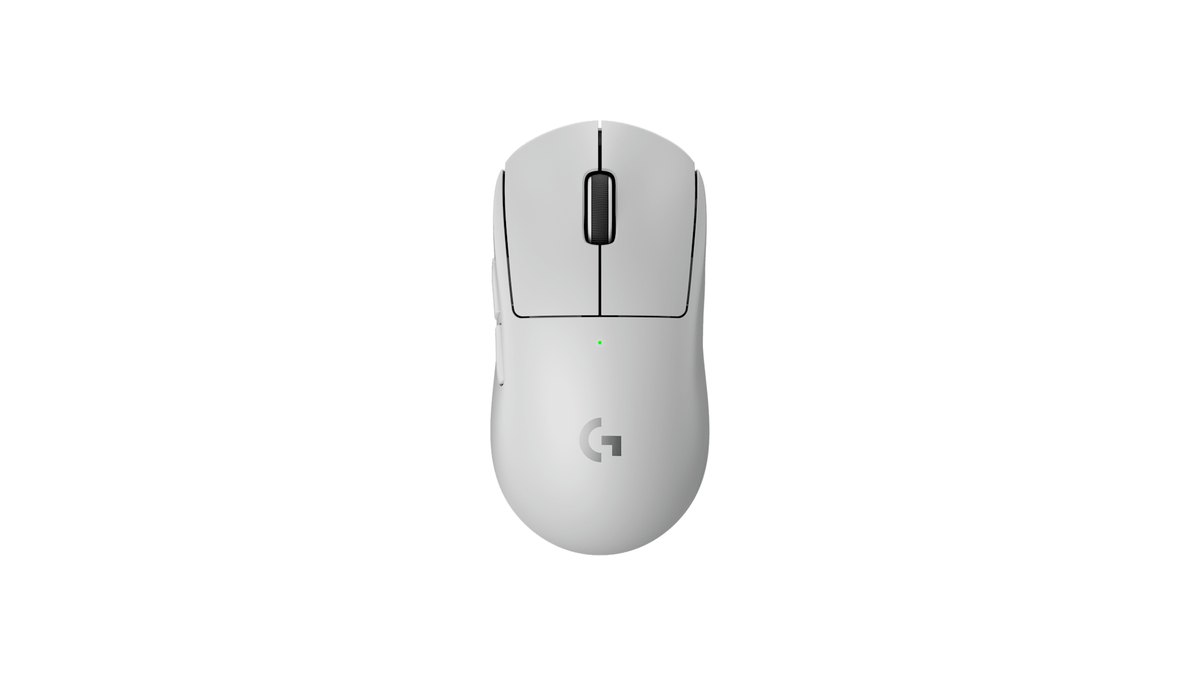
| 1 | Logitech G PRO X SUPERLIGHT 2 | about 17.1% | 60g, HERO 2 sensor, wireless up to 8kHz |
| 2 | Razer DeathAdder V4 Pro | about 10.8% | 56g, Focus Pro 45K Gen-2 sensor, 8000Hz wired and wireless |
| 3 | Logitech G PRO X2 SUPERSTRIKE | about 9.2% | HITS clicks, 10 actuation levels, 5 rapid trigger reset levels |
| 4 | Razer Viper V4 Pro | about 8.3% | 49g, 8000Hz wireless, up to 180 hours |
| 5 | Razer Viper V3 Pro | about 7.7% | Previous generation of the Viper V4 Pro |
What they share is low weight, a wireless connection and a high maximum polling rate. On the settings side, about 66 percent of pros use 400 DPI and about 28 percent use 800, so those two values cover nearly everyone.
New mice sometimes ship with a higher default DPI (the Viper V4 Pro defaults to 1600), so switch to 400 or 800 first and then set your in game sens. The DeathAdder V4 Pro is a right handed ergonomic shape while the SUPERLIGHT and Viper models are symmetrical, so pick by hand shape and grip.
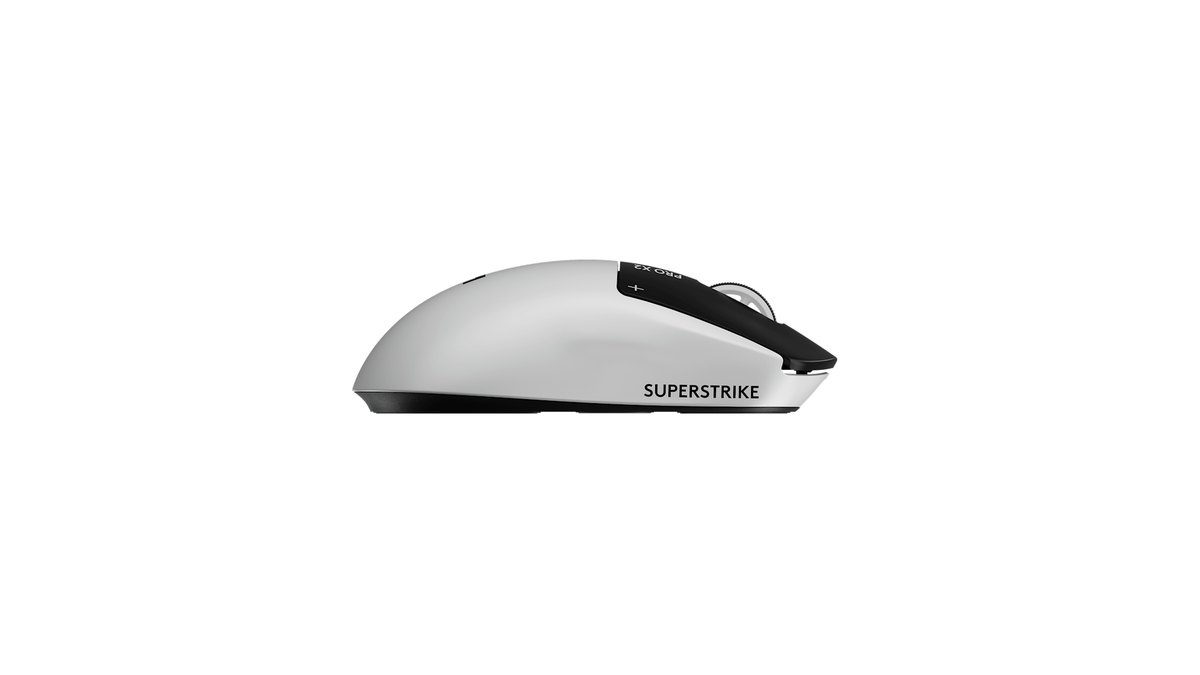
The new trend is a mouse that brings keyboard style actuation and rapid trigger to the clicks.
The Logitech G PRO X2 SUPERSTRIKE uses a haptic inductive trigger system (HITS) to set click actuation in 10 levels, rapid trigger reset in 5 levels and haptic strength in 6 levels, and it already sits third in the public pro counts. We compare it with Razer's flagship in PRO X2 SUPERSTRIKE vs Viper V4 Pro.
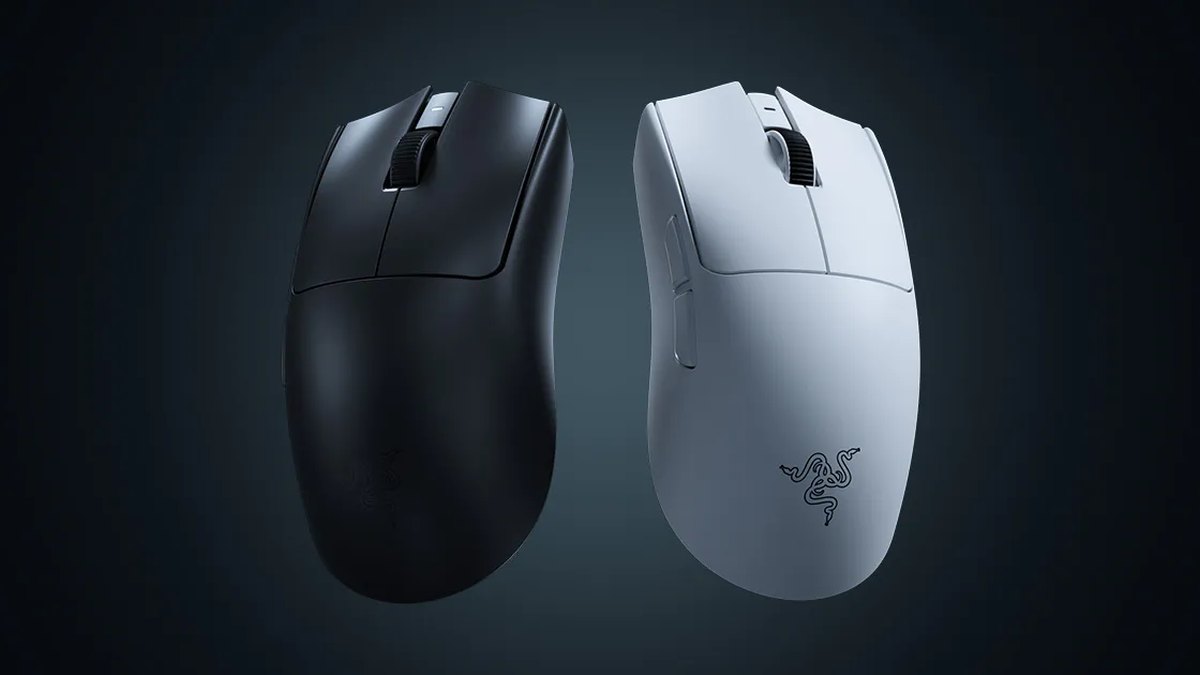
The Razer Viper V4 Pro is the lightest of the top five at an official 49g (50g in white). Razer lists a Focus Pro 50K Gen-3 sensor, 8000Hz wireless and up to 180 hours of battery life.
Running 8000Hz drains the battery much faster and adds load on your PC, so the safe approach is to start at 1000Hz and step up only if everything stays smooth. The pro settings trackers suggest the same: start at 1000Hz and go up to 4000Hz if your mouse supports it. Our 8000Hz polling rate settings guide walks through it.
Keyboards: every top five board is magnetic or analog with rapid trigger
Keyboards are the category with the clearest direction in pro play. All five of the most used boards, about 60 percent of all counted pros, use magnetic or analog switches that read how far each key is pressed, and all of them support rapid trigger.
Rapid trigger releases the input as soon as you lift the key slightly, which helps you stop moving faster in a game like CS2 where you need to be still to shoot accurately. By brand, Wooting has 36.4 percent, Razer 25.0 percent and Logitech G 18.4 percent.
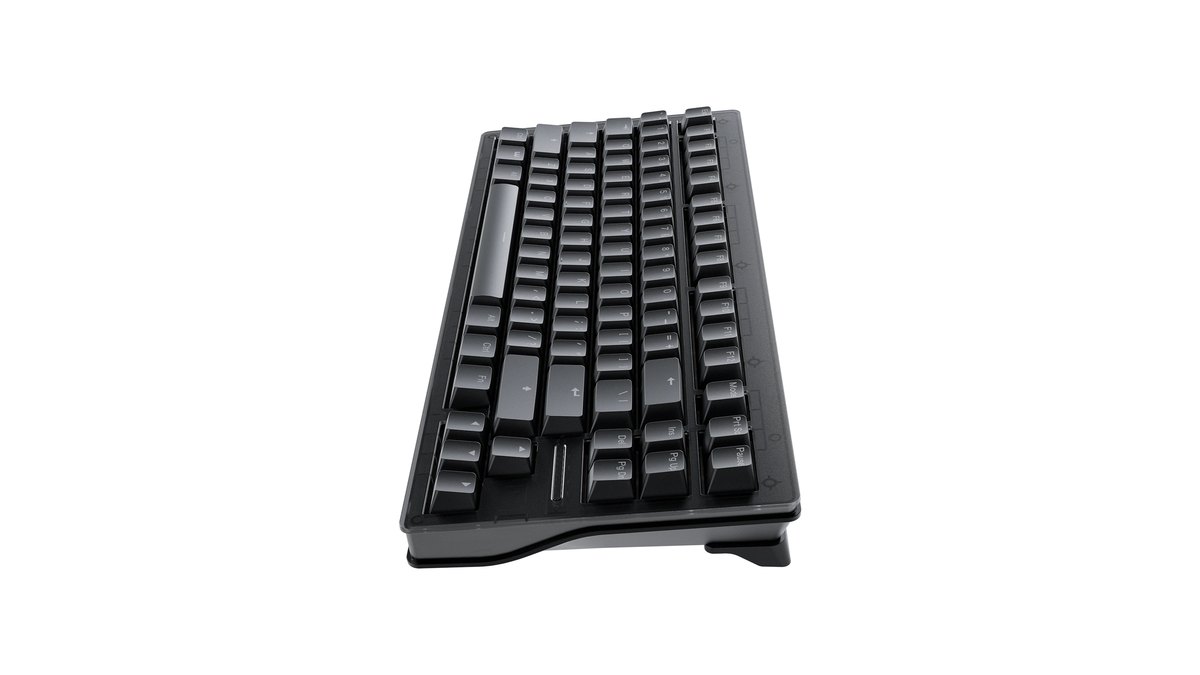
- 1st, Wooting 80HE series (about 29.0%): 80 percent layout, Hall effect magnetic switches, 0.1 to 4.0mm actuation in 0.1mm steps, 8kHz polling, four year official warranty (two years on LEDs)
- 2nd, Razer Huntsman V3 Pro Tenkeyless (about 18.4%): Analog Optical Gen-2 switches, 0.1 to 4.0mm actuation, rapid trigger, up to two year warranty
- 3rd, Logitech G PRO X TKL RAPID (about 4.8%): magnetic analog switches, per key actuation, rapid trigger
- 4th, Wooting 60HE V2 (about 4.3%): compact 60 percent layout without arrow keys or a function row
- 5th, ASUS ROG Falchion Ace 75 HE (about 3.4%): 75 percent layout with magnetic switches
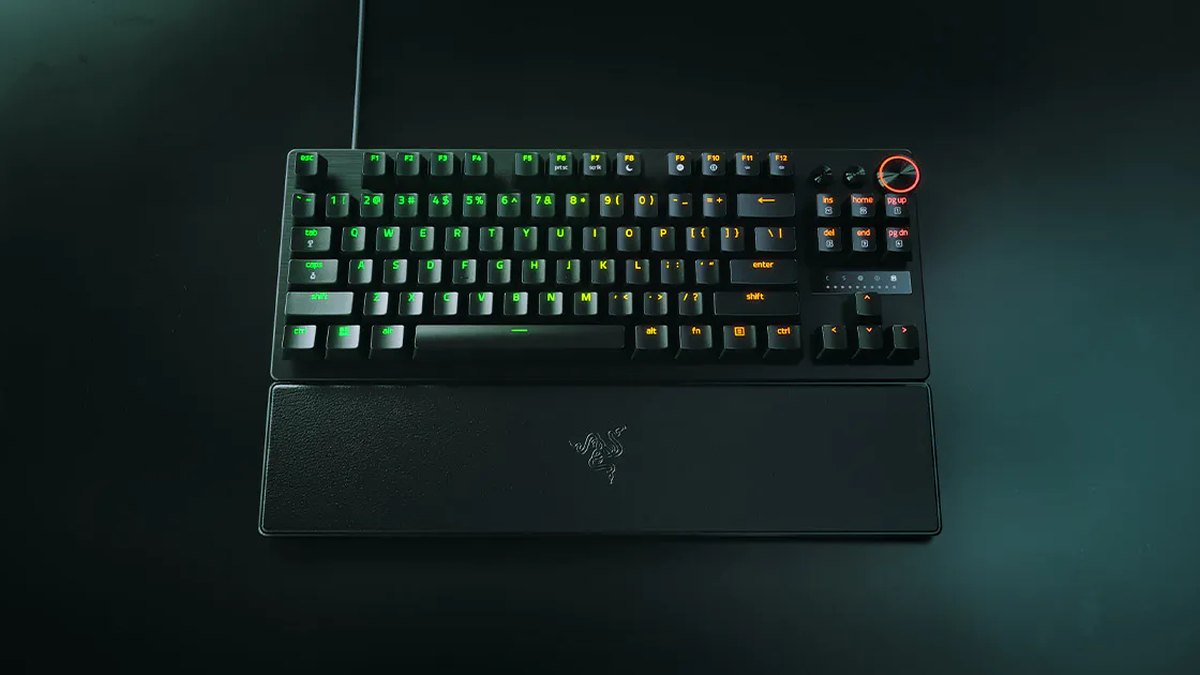
The Wooting 80HE+ was only announced on September 8, 2026, so the top spot in the count very likely groups older 80HE owners under the same entry, which is why we call it the Wooting 80HE series.
Wooting sells mainly through its own web store and ships worldwide, so check shipping times and how warranty claims work before ordering. To choose between the top two boards, read Wooting 80HE+ vs Huntsman V3 Pro TKL.
Resolution and sens: 1280x960 stretched, 400 DPI, about 800 eDPI
| Setting | Public pro count | How to read it |
|---|---|---|
| Most used resolution | 1280x960, about 53 to 57% | Most stretch 4:3 to fill the screen |
| Aspect ratio | 4:3 about 73 to 74%, 16:9 about 13 to 15% | About one pro in seven stays on 16:9 |
| DPI | 400 about 66%, 800 about 28%, 1600 about 5% | 400 and 800 cover almost everyone |
| Median eDPI | 800 to 830 (mean 849) | About 2.0 in game sens at 400 DPI |
| Mean eDPI by role | Riflers 833, AWPers 920 | AWPers run slightly higher |
| Distance for a 360 | eDPI 800 about 52cm, 920 about 45cm | Calculated with the default yaw of 0.022 |
The usual explanation for stretched 4:3 is that player models look wider and therefore easier to hit, and that a lower resolution gives you more frames. The tradeoff is a narrower field of view, because the left and right edges of the scene are cut.
With 13 to 15 percent of pros still on 16:9, there is no need to switch just because most pros do. The difference between stretched and black bars, and how to set it in your GPU control panel, is in our CS2 stretched res guide.
For sens, the middle of the pro range is an eDPI of about 800. That is 400 DPI at 2.0 in game, or 800 DPI at 1.0, and it takes about 52cm of mouse movement to turn a full circle. If your current sens is much higher, lower it in steps over several matches instead of all at once. You can see where your own sens lands with our CS2 sensitivity test, which runs in the browser.
Headsets and mousepads: no clear winner, mostly personal taste
The most used headset is the Razer BlackShark V3 Pro at about 18.1 percent, followed by the wired HyperX Cloud II at about 14.2 percent and the Logitech G PRO X 2 LIGHTSPEED at about 11.4 percent.
Razer lists 50mm drivers, hybrid ANC, 2.4GHz wireless plus Bluetooth, USB-C and 3.5mm connections, and up to 70 hours of battery for the BlackShark V3 Pro. It is notable that an older wired model still holds second place among newer wireless options.
For mousepads, the Artisan Ninja FX Zero (about 8.8 percent), SteelSeries QcK Heavy Black (about 8.2 percent) and Razer Gigantus V2 (about 6.0 percent) lead, but even first place is under 10 percent. Pros split mainly on whether they want a fast glide or more stopping power.
What to copy from the pros and what to skip
- Copy: start at 400 or 800 DPI with an eDPI around 800. AWP mains can go a little higher.
- Copy: play a few matches on 1280x960 stretched and a few on 16:9 before you choose.
- Copy: get a monitor of at least 240Hz, and first confirm your PC actually hits that frame rate.
- Copy: if you use a rapid trigger keyboard, set your actuation point and turn off Snap Tap or SOCD style input automation before official server matches.
- Copy: start your mouse polling rate at 1000Hz and raise it only if nothing stutters.
- Skip: buying a 600Hz or 720Hz monitor before checking your frame rate.
- Skip: forcing stretched 4:3 just because most pros use it.
- Skip: hunting for the XL2566K when your region now sells the X+ model that replaced it.
- Skip: copying one specific player's setup. Hand size and grip differ from person to person.
Alternatives by tier: matching the pro direction without the pro list
You do not need the exact pro gear to move in the same direction. The table below groups products by where they sit in each maker's lineup and by spec, and the actual price ranges follow in the next table.
For monitors the key is refresh rate, for mice it is weight and wireless, and for keyboards it is rapid trigger support. Within each cell, choose whatever fits your hand and desk space.
| Category | Entry | Mid | High end |
|---|---|---|---|
| Monitor | ZOWIE XL2546X+ or XL2540X+ (280Hz) | ZOWIE XL2566X+ (400Hz) | ZOWIE XL2586X+ (600Hz), ROG PG259QWS Ace (720Hz OLED, check local stock) |
| Mouse | A light entry level wireless mouse | PRO X SUPERLIGHT 2, DeathAdder V4 Pro or Viper V4 Pro, whichever fits your hand | PRO X2 SUPERSTRIKE (adjustable click actuation) |
| Keyboard | An entry magnetic switch board with a clear warranty and seller | Logitech G PRO X TKL RAPID | Wooting 80HE+, Razer Huntsman V3 Pro TKL |
| Headset | HyperX Cloud II (wired) | Logitech G PRO X 2 LIGHTSPEED | Razer BlackShark V3 Pro |
For more options in each tier with star ratings, see our best gaming monitors, best gaming mouse and best gaming keyboard picks.
Prices (as of November 10, 2026)
| Product | Launch price (MSRP) | Street price range |
|---|---|---|
| ZOWIE XL2546X+ (280Hz) | US$499.99 | Check your retailer |
| ZOWIE XL2566X+ (400Hz) | US$649.99 | Check your retailer |
| ZOWIE XL2586X+ (600Hz) | Check your retailer | About US$999.99 |
| ROG Swift OLED PG259QWS Ace | About US$1,099 (reported) | Check your retailer |
| Logitech G PRO X SUPERLIGHT 2 | US$159.99 | About US$159.99 (official store) |
| Razer DeathAdder V4 Pro | US$179.99 | About US$153 to US$180 |
| Razer Viper V4 Pro | US$159.99 | About US$159.99 (official store) |
| Wooting 80HE+ | Check your retailer | Check your retailer |
| Razer Huntsman V3 Pro TKL | US$219.99 (8KHz) | About US$212 to US$220 (8KHz) |
| Razer BlackShark V3 Pro | US$249.99 | About US$249.99 (official store) |
These are US prices we saw on November 10, 2026. They move with colorways, special editions and seasonal sales, so confirm the final price, tax and warranty terms with your retailer before you buy.
Wooting sells mainly through its own web store and the 80HE+ price was not shown when we checked, so look it up there. On monitors, a 400Hz XL2566X+ already costs well over US$600, so make sure your PC can actually push the frames before paying for 600Hz or 720Hz.
How to apply pro settings: free changes first
- 1Pick a resolution and aspect ratioIn a practice server, try 1280x960 stretched 4:3 and 1920x1080 16:9 and compare which one makes enemies easier to see and which one feels better for awareness.
- 2Dial in your sensSet your mouse to 400 or 800 DPI in its software, then set your in game sens so that DPI times sens lands around 800 eDPI. If that is a big jump, change it in stages.
- 3Check your frame rateOn the maps you play most, make sure your average frame rate is above your monitor refresh rate. If it falls short, start with our CS2 FPS boosting settings.
- 4Confirm the refresh rateIn Windows advanced display settings, make sure the refresh rate is set to the monitor maximum. ZOWIE says the XL2566X+ needs DisplayPort 1.4 and the included cable to run at 400Hz.
- 5Set up your keyboardOn a rapid trigger board, set actuation and rapid trigger sensitivity for your movement keys, and turn off Snap Tap or SOCD style input automation before official server matches.
Record before and after to see what changed
Once you copy a pro setting, check whether it actually helped under the same conditions. DOR is a free Windows game recorder. When you launch CS2 it detects the game automatically, records the whole match and turns kills, deaths and assists into automatic clips that collect in My Clips.
Record one match on 4:3 and one on 16:9, or the same map and mode before and after you change your eDPI, then line up the fight clips to see where your aim drifts. You can also put a clip from your own match next to the same situation in a pro match. The free plan records at 1080p and 30 or 60fps. The full comparison routine is in how to tell if new gaming gear actually helped.