If you are searching for Steam sale dates, you probably want two answers: when the next sale starts, and what time it goes live where you are.
Valve publishes its sale calendar months ahead in Steamworks, the documentation it keeps for developers, and this guide uses only that schedule and Valve's own Steam announcements.
Steam sales and fests normally switch over at 10am Pacific time, so the table below lists the Pacific dates next to the start and end times in Pacific and Eastern time. You will also find the answer to a question that comes up every November: is there a Steam Black Friday sale?
The short version is not a storewide one this year, and the reason is a schedule change Valve made in 2025.
After the table, we cover how to set up wishlist alerts before the Winter Sale, why some new releases will sit out the sale, and how Steam's discount rules decide whether a game you buy now can drop again a few weeks later.
If you are picking up co-op games to play with friends over the holidays, the last section shows how to save your first sessions as video.
The answer: the Winter Sale starts December 17 at 10am PT
Mark Thursday, December 17, 2026 at 10am PT (1pm ET) on your calendar. Valve's Steamworks schedule lists the Winter Sale as December 17, 2026 to January 4, 2027 at 10am Pacific, which is 6pm GMT in the UK and 5am AEDT on Friday, December 18 in Sydney.
It ends Monday, January 4 at 10am PT, so the sale covers Christmas, New Year and the first days of January. Steam runs four storewide seasonal sales a year: Winter, Spring, Summer and Autumn. There is no Steam Black Friday sale because the Autumn Sale moved.
For years it landed in late November, right around Thanksgiving and Black Friday, which is why people still search for one. Starting in 2025, Valve moved it to late September and early October, and the 2026 Autumn Sale already ran from October 1 to October 8.
That leaves November with two themed events: Steam Scream V, the Halloween fest that ends November 2 at 10am PT, and the Auto-Battler RPG Fest from November 16 to 23. Themed fests gather discounts for one genre, so they are much smaller than a seasonal sale.
Individual games still go on sale during Black Friday week through Weeklong Deals, which begin every Monday at 10am PT, and through publisher sales, but those are not listed on Valve's calendar in advance.
For 2027, Valve has posted the Spring Sale (March 18 to 25) and the Summer Sale (June 24 to July 8), while the Autumn Sale is still marked TBD. Steam Next Fest in February and June is a free demo event rather than a discount event.
Key upcoming Steam sales and fests, with start and end times
| Event | Dates (Pacific) | Start and end time (PT / ET) |
|---|---|---|
| Steam Scream V (Halloween fest) | October 26 to November 2, 2026, horror game deals | Live now, ends November 2 at 10am PT (1pm ET) |
| Auto-Battler RPG Fest | November 16 to 23, 2026, themed deals on auto battlers and auto chess | Starts and ends at 10am PT (1pm ET) |
| Steam Winter Sale (seasonal) | December 17, 2026 to January 4, 2027, storewide | Starts December 17 at 10am PT (1pm ET), ends January 4 at 10am PT |
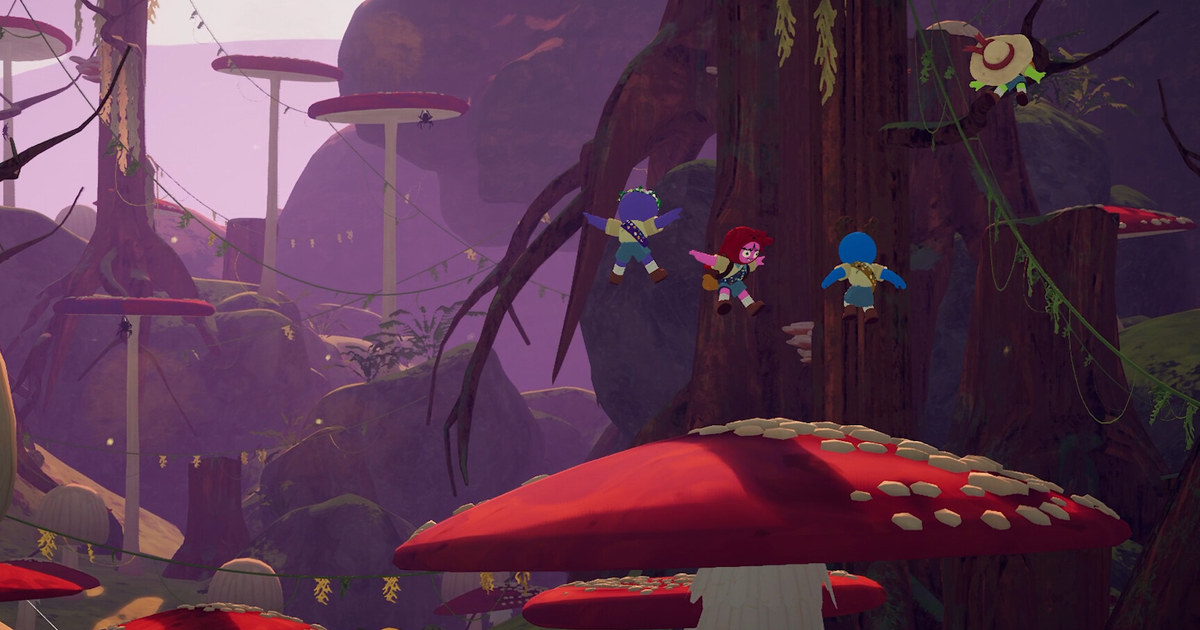
| Couch Co-Op Fest | February 8 to 15, 2027, co-op games two or more people play on one device | Starts and ends at 10am PT (1pm ET) |
| Steam Next Fest (February) | February 22 to March 1, 2027, free demos of upcoming games | Starts and ends at 10am PT (1pm ET) |
| Steam Spring Sale (seasonal) | March 18 to 25, 2027 | Time not posted yet; Valve's other sales and fests switch at 10am PT |
| Steam Next Fest (June) | June 14 to 21, 2027, free demos | Starts and ends at 10am PT (1pm ET) |
| Steam Summer Sale (seasonal) | June 24 to July 8, 2027 | Time not posted yet; Valve's other sales and fests switch at 10am PT |
Before the sale starts
- Calendar reminders are set for December 17 at 10am PT and January 4 at 10am PT.
- The games you want are on your wishlist, your email is verified and wishlist emails are on.
- You know November has no storewide sale and have decided whether to buy now or wait for the Winter Sale.
- New releases from the last 30 days are checked for a launch discount.
- Your Steam Wallet balance and payment method are checked.
- You have picked a recording app and a recording drive for the first session.
Get ready before the sale: from wishlist alerts to your first recorded session
- 1Add the games you want to your wishlistClick Add to your Wishlist on each store page. According to Valve's Steamworks wishlist documentation, Steam sends an email or a Steam Mobile App notification when a wishlisted game is discounted by 20% or more. The alert goes out when the cheapest package of the game, usually the standard edition, is discounted. You also get notified when a wishlisted game launches or leaves Early Access.
- 2Check your email preferencesClick your account name at the top right of Steam, open Account Details, then Manage Email Preferences to choose which messages you get. Only accounts with a verified email address receive wishlist alerts. Steam spaces wishlist emails for the same game one to two weeks apart, and the gap can be longer during seasonal sales, so check the store yourself for the games you really want.
- 3Put the start time in your local calendarSteam sales and fests normally start and end at 10am Pacific, which is 1pm Eastern all year. In the UK it is usually 6pm, or 5pm during the short weeks in March and late October when the US and UK clock changes do not line up. For the Winter Sale, set reminders for December 17 at 10am PT and January 4 at 10am PT.
- 4Check new releases separatelyUnder Steamworks rules, a game released in the last 30 days, or one that raised its price in the last 30 days, cannot join a seasonal sale with a discount. Games launching from mid November onward may sit out the Winter Sale, so look for a launch discount instead: developers can run one for 7 to 14 days after release, capped at 40%.
- 5Have your payment method readyCheck your Steam Wallet balance and your saved payment method the day before, so checkout goes smoothly when the sale opens.
- 6Get ready to record your first sessionIf you are buying a co-op game to play with friends over the holidays, decide how you will record it before the first session. If you use Steam's built-in Game Recording, check free space on the drive that holds your recordings first, and if you see a low disk space warning, follow our Steam Game Recording low disk space fix.
Record the games you buy, starting with the first session
DOR is a free Windows PC app for recording games. When you launch a supported game, DOR detects it automatically and records the whole match, or the whole session from launch to exit, and the recordings collect in My Clips in the app.
Among Steam games, PUBG, CS2 and Overwatch also get highlight clips created automatically from moments like kills; for other games, you cut the moments you want out of the full recording yourself. Anything else on screen can be captured with screen recording (default shortcut F7).
After a holiday co-op night, use Trim Section in My Clips to cut the boss kill or the moment everyone laughed into 16:9, 9:16 or 1:1, then send a dor.gg link that friends can play right in a phone browser.
To join several moments or add text, background music or effect templates like Shake Zoom, edit in DOR Studio and export an mp4. Game audio and your mic are recorded together on one track.
Full gameplay videos are kept within a 5GB share by default; only when that share is full are the oldest videos cleared, and your most recent recording and liked videos are kept. For how this compares with Steam's built-in recording, read how to record Steam games, and for other free options, see our free game recorder comparison.