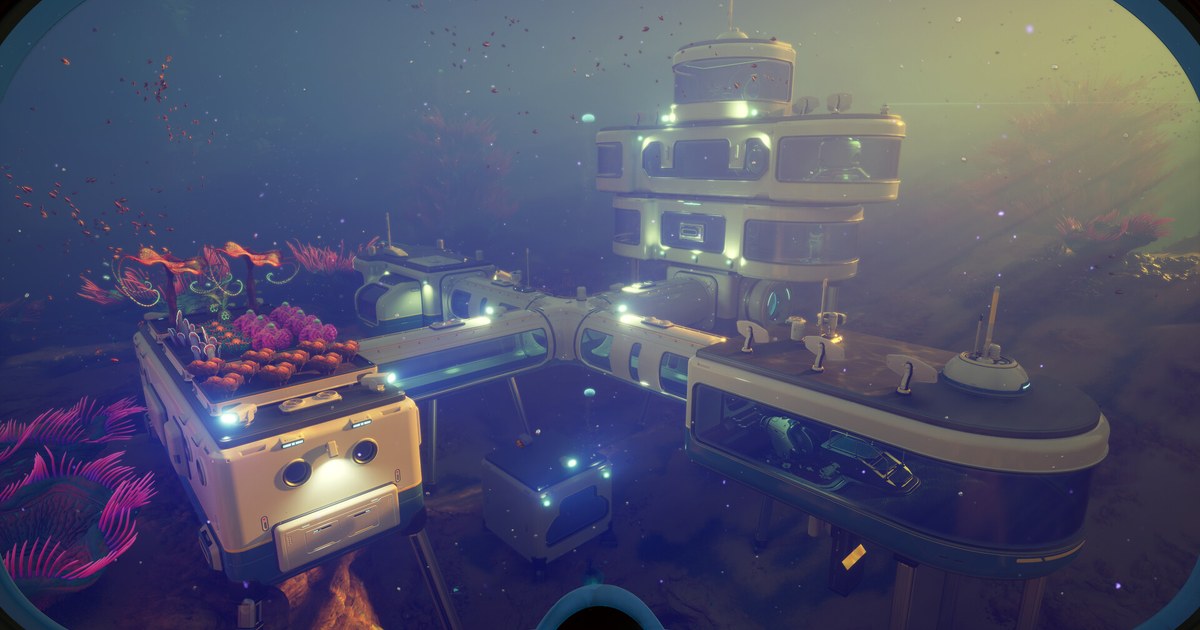
The short answer: in Subnautica 2, the fastest way to raise FPS is to drop Global Illumination and Shadows one step and turn on upscaling. Pick DLSS on an RTX card, or FSR or TSR on an AMD card or an older GTX card, and choose Performance, Balanced or Quality by tier.
Cap the frame rate at 60 and turn V-Sync off as a starting point. Subnautica 2 launched in Early Access on Steam on May 14, 2026. By the Steam store page, the minimum is a GTX 1660 6GB with 12 GB of RAM, the recommended is an RTX 3070 8GB with 16 GB of RAM, and the game needs 50 GB of storage.
Underwater scenes draw light, water and distant terrain all at once, so a single setting can change performance more than you expect. Because it is Early Access, optimization and menu names can change with any patch.
The values below are the starting points that several guides roughly agree on as of November 24, 2026. They are not magic numbers, so change one item at a time on your own PC and check the result.
Short version: lower lighting and shadows, turn on upscaling
Global Illumination and Shadows cost the most frame rate. Dropping each from High to Medium usually gives a clear gain without changing the picture much. Water, Clouds and Effects come next.
Clouds are barely visible underwater, so Low costs you little, and Effects can often be lowered during normal exploration without much notice. Textures are a VRAM question more than an FPS question.
Go past your graphics memory and the game stutters even on a fast GPU, so start between Low and Medium on a 6 GB card, and between Medium and High on an 8 GB card, then drop one step if it hitches.
Guides disagree on Window Mode, so choose Fullscreen or Borderless, whichever is stable on your PC right now, and switch if the game crashes. When you compare settings, stand in the same place for the same length of time.
If you record while you play, recording adds load, so leave some headroom in your graphics values. We cover recording load in reducing GPU load while recording.
How to set up Subnautica 2 graphics
- 1Match resolution and the frame capStart at your monitor's native resolution, but aim for 1080p on a GTX 1660 class card and 1440p on an RTX 3070 class card. Cap the frame rate at 60 and drop to 30 if it keeps stuttering. Many guides report brief hitches when the cap is off.
- 2Turn off V-Sync and tidy up blurTurn V-Sync off and turn Motion Blur and Underwater Blur off if you like a sharper image. Without blur it is easier to read distant terrain underwater, and the load drops slightly.
- 3Turn on upscaling and pick a modeUse DLSS on RTX cards and FSR or TSR on AMD and GTX cards. Choose Performance on low end, Balanced on mid range, and Quality if you have room. If a frame generation option appears, enable it only on supported cards and turn it off if input feels heavy.
- 4Lower Global Illumination and Shadows firstDrop the two heaviest settings one step and check the frame rate in the same place. If you reach your target, stop. Only if you fall short, lower View Distance, Reflections and Post Processing one step at a time.
- 5Fit Textures to VRAM and lower Clouds and EffectsChoose the highest Textures value that fits in your graphics memory. Clouds are barely visible underwater, so set them to Low, and Effects to Low costs little in image quality. Check again inside a base and in open water.
Subnautica 2 starting values by hardware tier
| Setting | Low end (1080p, 30 fps goal) | Mid range or better (1440p, 60 fps goal) |
|---|---|---|
| Resolution and preset | 1920x1080, Low | 2560x1440, Medium |
| Upscaling | Performance (DLSS on RTX, otherwise FSR or TSR) | Balanced (Quality if you have headroom) |
| Frame rate limit | 60, or 30 if it stutters | 60 |
| V-Sync | Off | Off |
| Global Illumination and Shadows | Low | Medium |
| Textures | Low (6 GB VRAM) | Medium (8 GB VRAM) |
| Clouds and Effects | Low | Low |
| Motion Blur and Underwater Blur | Off | Your choice |
Check before you finish
- The upscaler matches your GPU (DLSS, FSR or TSR)
- Frame rate is capped at 60 and V-Sync is off
- Global Illumination and Shadows were lowered first
- Textures do not exceed your VRAM
- You compared FPS in a base and in open water
Recording Subnautica 2 with DOR
DOR is a free Windows game recording app. For supported games, it detects the game when you launch it and records the whole match, and recordings collect in My Clips. Screens outside the supported list can be captured with screen recording (default hotkey F7), and nothing carries a watermark.
Free recording quality is 720p or 1080p at 30 or 60 fps, with 1080p at 30 fps as the default. On supported NVIDIA graphics cards such as the RTX series, DOR records with NVENC hardware encoding, which can reduce the load on your game frame rate.
For a demanding game like Subnautica 2, secure your frame rate with the game settings first, then choose a recording quality. In the app you can trim a recording to 16:9, 9:16 or 1:1, or join clips in DOR Studio and export an mp4. See 60 fps recording settings for frame rate options, and follow fixing recording stutter if recordings hitch.