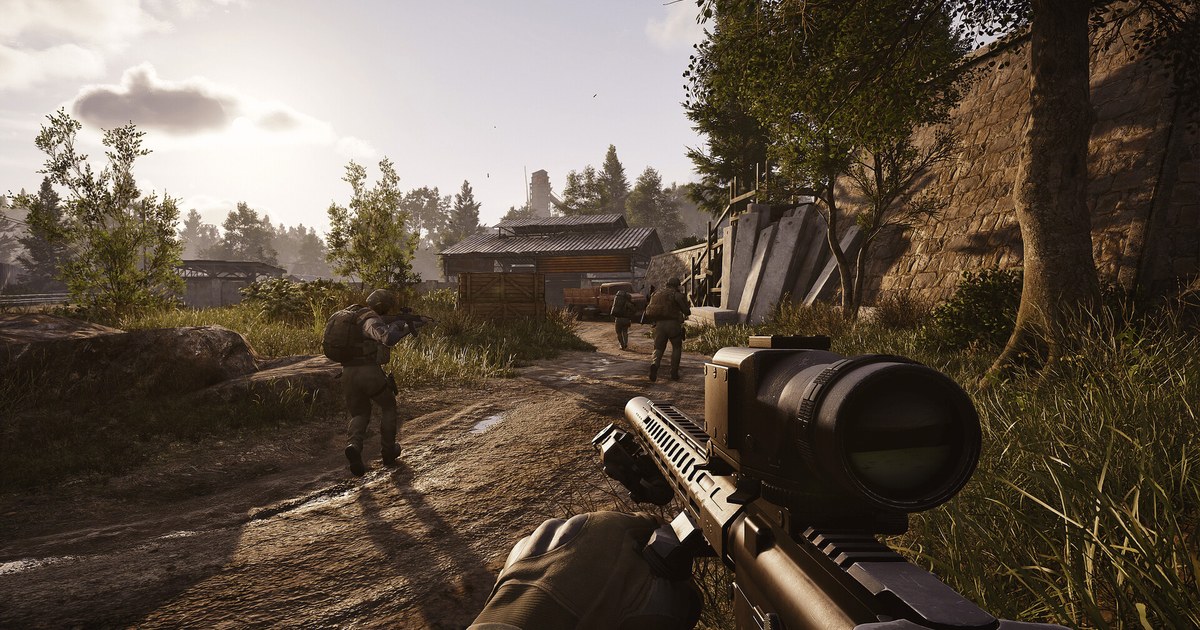

The moments worth keeping in Arena Breakout: Infinite (ABI) usually arrive without warning. Reaching the extraction point with high value loot, the single shot that drops you at a building corner, the fight where your squad nearly falls apart: each lasts a few seconds compared with the whole raid.
So the answer here is simple. Keep an app running that starts recording on its own when the game launches, then pick and trim the moments after the raid.
DOR, a free Windows app, detects ABI and records your play session from start to finish, so you never have to think about when to press a save hotkey.
Below we compare how OBS Studio, the NVIDIA app, AMD Software and Xbox Game Bar save footage, then cover how to keep an unfair death on record and how to manage storage during long raids. How DOR works with this game is on the Arena Breakout: Infinite DOR page, and a game agnostic comparison of recorders is in best free game recorders compared. Game details and tool features were checked as of November 29, 2026.
Why recording the whole raid beats saving the last few seconds in ABI
Extraction shooters like ABI suit whole raid recording better. A replay buffer or Instant Replay temporarily holds the last few dozen seconds to a few minutes and writes that span to a file only when you press a hotkey.
That is handy in games with short repeating rounds, but in ABI the moment right after a highlight is the busiest one. Win a fight and you have to loot fast and watch for the next enemy; die and the killcam and results screen roll on before you remember the hotkey.
A short buffer cuts off the start of the fight, and a long one uses more PC resources. Record the whole session instead and there is nothing to press: whether you want the last three minutes before extraction or the ten seconds before a death, you trim it to any length later.
How hotkey saving works is explained in detail in how to save the moment you just saw as a clip. In short, if you want to be sure your highlights are kept, run an automatic recording app by default and treat your graphics card feature as a backup.
Five ABI recording tools compared (as of November 29, 2026)
| Tool | How it saves | When it fits an ABI raid |
|---|---|---|
| Xbox Game Bar | Built into Windows. With background recording on it saves the last moments, and manual recording is started and stopped by you | Keeping an occasional single moment without installing anything |
| NVIDIA app Instant Replay | Holds recent gameplay on supported GeForce graphics cards and writes it to a file when you press the save hotkey | You have an NVIDIA card and time to press the hotkey after each moment |
| AMD Software Instant Replay | Holds recent gameplay on Radeon graphics cards and saves it with a hotkey, with the length set in settings | Keeping one short fight on an AMD card |
| OBS Studio replay buffer | Free and open source. Set the maximum replay time in the Output settings and save with a hotkey | You want to tune video quality and audio yourself |
| OBS Studio standard recording | Records everything while recording is on, started and stopped by you every raid | Keeping full raids while you also customize your scene |
| DOR | Detects ABI and records the whole play session automatically, then you trim moments in My Clips | You want a free app that records on its own once it is running |
What to check before you pick a recording tool
- Will you really start and stop recording yourself every raid? If you often forget, an automatic recording app fits better.
- Do you know whether your graphics card is NVIDIA or AMD? Instant Replay depends on each maker's software.
- Does the drive you record to have enough free space? Long raids fill it quickly.
- Do you need your squad comms in the video? If so, check that your microphone input goes into the recording.
- Do you plan to share trimmed moments as vertical videos or links? Check whether editing and sharing happen in one place.
How to record ABI raids with DOR and keep only the moments
- 1Install DOR and leave it runningInstall DOR, keep it running, and launch ABI from Steam or the Epic Games Store. DOR detects the game and starts recording your play session, and it keeps recording until you close the game. Free recording quality covers 720p or 1080p at 30 or 60fps, with 1080p at 30fps as the default. On supported NVIDIA graphics cards such as the RTX series, DOR records with NVENC hardware encoding.
- 2Play your raid as usualForget that you are recording and focus on the raid. A quick note of the map and the gun you brought before deploying makes moments easier to find in a long video later. ABI splits raids into difficulties such as Normal, Lockdown and Forbidden Zone, so jot down which one you played too. If you want your squad comms in the video, just check that your microphone is on.
- 3Find the moment after the raidAfter the raid, open the recording in My Clips in the DOR app. First spot roughly where the moment you want sits, such as the extraction screen or the fight before a death, then check what comes before and after. Results and loading screens mark the edges of each raid, so several raids in one session are easy to tell apart. Tips for finding moments quickly in long footage are in how to find the best moment in a long recording.
- 4Trim only the part you needMark a range in the app, trim it, and pick 16:9, 9:16 or 1:1. Use 16:9 for YouTube and 9:16 for Shorts or TikTok. For an unfair death, trim generously from the moment the fight starts to the moment you go down so the situation is clear when you watch it again. For an extraction, start from the final run to the exit point to keep the tension.
- 5Merge clips or share a linkTo combine several extractions into one video, merge them in DOR Studio (dor.gg/studio), add text, background music and effect templates such as Shake Zoom, then export an mp4 or share a dor.gg link. Exports carry no watermark. A detailed guide to sending clips to your squad is in share Arena Breakout: Infinite extraction videos.
DOR: a free ABI recorder that records on its own once it is running
DOR is a free Windows game recording app. When you launch Arena Breakout: Infinite, it detects the game and records the whole play session from launch to exit, and the recordings collect in My Clips in the app.
After a raid you trim just the moments you want and save them in 16:9, 9:16 or 1:1, and in DOR Studio you can merge several moments into a single video.
Game audio and your microphone are captured on one track so squad comms stay in the clip, and recordings, edits and shared results carry no watermark. How to use the same approach in another extraction shooter is in record Escape from Tarkov automatically, then trim.