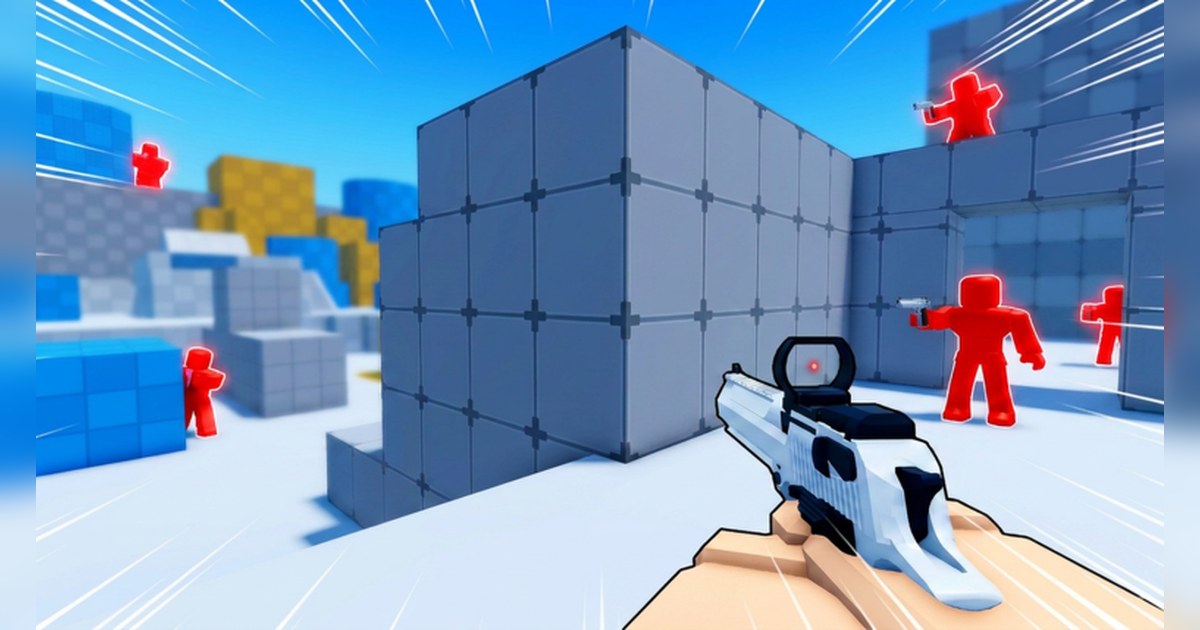
Deagle Arena is a Roblox shooter built around a single weapon. The official description calls it a fast-paced, Deagle-only shooter and tells you to master movement and climb the ranks. It lists FFA Deathmatch, Competitive Ranking, levels with rewards, rare skins to collect and leaderboards.
The experience is run by the verified Roblox group Deagle Arena and was created on April 19, 2026.
As of November 4, 2026 it had about 286 million visits, about 13,000 concurrent players and about 9.7 million favorites, and that day it sat around 10th worldwide and around 23rd in the US on the Top Trending chart.
One thing you will not find on the experience page or in the badge descriptions is the order of the ranks. This guide works that order out from official Roblox badge data and shows how many times each rank badge has been awarded.
After that it covers which Deagle Arena kills are worth keeping and how to join them into a montage that shows your climb.
Short answer: 12 ranks from Bronze to Deagle God
From lowest to highest, the Deagle Arena ranks are Bronze, Silver, Gold, Platinum, Diamond, Elite, Master, Grandmaster, Champion, Legend, Immortal and Deagle God. To be clear about where that comes from, this is our reading of official data, not a list the game published.
The Roblox badge list for Deagle Arena holds 14 badges. Set aside Welcome! and Meet Owner!
and you have 12 rank badges, registered in exactly this order between 18:09 and 18:15 UTC on June 2, 2026. Total awards and past day awards also fall in that same order.
The rank badge descriptions are blank, and the official description gives no points per rank, no time limit and no kill target, so those numbers are not in this guide. Official sources also do not show whether a rank has smaller tiers inside it, so the count of 12 is based on the 12 badges.
Keep one thing in mind when you read the table below. Total awards have built up since the badges appeared on June 2. They are not the number of players sitting in that rank today, so they do not work as a rank distribution and cannot be turned into a top X percent figure. The step that stands out is Silver to Gold, where total awards drop by more than 20 million.
Deagle Arena rank badge awards (as of November 4, 2026)
| Ranks (two per row) | Total awards | Awards in the past day |
|---|---|---|
| Bronze / Silver | 39,266,290 / 38,483,937 | 33,454 / 13,648 |
| Gold / Platinum | 15,437,506 / 4,798,830 | 3,829 / 1,175 |
| Diamond / Elite | 958,041 / 209,232 | 345 / 108 |
| Master / Grandmaster | 43,125 / 23,723 | 45 / 30 |
| Champion / Legend | 12,279 / 5,776 | 22 / 10 |
| Immortal / Deagle God | 2,747 / 1,260 | 8 / 5 |
Kills worth saving and what to check before you record
- A kill straight out of a slide. This shows off the movement the official description puts first.
- A double, where you finish one player and catch the next right after. In FFA everyone on the server is a target.
- The day you ranked up or reached the leaderboards. These clips are perfect for a rank name on screen.
- Unlocking a new skin and your first kill with it. The official thumbnails put the skins front and center too.
- Any bug you run into. The official description offers rewards for bug reports in the group or Community Server, and a trimmed clip explains it faster than words.
- Before recording: if the picture stutters, go through the Roblox FPS boost settings, and if Roblox closes as soon as you join, start with fixing Roblox crashes on PC.
How to turn Deagle Arena kills into a montage
- 1Check the experience and the controlsMake sure the creator is the verified group Deagle Arena before you join. The official PC controls are M1 to shoot, M2 to aim, and C or Ctrl to slide. On a controller it is R2, L2 and B or Circle. Mobile uses on-screen buttons: hold Shoot to aim and release to fire. The description puts movement first, so get the slide into your hands early.
- 2Play normally with recording onWith DOR running on your PC, your play from joining to leaving is recorded automatically. This is a fast shooter, so choosing 60fps in settings keeps slides and aim changes smoother on screen. Servers hold up to 8 players. Just play on public servers as usual and let the footage build up. To see whether private servers are available, check the Servers tab on the experience page.
- 3Trim from the movement to the finishAfter you leave, open the video in My Clips and find your best kills. Everyone is holding a Deagle, so what sets a kill apart is the movement. Do not cut only the shot. Start at the slide that brings you into the fight and end a second or two after the opponent drops, so a viewer can see why it was good.
- 4Like the videos you will use and note your rankA montage takes several days of footage, so like any video that holds a kill you want. Liked videos stay when storage is cleared. Noting your rank for that day makes the ordering much easier later.
- 5Join the clips in rank order in the StudioIn DOR Studio (dor.gg/studio), line up your clips from your earliest rank onward and put the rank name, such as Gold or Diamond, on each section as text. The 12 rank names become the chapters of the video. For the general side of picking music and effects, see how to make a montage.
- 6Export in the right shapeKeep 16:9 for a full YouTube video and switch to 9:16 for Shorts or TikTok, then export an mp4. To drop it straight into a Discord chat, a dor.gg link is the quick option.
Save your Deagle Arena kills with DOR
DOR is a free Windows PC app that detects Roblox and starts recording automatically when you join Deagle Arena. When you leave, the recording lands in My Clips, so during play your only job is your aim.
Game sound and your microphone are captured together on one track, so your reaction to a clean kill stays in sync with the picture. Recording defaults to 1080p at 30fps, and 720p or 60fps can be picked in settings; for a shooter this fast, 60fps is the one to choose.
In My Clips, trim the kill you want yourself and pick 16:9, 9:16 or 1:1.
If you are collecting kills over several days, like the videos you plan to use: recordings are only cleared, oldest first, once they pass the space set aside for full play videos (5GB by default), and recent recordings and liked videos stay.
To build the montage, open DOR Studio (dor.gg/studio), join the clips, add Shake Zoom or Punch Zoom effect templates, text, background music and volume changes, then export an mp4 or share a dor.gg link.
The same footage helps when your climb stalls: replay the fights you lost and look at when you used the slide and when you aimed. The link sharing steps are in how to share Roblox gameplay videos with friends.