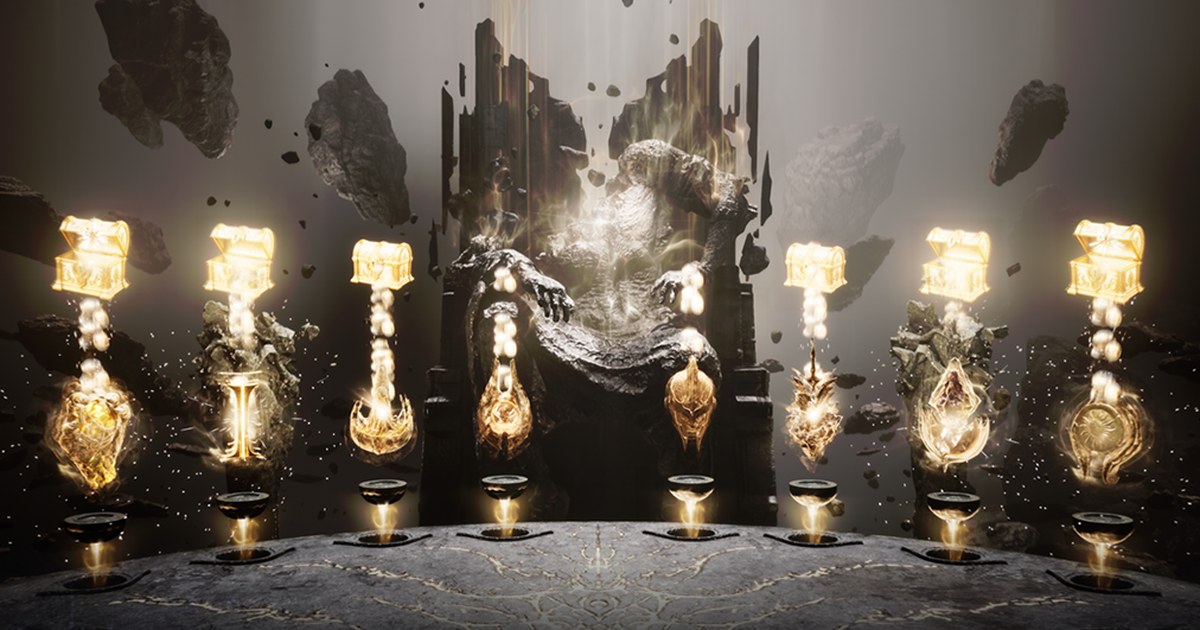
Eclipse: The Awakening is a Korean MMORPG developed by NPIXEL, the studio behind Gran Saga, and published by Smilegate. It launched in Korea at noon KST on September 10, 2026 on PC and mobile at the same time, and the PC client opened for pre-download two days earlier.
Smilegate pitches it as an 'MMOLite', an MMORPG built to be lighter on your time: a Sanctuary system keeps stacking growth resources while you are offline, and an AI Mode runs your daily and weekly requests, dungeon floors and field hunting in a set order for up to 24 hours.
PC and mobile share one STOVE account and one character, and Smilegate's STOVE Link lets you stream the running PC session to your phone. If you found the game through Korean streams or news, you probably want three answers: can my PC run it, where is the PC download, and can I play it outside Korea.
This guide answers them using only the official Korean site and the official community notices, as of November 10, 2026. The game is rated adults only (19+) in Korea, and specs and events can change with later notices.
Before you try it: Korea only scope, PC specs and PC only features
Start with scope. As of November 10, 2026, the official site, every patch note and every community notice is in Korean, the iOS app is listed only on the Korean App Store, and the official channels have not posted a date or schedule for an English, Japanese, Southeast Asian or other regional service.
We will not guess at one; the official site is where an announcement would show up first. If you are in Korea, or simply want to know what the PC build demands, the spec sheet stands out in one way: memory.
Both the minimum and recommended tiers ask for 16 GB of RAM, a 30 GB SSD, Windows 10 and DirectX 12. Only the CPU (Intel Core i5-10400 or better versus Intel Core i7-11700K) and the graphics card (NVIDIA GeForce GTX 1060 versus RTX 2060) change between tiers.
You can check your CPU, RAM and GPU in a minute with how to check your PC specs on Windows 11, and your DirectX version with the dxdiag walkthrough. The official download page also links Smilegate's STOVE spec checker tool.
The PC build adds a few things mobile does not have: PC key bindings in the controls menu, the STOVE client's multi play feature for running several accounts on one PC at the same time, and STOVE Link, which streams the running PC game to the STOVE phone app for remote play and sends alerts when your character dies or runs out of HP potions.
Payments also split by platform. At launch, buying on PC meant scanning a QR code with your phone and paying on mobile.
With the October 21, 2026 maintenance, that QR flow ended, direct payment inside the PC client arrived, and so did Eclipse Points (ECP), a discount point balance that only works for PC client purchases and is earned only during announced events.
On pricing, the game and the STOVE PC client are free to download and play, with Diamonds, the Eclipse Pass and packages sold as in-game purchases.
As of November 10, 2026, it is not sold in the US App Store, so there is no US$ price; the Korean App Store lists items such as 400 Diamonds at ₩5,500, an Eclipse Pass at ₩22,000 and 8,000 Diamonds at ₩110,000.
How to install Eclipse: The Awakening on PC
- 1Create and sign in to a STOVE accountThe PC version runs through Smilegate's STOVE account system. Use the same account you play on mobile so your character carries over; STOVE Link and remote launch also only work when PC and phone are signed in to the same account. The game is rated 19+ in Korea, so it has to be an adult account.
- 2Install the STOVE PC clientOn the official site, use the game start button in the top right or the Download page under Support to get the STOVE PC client. The client comes first, and the game itself downloads from inside it.
- 3Download the game inside the clientFind Eclipse: The Awakening in the STOVE client library and install it to an SSD with at least 30 GB free. The official notice warns that more data may download the first time you log in. If the game does not appear in the list, the official fix is to fully quit the STOVE client and launch it again.
- 4Pick a server and set up PC optionsServers are grouped into matching groups, and servers in the same group meet in matched content. In game, the gear icon on the right of the menu opens Settings, where the Environment tab covers graphics quality, sound and camera effects; the keyboard icon opens the PC key binding screen. Character creation on busy servers can be limited and reopened based on population, so check that before you commit.
- 5At a Korean PC bang, confirm the PC bang statusAt a Smilegate premium PC bang, the STOVE launcher shows the PC bang status in its top right corner. Smilegate's partner PC bang finder lists member locations, and the official notice says to ask the owner whether premium benefits apply. Playtime rewards can be claimed once per account per day and reset at 4 AM KST.
- 6If you plan to buy on PC, check limits and pointsPC payments support STOVE Pay, standard checkout (phone billing, credit card, gift cards, bank transfer, STOVE Cash), Kakao Pay, Naver Pay, Toss, PAYCO and quick bank pay. Account payment limits are set on the PC STOVE site under My Info, Payment History, Payment Limit Management. The launch ECP event runs from the October 21 maintenance until before the November 25 maintenance; points arrive 15 days after payment and expire 30 days after they are credited.
Eclipse: The Awakening official specs (as of November 10, 2026)
| Item | Minimum | Recommended |
|---|---|---|
| OS | Windows 10 | Windows 10 |
| CPU | Intel Core i5-10400 or better | Intel Core i7-11700K |
| RAM | 16 GB or more | 16 GB or more |
| Graphics card | NVIDIA GeForce GTX 1060 | NVIDIA GeForce RTX 2060 |
| DirectX | DirectX 12 | DirectX 12 |
| Storage | SSD, 30 GB | SSD, 30 GB |
| Android (for reference) | Galaxy S20, Android 11 | Galaxy S23, Android 11 |
| iOS (for reference) | iPhone 12, iOS 17 | iPhone 14, iOS 26 |
Check these before your first launch
- Your PC has 16 GB of RAM and DirectX 12, since both are required even at the minimum tier
- The SSD you install to has 30 GB free, and if you record, your recordings have their own space
- If the game is missing from the STOVE client or multi play throws error code 10146, you fully quit and relaunched the client
- At a PC bang, the launcher shows PC bang ON and you claim the daily playtime boxes before the 4 AM KST reset; if you want to record there too, read how to record games at a Korean PC bang first
- Before buying on PC, you checked your account payment limit and when your Eclipse Points expire
Recording field bosses and battlefield fights
DOR is a free Windows app that detects supported games when you launch them and records the whole session. For other games like Eclipse: The Awakening, start and stop screen recording yourself (default hotkey F7) around the moments you care about, and the recording lands in My Clips.
Recording just the field boss, world boss, battlefield or co-op fight saves you from scrubbing through hours of automated hunting later. In My Clips, trim the part you want and save it in 16:9, 9:16 or 1:1.
To stitch several fights into one video, open DOR Studio (dor.gg/studio) to merge clips and add effect templates, text and BGM, then export an mp4 or share a dor.gg link. Game audio and your mic are captured on one track.
The free plan records at 720p or 1080p and 30 or 60 FPS, with 1080p at 30 FPS by default, and on supported NVIDIA cards such as the RTX series DOR records with NVENC hardware encoding.
For long sessions, see recording long gameplay without stutter, and for sending moments to your guild, the flow in sharing Lost Ark raid videos, another STOVE MMORPG, works the same way.