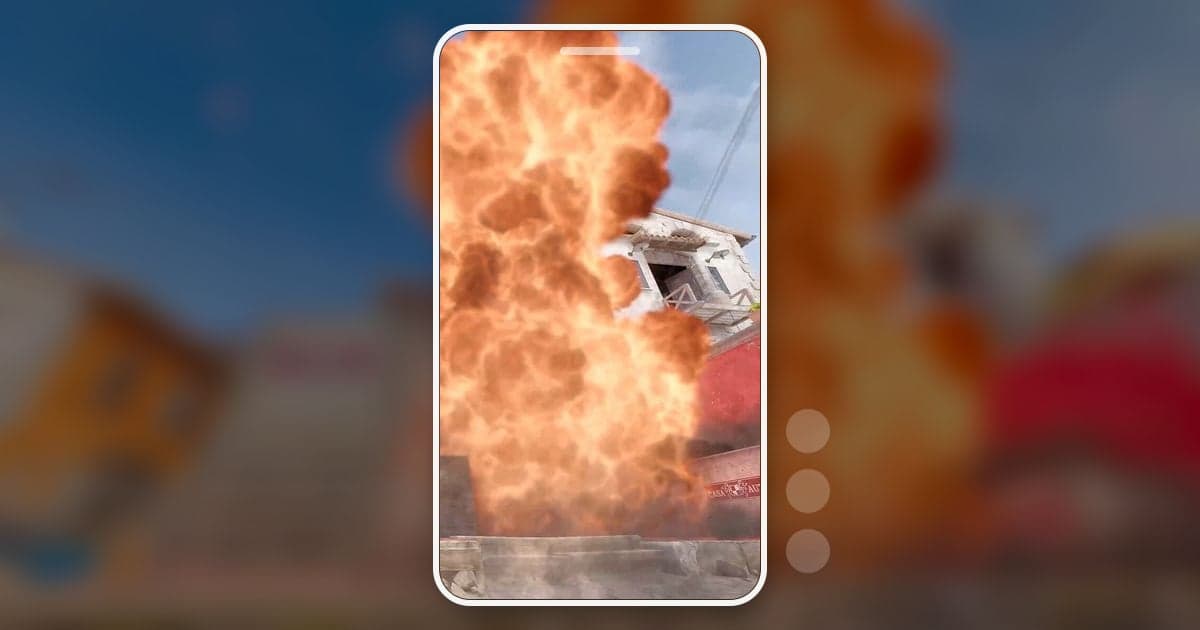
You make CS2 Shorts in four moves: pick the moment, crop to 9:16, put back the information the crop removed, and check length and music before posting. The number to remember first is 31.6%. Crop a 1920×1080 frame to a vertical 9:16 slice from the center and only about 608 of the 1920 pixels of width survive. On the default HUD, the radar and money count in the top left, the kill feed in the top right, and the health and ammo readouts in the bottom corners all sit outside that slice. That is why CS2 clips for TikTok and YouTube Shorts take less editing when the action happens right on the crosshair and the missing context comes back as on-screen text. This guide covers editing footage you already have into Shorts; choosing a recorder is covered separately in CS2 clipping software compared.
The short answer: crosshair moments, cut from your own recording first
Narrow your Shorts material to moments a viewer can follow from the center of a vertical frame alone. For anything seen from your own point of view, like your one-tap or your clutch, cutting from footage you recorded while playing takes the least time. Reach for a demo only when you want to show the same round from an enemy's view or another angle; a demo (.dem) is a match record that plays back inside CS2, so it adds one more step of recording that playback. When cropping, anchor the frame on the crosshair in the center; for other ways to go vertical, such as filling the sides with a blurred background, see how to make a vertical 9:16 game video. If you plan to lay music over the gunfire, check the track's rights first in the game footage and BGM copyright guide.
How to make a CS2 Short, step by step
- 1Pick a moment that works as a ShortThe CS2 moments that survive a vertical frame are AWP one-shots, AK or Desert Eagle one-tap headshots, aces where you take out all five enemies in a round, 1vX clutches and grenade lineups (smokes, flashes, molotovs). What they share is that the result happens near the crosshair. Rotations across the map, or plays that only make sense if you can see the radar, lose too much information in a vertical frame, so keep those for long-form videos. One result per Short also keeps the opening text short.
- 2Choose your source: direct recording or a demoIf the moment is from your own view and you want your live voice reaction in it, use the footage recorded while you played. A demo adds an extra recording step because it replays inside CS2, but a match demo lets you switch to another player's view and watch the same moment again. When recording a demo, close the playback control panel so it does not stay on screen, and capture the playback from start to finish with your recorder.
- 3Trim to only the part you needFor a one-tap or an AWP one-shot, start 2 to 3 seconds before the shot and stop just after the kill registers. For a clutch, start when the final enemy count is set and end at the defuse or the last kill; for an ace, cut out the walking between kills. As checked on October 13, 2026, YouTube classifies videos uploaded since October 15, 2024 that are square or vertical and up to 3 minutes long as Shorts, so even a full round should stay within 3 minutes. YouTube's English Help Center, as checked on October 13, 2026, says a Short over one minute with an active Content ID claim is blocked worldwide, while some other language versions of the same page describe a change from September 24, 2026, so if you used outside music, check the current terms in YouTube's official help before posting.
- 4Check which HUD elements the 9:16 crop removesOn the default HUD, the radar and money sit in the top left, the kill feed in the top right, health and armor in the bottom left, and ammo in the bottom right, all outside the center 9:16 area. What stays is the crosshair in the middle and roughly the area around the round timer at the top center, which is too small to read on a phone anyway. If you changed your HUD scale or radar settings, the positions shift, so crop one frame of your own footage to 9:16 first and see what remains. Moments with the buy menu open are better cut, because the menu covers the middle of the screen. A 1:1 crop keeps 56% of the width and shows more of the sides, but the radar and kill feed in the corners are still gone and it does not fill a vertical screen.
- 5Put the missing context back as textIn a vertical frame, viewers cannot easily tell how many opponents are left or which kill they are watching. A short line in big letters on the first shot, such as “1v3”, “AWP one-shot” or “Ace 5/5”, stands in for the cropped kill feed and the hard-to-read player count. Keep the text near the middle rather than at the very top or bottom edge so platform buttons do not cover it.
- 6Merge, add effects and balance the soundFor an ace, join the five kill clips, or cut the whole round and shorten the gaps. One zoom effect on the frame where the AWP shot lands makes the one-shot hit harder; stack several and the crosshair shakes so much that the result gets harder to see, so one per moment is enough. Gunshots and footsteps are core information in CS2 footage, so if you add background music, keep it low enough that the game audio stays clear.
- 7Export an mp4 and check the policy before postingExport at 1080×1920 and confirm once more that the video is 3 minutes or less. Valve game footage falls under Valve's video policy. The policy allows you to make gameplay videos and post them on sites like YouTube, but not to take in-game assets such as voice, music or items and distribute them separately. The monetization terms are covered in this guide's FAQ.
CS2 Shorts material: where to get it and how to crop it
| Moment | Where to get it | 9:16 editing note |
|---|---|---|
| AWP one-shot or one-tap headshot | Footage recorded while playing (DOR saves kills as automatic clips) | The crosshair is centered, so crop as is and mark the headshot with text |
| Ace (5 kills in one round) | Merge several kill clips, or cut the round from the full-match recording | Trim the walking between kills to stay under 3 minutes |
| 1vX clutch | Cut the round yourself from the full-match recording | Nobody can read the player count on a phone, so a line like “1v3” is a must |
| Grenade lineup | Save a clip yourself with the hotkey, or cut it from the full-match recording | Split it into three shots: where to stand, where to aim, where it lands |
| Death and reaction moment | Footage recorded while playing (DOR saves deaths as automatic clips) | Direct recording with your mic reaction fits this well |
| The same moment from another view | Play the demo in CS2 and record the screen | Close the playback panel first; recording takes a second pass |
Last look before you post
- The video is 3 minutes or less and in 9:16.
- The crosshair and the result stay inside the center of the vertical frame.
- I replaced the cropped kill feed and player count with a short line like “1v3”.
- I cut the moments where the buy menu covers the middle.
- If I added outside music, I checked YouTube's official help for how Content ID claims on Shorts are handled now.
- I did not lift in-game voice or music on its own, and I am not putting the video behind a paywall or selling it.
Making CS2 Shorts with DOR
DOR is a free Windows app: launch Counter-Strike 2 and it detects the game and records the full match as an mp4. In CS2, kills, deaths and assists are each saved as automatic clips, so for an AWP one-shot or a one-tap you just open that kill clip in the library. DOR does not judge round results such as clutches or aces (round result tags exist only for VALORANT), so cut a clutch yourself from the full-match recording and save grenade lineups with the manual clip hotkey while you play. In the app library, set a start and end with Trim Section and choose 9:16 as the output ratio to get a vertical video; once it is done you can share a dor.gg link that plays in a mobile browser. Text in Trim Section is available only at 1:1, so to put a line like “1v3” on a 9:16 video, move over to DOR Studio, which opens in the browser with no install. In the studio you can merge several kill clips into an ace video, apply effect templates such as Punch Zoom, add text and background music, adjust volume, then download an mp4 or share a link. The trimming and merging screens are shown in the DOR browser editor overview. The studio accepts videos of at least 3 seconds and up to 500MB, with a cap on how many videos one project can hold, so trim long full-match recordings in the library first. With an NVIDIA graphics card, NVENC hardware encoding is the default, and game sound and microphone are recorded together, so a Short with your reaction comes from the same recording.
 #Counter-Strike