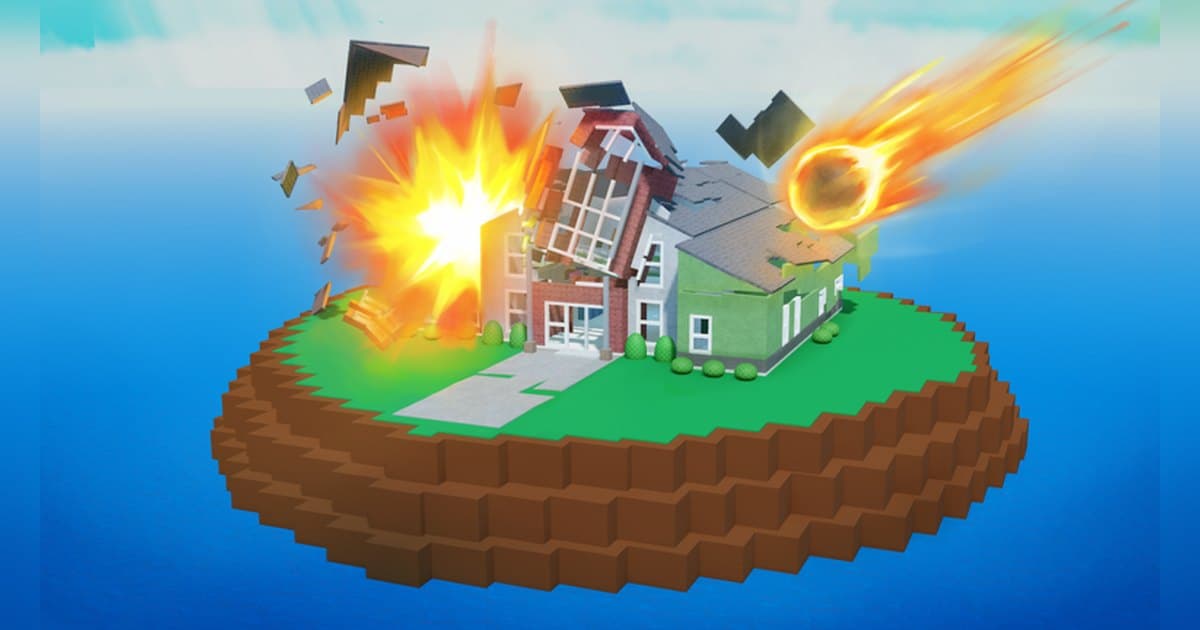
Natural Disaster Survival is one of the longest-running survival experiences on Roblox. It was uploaded on 28 March 2008 by Stickmasterluke, a creator with a verification badge, and the page lists 17 September 2026 as its most recent update. A server holds 30 players. The official description is a single joke about running for your life, yet when checked on 19 October 2026 the experience had roughly 4,700 people playing at once, about 4.5 billion visits and around 11.9 million favourites. Because there is almost no written explanation, the badge list is the most reliable account of what you actually do here: it counts disasters survived from one up to a thousand, and the badge names spell out which disaster you weathered on which map. This guide starts from what those badges confirm, then moves on to keeping the moment a disaster arrives, sound included, on a PC where the rounds never stop coming. Basic recording setup for Roblox is covered in how to record Roblox gameplay. Events and operations change, so read the numbers as a snapshot of the check date.
The short answer: read the terrain when the round loads, and leave the recorder running
A round here is one map and one disaster to survive, which means habits beat memorised tactics: look at where you landed and what is coming before you move. The official badges reveal the pairings. The beach map called Surf Central comes with a tsunami, a trailer park with a tornado, a house with a flood, a farm with a barn fire, and a map with a helicopter on it with a thunderstorm. Multi-disaster rounds, where several hit at once, are graded with badges from power 2 through power 7, and the higher the grade the busier the round. Health matters as well. A separate badge is awarded for surviving on 10hp or less, and the shop currently sells a red apple that restores health when eaten and does not run out, a green balloon that keeps you aloft, reduces fall damage and raises your jump, and a yellow compass that lets you choose the map and points you towards places you want to reach. The badge list also includes Roblox 20 event quest badges; events run on their own schedule, so check the current terms inside the experience. If you want goals, the cumulative badges climb from 1 disaster survived to 10, 25, 50, 100, 200, 400 and 1000, and there is a separate badge for surviving five rounds in a row. For a similar thrill of staying alive while something chases you, there is Evade nextbot survival tips; if what you enjoy is shaving a personal record, cutting your Tower of Hell time is closer to that. Pick your recording approach around the round length. The Roblox capture tool in the in-experience menu records clips of up to 30 seconds, which can fit a single disaster, but because rounds here follow one another without a break it is simpler to leave a PC recorder running and pull out the rounds you want afterwards.
How to come away with the moment a disaster hits
- 1Join between rounds and start recording firstRounds repeat quickly here and the disaster lands partway through, so anything you adjust after you load costs you the first one. Set resolution, frame rate and clip length before you join, and if you arrived mid-round, use the wait before the next one to confirm the recorder is running. If DOR is your recorder, start the roblox.com build of Roblox on Windows and the app latches on by itself.
- 2Confirm the creator nameSearching Roblox for Natural Disaster Survival brings up several similarly named disaster experiences. Check that the creator is Stickmasterluke with a verification badge before you join. This is the original listing from March 2008 and a server holds 30 players. On a quieter server players spread out, which makes it easier to see which direction the disaster comes from; on a full one you get footage of everybody bunching up together.
- 3Walk the terrain when the round loadsOnce you land, look around before anything arrives. Knowing where the high roofs, the open ground, the water and the enterable buildings are gives you somewhere to go whatever shows up. Even the maps named in badges, the beach of Surf Central, a trailer park, a farm barn, a house and a map with a helicopter, differ enormously in shape. Maps and disasters change every round, so the round in front of you is always the most accurate source.
- 4Protect your health once the disaster startsThe badge for surviving on 10hp or less tells you how little damage it takes to end a round. Falling structures and drops from height are the usual culprits, which is why the green balloon pass in the shop advertises reduced fall damage, and the red apple pass restores health when eaten without running out. Finding a spot that takes less damage comes first, though, so identify the disaster and then move.
- 5Give multi-disaster rounds more roomRounds where several disasters arrive together are graded by badges from power 2 up to power 7. The higher grades are the most watchable stretches in the whole experience because the effects overlap. For these, keep the entire round in the recording rather than grabbing one hotkey clip, and choose the loudest stretch later.
- 6Aim at a streak or a cumulative totalThe badges count disasters survived at 1, 10, 25, 50, 100, 200, 400 and 1000, with a separate one for five rounds in a row. Some maps add goals built around a specific object, such as the badge for blasting off in a rocket, so there is something different to try each round. Leave the recording running while you chase a streak and several rounds end up in one file as the record itself.
- 7Split the footage per round afterwardsOnce the recording has stacked up, cut it round by round. Find the instant the disaster starts, keep a few seconds before it and a few seconds of the aftermath, and you have a short video. Export 9:16 for Shorts or Reels and 16:9 for landscape. When you collect several disasters into one video, leading with something that changes the whole screen, such as a tsunami or a tornado, keeps people watching.
Moments worth keeping in Natural Disaster Survival, and how to keep them
| Moment | Why it is worth keeping | How to keep it |
|---|---|---|
| A tsunami rolling over the beach map | Surviving a tsunami on Surf Central has a badge of its own, which makes it the signature shot of that map. The rising water and the way the whole screen changes need the audio to land. | By the time you see the water it is already too late to start, so leave the recorder running and press F8 as soon as the round ends. |
| A tornado crossing the trailer park | The tornado and the trailer park are paired in a badge name, and the structures come apart in one continuous burst. | Follow it from a distance while it passes and raise the clip length to 45 or 60 seconds so the approach and the pass-through land in one clip. |
| A lightning bolt landing right beside you | The thunderstorm round even has a badge for being struck by the last bolt, so a single strike decides the round. Without the sound the moment loses half its weight. | Keep recording with the game audio included and hit the hotkey right after the strike to store the previous 30 seconds separately. |
| The house going under or the barn burning | Floods and fires are confirmed by badges tied to a house and a farm barn. Watching the floor disappear under water from indoors is a different kind of shot. | Interiors go dark easily, so set the resolution to 1080p or higher beforehand and trim the whole round out of the recording. |
| A high-power multi-disaster round | These rounds carry badges from power 2 to power 7, and with disasters overlapping there is simply more happening than anywhere else. | The round runs long, so rely on the full recording rather than the hotkey and cut out the busiest stretch in the library. |
| Finishing five rounds in a row alive | A badge exists for surviving five rounds in a row, which turns the streak into a record. Each round is a different map, so one video gets variety for free. | Leave the recording unbroken while the rounds continue and the whole streak sits in one file. Split it per round afterwards in the library. |
Before you record a disaster round
- A Windows PC is running the roblox.com build of Roblox.
- Clip length is raised to 45 or 60 seconds so a whole disaster fits inside it.
- Disk space is cleared, because rounds keep coming in this experience.
- Resolution and frame rate were chosen before you joined.
- The clip hotkey does not collide with movement or jump keys.
- If you came in with friends, everyone knows their voices are part of the recording.
Using DOR to record while the rounds keep coming
DOR is a free Windows PC app and detects the PC build of Roblox you installed from roblox.com. Recording starts by itself when you enter an experience and ends when you leave for the home screen or close Roblox, so in a round-based experience like this one everything from arrival to departure lands in a single mp4. Play several rounds back to back and they sit in that file in order, which preserves a survival streak exactly as it happened. It is on out of the box and lives under the full game recording setting. If you jump in immediately after opening Roblox, recording can begin about 15 to 20 seconds later, so join during the wait between rounds when you want the first disaster in the file. Game audio and your mic are captured together with noise suppression on the mic by default, which is how the sound of the water coming in and your reaction to it end up in the same video. Press F8 once a disaster has passed and the previous 30 seconds are stored as their own clip, with the length set to 15, 30, 45 or 60 seconds. The key can be remapped and works while a recording runs inside an experience. Video defaults to 1080p at 30fps with 60fps available, while 1440p and above or 120fps and above come with Pro. Your hands are busy mid-round, so settle resolution, frame rate and clip length before you join. Leave disk space spare as well: the app warns you when free space drops below 30GB and recording rests below 20GB, so clear room before a long run of rounds. Afterwards the library trimmer takes the point where the disaster starts and the point where it ends and exports 16:9, 9:16 or 1:1, with text available on the 1:1 output, and a dor.gg link opens the result straight in a phone browser. To gather a tsunami, a tornado and a multi-disaster round into one video, DOR Studio runs in the browser, merges the segments and adds text, background music and effect templates before handing you an mp4. The same method applied to an experience where each round eliminates players is written up in the Squid Game X guide, and for a co-op run to the end of the line there is the Dead Rails run guide.
 #Roblox