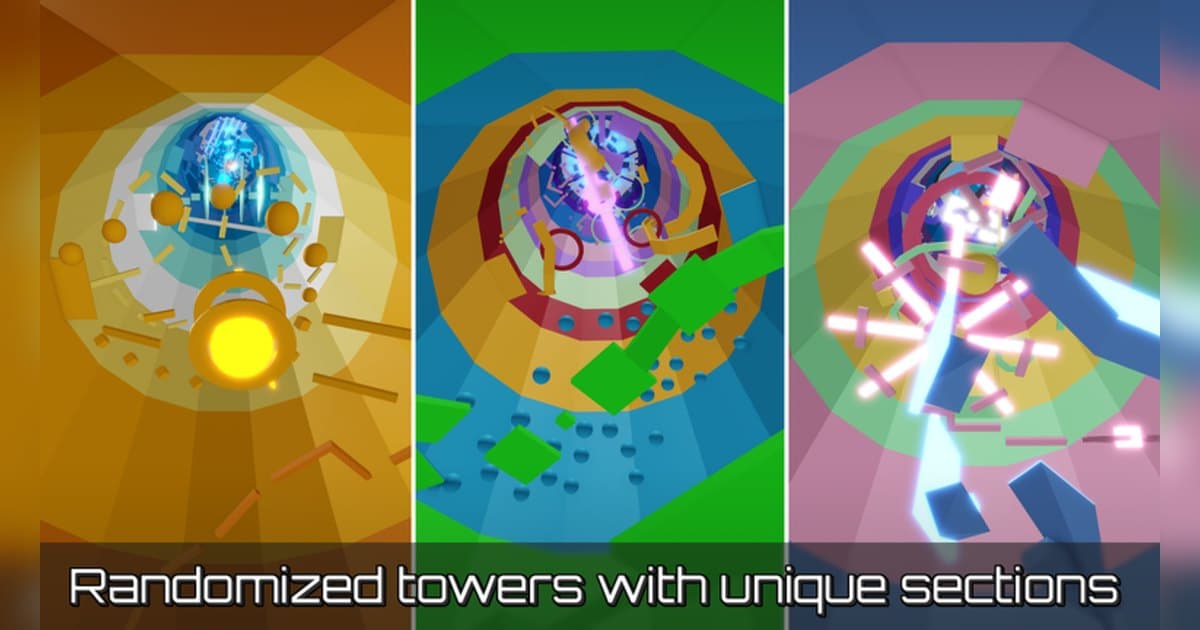
Tower of Hell went live on June 18, 2018 and is made by the group YXceptional Studios. The official description sums the whole thing up in one question: can you be the first to the top of a randomly generated obby? Fall off a platform and you start again from the ground, so once you begin a climb you stay on it in one breath. Checked on October 19, 2026, it had around 29.2 billion visits, roughly 12.07 million favorites and about 21,000 players in at once, with its most recent update on October 10, 2026. Those numbers are a snapshot from that date and move with events and updates. Servers hold up to 20 players, so a round is twenty people racing up the same tower. This guide covers how the tower is put together and how a round flows, within what the official description and badge list confirm, then the practice habits that cut your time, and finally how to keep a personal-best climb on PC with the sound intact. For recording basics, see How to Record Roblox Gameplay; the rest here is specific to Tower of Hell. A recorded run has a second use besides showing off. Watching your own climb back shows exactly where you hesitated and which jump missed its platform, which makes it practice material.
Bottom line: the tower is rebuilt every round, so grab a good climb in the round it happened
Getting faster at Tower of Hell is a different job from memorizing one course. Because the tower is randomly generated, as the official description says, it pays to build movement that works against any layout rather than wait for a familiar one. The official way to widen your practice is a VIP server: per the description, VIP server owners can use the settings menu to skip rounds, set the tower size and lock the shop. That means you can go in alone, adjust the tower size to repeat a similar difficulty, and skip a layout you do not want to spend the round on. Badges give you clear targets. The one badge with its condition written out is Newbie, awarded for beating your very first tower. The rest are Pro ('Not bad kid'), Mutated ('Things are getting wonky'), Secret ('How did that get here?'), Maxed ('Goddamn...'), Collector ('Gotta get em all'), Explorer ('Travel the world'), Saboteur ('Steal the power source') and Certified Beast ('Unstoppable Force'); for the short ones, confirm the conditions inside the experience. Recording earns its keep here more than in most experiences. A climb lasts a few minutes at most, and that exact tower only exists for that round, so a good run you did not capture is hard to recreate. Choosing which moment to keep works much the same way in any round-based experience, so the routines in the Evade Nextbot Survival Guide and the Natural Disaster Survival Guide transfer almost directly.
Cutting your time and keeping the climb, step by step
- 1Launch the PC version and set recording up in advanceIf you plan to keep runs on PC, launch Roblox from the PC version downloaded from roblox.com. Quality and clip length apply as set when you choose them before entering: the default is 1080p at 30 fps with 60 fps available, and clip length comes from 15, 30, 45 or 60 seconds. If you want a whole climb in one clip, 60 seconds is the comfortable choice. Roblox's own Captures option in the in-experience menu stores up to 30 seconds per capture, and saving one exports it to the Videos folder on desktop.
- 2Find the experience and joinSearch Roblox for Tower of Hell and check that the creator is YXceptional Studios before joining. It has been running since 2018 and there are plenty of obby experiences with similar names, so matching on the creator is the reliable route. Full-session recording starts when you enter the experience, so launching Roblox and waiting a moment before you join keeps the first round clean from the start.
- 3Spend the first round reading the structureIn your first round, learning the structure beats timing yourself. The tower is generated at random each round, a fall drops you back to the ground floor, and a new tower is built when the round ends. That makes 'how fast you got back on it' matter more than 'where you fell'. Setting graphics quality to a comfortable level in Roblox's settings also makes platform edges easier to read.
- 4Move the camera up before your characterThe simplest habit that cuts time is sending your eyes ahead of your body. Climb while looking two or three platforms past the one under your feet and you spend less time deciding a jump direction mid-air. On a randomly generated tower a memorized route gets you nothing, so reading speed itself is the skill. With recording on, you can go back through a climb afterwards and find the sections where your eyes arrived late.
- 5Use VIP server settings for repetitionPer the official description, VIP server owners can use the settings menu to skip rounds, set the tower size and lock the shop. Go in alone with a small tower size and climb it repeatedly to drill the same rhythm, or set it large to practise holding focus on a long tower. Skipping a layout you do not want and taking the next tower happens in the same menu. Practice rounds pile into the same full-session recording, so afterwards you simply pick out the best attempt.
- 6Pick your next goal from the badgesBeating your first tower awards Newbie. The other badges carry one-line descriptions, so confirm their conditions in the experience, but the names point the way: Explorer is 'Travel the world', Collector is 'Gotta get em all', Saboteur is 'Steal the power source', Certified Beast is 'Unstoppable Force', and Pro, Mutated, Secret and Maxed each have a line of their own. Chasing one of those instead of only stacking clears keeps sessions interesting.
- 7Trim the winning round into a record videoWhen you stop, the library holds that session's mp4 plus whatever you saved with F8. Cut the climb as one piece from the ground-floor start to the top, then export at 9:16 for a vertical post or at 1:1 when you want your time written on the frame. To show your times dropping across several clears, merge the clips in order in DOR Studio in your browser and add text and background music there.
Moments worth keeping in Tower of Hell and how to keep them
| Moment | Why it is hard to film again | How to keep it |
|---|---|---|
| The round where you set a personal best | The tower is built fresh every round, so matching that time on that layout again is a tall order. | Cut the stretch from the ground-floor start to the top out of the full session recording as one piece. Noting the start time makes it quick to find in the library. |
| Being first in the server to reach the top | That is the goal in the official description, and the mix of those players on that tower happens only in that round. | Press F8 as soon as you touch the top and the preceding stretch is saved separately. Raise the length to 60 seconds and the final platform section comes with it. |
| Clearing a section that kept stopping you | With random generation there is no knowing whether that obstacle combination comes back next round. | Cut just that section from the full recording and export at 1:1 so you can write on the frame which platform you used. |
| Beating your first tower for the Newbie badge | A first clear happens once per account, and the badge notification is on screen only briefly. | When a clear looks likely, raise the clip length to 60 seconds, and press F8 after the badge notification has come and gone. |
| Racing friends in the same round | Twenty players climb the same tower at once, so half the scene is what you say to each other. | Record the whole session with your mic on and the conversation is kept as it was. Tell the friends you played with before you post it. |
Check before you go for a run you want to keep
- You launched Roblox from the PC version downloaded from roblox.com.
- You raised the clip length to 60 seconds so the stretch before the finish is included.
- You moved F8 to a key you do not use for jumping or movement, or confirmed it is clear.
- You freed up disk space for several rounds back to back; 30 GB or more leaves plenty of room.
- Your mic is on, and if you are playing with friends you told them their voices are recorded.
Keep a Tower of Hell climb with DOR
DOR is a free Windows PC app that detects Roblox automatically when you run the PC version downloaded from roblox.com. Recording starts by itself when you enter an experience and ends when you leave it for the home screen or close Roblox. It is on by default and managed with the Full Game Recording setting. Because Tower of Hell keeps running round after round inside the same experience, one visit of ten rounds comes out as a single session mp4 in your library, and you find a climb inside it by the time it was recorded. Game audio and your mic (with noise suppression) are captured together on one track, so the sound of that last platform and your own reaction stay in the same clip. Once you touch the top, press F8 and the last 30 seconds are saved as a separate clip; the length is chosen from 15, 30, 45 or 60 seconds, and 60 is the one to use when you want a whole climb in one piece. The hotkey works while you are inside an experience with recording running. Quality defaults to 1080p at 30 fps with 60 fps available, which is worth choosing when you want fast platform-to-platform sections to read smoothly. Resolution, frame rate and clip length apply as set when you choose them before the round starts. The app flags free space once it drops below 30 GB, so clear room before a long practice session. Afterwards, the library's trim tool exports at 16:9, 9:16 or 1:1 and shares as a dor.gg link, with text available on the 1:1 output, and DOR Studio in your browser merges several clears and adds text, background music and effect templates before you download the mp4. For an experience where rounds turn over just as fast, the Blade Ball Parry Guide uses the same sequence.
 #Roblox