If you only check one thing before installing Phantom Blade Zero on PC, make it storage. Steam lists 145GB, while S-GAME's support page puts the game at about 150GB and tells you to keep at least 160GB free on the install drive. The second thing is the drive itself.
Steam says SSD installation is required, the support page answers the hard drive question the same way, and it suggests avoiding your system drive (C:) when you can. The third is how to read the performance numbers.
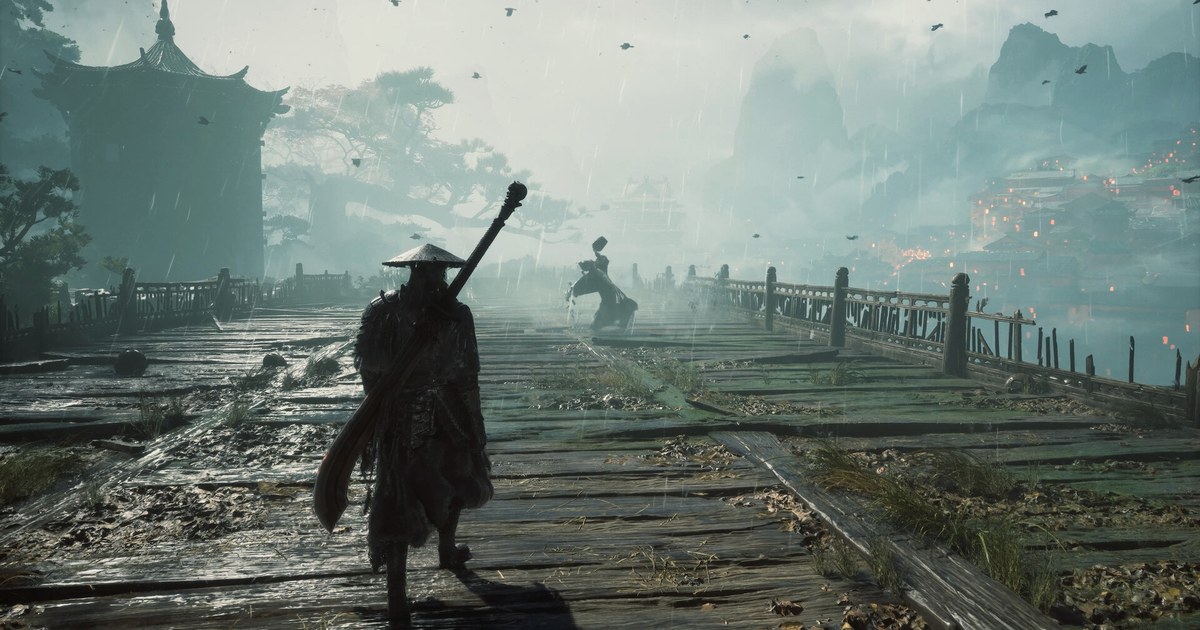
Both Steam tiers, 1080p at 30 FPS for minimum and 1440p at 60 FPS for recommended, are quoted with upscaling enabled, so treat them separately from native resolution performance. Phantom Blade Zero is S-GAME's dark wuxia action RPG built on Unreal Engine 5.
The PC version unlocked on October 28 at 7:00 PM PDT, which is 10:00 on October 29 in China. That time difference is why Steam's announcement says October 28 while the support page says October 29.
Everything below comes from the Steam store listing, S-GAME's Steam announcements, and the official support page as read on November 4, 2026, and it covers the PC version only.
Which tier is your PC in? Official specs as of November 4, 2026
| Tier | Target | What you need |
|---|---|---|
| Minimum (Steam) | 1080p, 30 FPS, upscaling on | Intel Core i7-8700K or AMD Ryzen 5 3600, GTX 1660 6GB or RX 5500 XT 8GB, 16GB RAM |
| Recommended (Steam) | 1440p, 60 FPS, upscaling on | Intel Core i5-10600K or AMD Ryzen 5 5600X, RTX 3060 Ti 8GB or RX 6700 XT 12GB, 16GB RAM |
| Ray tracing (support page) | 1080p, 60 FPS, upscaling on | NVIDIA's recommended GPU: RTX 5060 8GB |
| Path tracing (support page) | 2160p, 60 FPS, upscaling on | GPU listed for path tracing: RTX 5080 16GB |
| Shared Steam requirements | Same for minimum and recommended | Windows 10/11 64-bit, DirectX 12 |
| Storage | Steam 145GB, support page about 150GB | At least 160GB free on the install drive, SSD required |
| Graphics driver | As of November 4, 2026 | NVIDIA 617.42, AMD latest Adrenalin |
NVIDIA drivers: why 617.42 is the official pick as of November 4
The driver advice changed right before launch, so it helps to read it in date order. On October 21, NVIDIA released a Game Ready driver for Phantom Blade Zero, and NVIDIA's driver lookup lists version 621.01 on that date.
On October 26, the 'Ready your blade!' Steam post told players to update to the latest driver. Then the end of the October 28 post, 'Reason and Madness', changed the picture.
S-GAME said it had observed some performance instability on 621.01 and that, in its testing, 617.42 (released October 6) offered the best experience.
If you are on anything newer than 617.42, it recommends rolling back to 617.42 with the clean installation option and staying there until NVIDIA's next driver. The post does not describe specific symptoms.
The support page still tells players to update to the latest Game Ready driver, but it also names 617.42 as the most ideal version for the game. When we checked NVIDIA's driver lookup on November 4, 2026, 621.01 was still the newest Game Ready driver, so that advice still applied on that date.
The short version as of November 4: NVIDIA owners should use 617.42 and recheck the official guidance as soon as a driver newer than 621.01 appears. AMD owners should update to the latest Adrenalin.
If the in-game HDR option stays unavailable on an AMD card after you confirm HDR is on for your monitor in Windows, the support page says to turn off '10-bit Pixel Format' in AMD Software: Adrenalin Edition and restart the game. That option is separate from your monitor's 10-bit color depth setting.
How to reduce stutter and low frame rates, following S-GAME's guidance
- 1Find your tierMatch your CPU, GPU, and RAM against the table above. If you do not know your parts, follow how to check your PC specs on Windows 11. To confirm your drive type, press Ctrl+Shift+Esc and open the Performance tab in Task Manager.
- 2Clear 160GB on an SSDInstall on an SSD and, if you have a choice, pick one other than C:. S-GAME's reason is that system reads and writes can interfere with frame rate stability. Keep some room after installing too. Updates like the roughly 5GB day-one patch can need more free space than their download size, because the client may store and rebuild files temporarily.
- 3Set the right driverOn NVIDIA, open the drivers screen in the NVIDIA app, pick 617.42 from the recent versions list at the bottom, and reinstall it with the clean installation option. On AMD, update to the latest Adrenalin. This advice is dated November 4, so check first whether a driver newer than 621.01 or new official guidance has appeared.
- 4Let shaders finish on first launchShader compilation runs the first time you start the game. Wait for it to finish before you enter the game, and keep the game in the foreground. Moving it to the background lowers its CPU priority and can make compilation take longer. Reports on the patch notes posted on WeGame on November 3 say this patch stops compiling ray tracing shaders by default at startup, and that turning ray tracing on compiles them separately after a restart. The rollout began as a staged WeGame update, and as of November 4 those notes were not in the game's Steam announcements.
- 5Start from the recommended presetIn Settings (System when you are in the game), open Graphics and apply the recommended graphics quality level. The support page says to use this preset first and fine-tune individual options from there.
- 6Turn down ray tracing firstIf the frame rate is still low, work through the support page's list: turn off ray tracing, lower the resolution or the overall quality preset, then adjust options such as shadows and effects. S-GAME says it refined the rasterized visuals so each area keeps its art direction with ray tracing off. Close heavy background programs, and on NVIDIA cards that support DLSS, try the DLSS 4.5 options.
Before your first launch
- The install drive is an SSD with at least 160GB free.
- If you had a choice, the game is on an SSD other than C:.
- NVIDIA cards are on 617.42 and AMD cards are on the latest Adrenalin (as of November 4).
- You are reading Steam's FPS targets as upscaled numbers.
- You kept the game in the foreground until shader compilation finished.
Want your supported games recorded automatically?
DOR is a free Windows app that detects supported games when you launch them and records the whole match, or the full session from launch to exit. Recordings collect in My Clips, where you trim the moment you want and save it in 16:9, 9:16, or 1:1.
If you are weighing Steam's built-in recording against a dedicated app, how to record Steam games compares the two, and how to choose a lightweight game recorder and recommended PC specs for game recording cover the load on your system.
Big installs leave less room on your drive, so recording space matters too: older videos are cleared only when the full gameplay storage share (5GB by default) is exceeded, and your latest recordings and liked videos stay.
The free plan records at 720p or 1080p and 30 or 60 FPS, with 1080p at 30 FPS as the default. On supported NVIDIA cards such as the RTX series, DOR records with NVENC hardware encoding.