The short answer: for Phasmophobia, an app that records the whole investigation from start to end and lets you trim the hunt later misses far less than one that saves only the last few dozen seconds when you press a key. If you want something free right now, keep DOR running.
DOR detects when Phasmophobia launches, records the entire play session, and once you are done you can trim any part in My Clips to 16:9, 9:16 or 1:1. If you already use another tool, simply raising its replay length or switching on its session mode makes a big difference.
Game info and clips from other players live on the Phasmophobia hub, and how a replay buffer works is explained in how to save just the moment you saw as a clip.
Verdict: session recording beats a short replay for hunts
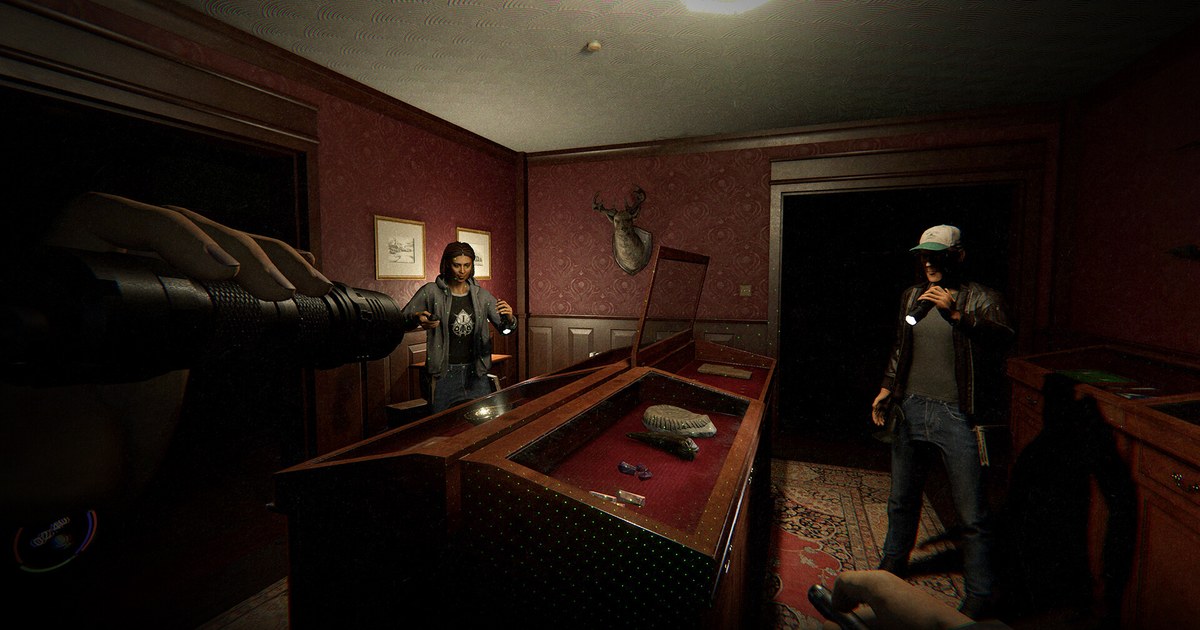
The scene most players want to keep in Phasmophobia is the hunt. A hunt starts only a few seconds after the warning signs: the ceiling lights and flashlights flicker, the radio breaks up and the exit door locks.
The best part is not just those seconds but the tension that built over the minutes before, when the Spirit Box answered and footsteps came closer.
With a setting that saves only the last 30 seconds, by the time the hunt ends and you catch your breath to press the key, the moment the warning began may already be gone.
So this guide uses three criteria: does the start of the hunt survive, can you avoid pressing anything, and can you crop the scare reaction into a 9:16 Short right away.
By those criteria, DOR and Medal's session recording come out ahead, while the NVIDIA app, Xbox Game Bar and the OBS Replay Buffer only get close when you stretch the replay length to several minutes. For a closer look at Medal versus the NVIDIA app, see Medal vs ShadowPlay.
Phasmophobia clipping tools compared (as of November 2026)
| Tool | How it saves | What happens with a Phasmophobia hunt |
|---|---|---|
| NVIDIA app Instant Replay | Press a hotkey to save what just happened (last 30 seconds per the product page, length adjustable in settings) | You can press it after the hunt, but a short length cuts off the moment the warning began. Runs on NVIDIA GeForce RTX graphics cards |
| Xbox Game Bar | 'Record last 30 seconds' button, plus a background recording length you choose in settings | Built into Windows with nothing extra to install; a longer background recording length keeps the start of the hunt |
| Medal | Clip key saves the last 15 seconds up to 20 minutes, or a session recording from launch to close | With session recording on, the whole investigation stays; if you only use the clip key, set a generous length |
| OBS Replay Buffer | Set a maximum replay time and press a save hotkey | Fine control over length, quality and audio; you build the scenes and output settings yourself |
| OBS recording | Start and stop the recording manually | Press record before the investigation and everything stays; you then find the hunt in a long file with an editor |
| DOR | Detects the game and records the full session automatically | A free app that keeps the whole investigation in My Clips without pressing anything, ready to trim from just before the hunt and export in 9:16 |
Checklist before you record
- If you use a replay style tool, is the replay length set well above 30 seconds?
- If you use Medal, is session recording (Long Recordings) turned on?
- Are your recording app and the game using the same microphone? Phasmophobia's voice recognition uses it too
- Does the drive that stores recordings have free space?
- Have you liked the rounds you really want to keep in DOR's My Clips?
How to make a Phasmophobia hunt clip with DOR
- 1Install DOR and keep it runningOnce DOR is installed and running, it detects supported games automatically. Free recording quality is 720p or 1080p at 30 or 60 fps, with 1080p at 30 fps as the default. On supported NVIDIA graphics cards such as the RTX series, it records with NVENC hardware encoding.
- 2Launch Phasmophobia and investigate as usualWhen the game starts, DOR begins a session recording and keeps going until you close the game. Everything from grabbing gear in the truck to naming the ghost ends up in one video, so there is no key to press during a hunt. Game sound and your microphone are captured together on one track.
- 3Open the session in My ClipsClose the game and open the session you just played in My Clips in the DOR app. Start a little before the lights began to flicker, for example the moment the Spirit Box answered, and the opening of your clip is easy to pick.
- 4Trim the hunt and choose a ratioUse trim to cut from just before the hunt to its end, then pick 9:16 for YouTube Shorts or TikTok, or 16:9 for sharing on Discord. For framing tips, read how to make a vertical (9:16) game video.
- 5Share a link or stitch several roundsExport the trimmed video as an mp4 or share it as a dor.gg link. To collect screams from several rounds, merge videos in DOR Studio (dor.gg/studio) and add text, BGM and effect templates such as shake zoom. The full sharing flow is in how to share Phasmophobia gameplay video.
DOR, the free app that records the whole investigation
DOR is a free Windows app. When you launch Phasmophobia, it detects the game and records the full session from launch to exit, and the recordings collect in My Clips in the app. You never need to guess when a hunt will come or press a key; afterwards you trim the scenes you want and save them.
The app trims to 16:9, 9:16 or 1:1, and in DOR Studio you can stitch several videos together, add effect templates, text and BGM, then export an mp4 or share a dor.gg link. Recordings, edits and shared results carry no watermark.
Free recording covers 720p and 1080p at 30 or 60 fps, while 1440p, 4K and 120 or 144 fps come with DOR Pro. For more on how other tools differ, read Medal vs OBS as well.