Short answer: 95C is the ceiling for the 9800X3D and 9850X3D, 89C for the 7800X3D, and sustained 90s while gaming means check cooling
95C is the maximum operating temperature (Tjmax) AMD lists for the Ryzen 7 9800X3D and 9850X3D. When the CPU reaches it, it pulls its clocks down to protect itself. That is why 80s C under all core loads like rendering or benchmarks, with brief touches of the 90s, are part of normal behavior.
Gaming is a different story. In measured reviews, a 9800X3D under a high end air cooler sat in the 60s C during gameplay. If your games hold the chip above 90C for minutes at a time, do not wave it off as "fine up to 95." Our rule is to check cooler mounting, the AIO pump, and case airflow first. The 7800X3D is different again: its ceiling is 89C, so the 95C rule does not apply to it.
- Reference point: the Tjmax on your CPU's spec sheet (95C for the 9800X3D and 9850X3D, 89C for the 7800X3D)
- Gaming: an average in the 60s to 70s C over 10 or more minutes of the same scene is on the normal side; sustained 90s means check cooling
- Rendering and benchmarks: 80s C are common, and clocks dropping at the ceiling is expected behavior
- Order of fixes: cooler mount, pump, and dust, then BIOS defaults and fan curves, then a lower power limit. PBO and Curve Optimizer are outside warranty, so they come last
What 95C actually means: Tjmax and how boost works
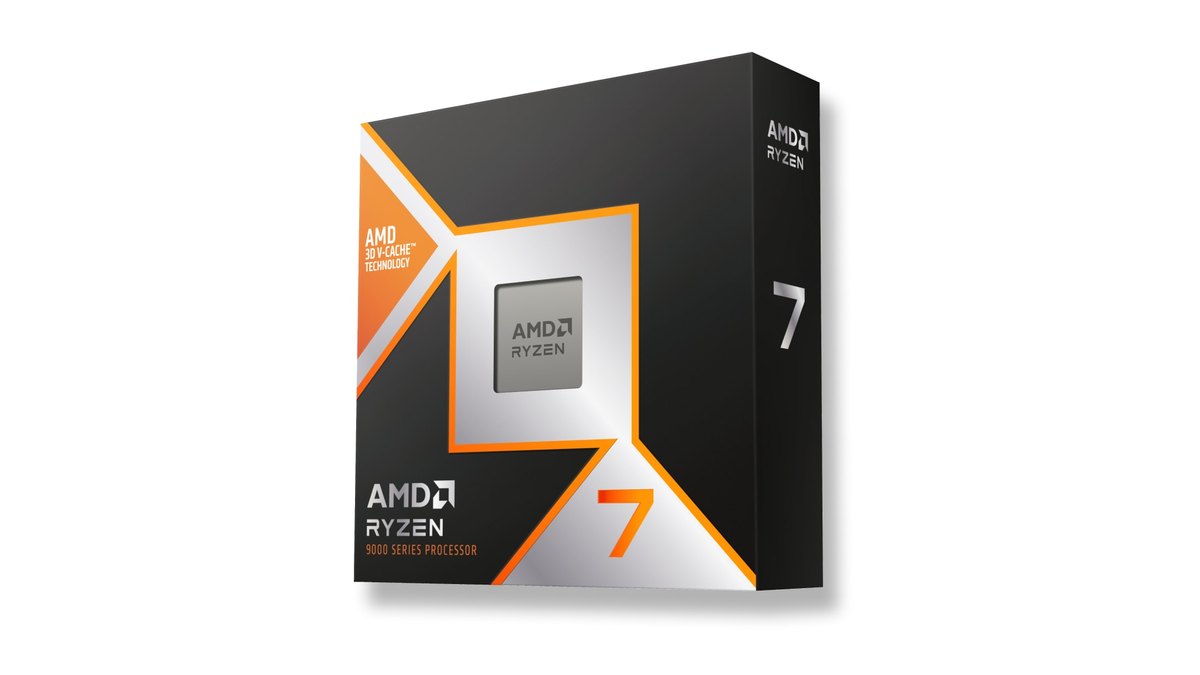
AMD prints a "Max. Operating Temperature (Tjmax)" line on its product pages. It reads 95C for the 9800X3D and 9850X3D and 89C for the 7800X3D.
According to measured reviews, Zen 4 and Zen 5 Ryzen chips treat that number as a target and boost as high as they can beneath it, and on AM5 you cannot raise the limit. Because the chip gives up a little speed to stay under the ceiling, a single 95C reading is not a sign of failure.
That still does not make 95C a normal gaming temperature. AMD itself notes that max boost depends on thermal paste, system cooling, motherboard design and BIOS, chipset drivers, and OS updates. Weak cooling means the chip hits the ceiling more often and boosts less.
| Spec | Ryzen 7 9800X3D | Ryzen 7 9850X3D | Ryzen 7 7800X3D |
|---|---|---|---|
| Max. Operating Temperature (Tjmax) | 95C | 95C | 89C |
| Architecture | Zen 5 | Zen 5 | Zen 4 |
| Cores / threads | 8/16 | 8/16 | 8/16 |
| Base / max boost | 4.7 / up to 5.2GHz | 4.7 / up to 5.6GHz | 4.2 / up to 5.0GHz |
| L3 cache | 96MB | 96MB | 96MB |
| Default TDP | 120W | 120W | 120W |
| Cooler in the box | Not included | Not included | Not included |
| Cooler note | Liquid cooler recommended for optimal performance | Liquid cooler recommended for optimal performance | Liquid cooler recommended for optimal performance |
| Launch date | November 7, 2024 | January 29, 2026 | April 6, 2023 |
AMD says its second generation 3D V-Cache, starting with the 9800X3D, moves the extra cache underneath the cores so the cores sit right against the cooler, and that a cooler chip can run faster. One catch matters for anyone upgrading.
Measured reviews report that AMD moved the temperature sensor in Zen 5, so the readings a 9800X3D and a 7800X3D report in software cannot be compared directly. In one test with the same air cooler, the 9800X3D showed a lower gaming temperature even though it drew more power in games.
If your number dropped after swapping a 7800X3D for a 9800X3D, do not take that as proof your cooling improved. Compare before and after on the same CPU.
Is my temperature normal: a scene by scene table
There is no single "normal" number. A CPU draws very different power at the desktop, in a game, and in a render, and the same chip can read quite differently depending on room temperature, case, and cooler.
The table below only uses numbers where a measured review provides them; the other rows tell you what to watch and how to judge it. The only game measured for temperature was Cyberpunk 2077, so treat other games against the same baseline.
| Scene | What to watch | How to judge it |
|---|---|---|
| Idle at the desktop | Current temp a few minutes after boot | Some user reports put idle in the 40s to 50s C. If the cooler is fine and only idle is high, user reports point to SoC voltage raised by EXPO or the BIOS version as possible causes |
| Competitive shooters (VALORANT, CS2, PUBG) | Average and peak over one match | Close to the measured gaming baseline in the 60s to 70s C is on the normal side. Sustained 90s means check cooling |
| Big open world games (Cyberpunk 2077) | Average over a repeated route | Measured review values with a high end air cooler: 9800X3D 60.8C, 7800X3D 69.2C |
| Right after loading or shader prep | Momentary peak | Spikes during short heavy bursts should be read separately from the average |
| Rendering and benchmarks (all cores) | Temp sustained for 10+ minutes | 80s C are common in measured reviews. At the ceiling (89C on the 7800X3D) clocks come down |
| After closing the game | Return to idle after a few minutes | If it will not come down, check background apps, fan speed, and the AIO pump |
How to check: log average and peak in Ryzen Master
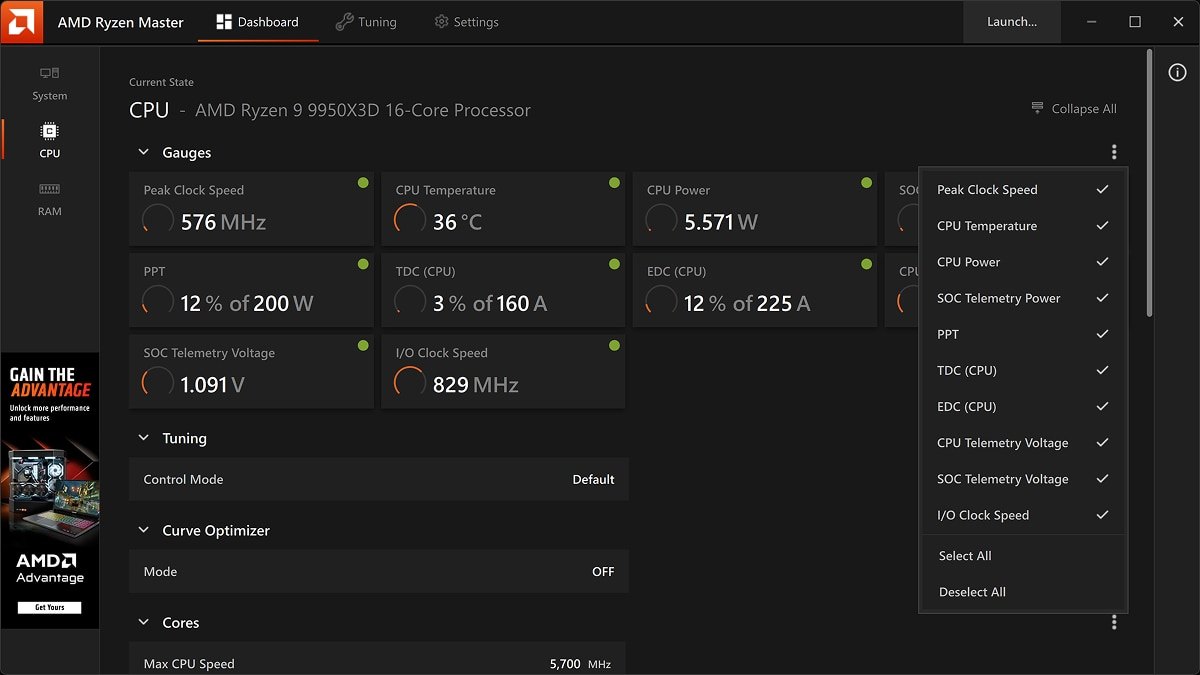
Start by confirming your exact CPU model. If you are not sure, see how to check your PC specs on Windows 11. Read CPU temperature in AMD Ryzen Master, your motherboard vendor's utility, or the hardware monitor in BIOS.
Some user reports also suggest HWiNFO so you can see the CCD and package (Tdie) sensors separately. Watching GPU temperature at the same time makes it easier to tell where the heat in your case is coming from; we cover that in how to check GPU temperature.
- 1Look up your ceilingOpen the AMD product page and find Max. Operating Temperature (Tjmax). It is 95C for the 9800X3D and 9850X3D and 89C for the 7800X3D.
- 2Open a monitoring toolTurn on the CPU Temperature gauge in the Ryzen Master dashboard. Ryzen Master shows per core clocks, temperatures, and voltages in real time, along with average and peak values. A motherboard utility works too.
- 3Play the same scene for 10+ minutesPick a map or route you play often and run it for at least 10 minutes. Measured reviews also use steady state values after 10 or more minutes.
- 4Write down average and peakNote both numbers when you finish. Do not judge from a single peak. Jot down the room temperature too so you can compare across seasons.
- 5Compare against the tableCheck your numbers against the scene table above. If your gaming average sits in the 90s, move on to the checklist in the next section.
- 6Retest under the same conditionsAfter each single change to the cooler or settings, retest with the same game, scene, and duration. Change several things at once and you will not know which one helped.
Running hot: check the cooler first, settings later
If games keep the chip in the 90s, look at hardware before settings. The fixes that repeat in user reports center on the cooler. Work down this list from the top.
- Cooler mount: protective film removed from the cold plate or heatsink base, all four corners tightened evenly, thermal paste spread evenly
- AIO pump: pump cable plugged into the motherboard pump header, pump RPM visible in BIOS
- Dust: buildup between heatsink or radiator fins and on intake filters
- Case airflow: front as intake, rear and top as exhaust, and GPU exhaust not blowing straight into the CPU cooler
- BIOS: check the BIOS version and settings, and whether temps change after loading defaults
- Power: if it is still hot after fan curves, consider lowering the power limit
On an AIO, suspect the pump first
The cases that come up again and again sound like this: it was fine yesterday and now even light games push it near 90C, or idle will not drop below 50C.
In user reports, a failing pump or an aging all in one liquid cooler gets blamed for both, and there are several reports of gaming temps returning to around 70C and idle returning to the 40s after the cooler was replaced.
If temperatures started climbing suddenly, check pump RPM and listen for noise or gurgling at the radiator first. AMD splits its warranty coverage between boxed processors and tray or multipack units, so separating a cooler problem from a CPU problem first will make any claim easier.
BIOS defaults and fan curves
Some users report that idle and gaming temps rose a few degrees after a BIOS update and fell again after rolling back.
AMD's guidance recommends the latest BIOS from your board maker with default settings, so if you change BIOS versions, log temperatures with the date and use that to narrow down the cause. Some users also point out that enabling EXPO on memory raises SoC voltage, which affects idle temps.
For fan curves, check the CPU fan and pump curves in BIOS. A curve that reacts late will let temperatures spike early in a session. The right values depend on your cooler and case, so we do not recommend specific numbers here.
Power limits and PBO come last
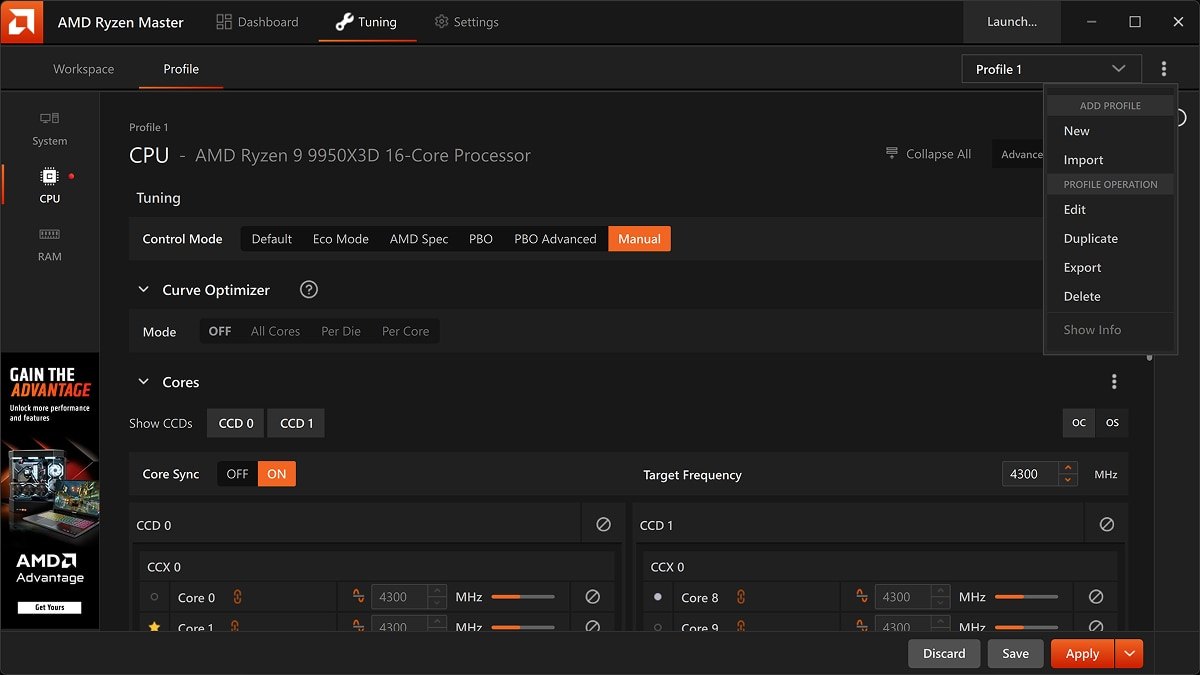
If the cooler and BIOS check out and it is still hot, look at reducing power. Ryzen Master's tuning screen lists options such as Default, Eco Mode, PBO, and Curve Optimizer, and an Eco Mode entry in your board or in Ryzen Master is one way to lower the power ceiling.
In one measured review that ran a 9850X3D in Eco Mode, game frame rates changed within the margin of error while peak temperatures dropped a lot. PBO and Curve Optimizer are a different matter.
AMD states that PBO operates outside specifications, voids the AMD product warranty, and may also void system maker or retailer warranties. Curve Optimizer values shared online differ from chip to chip, so do not copy them.
A 9850X3D running a few degrees hotter than a 9800X3D is normal
The 9850X3D boosts up to 5.6GHz, 400MHz higher than the 9800X3D.
Measured reviews show that costs power: average CPU power across 14 games was 58W for the 7800X3D, 80W for the 9800X3D, and 102W for the 9850X3D, and under an all core load with the same 360mm AIO the 9850X3D ran 7 to 9C hotter than the 9800X3D.
So if your 9850X3D reads hotter than the 9800X3D numbers you see online, that is not a fault. Both share a 95C ceiling, and measured reviews conclude that a decent air cooler keeps either one below it. For help choosing between them, see our 9850X3D vs 9800X3D comparison.
Six common mistakes
- Applying the 95C rule to a 7800X3D. Its spec sheet ceiling is 89C.
- Comparing 9800X3D and 7800X3D readings one to one. The sensor moved, so they are not directly comparable.
- Mistaking render or benchmark temps for gaming temps. In a measured 9800X3D review the two were more than 20C apart.
- Calling it a failure from one momentary peak. Look at average and peak together.
- Reaching for PBO and Curve Optimizer before checking the cooler. It is outside warranty and delays finding the real cause.
- Getting stuck looking for CPU temperature in Task Manager. Use Ryzen Master, your board utility, or BIOS instead.
What user reports say
Three themes keep repeating in user reports. First, sudden high temperatures often trace back to a failing AIO pump, an aging cooler, or a bad mount, and several reports describe fixing it by replacing or remounting the cooler. Second, opinions split on idle temps in the 50s C.
One side says it is chip to chip variation if nothing is wrong in real use; the other says a 10C gap at idle on the same cooler means you should revisit your settings.
Third, some users lowered peak temps with Curve Optimizer or reduced power limits, but the same threads also point out that every chip needs different values and there is no single right number. We recommend starting with the checks you can do inside the warranty.
Choosing or replacing a cooler
None of these three CPUs ships with a cooler, and AMD's spec sheet says a liquid cooler is recommended for optimal performance. At the same time, measured reviews found that a decent air cooler kept both the 9800X3D and 9850X3D under 95C even at full all core load.
By our reading, a gaming focused build is well served by either a dual tower air cooler or an AIO, as long as it is mounted properly.
User reports split between "a 240mm AIO is plenty" and "go 360mm if your case fits it." For the full parts picture, see our gaming PC buying guide, and for the memory settings that tie into idle temps, see how to set up XMP and EXPO.
Prices as of November 10, 2026
| Product | Launch price (MSRP) | Street price range |
|---|---|---|
| Ryzen 7 9850X3D | $499 | About $454 to $548 |
| Ryzen 7 9800X3D | $479 | About $449 to $462 boxed, tray from about $396 |
| Ryzen 7 7800X3D | $449 | About $348 to $364 boxed, tray from about $273 |
Launch prices are AMD's US suggested prices. Street prices are what major US retailers listed on November 10, 2026, without coupons. None of these CPUs ship with a cooler, so budget for one separately. Prices move with stock and promotions, so check the retailer before you buy.
Use DOR to compare gameplay before and after
If you changed a fan curve, a power limit, or a cooler to bring temps down, it is worth checking how the game feels too. DOR is a free Windows game recorder that detects supported games when you launch them and records the whole match, collecting everything in My Clips.
Record the same scene before and after the change and compare stutters or frame pacing side by side, while logging temperatures separately in a tool like Ryzen Master over the same window. On supported NVIDIA graphics cards such as the RTX series, DOR records with NVENC hardware encoding. If you are curious about CPU usage while recording, see why CPU usage spikes when you record.