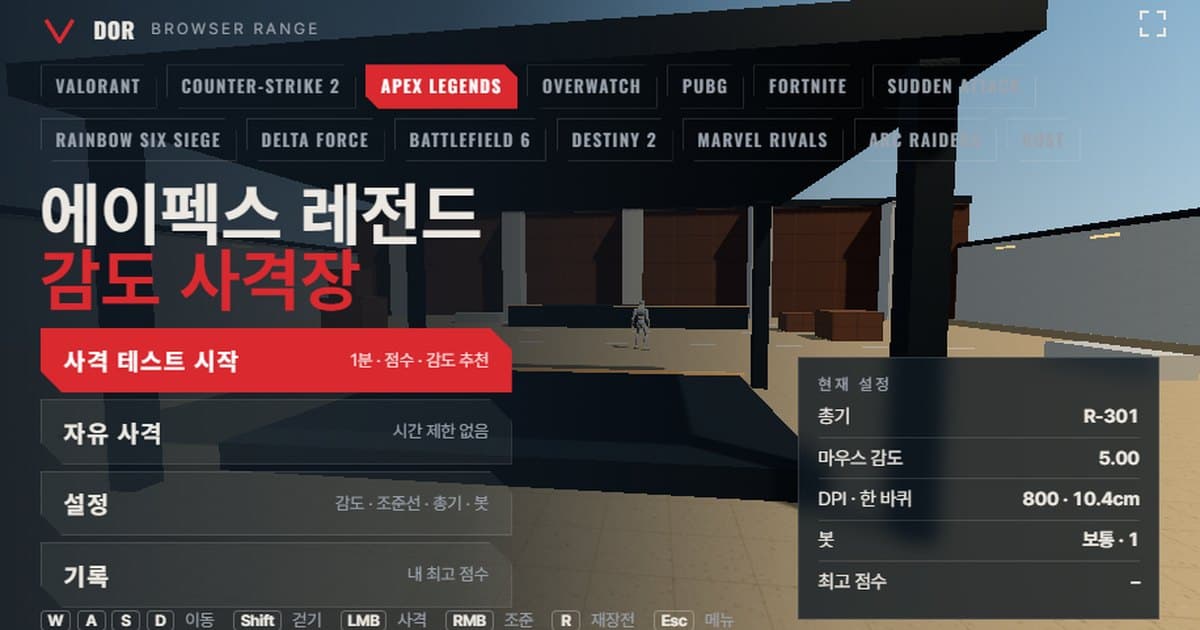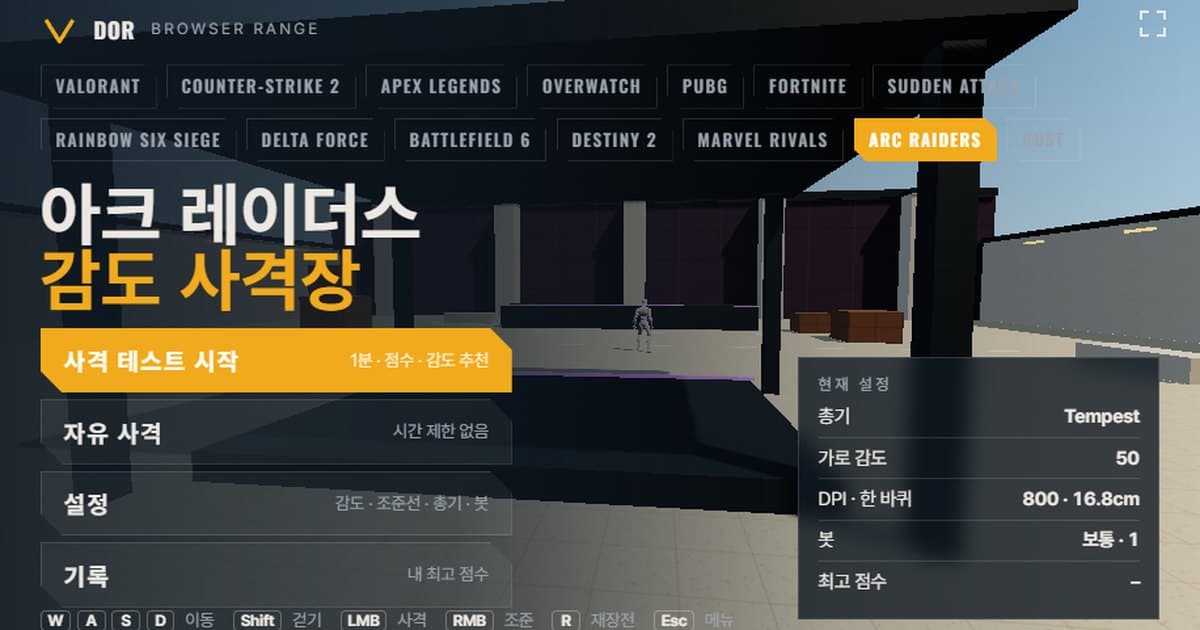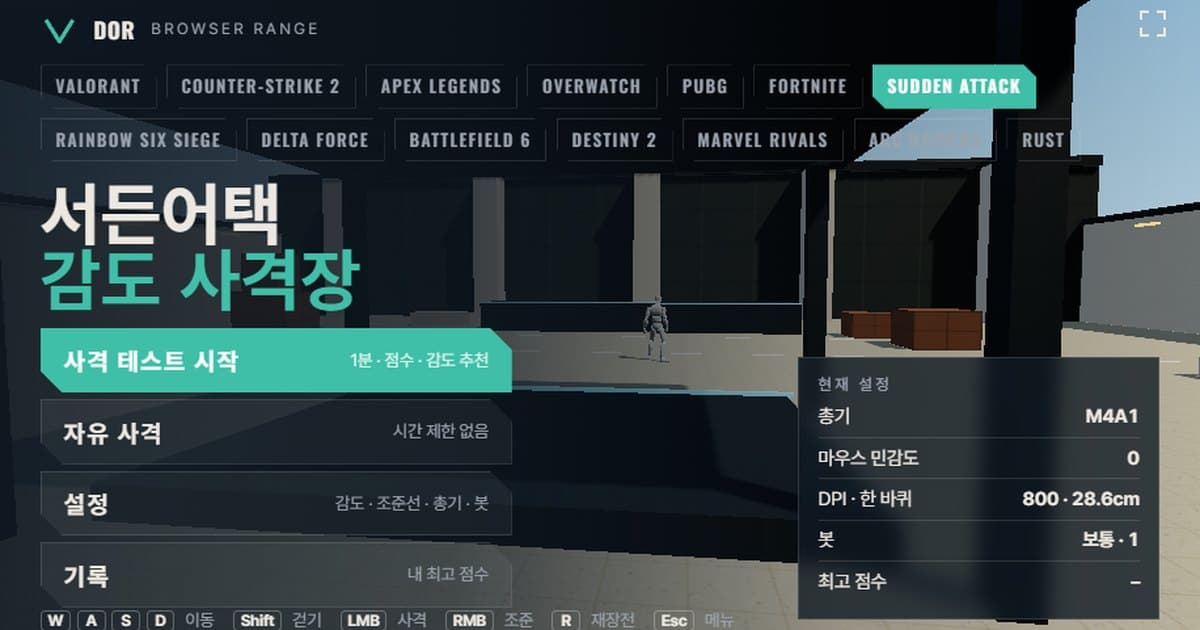
Sudden Attack sensitivity is set with Mouse Sensitivity in the Control tab of the options (Game Options in the lobby, Options in the waiting room), on a whole-number scale from -10 to 10 with a default of 0, although the official guide lists neither the range nor the default, so both come from community posts. During a match, the left bracket key lowers it and the right bracket key raises it. The screen above is the browser sensitivity range opened with the Sudden Attack profile, so you can try those steps right away. In a space that applies the mouse sensitivity steps and the turn rate and field of view defined in the profile, pick a weapon such as the AK-47, M4A1 or TRG-21 and run a 1-minute shooting test. You get a score, accuracy, headshot rate and the average time from a target spawning to its kill, and the range counts whether you overshot or stopped short of targets to suggest moving sensitivity one step up or down. It opens directly in Chrome or Edge on PC with no install, and because it needs mouse lock it does not work in mobile browsers.
Unlike other FPS games, however, Sudden Attack has never published how many degrees one mouse sensitivity step turns, not in official documentation and not in any sensitivity calculator. The range's turn rate is therefore an approximation fitted to community rules of thumb, and this article explains, with that limitation as its premise, how to use the 1-minute test and how to calibrate it with a measured cm/360. The full list of ranges and the shared instructions are in the browser sensitivity range guide.
What matches Sudden Attack settings and what does not
The range uses values that can be confirmed from Sudden Attack's public materials as they are, and fills unpublished values with approximations. The table below shows which item falls on which side.
| Item | Range | Actual Sudden Attack | Notes |
|---|---|---|---|
| Turn rate (°/count) | 0.04° × 1.15^sensitivity (sensitivity 0 = 0.04°) | No official figure | Approximation built from the community '1 step ≈ 125 DPI' rule and the assumption of about 29 cm/360 at 800 DPI, sensitivity 0 |
| Sensitivity range · default | -10 to 10, steps of 1, default 0 | Estimated -10 to 10, estimated default 0 | Neither the range nor the default is confirmed in official documentation; based on community posts |
| Field of view | Horizontal 90° (16:9 basis) | Live server fixed at 4:3, angle not published | A 'view distance' option was added to the 16:9 beta in October 2026, range not published |
| Movement speed | Run 5.5 m/s · Shift walk 3.03 m/s | m/s not published; only a per-weapon movement speed index is shown (AK-47 53, TRG-21 46) | The range uses approximations based on other FPS games |
| Bot HP / armor | 100 HP, 200 when Heavy armor is selected | 100 HP + 100 armor (community measurement) | Armor works as damage reduction, so it differs from a simple sum |
| Weapon list | AK-47, M4A1, MP5, P90, D.Eagle, SG-870, TRG-21 | A subset of the official guide's primary and secondary weapons (P90 from the community wiki) | Fire rate and reload time estimated from % bars |
| Right-click aim | None for rifles and SMGs, 4x scope on the TRG-21 only | Scope on sniper rifles only, magnification not published | No scope-specific sensitivity option |
How to run the 1-minute test
When you first open the range, the menu shows four buttons: Start test, Free fire, Settings and Records. If the goal is to compare sensitivities, use the 1-minute shooting test rather than Free fire, because results can only be compared with each other when the conditions are the same.
- 1Enter sensitivity and DPIIn Settings > General, set mouse sensitivity to the step you use in Sudden Attack (-10 to 10) and type in your mouse DPI. DPI does not affect turning; it is only used to calculate eDPI and cm/360.
- 2Pick a weaponIn the Weapons tab, choose the weapon that fits the drill. For the first measurement, starting with your usual main, the AK-47 or M4A1, makes the results easier to interpret.
- 3Fix the bot settingsIn the Bots tab, set Bot speed, Bot armor (None 100 / Heavy 200), Targets at once and Bot movement. Once set, leave them alone for the rest of that day's tests.
- 4Start the testGo back to the menu and press Start test; after a countdown, one minute runs. Clicking the screen locks the mouse, and pressing ESC pauses the run and brings the cursor back. Turn on the Fullscreen button to shoot at a screen size closer to the real game.
- 5Read the resultsWhen the minute ends, the Round result card shows score, accuracy, headshot rate, Spawn → first shot avg, Shots per kill, Overshoot / undershoot and a sensitivity suggestion.
- 6Repeat 2–3 times the same dayUse Retry same setup to shoot 2–3 more times, and only when the suggestions point the same way press Retry with suggested sens to try the value moved one step.
Settings has five tabs: General, Crosshair, Weapons, Bots and Audio & Video. Matching the crosshair color and the inner line length and offset to the shape you use in Sudden Attack removes one variable that changes how your eyes track. Setting Graphics to Low in the Audio & Video tab turns off shadows and bloom, so the frame rate stays stable even on a slow PC. Settings are saved in this browser.
How to read the result screen
- Accuracy: hits divided by shots fired. Sudden Attack rifles have no right-click aim, so everything is hip fire; if you habitually tap in short bursts to save ammo, this value rises first.
- Headshot rate: the share of kills finished with a head hit. On the AK-47, M4A1 and TRG-21 one headshot is an instant kill, so this value heavily sways the average kill time.
- Spawn → kill average: the average time from a target appearing to its fall. It is the first number to shift when sensitivity changes.
- Spawn → first shot average: the reaction time from noticing a target to firing the first shot. Your condition and crosshair visibility affect it more than sensitivity does.
- Shots per kill: rounds spent to drop one target. Weapons with low head damage like the MP5 and P90 normally show a higher value than rifles.
- Overshoot / undershoot: how many times your horizontal error went past the target (overshoot) or fell short (undershoot) while tracking. The sensitivity suggestion is decided by these two numbers alone.
The suggestion rule is simple. If overshoot exceeds 60% of the total, sensitivity is judged high; if undershoot exceeds 60%, it is judged low; anything in between counts as balanced. With too small a sample (fewer than 5 kills classified as overshoot or undershoot) no suggestion is made and you are only told to shoot once more. The result card wording says '10% lower' or '10% higher', but in a game like Sudden Attack that uses integer steps (-10 to 10), one step is the smallest unit of change, so the actual suggestion is ±1 step (at -10 or 10 it stays put). For example, at sensitivity 2 an overshoot verdict suggests 1 and an undershoot verdict suggests 3.
Sudden Attack sensitivity settings: where they are and why there is no official turn rate
Sudden Attack's mouse sensitivity sits in the Control tab of the game options in the lobby or of the waiting-room options, and the official guide says you can change key bindings and mouse sensitivity in this tab (Sudden Attack official guide, game interface (Korean)). The official hotkey guide (Korean) also notes that during a match the left bracket key lowers sensitivity and the right bracket key raises it. The scale's range and default, on the other hand, are not in official documentation. The -10 to 10 range is a value mentioned in community optimization write-ups, supported only by the fact that the values players actually use, such as -4, -3, 0, 1, 3 to 5 and 6, are all integers inside it. The default of 0 is likewise a guess that it sits at the center of a symmetric scale, not a confirmed fact.
The bigger problem is that nobody knows how many degrees one step turns. CS2 and Valorant publish a turn constant to multiply by the setting value, so cm/360 can be calculated directly, but for Sudden Attack neither official materials nor the lists of the major sensitivity calculators provide this value. One community post says an overseas converter site has a Sudden Attack entry, but the same post notes that the value only matched after a 2x correction, so it is hard to trust. The range therefore uses the following approximation.
The approximate mapping the range uses
Sensitivity 0 is set to 0.04° of turn per count, increasing or decreasing by a factor of 1.15 per step. It is fitted to the community rules of thumb 'one in-game step ≈ 125 DPI' and 'about 29 cm/360 at 800 DPI, sensitivity 0', and is not an official figure.
| Sudden Attack sensitivity | Turn rate (°/count) | 800 DPI cm/360 | 400 DPI cm/360 |
|---|---|---|---|
| -3 | 0.0263 | 43.5 cm | 86.9 cm |
| 0 | 0.0400 | 28.6 cm | 57.1 cm |
| 3 | 0.0608 | 18.8 cm | 37.6 cm |
Measuring with a ruler to match the same cm/360
Rather than trusting the approximation, it is more accurate to measure your 360° distance directly in the real game and match that distance in the range. In Sudden Attack's practice mode or a waiting map, place a ruler on your mousepad, put the crosshair on a point on a wall, then push the mouse in a straight line along the ruler and measure in cm the distance until you have turned exactly one full circle and are back on the same point. That value is your cm/360. Next, enter your DPI in the range's Settings > General tab and change the sensitivity step until the cm/360 readout comes closest to your measured value. This way, even though the range's turn rate is an approximation, the distance your hand moves is the same as in the real game. Conversely, when transferring a cm/360 chosen in the range back to the game, use the same ruler measurement to find the Sudden Attack step.
With a measured cm/360 and your DPI, you can work back to the actual turn constant of your setting. This value becomes the reference for keeping the same cm/360 when moving your sensitivity to another game.
Converting the derived cm/360 into another game's setting value can be done in the sensitivity & DPI converter. Aiming conventions also differ from other games. Sudden Attack has no right-click aim for rifles, SMGs, pistols or shotguns, and only sniper rifles use a right-click scope. A scope-specific sensitivity option could not be found in the official guide or in community settings posts, so it is reasonable to assume the same sensitivity value applies unchanged to the magnified view inside the scope. The scope magnification has never been published, and the community says there are two zoom levels. The range gives the TRG-21 a single 4x scope and keeps the same turn rate with the Scoped sensitivity multiplier at its default of 1.0. Community opinion is split on the mouse acceleration toggle in the options, so keeping it off while comparing with the range leaves fewer variables.
The Sudden Attack weapons in the range
From the official guide's primary weapon list (Sudden Attack official guide, primary weapons (Korean)) and secondary weapon list (Sudden Attack official guide, secondary weapons (Korean)), seven weapons with different roles were chosen. Because Sudden Attack shows weapon performance only as % bars for damage, fire rate, accuracy and recoil, the fire rate (rounds per minute) and reload time (seconds) are estimates from the real weapons' rates of fire and the relative values of the bars. Magazine sizes follow the official guide's capacity (30 for the AK-47, M4A1 and MP5, 5 for the TRG-21, 8 for the SG-870_v2, 7 for the D.Eagle), and since the P90 is not on the official pages, the community wiki's 50 rounds was used.
| Weapon | Fire rate (rpm) | Magazine | Reload (s) | Head / body damage | Aim magnification |
|---|---|---|---|---|---|
| AK-47 | 600 | 30 | 2.5 | 200 / 47 | None (hip fire) |
| M4A1 | 700 | 30 | 2.4 | 200 / 37 | None (hip fire) |
| MP5 | 800 | 30 | 2.3 | 48 / 26 | None (hip fire) |
| P90 | 900 | 50 | 3.0 | 52 / 28 | None (hip fire) |
| D.Eagle | 270 | 7 | 2.0 | 200 / 48 | 1x |
| SG-870 | 60 | 8 | 4.4 | 200 / 98 (8 pellets) | 1x |
| TRG-21 | 40 | 5 | 3.5 | 300 / 161 | 4x scope |
By drill, the choices are as follows. For one-tap headshot practice the M4A1 is right: low recoil and a one-shot headshot mean headshot rate and shots per kill show aim accuracy directly. Spray control uses the AK-47: with 47 body damage it takes three rounds, which makes it good for measuring how well you keep the crosshair on the target during sustained fire. Split flick practice between the TRG-21 and the D.Eagle. The TRG-21 has to open the scope and finish in one shot, so it tests stopping accuracy after a long flick, while the D.Eagle has to hit the head without aiming, so it exposes overshoot and undershoot on short flicks most clearly. Use the P90 and MP5 with Bot movement on to measure tracking.
Limits of the browser range and how to compensate
- Input path: the range requests raw input while the pointer is locked, but depending on the browser and OS combination pointer acceleration can creep in. Turn off Enhance pointer precision in Windows mouse settings and match the state of the mouse acceleration option on the Sudden Attack side.
- Polling: the browser batches mouse movement per frame, so the benefit of a 4000–8000 Hz mouse does not show up in the range. For comparison purposes, keeping the game and the range at the same polling rate is enough.
- Recoil patterns: character differences such as the community wiki's AK-47 recoil 84% and M4A1 recoil 40% are mimicked only by a single strength value per weapon. Learn sustained-fire control in the in-game practice mode, and evaluate only the first shot and crosshair movement here.
- Accuracy while moving: turning on the Movement & firing error option widens the crosshair, but Sudden Attack's per-weapon movement speed index and the slowdown while aiming are not reflected.
- Field of view: the range is fixed at horizontal 90° on a 16:9 basis. The live server is a fixed 4:3 screen, so the visible area and target size differ; compare by whether cm/360 is the same, not by how the angle feels. Fitting the window to your monitor with the Fullscreen button narrows that difference a little.
- Bot armor: Heavy 200 is a simple model that adds HP. It differs from Sudden Attack's method where damage is reduced while armor remains, so the rounds needed for a kill can differ from the real game by one or two.
For these reasons, range scores are best used not as a number to compete with others, but as a number to compare your own sensitivity candidates under the same conditions. Ranges for games with a published turn constant give ±10% suggestions and calculate cm/360 directly; you can see that difference in the CS2 sensitivity range.
Confirming in real matches after setting sensitivity: DOR
Once you have entered the step chosen in the range into Sudden Attack's Options > Control, the next job is to rewatch the moments you shot with that sensitivity in real matches. When DOR recognizes Sudden Attack it records matches automatically, and you can save a clip of any moment with a single hotkey. Clips are trimmed in the browser editor and shared as a dor.gg link. It is free and runs on Windows. If clips from the day you changed sensitivity often show you overshooting targets, check whether that matches the direction the range suggested. Recording settings are covered on the Sudden Attack recording page.
 #Sudden Attack