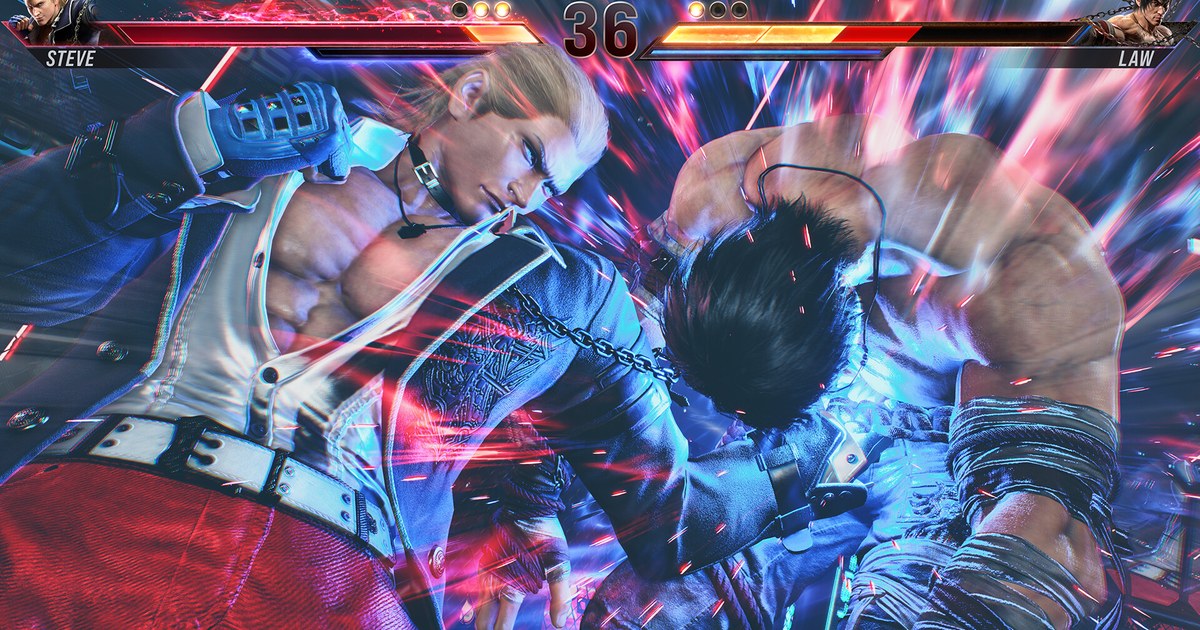
The short answer: treat Tekken 8 replays as something you can watch until the next update, not as a long term archive. Bandai Namco's official patch notes attach the same notice every time an update goes live.
All replay data in ONLINE REPLAY from before the update is deleted, and replay data in DOWNLOADED REPLAYS and MY REPLAY & TIPS from before the update can no longer be played.
We found that notice repeated in every official patch note we checked, from Ver.1.11 in 2025 through Season 3's Ver.3.03.01, applied on November 12, 2026.
So if you have a match worth keeping, such as a comeback win, the promotion match for a new rank, or a classic set with a friend, the answer is to play the replay and record your PC screen before the next patch arrives, turning it into a video file.
A video plays back no matter which game version you have, and it is easy to send to friends. For how long replays last in other games, see replay retention by game. Everything below is based on official patch notes as of November 29, 2026.
Bottom line: replays last until the next patch, so keep the good ones as video
Tekken 8 splits replays into three places, and updates hit each a little differently. ONLINE REPLAY is where you look up other players' matches online, and all of its pre update data is deleted.
DOWNLOADED REPLAYS holds replays you have downloaded, and MY REPLAY & TIPS lets you rewatch your own match while the game pauses at key moments, points out mistakes and shows a better option. In both of these, pre update replay data can no longer be played.
In other words, however you stored a match, once the next patch is applied you should assume you cannot watch it in the game again. Ghost data is different: according to the official notes it is kept after updates, with only character changes reflected.
The only way to protect a match you want to rewatch is to record the screen while the replay plays and turn it into video, so when you see a patch announcement, pick the matches to keep before it lands.
For an opponent's or friend's matches, a feature added in Ver.1.11 lets you jump straight from that player's profile screen to their replay list.
How to save great matches as video before the next patch
- 1Pick the matches to keepFind your own matches in MY REPLAY & TIPS, and an opponent's or friend's matches through the replay list on that player's profile screen. Choosing only matches with a clear reason to rewatch, like a promotion, a comeback or a newly practiced combo, keeps recording time short.
- 2Check the replay notice in the patch notesWhen new patch notes appear in the official news, check the replay entry under the impact of the update. The notes list when the update goes live, so convert the matches you want to keep before then.
- 3Check your screen modeIf the recording comes out black while the PC version runs in fullscreen, switch to a windowed style mode and try again. Fixes by cause are covered in fullscreen game recording not working.
- 4Start screen recording and play the replayStart screen recording in DOR (default shortcut F7), then play the replay from the beginning. Stop recording when playback ends, and the recording lands in My Clips in the app.
- 5Trim only what you needUse trim to cut just the deciding round or combo and save it in 16:9, 9:16 or 1:1. If you want the full match, you can leave it untrimmed.
Major updates that came with a replay deletion notice
| Update | Applied (JST) | What happened to replays |
|---|---|---|
| Ver.1.11 | January 15, 2025 | Old Online Replays deleted, Downloaded Replays and My Replay & Tips unplayable, replay list added to the profile screen |
| Ver.1.12.01 | February 18, 2025 | Old Online Replays deleted, Downloaded Replays and My Replay & Tips unplayable |
| Ver.2.00.01 | April 1, 2025 | Old Online Replays deleted, Downloaded Replays and My Replay & Tips unplayable |
| Ver.3.00 | March 17, 2026 | Same notice, plus each player's customized health gauge now shows in Replay and Spectate |
| Ver.3.02.01 | August 20, 2026 | Old Online Replays deleted, Downloaded Replays and My Replay & Tips unplayable |
| Ver.3.03.01 | November 12, 2026 | Old Online Replays deleted, Downloaded Replays and My Replay & Tips unplayable |
Check before you record
- I checked when the next patch goes live
- I found the matches to keep in MY REPLAY & TIPS or the profile replay list
- I made a short test recording to confirm picture and sound
- I freed up storage for the length of the matches I plan to record
- I know old replays cannot be watched in the game after an update
Keep Tekken 8 replays as video with DOR
To protect replays that every patch locks away, turn the playback into video. DOR is a free Windows app that detects supported games when you launch them and records the whole match.
For Tekken 8 replays, start screen recording yourself (default shortcut F7), and the recording lands in My Clips in the app. From there, trim just the deciding round or combo and save it in 16:9, 9:16 or 1:1.
To combine highlights from several matches into one video, merge them in DOR Studio (dor.gg/studio), add effect templates such as shake zoom and punch zoom, text and BGM, then export to mp4 or share a dor.gg link. Exports carry no watermark. Tips for stitching clips together are in how to merge game clips.
The free plan records at 720p or 1080p and 30 or 60fps (1080p at 30fps by default), and older videos are cleaned up only when the full gameplay video allowance (5GB by default) is exceeded, while recent recordings and videos you liked are kept.