
The verdict: the Wooting 80HE+ for most, the Huntsman V3 Pro TKL if you want the extras in the box
Most players should buy the Wooting 80HE+.
It combines up to 8000Hz polling (Tachyon Mode), actuation from 0.1 to 4.0mm that you can set per key in 0.1mm steps, rapid trigger with separate press and release sensitivity, the Wootility config tool that runs in a Chromium browser with no install, hot swap switches and a 4 year warranty (2 years on LEDs).
At Wooting and Razer US store list prices on November 10, the plastic 80HE+ sits a full tier below the Huntsman V3 Pro TKL.
There is no lab review of the 80HE+ itself yet, but the original 80HE was named the best gaming keyboard by a major lab reviewer, and Wooting says the 80HE+ has no noticeable performance difference from it. In public pro usage data the 80HE family is number one overall and in CS2.
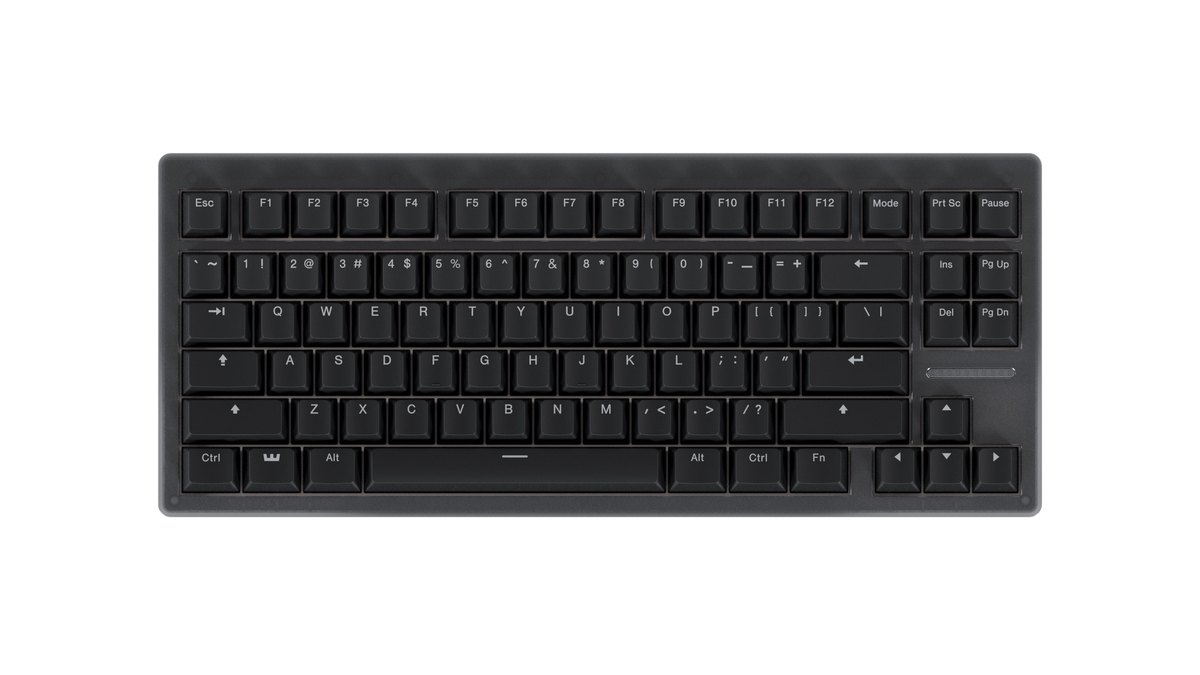
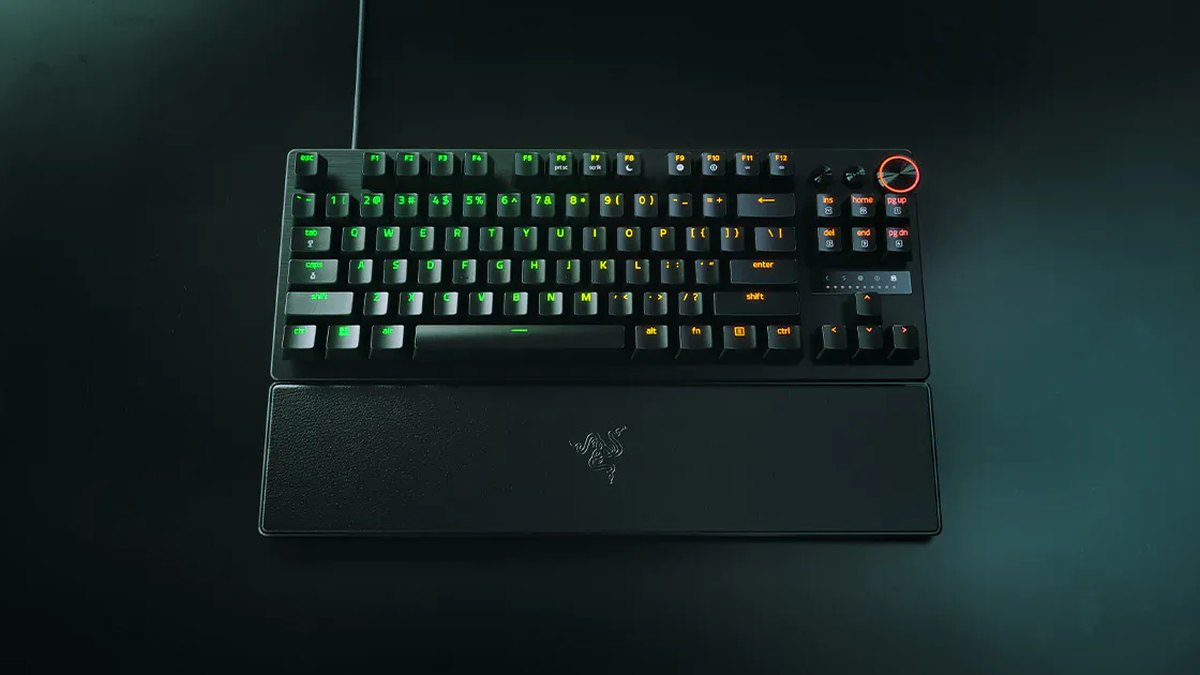
The Huntsman V3 Pro TKL has a clear audience.
It fits people who want a magnetic leatherette wrist rest, a multi function dial and media buttons without buying anything extra, people who want to walk into a store or order from a local retailer today, and people who prefer changing actuation and rapid trigger on the keyboard itself instead of opening software.
Even then, buy the 8KHz model. On the Razer US store on November 10 the standard and 8KHz versions carry the same list price, and the 8KHz model raises polling to 8000Hz and adds a few features. If you already own an 80HE, there is little reason to switch.
Star ratings: 80HE+ 4.0, Huntsman V3 Pro TKL 3.5
| Criterion | Wooting 80HE+ | Huntsman V3 Pro TKL | Reference: TKL 8KHz |
|---|---|---|---|
| Overall | ★★★★☆ 4.0 | ★★★½☆ 3.5 | ★★★★☆ 4.0 |
| Performance (35%) | 4.5 · 8000Hz, per key actuation, predecessor tested top tier | 4.5 · top tier latency family, 1000Hz polling | 5.0 · 8000Hz, very accurate actuation |
| Value (25%) | 3.0 · a tier below or level with rivals, no wrist rest | 2.5 · pricier end of the class, same price as 8KHz | 2.5 · pricier end of the class |
| User reputation (20%) | Not rated · too few 80HE+ owner reviews yet | 3.5 · praised for gaming, criticized for typing noise | 3.5 · small sample, same noise complaint |
| Popularity (10%) | 4.5 · number one pro keyboard family | 4.5 · number two pro keyboard family | 4.0 · only visible as part of the family |
| Durability and support (10%) | 4.0 · 4 year warranty, swappable switches | 3.5 · up to 2 years, switches not swappable | 3.5 · up to 2 years, switches not swappable |
The gap comes from value and from durability and support. Both keyboards score 4.5 on performance.
Lab reviews rate the gaming latency of both families as excellent, but we held back a 5.0 from the 80HE+ because the testing was done on its predecessor, and from the Huntsman V3 Pro TKL because it polls at 1000Hz and the lab data comes from the full size model in the same line.
On value, the standard Huntsman loses half a point because the 8KHz model costs the same and gives you more. The 80HE+ lands a step below average because it has no wrist rest and orders shipped from outside your region can attract import fees.
The 8KHz Huntsman matches the 80HE+ at 4.0 stars but trails it on the weighted average, so it appears only as a reference.
Specs side by side: the same 0.1 to 4.0mm range, different polling and switch tech
| Spec | Wooting 80HE+ | Razer Huntsman V3 Pro TKL |
|---|---|---|
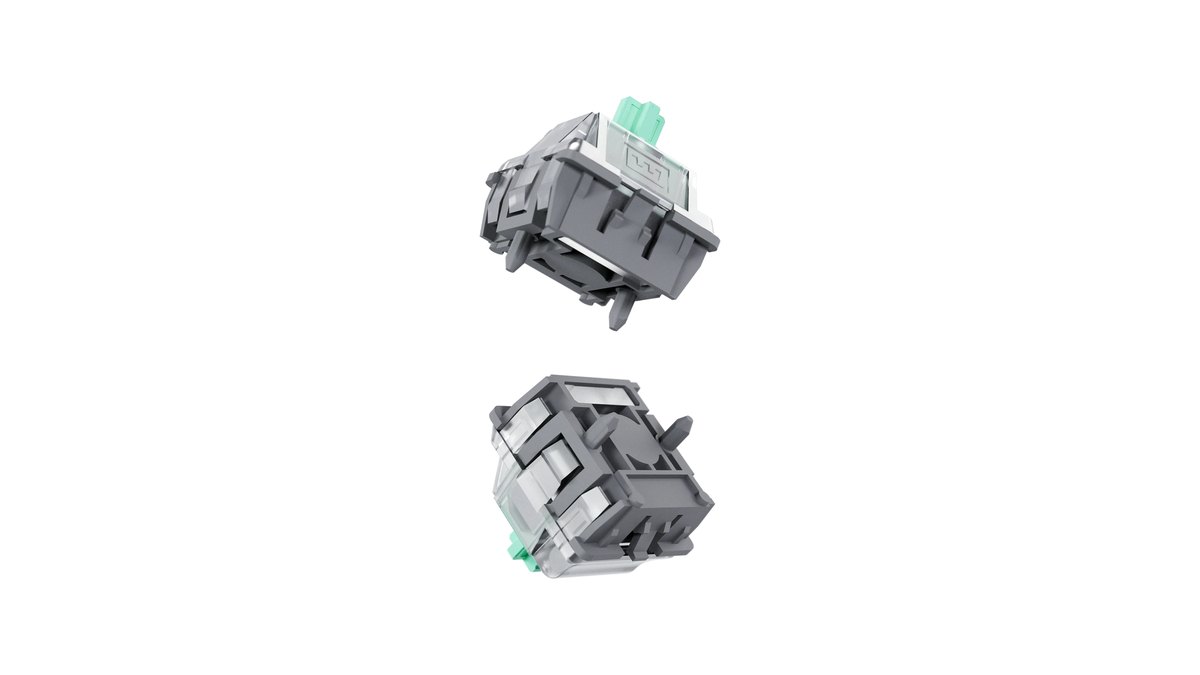
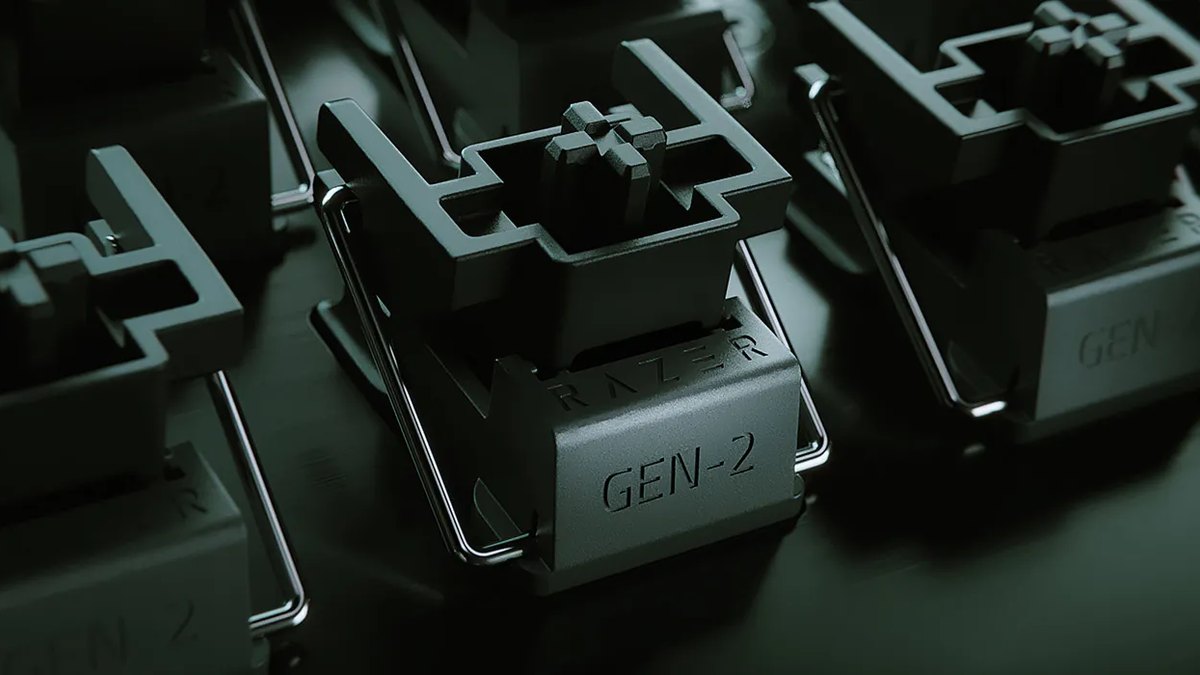
| Switch | Magnetic Hall effect Lekker Tikken Medium | Razer Analog Optical Switch Gen-2, 40g actuation force |
| Actuation | 0.1 to 4.0mm, 0.1mm steps, per key | 0.1 to 4.0mm, adjusted on board with FN+Tab and the dial |
| Rapid trigger | Separate press and release sensitivity, Continuous Rapid Trigger, per key | From 0.1mm, toggled with FN+Caps Lock, off in the factory profile |
| SOCD handling | Snappy Tappy, Rappy Snappy | Snap Tap, off by default, FN+Left Shift |
| Polling | Up to 8000Hz (Tachyon Mode), selectable 1 to 8kHz | 1000Hz |
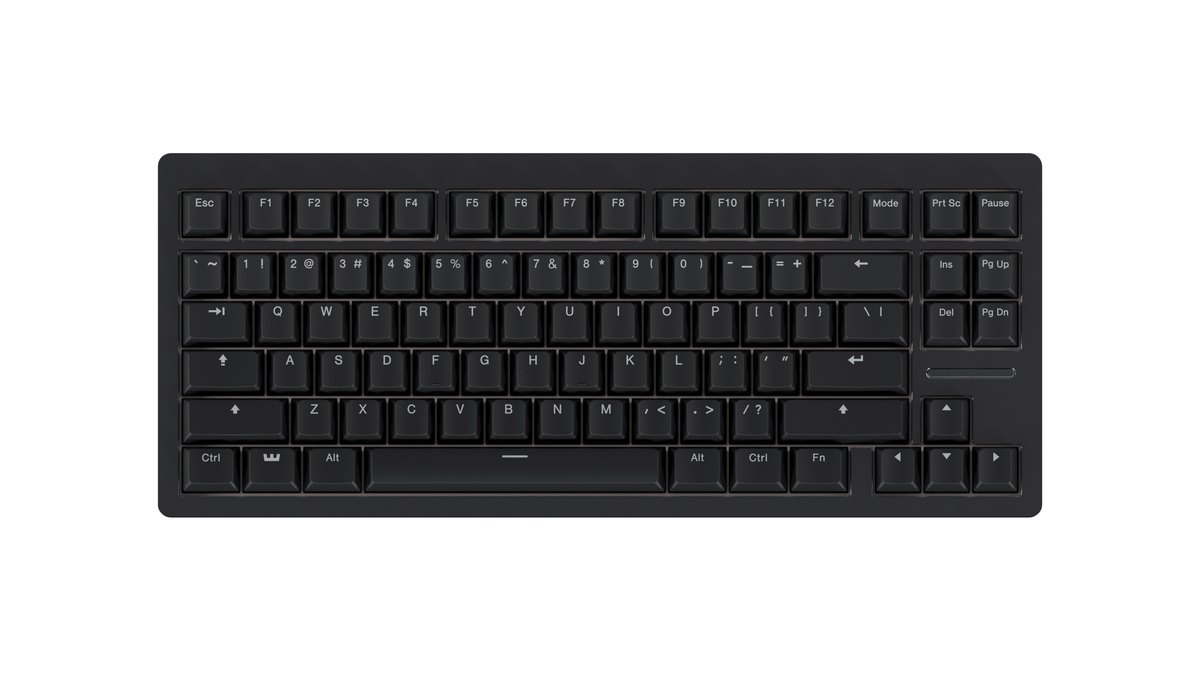
| Layout | 80% with arrows and F row, ANSI and ISO | Tenkeyless, many regional layouts |
| Keycaps | Doubleshot PBT | Doubleshot PBT, textured |
| Case | ABS (Dark, Frost) or zinc (Black), FR4 plate, silicone gasket | 5052 aluminum top plate |
| Controls | LED bar, knob (standard on zinc prebuilt) | Multi function dial and buttons |
| Wrist rest | Not included, sold separately | Magnetic leatherette, included |
| Hot swap | Yes, with 3 spare switches and a puller | No |
| Software | Wootility (web and desktop), 4 onboard profiles | Razer Synapse, 6 onboard profiles including 2 presets |
| Size and weight | 346.34 × 142.8 × 35mm, 822g (ABS Dark ANSI) | 363 × 139 × 38mm, about 719g (retailer listing) |
| Warranty | 4 years (LEDs 2 years) | Up to 2 years, country of purchase |
| Launch | Preorders opened September 17, 2026 | Late 2023 |
Both boards are wired only and use a detachable USB-C cable; the 80HE+ ships with a 2m USB-C to C cable and a USB-A adapter.
As of November 10, the official 80HE+ page still says plastic prebuilt boards and modules were expected to reach the warehouses in late October, with zinc cases and the Lekker Knob Large expected in mid December, and that dates can change.
Check the estimated ship date on your order screen before you pay. The Huntsman V3 Pro TKL has been on sale since late 2023, so stock and color choice are wider.
80HE vs 80HE+: same performance, new feel and new options
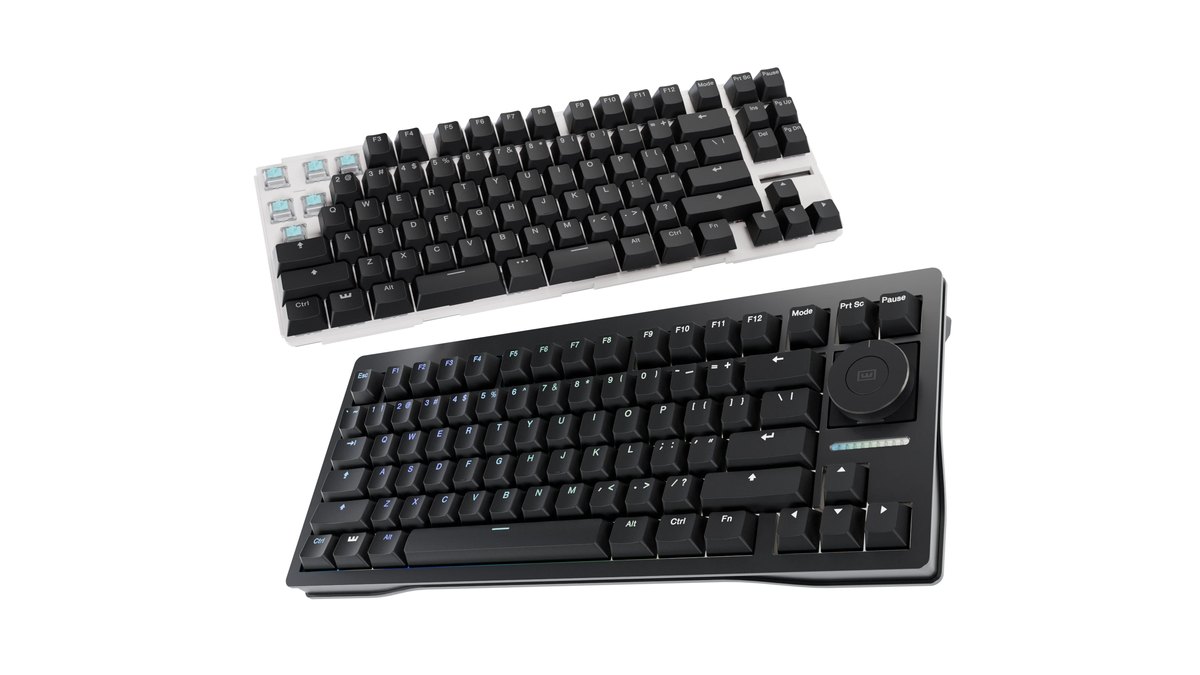
The 80HE+ is a refresh of the 80HE, not a different keyboard. Wooting says it updated the MCU and scanning architecture but that there is no noticeable performance difference between the two. The changes are the parts you touch and hear.
The switch moves from the Lekker L60 V2 to the Lekker Tikken Medium, which uses a longer spring to raise initial force and cut down on accidental presses. The plate changes from polycarbonate to FR4, and dampening grows from a single foam layer to foam, a PET film and a tape mod. In exchange, the JIS layout is gone, while module buyers can now choose a split spacebar.
| Item | Wooting 80HE | Wooting 80HE+ |
|---|---|---|
| Switch | Lekker L60 V2 | Lekker Tikken Medium |
| Plate | Polycarbonate | FR4 |
| Dampening | Foam | Foam, PET film, tape mod |
| Layouts | ANSI, ISO, JIS | ANSI, ISO (no JIS) |
| Split spacebar | No | Yes, module only |
| Polling | Up to 8000Hz | Up to 8000Hz |
| Colors | ABS Black, Ghost, Frost; zinc Black, White, Raw | ABS Dark, Frost; zinc Black |
Gaming input: both are elite, the 80HE+ is more granular, the Huntsman is quicker to tweak on the fly
Gaming input is not where you should expect a big gap. Both boards offer 0.1 to 4.0mm actuation, rapid trigger and SOCD handling for opposing keys, and lab reviews rate the gaming latency of both families as excellent. There is no reliable data to say one is so many milliseconds faster.
The differences come down to three things. First, polling: up to 8000Hz on the 80HE+ versus 1000Hz on the standard Huntsman. Reviews also suggest 8000Hz is hard to feel in game, so the next two points are worth weighing first.
Second, the 80HE+ lets you set press and release sensitivity separately and apply Continuous Rapid Trigger per key, so you can keep WASD hair trigger while leaving ability keys deeper.
Third, the Huntsman ships with rapid trigger disabled in its factory profile, so you have to switch to a user profile before turning it on.
Before you rely on Snap Tap or Snappy Tappy in VALORANT, check whether the game allows it. In CS2, Valve official matchmaking servers require SOCD features to be turned off, so read our Snap Tap and rapid trigger rules by game before you set up profiles. Razer ships Snap Tap off by default and you toggle it with FN and Left Shift.
When you first set actuation and rapid trigger, starting too shallow can cause stray steps, so lower the values gradually using the steps in our rapid trigger settings guide.
Software and on board control: no install with the 80HE+, no software at all with the Huntsman
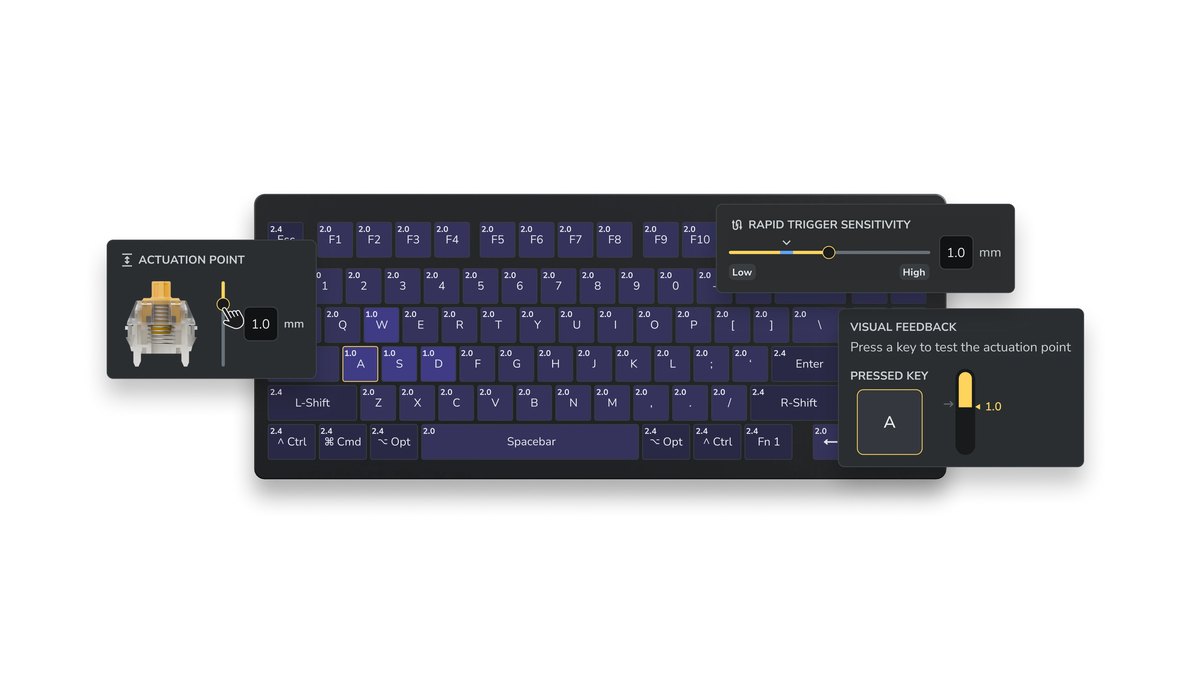
Configuration is where the two keyboards feel most different. The 80HE+ uses Wootility, which you can open as a web app in a Chromium browser or run as a desktop app.
Settings are saved on the keyboard across 4 onboard profiles, and App Linking switches to a game specific profile automatically when you launch that game. Reviews single out the no install web config as a major strength.
The Huntsman V3 Pro TKL uses the installable Razer Synapse and stores 6 onboard profiles (2 presets and 4 user slots). In return, you can change actuation with FN+Tab and rapid trigger with FN+Caps Lock right on the keyboard and read the value on an LED gauge, no software open.
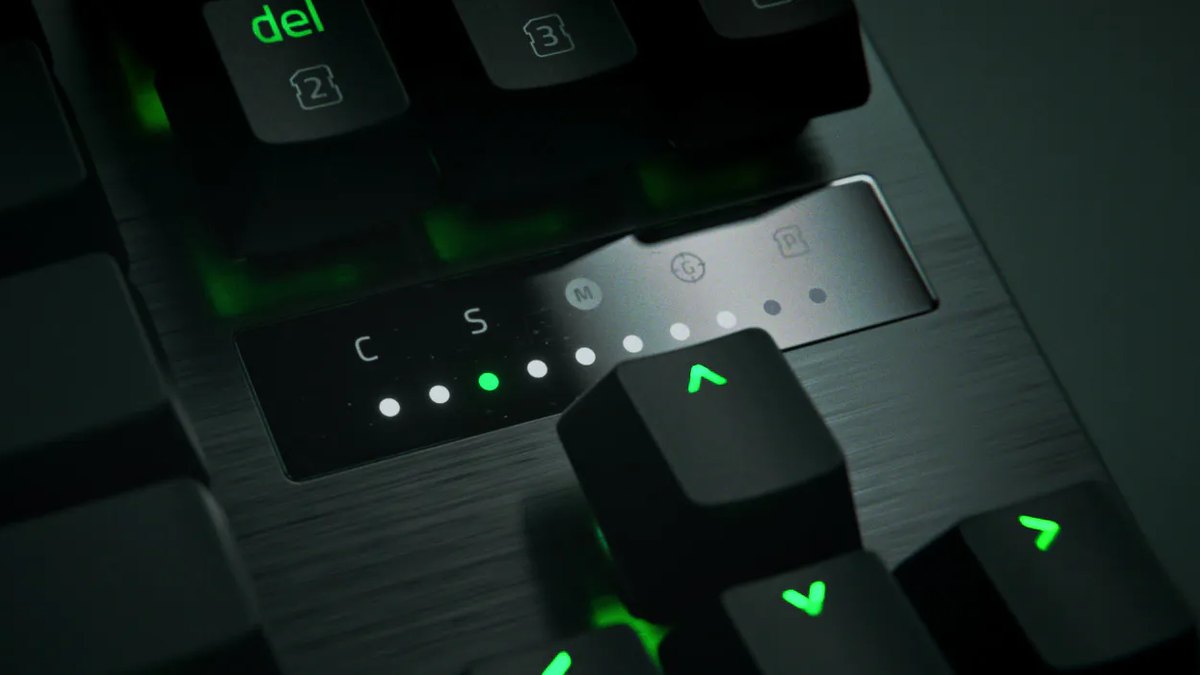
In short, if you move between PCs or want to tweak settings from a laptop at a LAN, browser based Wootility is the easier path. If you never want a config app running, the Huntsman on board controls win. Reviewers noted that first time Synapse setup can be fiddly, though that matters less if you already run Synapse for a Razer mouse or headset.
Typing sound and build: the 80HE+ is quieter, the Huntsman feels sturdier
If typing feel and sound matter, the 80HE+ is the better fit. It stacks an FR4 plate, a silicone gasket and three layers of dampening, and lab testing already found the original 80HE very quiet thanks to its foam.
The Huntsman V3 Pro TKL gets credit for a solid aluminum top, but lab testing on the full size model in the same line found typing loud with a slightly rattly spacebar, and editorial reviews also call the typing loud.
The Wooting has a weak spot too: reviewers felt the plastic case on the original 80HE looked less premium than the price suggests and flexed a little when twisted.
If you want a rigid case, the zinc version is the answer, but it is expected to ship in mid December, so the ABS model is the realistic pick if you need a board before the holidays.
Layout, box contents and warranty: the Huntsman includes more, the 80HE+ is covered longer
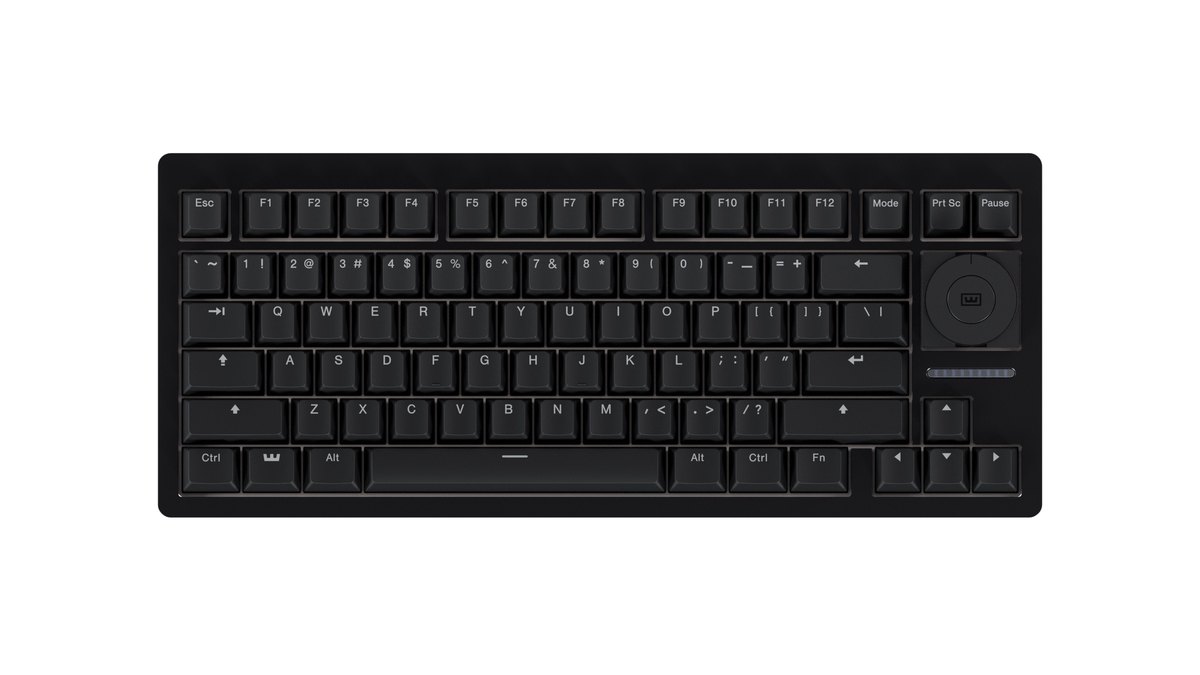
For layout options and extras, the Huntsman is the easier buy. Razer sells the Huntsman V3 Pro TKL in many regional layouts and includes the wrist rest, dial and media buttons. The 80HE+ comes only in ANSI and ISO, the wrist rest is sold separately and the knob is standard only on the zinc prebuilt.
Reviewers also missed Home and End on the default layout, though spare keycaps and Wootility remapping solve it. For coverage, the 80HE+ wins clearly.
Wooting gives 4 years (2 on LEDs) from the delivery date, usually resolves claims by sending replacement parts and asks for a receipt from its store or an authorized reseller. Its store offers 30 day returns, though buyers outside the Netherlands pay for the return label.
Razer offers up to 2 years, valid in the country of purchase, and the Razer store takes returns within 14 days.
Pro usage and popularity: both are top two, Wooting leads in CS2, the Razer TKL ranks higher in VALORANT
| Metric (date) | Wooting 80HE family | Razer Huntsman V3 Pro TKL family |
|---|---|---|
| Summer 2026 pro gear roundup (June data) | 1st, 17% | 2nd, 16% |
| All pro keyboards (public data, November 10) | 1st, 15.77% | 2nd, 14.43% |
| CS2 pros (public data, November 9) | 1st, 28.95% | 2nd, 18.42% |
| VALORANT pros (public data, November 9) | 4th, 8.51% | 3rd, 13.90% |
Both are proven boards that sit at the top of pro usage. In CS2 the Wooting family is far ahead, while in VALORANT the Huntsman V3 Pro TKL family ranks above the 80HE family. The top two VALORANT spots go to Wooting's 60% boards, so small boards without arrow keys are also popular among VALORANT pros.
See how CS2 pros set up their gear in our CS2 pro settings and gear roundup, and how to plan your binds in our VALORANT keybinds guide. On a large Japanese price comparison site, the Japanese layout Huntsman V3 Pro TKL ranked 58th among more than 5,700 keyboards for November 3 to 9, while the 80HE+ was not listed yet.
Prices as of November 10, 2026
| Product | List price | Street price range |
|---|---|---|
| Wooting 80HE+ (ABS prebuilt) | US$199.99 (Wooting store) | About US$199.99 at the Wooting store; check authorized resellers |
| Razer Huntsman V3 Pro TKL | US$219.99 (Razer US store, black) | US$219.99 to US$229.99 (black to white, Razer US store) |
| Razer Huntsman V3 Pro TKL 8KHz | US$219.99 (Razer US store, black) | US$219.99 to US$229.99 (black to white, Razer US store) |
These prices were checked on November 10, 2026 on the Wooting and Razer US stores and change often with sales and stock. At list price the plastic 80HE+ is about US$20 cheaper than either Huntsman, and the standard and 8KHz Huntsman cost the same, which is why the 8KHz version is the better Razer buy. Check the final price, shipping and return terms with the seller before you buy.
Who should buy which
- Buy the Wooting 80HE+ if you play VALORANT or CS2 and want to fine tune actuation and rapid trigger key by key, you want quiet typing and a long warranty, and an ANSI or ISO layout works for you.
- Skip the Wooting 80HE+ if you need a wrist rest and media keys in the box, you hate waiting on shipping or paying import fees, or you need the zinc model before the end of the year.
- Buy the Razer Huntsman V3 Pro TKL if you want a wrist rest, dial and local retail stock, prefer adjusting values on the keyboard without software, or already run Synapse for other Razer gear.
- Skip the Razer Huntsman V3 Pro TKL if you want quiet typing, want to swap switches, or can get the 8KHz model for the same money.
- Already own an 80HE: you barely need to upgrade. Try Lekker Tikken switches first for the new feel, and consider a 60% board if you never use arrows or the F row.
What players are saying: software wins for Wooting, the bundle wins for Razer
Because 80HE+ owner feedback is still thin, we looked at opinion on the original 80HE. Reviews highlight the install free Wootility, quiet typing and the rapid trigger response.
Opinion splits on value: some argue cheaper magnetic boards perform close enough, while others say software polish and firmware support are worth paying for. Reviews also flag the default layout without Home and End, and ordering direct means weighing shipping waits and import fees.
Questions about the difference between the 80HE and 80HE+ and about swapping 80HE+ switches are already showing up on Korean community boards.
Reviews and owner posts on the Huntsman V3 Pro TKL praise the design, the smooth optical switches, the dial and the on board actuation control. The drawbacks they raise are loud typing, the price and fiddly first time Synapse setup.
One issue appears in several Korean and Japanese user posts: when connected, Steam or Windows also detects the keyboard as a game controller and inputs get mixed up. Users report fixing it by disabling the Xbox 360 peripheral entry in Device Manager, so check that first if you see the same behavior.
Buying in the US and Europe: direct orders, return windows and ship dates
In the US, both boards are easy to order directly. Wooting ships US orders from a US warehouse and also sells through authorized resellers such as Mechanical Keyboards, while the Huntsman is sold directly by Razer.
At Wooting and Razer US store list prices on November 10, the plastic 80HE+ is a tier cheaper than the Huntsman V3 Pro TKL, and Razer prices the standard and 8KHz versions the same, which is why we recommend the 8KHz Huntsman over the standard one.
In Europe and the UK, the ISO 80HE+ is a strong option, but orders shipped from outside your customs area can carry import tax and duties, and shipping can take from about a week to several weeks depending on the method.
Keep a receipt from Wooting or an authorized reseller for warranty claims, and remember that Razer warranty applies in the country where you bought the keyboard.
How we rated and selected
Star ratings are a weighted average of performance 35%, value 25%, user reputation 20%, popularity 10% and durability and support 10%, rounded to the nearest half star.
Performance comes from official specs and lab review verdicts; we could not access detailed latency figures, so we do not quote them. Value is based on the November 10 price ranges in the table above and where each board sits within the premium analog keyboard class.
User reputation combines review verdicts with Korean and Japanese owner feedback, and single isolated reports do not move the score. Popularity uses public pro usage data and retail rankings, and durability and support covers warranty length, switch replaceability and distribution.
The original 80HE is left out of the star table because this is a comparison of current models. For a wider shortlist, see our best gaming keyboards picks, and if you are still choosing a switch type and layout, start with the gaming keyboard buying guide.
Measure the upgrade by recording your gameplay
Whichever keyboard you buy, the only way to know whether you actually play better is to record the same drills before and after and compare them.
DOR is a free Windows app that detects VALORANT when you launch it and records the whole match, then automatically saves kill highlights as clips with ace and clutch tags.
Everything lands in My Clips in the app, so lining up before and after footage is easy, and you can trim and save just the section you want to compare. If you record the same routine every time you change actuation or rapid trigger values, you can also see whether accidental steps have crept in.
- 1Record a baselineWith your current keyboard, run strafe and first shot drills in the Range and a few Deathmatches while DOR records automatically.
- 2Repeat on the new keyboardKeep the same mouse sensitivity and binds, then play the same drills for the same number of rounds on the new board.
- 3Change one value at a timeAdjust only actuation, rapid trigger sensitivity or SOCD, then record the same routine again.
- 4Compare matching momentsIn My Clips, count stop timing, first shot hits and accidental steps using the same criteria for every recording.
Our before and after gear recording guide explains how to pick comparable moments and what to check. If you want your movement inputs on screen as well, see how to show key inputs in gameplay videos. This does not measure the keyboard itself; it shows you how your own play has changed.