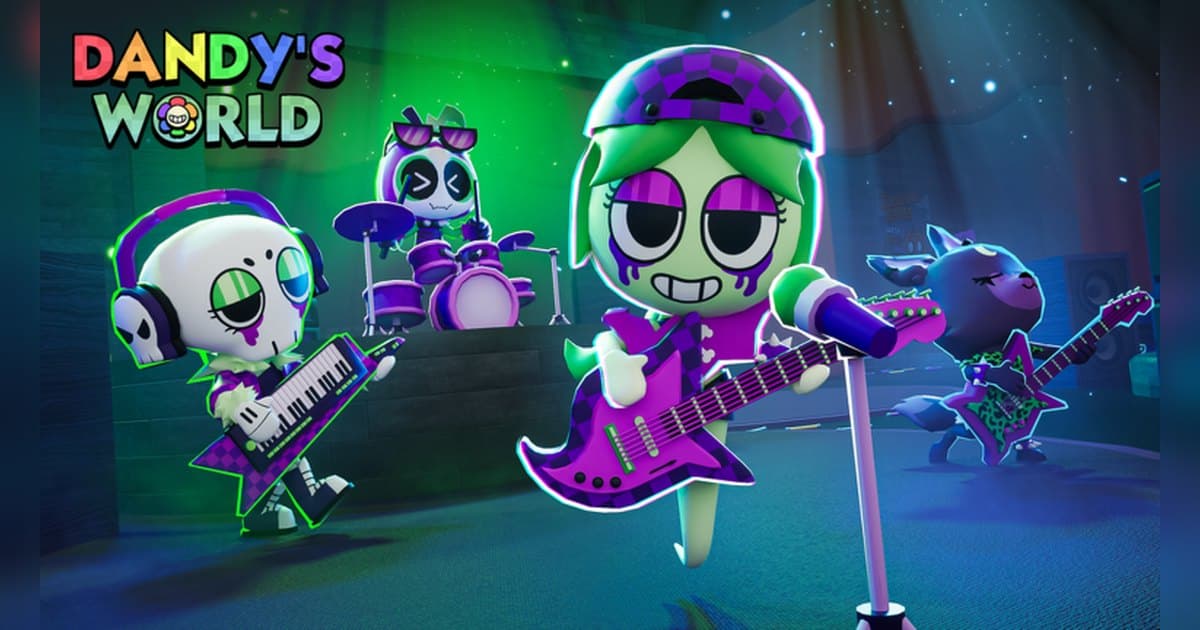
Dandy's World calls itself a mascot horror survival multiplayer game right in its official description, and that description also states the goal without ceremony: team up with fellow Toons to complete machines and descend deeper into Gardenview Center. It was made by BlushCrunch Studio in January 2024 and has about 7.7 billion visits and around 4.73 million favourites. On 19 October 2026 roughly 53,000 people were playing at once, and a server holds up to 35 players. The official description notes that the game is still in Alpha, that bugs and shutdowns are to be expected, and that bugs should be reported to the BlushCrunch Studio Server, and it warns that bright and flashing lights may affect photosensitive players. On the day this was checked, version 0.29.9 was live with two limited-time Halloween floors and a Haunted Gala floor event. Rather than a stat table for every Toon, this guide sticks to what the official description and badge list confirm about the run, how to choose a Toon and trinkets around a role, and then how to keep the moments a run produces, audio included, as clips. If recording Roblox on PC is new to you, read how to record Roblox gameplay first and the rest will move faster. Details were checked on 19 October 2026, with the last update on 16 October 2026.
The short answer: build your role around machines and research, then pick the escape out of a full recording
The three bullet points in the official description and the badge list between them explain how a run works. The description says to collect Toons with unique stats and abilities, to complete machines and collect research on what lurks below, and to collect trinkets to customise your playstyle. The badges put numbers on that. Floors 10, 25, 50 and 100 each have a completion badge; machines have badges at 100, 1,000 and 10,000 completed; items used have badges at 100, 1,000 and 10,000; and distance travelled has badges at 50,000, 500,000 and 5,000,000 metres. In-run goals are published too: finish a floor without being spotted, clear any floor in under one minute, travel through 15 unique rooms in a match, distract six Twisteds at the same time, collect all research capsules available on a floor, survive five floors in one run with no trinkets equipped, and complete a floor with an active ichor leak without being affected by an ichor puddle. Roles have official backing as well. Astro's Nap Time ability can give stamina to three Toons at once outside the elevator, Goob can hug someone into the elevator during panic mode, and some badges are earned only as a specific Toon such as Shrimpo or Squirm. If you want more of this kind of tension, the DOORS entity guide sits in the same genre, and how to find Roblox groups covers finding people and communities to run with. For capture, your platform decides. The Roblox built-in capture lives in the in-experience menu and video runs up to 30 seconds. Runs here stretch out as the floors add up and the escape can arrive on any floor, so on PC it is easier to record the whole run with audio and choose the moment afterwards.
How a Dandy's World run goes, step by step
- 1Set up recording and your display firstThe official description warns that bright and flashing lights may affect photosensitive players, so set your screen brightness and headphone volume before you start. The Roblox built-in capture sits in the in-experience menu under Capture; video runs up to 30 seconds. Captures stay in the Roblox app storage until you export them to your PC Videos folder, and developers can turn capture off inside an experience. Runs get long as the floors stack up, so on PC it is easier to start a recording app first and then launch Roblox from the version you installed at roblox.com.
- 2Find the experience and joinSearch for Dandy's World on Roblox, confirm the creator is BlushCrunch Studio and join. On the day this was checked the name carried a Halloween tag at the front and an Alpha marker at the end, and a server holds up to 35 players. Since the official description says the game is still in Alpha and that bugs and shutdowns are to be expected, anything odd can be reported to the BlushCrunch Studio Server as the description asks. If you want your first entry in the recording, have the recording app running, launch Roblox, take a moment in the menu, then go in.
- 3Pick a Toon and settle your role around its abilityThe official description says Toons have unique stats and abilities, and the badges show what roles that produces. Astro's Nap Time ability can give stamina to three Toons at once outside the elevator, and Goob can hug someone into the elevator during panic mode. Some goals belong to one Toon: there is a badge for completing a certain Twisted's floor as Shrimpo and one for eating from ten unique bookshelves on a single floor as Squirm. Each Toon also has Mastery, with a badge for completing Mastery on at least 20 of them, and Main Toons appear as their own category in the badge list. Stat values are something the experience itself shows, so compare them on the selection screen.
- 4Spend in the pregame shop and bring trinketsThe official description tells you to collect trinkets to customise your playstyle. The badges add two shopping goals: buying all three items in the pregame shop in a run, and buying all three of Dandy's Shop items in one visit. There is also a badge for surviving five floors in one run with no trinkets equipped, so a light build still goes down the floors. Which trinket changes which value is something the experience itself shows, so read the descriptions in the experience and choose around the role you took.
- 5Work the machines, collect research and descendA floor revolves around its machines. As the official description puts it, the team completes machines and descends deeper. The badges count machines at 100, 1,000 and 10,000 completed and items at 100, 1,000 and 10,000 used, and they add goals for collecting all research capsules available on a floor and travelling through 15 unique rooms in a match. Between floors there are vote cards, with a badge for choosing one with eight unanimous votes. On floors with an active ichor leak there is a badge for finishing without being affected by an ichor puddle, and another for distracting six Twisteds at once, so agree in advance on who pulls and who works the machine. When panic mode starts, getting to the elevator becomes the goal.
- 6Cut out the moments once the run endsIf you recorded the whole run, choose the moments afterwards. Recordings stack in the library in the order they were made, so the run you just finished is at the top. Find the sprint to the elevator in panic mode, the blackout, the floor you cleared unseen and the deep floor you reached, then cut with a few seconds of air on each side. Export 9:16 for Shorts and Reels, or 16:9 for a horizontal YouTube upload. To join moments from several floors into one video, merge them in DOR Studio in your browser and add text and background music there.
Moments worth keeping in Dandy's World and how to keep them
| Moment | Why it is worth keeping | How to keep it |
|---|---|---|
| The sprint to the elevator during panic mode | Panic mode and the elevator appear together in the official badges, and it is the point where every teammate talks at once. | Play with a full-run recording going, then press F8 right after you make it into the elevator to save the previous 30 seconds. |
| A floor finished without being spotted | There is an official badge for completing a floor without being spotted, and the hiding and rerouting is the content. | The whole floor is the evidence, so trim it in the library from the floor start through boarding the elevator. |
| A floor cleared in under a minute | An official badge asks for any floor in under one minute, which makes it a short clip you can post as it is. | It is short enough that F8 right after the finish catches all of it; raise the clip length to 60 seconds to include the pregame shop. |
| Pulling several Twisteds at once | An official badge asks you to distract six Twisteds at the same time, and the shot also shows the team working a machine in that window. | You go in aiming for it, so set a 45 or 60 second clip length beforehand and press F8 once you have shaken them. |
| A blackout caused by Twisted Brightney | An official badge is earned by experiencing a blackout triggered by that Twisted, and the audio and reaction as the screen drops are the moment. | Record with your mic on so the reaction in the dark and your teammates' voices land on one track, and ask them before posting. |
| Saving the team with Astro's Nap Time | An official badge asks you to give stamina to three Toons at once outside the elevator, so it reads as a role played well. | You know when you are about to use the ability, so check the recording first, then press F8 after it goes off. |
| Reaching a deep floor such as 25 or 50 | Floors 10, 25, 50 and 100 each have their own official badge, and the milestone only means something with the run behind it. | Runs are long, so a full recording is what lets you cut a montage. Check you have the drive space for it first. |
Check this before you record Dandy's World
- Roblox is running from the PC version installed at roblox.com.
- The recording app was started before you joined, and you confirmed the recording is running.
- Screen brightness and volume are set, because the official description warns about bright and flashing lights.
- Your microphone is on, so the call-outs flying around during panic mode are captured too.
- You checked drive space, because runs grow with every floor; the app warns you once free space drops below 30GB.
- Clip length and video quality were chosen before you entered the experience.
Keeping a whole Dandy's World run, audio included, with DOR
DOR is a free Windows PC app that detects the PC version of Roblox you installed at roblox.com. Recording starts by itself when you enter an experience and ends when you leave for the home screen or close Roblox. It is on by default and you control it with the Full Game Recording setting. It records any experience regardless of genre or creator, so one Dandy's World run becomes one mp4 in your library, however many floors deep it went. Game audio and your microphone are captured together, the mic is on by default with noise suppression, and the audio is mixed to a single track, so the panic-mode alarm and your teammates calling each other stay lined up. Press F8 right after you make the elevator and the previous 30 seconds are saved as a separate clip; choose 15, 30, 45 or 60 seconds, remap the key if you like, and it works while a recording is running inside an experience. Video is 1080p at 30fps by default and can be raised to 60fps, and resolution, frame rate and clip length apply as set when you choose them before entering. Start DOR first, launch Roblox, take a moment in the menu and then join, so the recording covers the run from the moment you arrive. Afterwards the library's trim tool lets you set a start and end point, export 16:9, 9:16 or 1:1, add text in 1:1, and share a dor.gg link. In DOR Studio, which runs in your browser, you can merge moments from several floors and add text, background music and effect templates before downloading the mp4. The app warns you in advance when free space drops below 30GB, so clear room before a long session. If you like splitting roles and running for your life, the Forsaken character and round guide and the Evade Nextbot survival guide suit the same approach.
 #Roblox