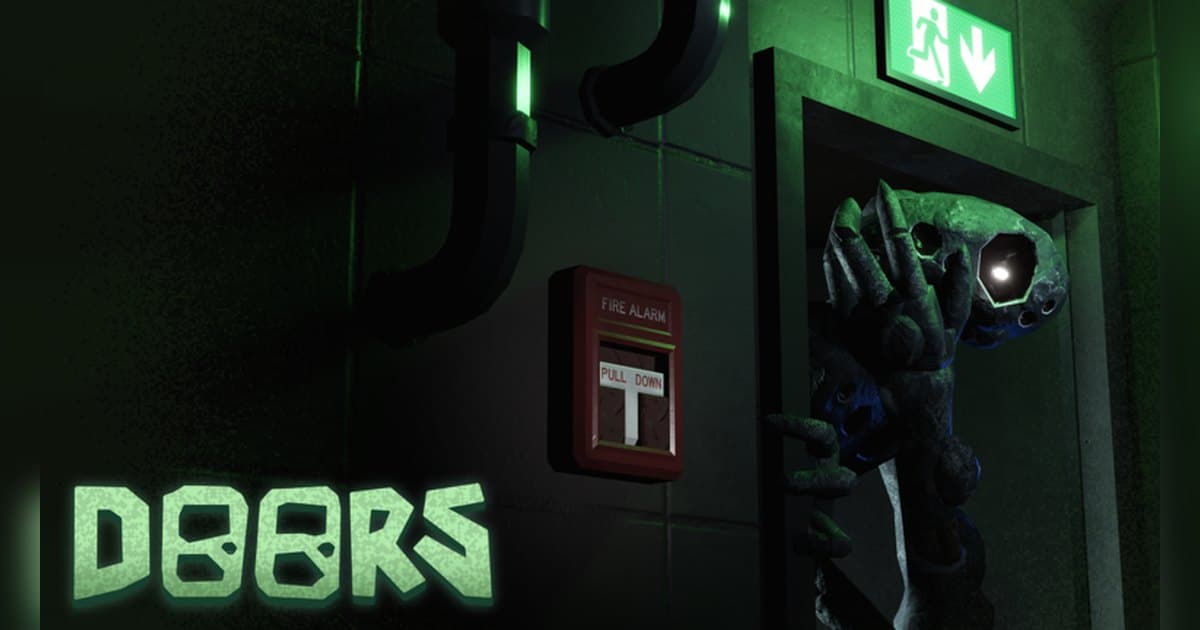
DOORS puts you in front of one door after another and asks you to keep going deeper. The official experience page describes it in one line as a horror game involving doors, and in the next line it recommends entering without a guide and using each death as a lesson. It was made by LSPLASH in March 2021 and has about 7.9 billion visits and around 8.29 million favourites. On 19 October 2026 roughly 17,000 people were playing at once, and a server holds up to 50 players. The same description warns that loud sounds and flashing lights are ahead, recommends headphones and max graphics, and notes that many things are subject to change. So rather than listing entity names and counter-plays, this guide follows the creator's framing: how a run actually flows, what the official badge list says the core actions are, and then how to keep the moments a run produces, audio included, as clips you can post. If recording Roblox on PC is new to you, read how to record Roblox gameplay first and the rest will move faster. Experience details were checked on 19 October 2026, with the last update on 10 October 2026.
The short answer: learn by dying as the creator suggests, but record the whole run and pick the reactions later
The official description tells you how to approach DOORS better than any tier list. It recommends entering without a guide and using each death as a lesson, and it recommends headphones and max graphics in the same breath. The official badge list then shows what the experience runs on. One badge warns you to be careful not to make a sound. Others are named around a last chance to look, a peek-a-boo moment of being spotted, not being seen, and running away. Progress is published as three badges that step from One Of Many to Ten Of Many to Hundred Of Many, and plenty of badges are listed by name only, which is exactly the discovery the creator is pointing at. The experience has also grown: one badge is marked as obtainable only before the HOTEL+ update, and on the day this guide was checked the first line of the official description told players to explore The Stairwell. Getting back up is official too. Joining the LSPLASH group grants a free revive, and buying and wearing the creator's UGC grants Knobs and a revive. How to find Roblox groups covers joining a creator group, and if you like descending through floors with other people, the Dandy's World survival guide reads in the same flow. For capture, your platform decides. The Roblox built-in capture lives in the in-experience menu and video runs up to 30 seconds. Since the official description recommends headphones, DOORS is an experience you read with your ears, so on PC it makes sense to record the full run with audio and pick out the moment the reaction landed.
How a DOORS run goes, step by step
- 1Sort out sound and recording firstThe official description recommends headphones and max graphics, which tells you how much of this experience is audio. The Roblox built-in capture sits in the in-experience menu under Capture; video runs up to 30 seconds. Captures stay in the Roblox app storage until you export them to your PC Videos folder, and developers can turn capture off inside an experience. To keep what is behind the door and your own scream, start a recording app on PC first, then launch Roblox from the version you installed at roblox.com. The description also warns about loud sounds and flashing lights, so set your volume before you start.
- 2Find the experience and joinSearch for DOORS on Roblox, confirm the creator is LSPLASH and join. Plenty of experiences use a similar name, so the creator name is the reliable check. It was created in March 2021 and is still being updated, with the last update on 10 October 2026 as of this writing, and a server holds up to 50 players. If you want your first entry in the recording, have the recording app running, launch Roblox, take a moment in the menu, then go in.
- 3Start without a guide, the way the creator suggestsThe official description recommends entering without a guide and using each death as a lesson. That makes the first run a listening exercise rather than a memorisation test: learn what the rooms sound like and how they are laid out. It also explains why so many badges are listed by name with no condition written out, since you are meant to find out what earns them. The best clips usually come from the first time a room catches you off guard, which is a good reason to have recording on from run one.
- 4Focus on the rhythm of opening doors and on soundThe official badge list is the clearest guide to what matters. One badge warns you to be careful not to make a sound, one is named for a last chance to look, one for a peek-a-boo moment of being spotted, one for not being seen and one for running. Put together, the basics are listening, looking when you need to, and either hiding or running. Which cue calls for which choice is something to confirm inside the experience, and since the official description says many things are subject to change, trusting what this run sounds like beats trusting a memorised rule.
- 5Line up revives and someone to play withTwo ways back up are published in the official description. Joining the LSPLASH group grants a free revive, and buying and wearing the creator's UGC grants Knobs and a revive; the group revive also appears in the official badge description. Revive counts, Knobs prices and usage conditions are something the experience itself shows, so read the current terms in the experience and in the group announcements. There is also an official badge for playing a run with a friend, and going in as a pair means you cover each other's blind spots and your recording ends up with two voices in it.
- 6Pull out the reactions once the run endsIf you recorded the full run, choose the moments afterwards. Recordings stack in the library in the order they were made, so the run you just finished is at the top. Find the jolt right after a door opened, the stretch where you held still in hiding, and your first step into an area you had not seen, then cut with a few seconds of air on each side. Export 9:16 for Shorts and Reels, or 16:9 for a horizontal YouTube upload. To put several runs together, merge them in DOR Studio in your browser and add text and background music there. As for the experience music, the creator states in the official description that it is non-copyright and available on Spotify under LSPLASH.
Moments worth keeping in DOORS and how to keep them
| Moment | Why it is worth keeping | How to keep it |
|---|---|---|
| The reaction the second a door opens | The official description warns about loud sounds and flashing lights, which is exactly why the audio and your reaction are the clip. | Play with a full-run recording going, then press F8 right after the jolt to save the previous 30 seconds as a clip. |
| Waiting it out in hiding, holding your breath | An official badge warns you to be careful not to make a sound, so the silence itself reads as tension. | Silence needs room, so raise the clip length to 60 seconds before you enter and press F8 once it has passed. |
| A run with one friend, calling things out to each other | There is an official badge for playing a run with a friend, and the clip only works with those voices in it. | Record with your mic on so game audio and voices land on one track, and ask your friend before you post it. |
| Hitting the one, ten and hundred progress goals | The official badges step from One Of Many to Ten Of Many to Hundred Of Many, so the progress is worth having on record. | The confirmation goes by quickly, so press F8 immediately and trim it in the library with a little air on each side. |
| Getting back up with a revive | The free group revive and the UGC revive are both published officially, and standing back up changes the mood of the run. | Press F8 right after the revive, and set the clip length to 45 seconds or more if you want the moments before going down too. |
| Stepping into an area you have never seen | On the day this was checked the official description pointed players at The Stairwell, and a badge marked before the HOTEL+ update shows how much has been added. | Looking around takes time, so cut it from the full-run recording, from your first step in through the first sweep of the room. |
Check this before you record DOORS
- Roblox is running from the PC version installed at roblox.com.
- The recording app was started before you joined, and you confirmed the recording is running.
- Your microphone is on, so your reaction and your call-outs to a friend are both captured.
- Clip length is set to 45 or 60 seconds in advance so the quiet build-up fits in.
- Volume is set, because the official description warns about loud sounds and flashing lights.
- There is room on the drive; the app warns you in advance once free space drops below 30GB.
Keeping a whole DOORS run, scream included, with DOR
DOR is a free Windows PC app that detects the PC version of Roblox you installed at roblox.com. Recording starts by itself when you enter an experience and ends when you leave for the home screen or close Roblox. It is on by default and you control it with the Full Game Recording setting. It records any experience regardless of genre or creator, so one DOORS run becomes one mp4 in your library. Game audio and your microphone are captured together, the mic is on by default with noise suppression, and the audio is mixed down to a single track, so the door, the sound design and your own scream stay lined up. In an experience whose official description recommends headphones, that matters more than usual. Press F8 right after a jolt and the previous 30 seconds are saved as a separate clip; choose 15, 30, 45 or 60 seconds, remap the key if you like, and it works while a recording is running inside an experience. Video is 1080p at 30fps by default and can be raised to 60fps, and resolution, frame rate and clip length apply as set when you choose them before entering. Start DOR first, launch Roblox, take a moment in the menu and then join, so the recording covers the run from your first step inside. Afterwards the library's trim tool lets you set a start and end point, export 16:9, 9:16 or 1:1, add text in 1:1, and share a dor.gg link. In DOR Studio, which runs in your browser, you can merge reactions from several runs and add text, background music and effect templates before downloading the mp4. The app warns you in advance when free space drops below 30GB, so clear some room before a long session. Two experiences that suit the same approach are the Evade Nextbot survival guide and the Forsaken character and round guide.
 #Roblox