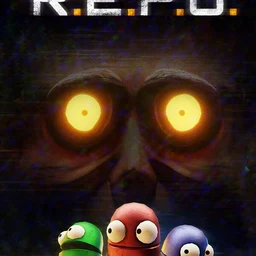
If your group chat just agreed to play something tonight and nobody can decide what, count heads first. Four people fit neatly into games whose Steam page says up to four players, like Phasmophobia or Deep Rock Galactic. Five or six should look at R.E.P.O., which the store pitches as you and up to five friends. Bigger crowds are easiest in Pummel Party (1 to 8 players) or the survival game Valheim (1 to 10 players). And if your five already grind a competitive game together, a League of Legends custom game or a VALORANT five-stack is still a great night. This list compares 12 PC games to play with friends across party, co-op horror, co-op shooters, survival and classic five-player competitive. Player counts come only from what each Steam store page states; where a page gives no number, the table lists the mode instead, such as online co-op or online PvP. It is written for groups of three to five or more, not couples or strictly two-player sessions. Below the table you will find a quick pre-game checklist, a five-step routine for getting everyone into the same lobby with voice running, and a way to keep the funniest moments of the night.
Short answer: filter by headcount, then pick by mood
Headcount is the first thing that breaks a game night. Launch a four-player game with five people and someone ends up spectating. So the table lists the player count exactly as the Steam page states it, and when there is no number it shows the store's mode category instead. If the mood is scream and laugh, go co-op horror: Phasmophobia puts up to four players on a ghost investigation where teamwork is everything, Content Warning sends a four-player crew out to film something spooky, and R.E.P.O. takes you and up to five friends into terrifying places. If you would rather shoot things together, try Deep Rock Galactic (1 to 4 players), HELLDIVERS 2 (online co-op) or Left 4 Dead 2, which offers both online co-op and online versus. For a world you keep coming back to over several nights, Valheim hosts 1 to 10 players, and PEAK is a climbing game with online cross-platform co-op. If one friend only has a console or a phone, Among Us has cross-platform play across PC, console, Android and iOS. Five friends who already know a competitive game can run a League custom game or a VALORANT five-stack. Short a player or two? Read how to find friends to game with before you start.
12 PC games to play with friends, compared
| Game | Group size and mode (per Steam) | The vibe and why friends love it |
|---|---|---|
| R.E.P.O. | You plus up to 5 friends, online co-op | Co-op horror where the whole group heads into terrifying places and hauls valuables back out. The chaos grows with every extra friend. |
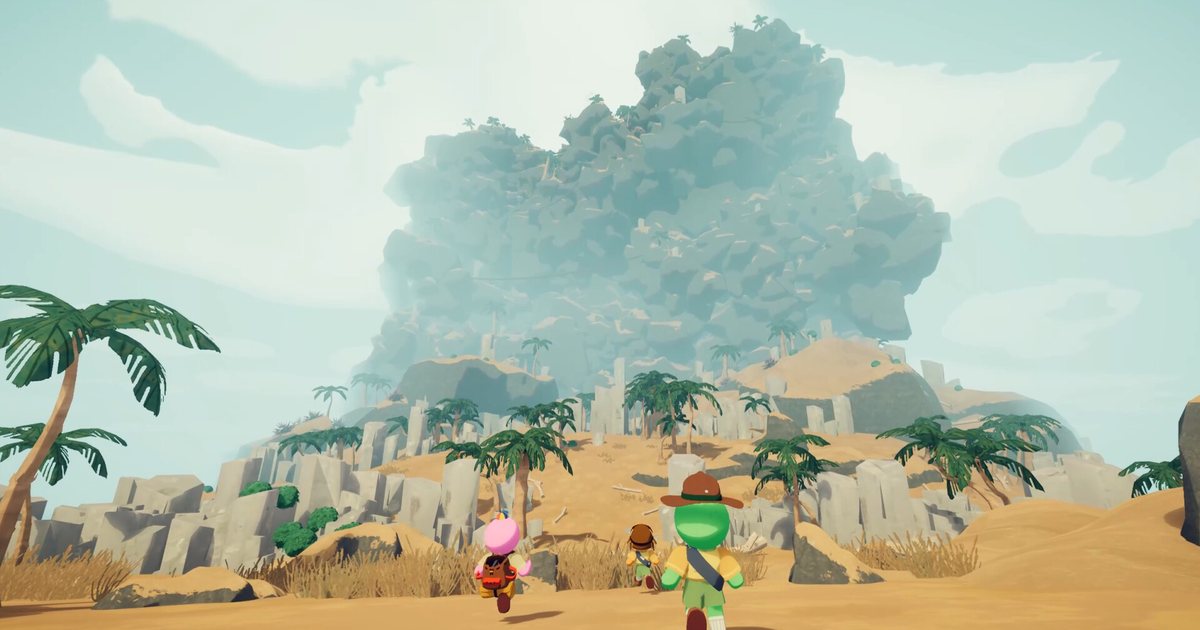
| PEAK | Online cross-platform co-op, offline single player | A co-op climbing game where everyone heads for the summit together. Whoever slipped first becomes the running joke of the night. |
| Lethal Company | Online co-op | Co-op horror about scavenging scrap from dark, dangerous places together. Nervous silence and loud laughter take turns. |
| Phasmophobia | Up to 4 players, online co-op, VR supported | Ghost hunting co-op horror where teamwork decides everything. Splitting up the evidence work is half the fun. |
| Content Warning | 4 player online co-op, cross-platform | Horror comedy where you film spooky things and try to go viral. The footage itself is the punchline. |
| Deep Rock Galactic | 1 to 4 players, online co-op, adjustable difficulty | Co-op shooter that sends your crew digging through maze-like procedural caves. It clicks when everyone covers each other. |
| HELLDIVERS 2 | Online co-op, adjustable difficulty | Squad co-op shooter built around dropping into missions together. Lower the difficulty for a friend who just joined. |
| Valheim | 1 to 10 players, online co-op | Exploration and survival in a procedurally generated world. Perfect for a shared world you return to night after night. |
| Among Us | Online and LAN play, cross-platform across PC, console, Android and iOS | Social deduction party game about finding the impostor. Friends who only have a phone can still join. |
| Left 4 Dead 2 | Online co-op and versus, Remote Play Together | The classic zombie co-op shooter. Adjustable difficulty and Steam Workshop content keep it fresh for years. |
| Pummel Party | 1 to 8 players, online or local, Remote Play Together | Board game meets minigames. Friendships wobble and the laughs get louder every round. |
| League of Legends custom game / VALORANT five-stack | Party of five (VALORANT five-stack), LoL custom lobby, Riot client | The competitive game your five already know. Fill the teams with the League custom game finder and the VALORANT five-stack finder. |
Six things to check before you launch
- Tonight's headcount fits the game (Phasmophobia up to 4, R.E.P.O. up to 6, Pummel Party up to 8, Valheim up to 10)
- Everyone owns the game; all 11 Steam picks on this list are paid
- If a friend only has a console or phone, the game supports crossplay with it (Among Us covers PC, console, Android and iOS)
- Someone is hosting and has the invite code or lobby ready
- Everyone is in the Discord voice channel and every mic is picking up
- Recording is running before the first round, because the best moments never wait
How to get a group game night going in five steps
- 1Pick by group sizeCount who is definitely in. Three or four players suit Phasmophobia, Deep Rock Galactic or Content Warning. Five or six fit R.E.P.O. or a League or VALORANT party of five. Seven or more is easiest in Pummel Party (up to 8) or Valheim (up to 10). If a store page lists no number, check it before anyone buys.
- 2Check who owns whatLook through each other's Steam libraries and sort out missing copies early, or send one using how to gift a game on Steam. Households sharing a library can follow the Steam Family Sharing guide, but one shared copy can only be played by one person at a time, so make sure there are enough copies for everyone playing together. Games marked Remote Play Together on Steam, such as Left 4 Dead 2 and Pummel Party, also let the host who owns the game stream it and invite friends in remotely.
- 3Open the lobby and share the codeOne person hosts, creates the room and sends Steam invites or drops the room code in the group chat. See how to play PEAK with friends using room codes and the MECCHA CHAMELEON join code guide for how code-based lobbies work. League uses a custom game lobby, VALORANT a party invite.
- 4Get everyone on Discord voiceOpen one Discord voice channel so the conversation carries over when you switch games. Check mic input and volume before the first round, and if you want the call audio in your videos too, read how to record Discord call audio first.
- 5Keep the funniest momentsThe best part of a group night is replaying it afterwards. Start recording before the first round so the moment someone sprints off screaming is already saved. With DOR running, supported games record as soon as you launch them, so everyone can trim their best bits and drop them into your group's guild.
Keep the whole night with DOR: auto recording and a private guild for your group
DOR is a free Windows app that records PC games automatically. Supported games from this list, R.E.P.O., PEAK, Phasmophobia, HELLDIVERS 2, Valheim, Among Us and Left 4 Dead 2, start recording the whole session the moment you launch them, and you cut the funny parts into clips in the browser editor. League of Legends and VALORANT also get automatic kill and highlight clips, plus party clip, which combines your friends' POVs of the same match into one highlight video. Lethal Company, Content Warning, Deep Rock Galactic and Pummel Party can be captured with DOR's screen recording. In DOR Studio (dor.gg/studio) you can trim and merge clips, switch between 16:9, 9:16 and 1:1, add text, background music and effect templates, then export an mp4 or share a dor.gg link. Create a private DOR guild just for your group to upload everyone's clips, chat and schedule the next game night, then post one dor.gg link in the group chat so the whole crew can watch.