The short answer: check these four things before you upgrade your GPU
A GPU upgrade is more than picking a card. You need to know whether your power supply can feed it, whether the connectors match, whether it physically fits in your case, and whether your motherboard and CPU can keep up. If all four line up, you can drop in the new card and keep everything else.
If one does not, sort out the PSU or case first, because that is cheaper than returning a card. If you just want a pick by resolution: RTX 5060 Ti 16GB or RX 9060 XT 16GB for 1080p, RTX 5070 Ti or RX 9070 XT for 1440p, and RTX 5080 for 4K.
- PSU: does your unit meet the larger of the GPU maker's minimum and the partner card's listed requirement, and does it have enough 8 pin PCIe cables or a 16 pin 12V-2x6 cable?
- Case fit: will the exact model's length and thickness fit under your case's maximum GPU length, with room left for the power cable to bend?
- Motherboard and CPU: check the PCIe generation of your GPU slot. Measured reviews and retailer spec sheets list the RTX 5060 and 5060 Ti as x8 cards, so on an older PCIe 3.0 board the 16GB versions are the safer buy.
- Drivers: if you are switching between NVIDIA and AMD, remove the old driver before installing the new one.
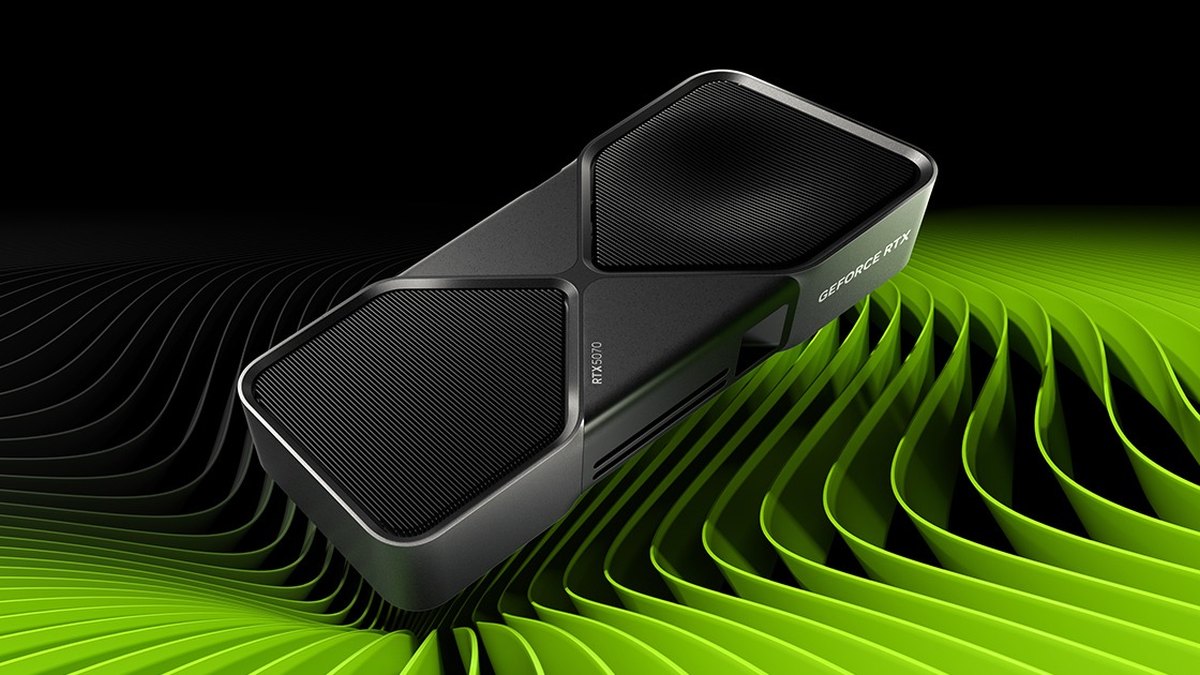
Reference table: official PSU requirement and power connectors by card
The table below lists the minimum system power and reference board power connectors published by NVIDIA and AMD. "What PSU do I need for an RTX 5070" comes up often in upgrade threads, and these numbers are the starting point.
If you are building a whole new PC rather than swapping a card, our gaming PC buying guide covers how to choose a PSU tier and brand. This guide focuses on dropping a new card into the PC you already own.
| Card | Manufacturer minimum PSU | Power connectors (reference) | What to check on the exact model |
|---|---|---|---|
| RTX 5060 / 5060 Ti | 550W / 600W | One 8 pin or 16 pin | x8 card per measured reviews. On older PCIe 3.0 boards, pick 16GB |
| RX 9060 XT | 450W | One 8 pin | Length varies by partner card |
| RTX 5070 / RX 9070 | 650W | Two 8 pin or 16 pin | Some partner cards list 750W |
| RTX 5070 Ti / RX 9070 XT | 750W | Two 8 pin or 16 pin (some 9070 XT models use 12V-2x6) | Some partner cards list 850W or run past three slots |
| RTX 5080 | 850W | Three 8 pin or 16 pin | NVIDIA asks for three slots (61mm) of clearance |
| RTX 5090 | 1000W | Four 8 pin or 16 pin | Some partner cards are 3.8 slots and 357mm long |
Power supply: cables and how you plug them in matter as much as wattage
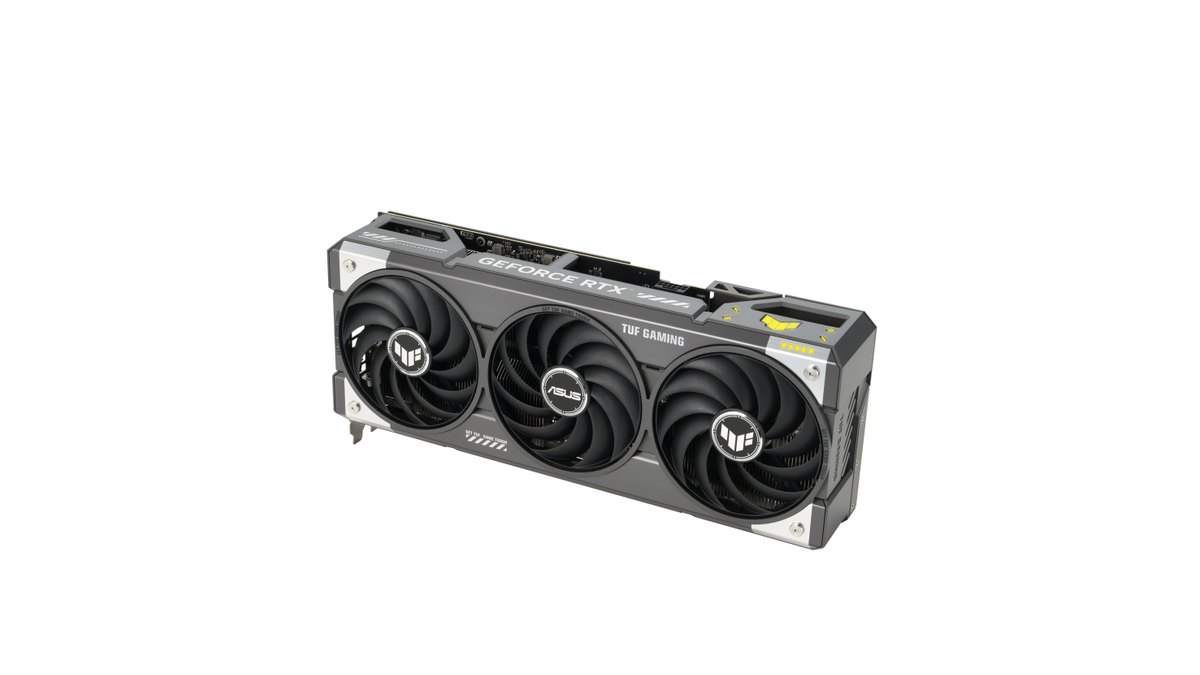
Cards built on the same chip do not share the same PSU recommendation. ASUS lists 750W for its Prime RTX 5070 and 850W for its TUF Gaming RTX 5070 Ti, one step above NVIDIA. ASUS explains that its figure assumes both the GPU and CPU are overclocked to the maximum.
Sapphire lists 850W for its NITRO+ RX 9070 XT, above AMD's 750W minimum. If you own a 650W unit and buy one of these cards, you fall short of the maker's own number, so always look up the exact model before checkout.
Enough watts means nothing if you are short on cables. Reference RTX 5070 and 5070 Ti cards ship with an adapter that turns two 8 pin plugs into one 16 pin plug; the RTX 5080 needs three and the RTX 5090 needs four.
NVIDIA's manual says each 8 pin should come from its own dedicated cable rather than two plugs on one daisy chained lead. A 6+2 pin plug on your PSU becomes a full 8 pin when the two pieces snap together.
If your PSU has a native 16 pin cable (12V-2x6, or the older 12VHPWR name), you can skip the adapter. A major PSU maker explains that the difference between the two standards is on the card side, so an existing 12VHPWR cable still works.
Some builders with newer ATX 3.1 units prefer the native cable because it means fewer contact points, though both routes are officially supported. Only use the cables that came with your PSU.
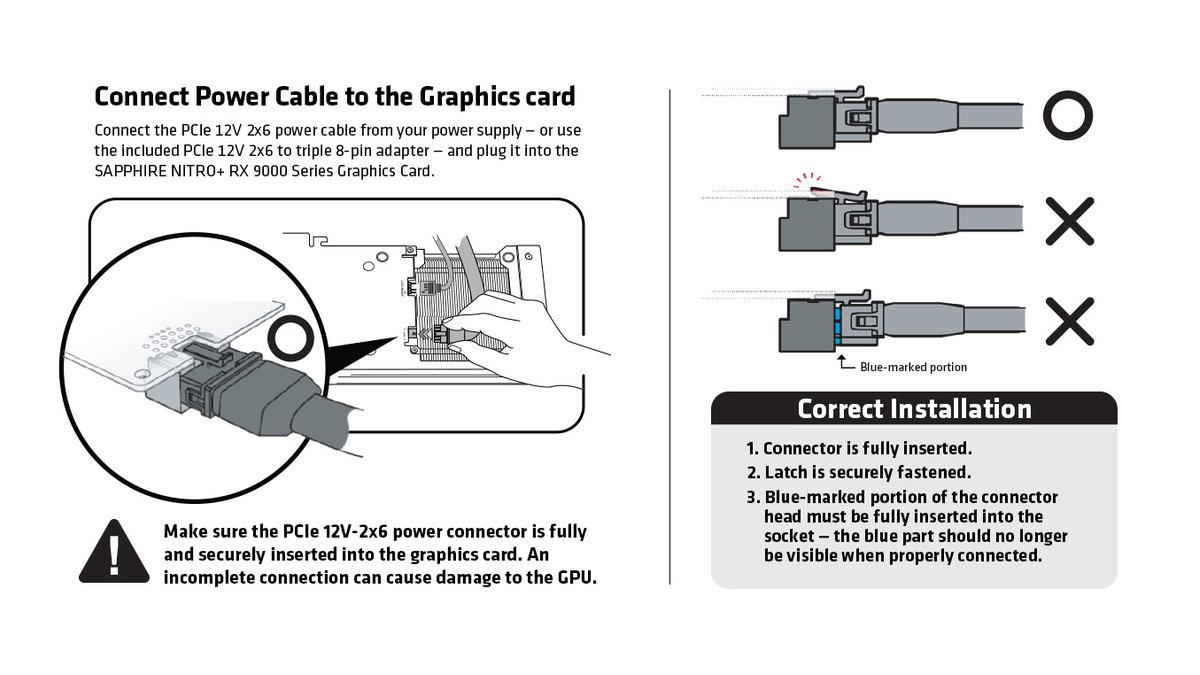
With 16 pin connectors, full insertion is everything. NVIDIA tells you to push the plug in until it sits flush with the socket. Sapphire says to keep pushing until the latch clicks and the blue marking on the connector head is no longer visible.
A PSU maker's guidance adds that you should not bend the cable right at the connector after it is seated; shape the bend before you plug it in. If your PSU is old, look at its age and warranty, not just the wattage.
Among user opinions, some say a unit close to ten years old should be replaced along with the card, while others say keep using it as long as the warranty runs.
Case fit: measure the exact model, not the chip name
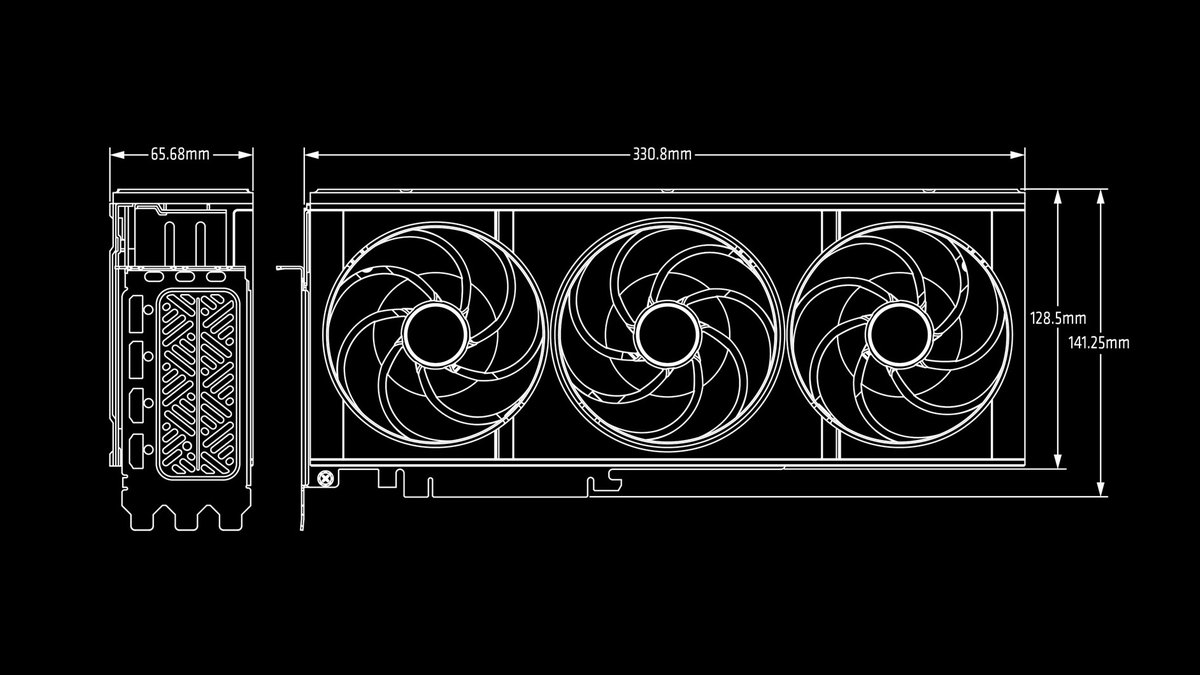
Check fit against the spec sheet of the card you are actually buying, not "RTX 5070 Ti" in general. The RTX 5070 Founders Edition is 242mm long and two slots thick, while the ASUS TUF Gaming RTX 5070 Ti is 329mm and 3.125 slots, and the Sapphire NITRO+ RX 9070 XT is 330.8mm and 3.2 slots.
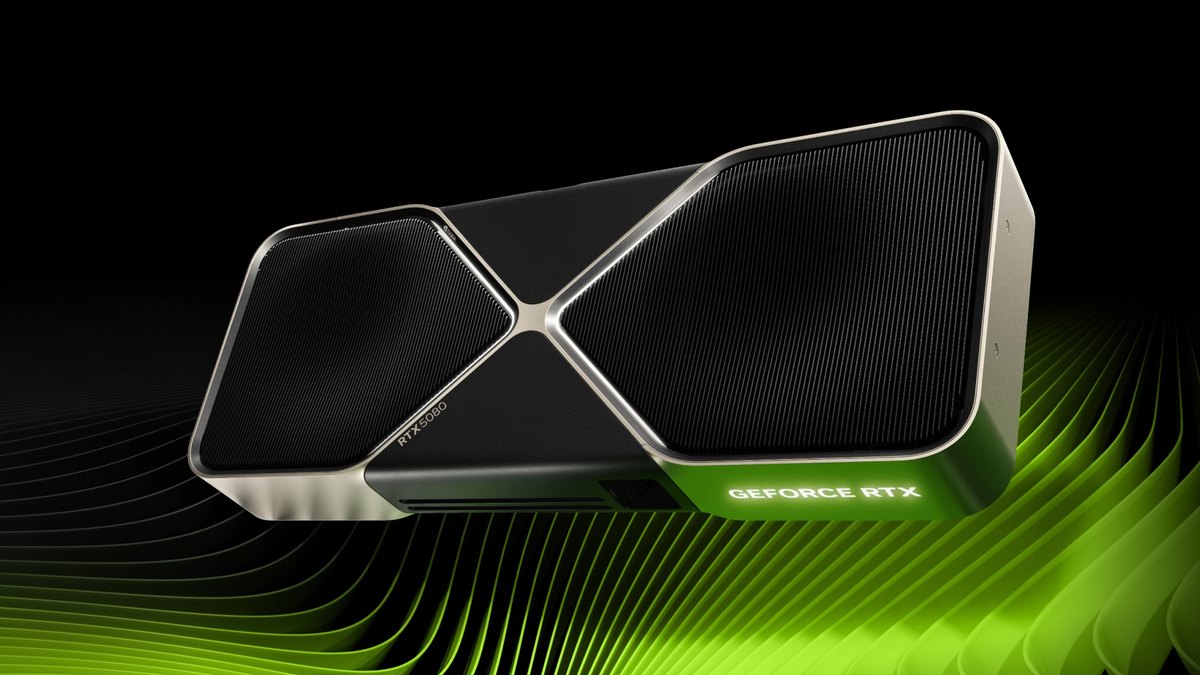
When you compare against your case's maximum GPU length, subtract anything mounted at the front, such as fans or a radiator. The RTX 5080 and 5090 Founders Edition cards are listed as two slots, but NVIDIA's install notes ask for three free expansion slots, or 61mm of space.
If the power plug sits at the end of the card, add room for the cable bend so your side panel does not press on the connector.
Motherboard slot and CPU: 60 class cards run at x8, so pick 16GB on older boards
The RTX 5060 and 5060 Ti use a full size x16 slot, but measured reviews and retailer spec sheets list them as PCIe 5.0 x8 cards. According to measured reviews, an RTX 5060 Ti on PCIe 4.0 x8 averaged roughly 1 to 2 percent slower, and about 4 percent slower on PCIe 3.0 x8.
The real problem appears when video memory runs out. The 8GB model dropped sharply on PCIe 3.0 at high settings once its memory filled up, while the 16GB model showed little difference under the same conditions.
So if you are putting a 60 class card in an older board, the 16GB version is the safer choice. We compare the two 16GB options in RTX 5060 Ti 16GB vs RX 9060 XT 16GB. AMD's official specs list the RX 9060 XT, 9070 and 9070 XT as PCIe 5.0 x16 cards.
Whether your CPU can keep up depends on the game and resolution; our CPU and GPU bottleneck guide shows how to check which part hits its limit first.
By resolution: which card and PSU pairing makes sense
| Resolution | Our pick | PSU baseline (manufacturer minimum) |
|---|---|---|
| 1080p high settings | RTX 5060 Ti 16GB or RX 9060 XT 16GB | 600W or 450W and up, one 8 pin |
| 1440p medium settings | RTX 5070 or RX 9070 | 650W and up, two 8 pin or 16 pin |
| 1440p high settings or high refresh | RTX 5070 Ti or RX 9070 XT | 750W and up, two 8 pin or 16 pin |
| 4K | RTX 5080, or RTX 5090 at the top end | 850W or 1000W and up, three or four 8 pin or 16 pin |
If you run a 650W PSU today, the RTX 5070 and RX 9070 sit within the manufacturer minimum, while the RTX 5070 Ti and RX 9070 XT call for 750W or more. To choose between those two for high settings at 1440p, read RTX 5070 Ti vs RX 9070 XT.
In competitive games like VALORANT or League of Legends that already run at hundreds of frames, the CPU can matter more than the GPU, so a new card alone may not raise your frame rate as much as you expect.
Prices (as of November 10, 2026)
| Product | Launch MSRP (US) | Street price range |
|---|---|---|
| RTX 5060 Ti 16GB | $429 | About $820 to $880 |
| RX 9060 XT 16GB | $349 | About $750 to $790 |
| RTX 5070 | $549 | About $900 to $1,000 |
| RX 9070 | $549 | About $750 to $1,020 |
| RTX 5070 Ti | $749 | About $1,200 to $1,540 |
| RX 9070 XT | $599 | About $950 to $1,170 |
| RTX 5080 | $999 | About $2,100 to $2,600 |
| RTX 5090 | $1,999 | About $6,550 to $7,380 |
Right now most of these cards sell well above launch MSRP, and the same chip can differ by hundreds of dollars depending on the brand and cooler. Prices move within days, so check the retailer again once you settle on a model. If the upgrade also needs a new PSU or case, compare the total cost rather than the card alone.
Install order: from pre purchase checks to your first game
- 1Write down the exact card specsOn the official page for the specific model, not the chip, note the recommended PSU, power connector type and count, length, and thickness.
- 2Check your current PCRead the rated wattage on your PSU label, count your free PCIe power cables, and find your case's maximum GPU length. Compare them with your notes.
- 3Clean out drivers if you switch brandsWhen leaving AMD, AMD Cleanup Utility is the official removal tool. AMD recommends running it in Safe Mode; it creates a restore point first and asks for a reboot at the end.
- 4Remove the old cardShut down, unplug the power cord, and let the card cool. Press the latch at the end of the motherboard slot, then pull the card straight out.
- 5Connect power first, then installAs NVIDIA's manual suggests, plug the power connector into the card before seating it and confirm it is flush. Then install it in the first x16 slot closest to the CPU and screw it in.
- 6Plug the monitor into the card and install driversConnect your display cable to the graphics card, not the motherboard. Install the latest driver through the NVIDIA App or AMD Software.
- 7Verify in game and compare recordingsWatch FPS and GPU usage in the NVIDIA App overlay or Task Manager, then record the same scene you captured before the swap and compare them side by side.
When you switch between NVIDIA and AMD in particular, we recommend removing the old driver before installing the new one.
Some users in community threads have used cleanup tools such as Display Driver Uninstaller, but it is third party software rather than an official vendor tool, so use it knowing that.
If games start crashing to a black screen after the swap, check the driver version, the Windows Event Viewer log, and the PSU, in that order.
Upgraded but FPS did not go up: check these first
- NVIDIA's manual says to connect the display cable to the graphics card, not the motherboard. First make sure it is not still plugged into the motherboard port.
- On PCs with integrated graphics, a game may launch on the iGPU. See how to choose which GPU a game uses to assign the high performance GPU per game in Windows.
- If GPU usage stays low and FPS does not move, check in game frame caps, V-Sync, and CPU limits in that order.
- If FPS rises and then drops, check temperatures. Our guide on how to check GPU temperature shows how.
- If you filled two 8 pin sockets from one daisy chained cable or the 16 pin plug is not fully seated, power down and reconnect.
- If you put an 8GB 60 class card in an older PCIe 3.0 board, lower texture quality one step to reduce memory use.
What users say: opinions split on how much headroom you need
In the PC hardware forums we read, three points come up again and again: leave one step of headroom above the manufacturer number, judge an old PSU by its age and warranty before its wattage, and measure the actual card length.
Some users size the PSU by adding GPU board power, maximum CPU power, and a margin, while others argue that transient load handling, protections, and build quality matter more than the raw wattage. In one RTX 5080 upgrade thread, replies favored a newer ATX 3.1 unit in the 850W to 1000W range.
Opinions also split on adapters versus native 16 pin cables, but the manufacturers allow both and stress one thing: seat the connector fully. One forum reply suggested an upgrade is only worth it when performance roughly doubles.
Record the same scene before and after the swap
An overlay number does not always tell you how much smoother a game feels. Record the same map and the same moment in a game you play often before you swap cards, then record it again afterward with the same recording settings, and you can see for yourself whether stutters went away.
DOR is a free Windows app that detects supported games when you launch them and records the full match, saving everything to "My Clips". The free plan records at 720p or 1080p and 30 or 60fps, and DOR Pro adds 1440p, 4K, 120fps and 144fps.
On supported NVIDIA graphics cards such as the RTX series, DOR records with NVENC hardware encoding. After a swap, open the recording settings and confirm the resolution and frame rate once so your before and after clips match.
For NVIDIA cards, see NVIDIA game recording settings, and for a step by step comparison method, see recording before and after a gear upgrade. Trim the same section in the app, then merge the two clips in DOR Studio to watch before and after in one video.