
Verdict: most gamers should buy the RX 9070 XT, ray tracing and DLSS fans the RTX 5070 Ti
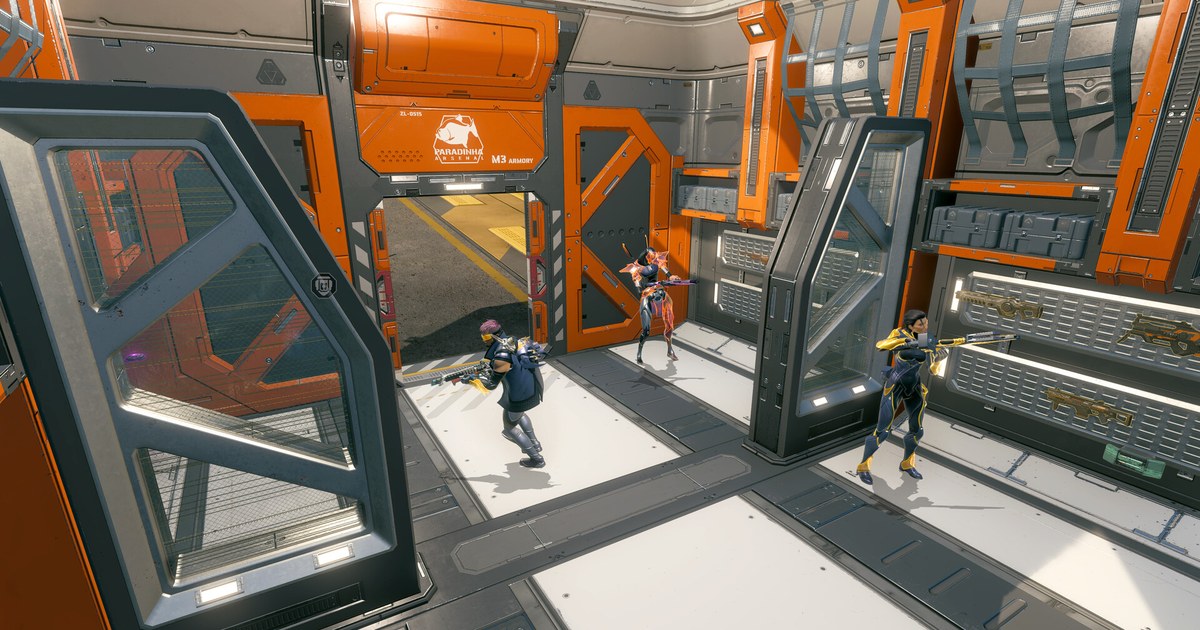
For most people the AMD Radeon RX 9070 XT is the one to buy. In a 52 game retest published in May 2026, the RTX 5070 Ti was only about 1.4% faster on average at 1440p, which is inside the margin of error, and with ray tracing turned off the 9070 XT was often the faster card.
Both carry 16GB of VRAM and both list a 750W minimum power supply. In the US the 5070 Ti still sits a clear step above the 9070 XT on price, so the Radeon gives you essentially the same 1440p experience for less money. That is why the 9070 XT scores 4.5 overall and the 5070 Ti 4.0.
On performance alone, though, the 5070 Ti is the winner: it is stronger in heavy ray tracing, path tracing, 4K and efficiency. If you play with those features on, or if the price gap shrinks, the 5070 Ti becomes the better buy.
- Best overall, RX 9070 XT ★★★★½ 4.5: the right card for most 1440p players who often leave ray tracing off.
- Best performance, RTX 5070 Ti ★★★★☆ 4.0: for path traced AAA games, DLSS Multi Frame Generation and 4K monitors.
- Competitive shooters on high settings, RTX 5070 Ti: slightly higher numbers in VALORANT, Overwatch and Rainbow Six Siege, though both are plenty fast at 1440p.
- Mostly Call of Duty, RX 9070 XT: it won by a wide margin in the previous two Call of Duty titles.
- Recording or streaming while you play, RTX 5070 Ti: it has two ninth generation NVENC encoders.
- Tighter budget, RX 9070: the same 16GB with a 650W PSU recommendation.
Star ratings: RX 9070 XT 4.5, RTX 5070 Ti 4.0
| Criterion | RX 9070 XT | RTX 5070 Ti |
|---|---|---|
| Overall | ★★★★½ 4.5 | ★★★★☆ 4.0 |
| Performance (35%) | 4.5 · tied at 1440p raster, behind in ray tracing and efficiency | 5.0 · top of the tier in raster, ray tracing and efficiency |
| Value (25%) | 4.5 · nearly the same performance for clearly less money | 3.0 · a full step pricier within the tier |
| User reputation (20%) | 4.0 · praised for price to performance, fewer FSR 4 games | 4.0 · praised for features and stability, recent price hikes |
| Popularity (10%) | 4.5 · 1.59% on Steam, highest ranked Radeon desktop card | 4.5 · 1.91% on Steam, 13th overall |
| Durability and support (10%) | 3.5 · partner cards only, warranty varies by brand | 3.5 · partner cards only, warranty varies by brand |
The gap comes down to value. On performance the 5070 Ti earns a 5.0: it matches or slightly beats the 9070 XT in regular games, pulls well ahead in heavy ray tracing and used less power in testing (the 9070 XT drew about 20% more), so there is little to fault within this tier.
The 9070 XT often wins at 1440p with ray tracing off, but it falls well behind in path tracing and uses more power, so it gets a 4.5.
Value is judged by where each card sits on price inside the same tier as of November 10, 2026, and because the two perform so similarly, the noticeably cheaper 9070 XT pulls ahead 4.5 to 3.0. Reputation and popularity came out high and even.
Neither card is sold directly by NVIDIA or AMD, so warranty terms depend on the board partner, and with no independent failure rate data both get the same baseline durability score.
Specs: same VRAM size and PSU rating, different memory type and features
| Spec | RTX 5070 Ti | RX 9070 XT |
|---|---|---|
| Launch | February 2025 | March 2025 |
| Architecture | NVIDIA Blackwell | AMD RDNA 4 |
| Shader units | 8,960 CUDA cores | 64 CUs, 4,096 stream processors |
| Ray tracing and AI units | 4th gen RT cores, 5th gen Tensor cores | 64 Ray Accelerators, 128 AI Accelerators |
| Clocks (as listed) | 2.45GHz boost | 2,400MHz game, up to 2,970MHz boost |
| Memory | 16GB GDDR7, 256 bit | 16GB GDDR6, 256 bit, up to 640GB/s, 64MB Infinity Cache |
| Power | 300W TGP | 304W typical board power |
| Recommended PSU | 750W | 750W minimum |
| Power connectors (reference) | 2x 8 pin via adapter or one 16 pin | 2x 8 pin |
| Display outputs (reference) | 3x DP 2.1b, 1x HDMI 2.1b | DP 2.1a, HDMI 2.1b |
| Hardware encoder | 2x 9th gen NVENC, AV1 encode | H.264, HEVC and AV1 encode |
| Upscaling and frame gen | DLSS 4.5, Multi Frame Generation, DLSS 5 | FSR Upscaling (formerly FSR 4), FSR Frame Generation, Redstone |
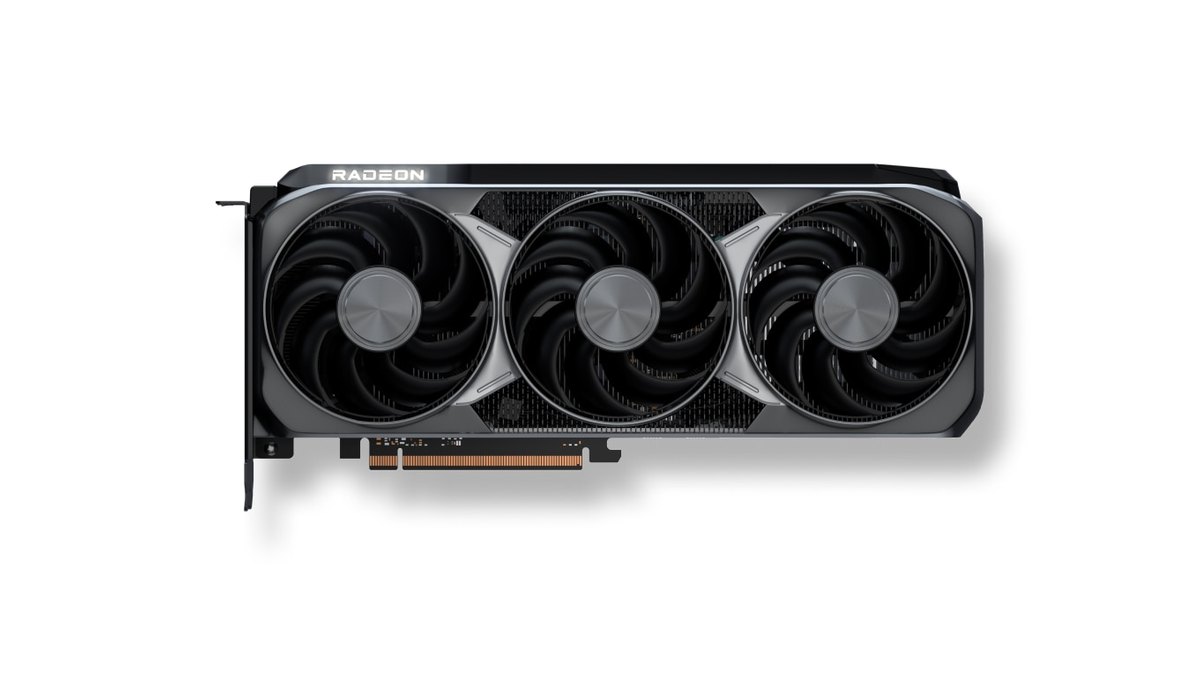
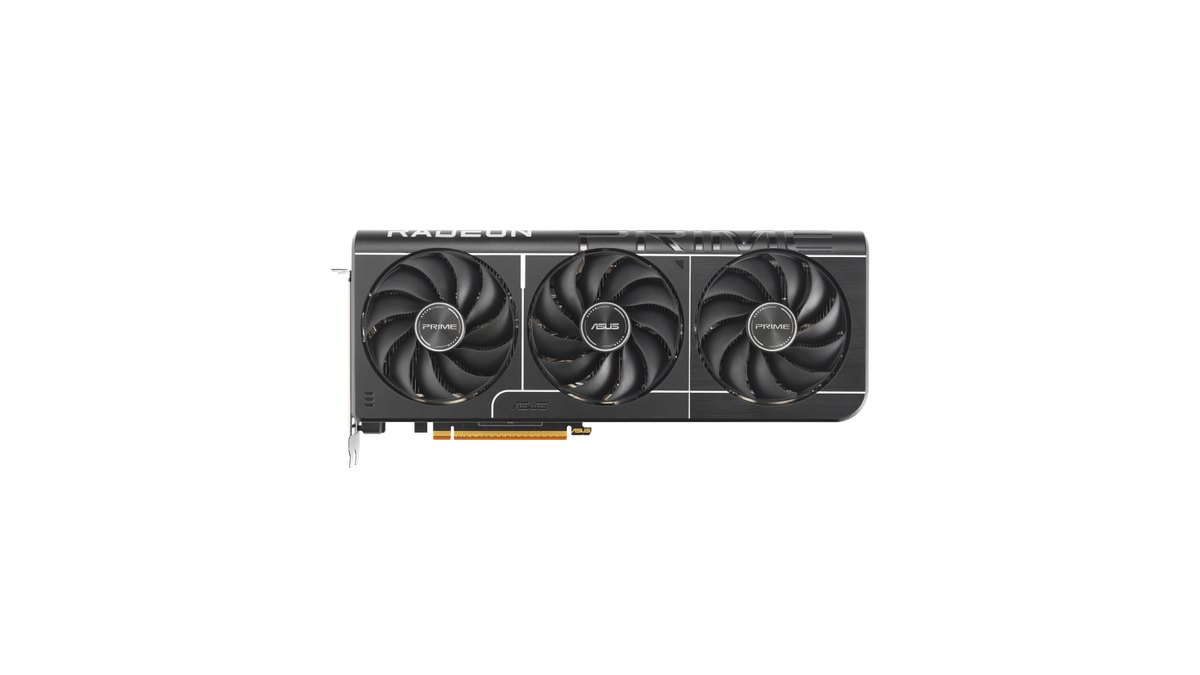
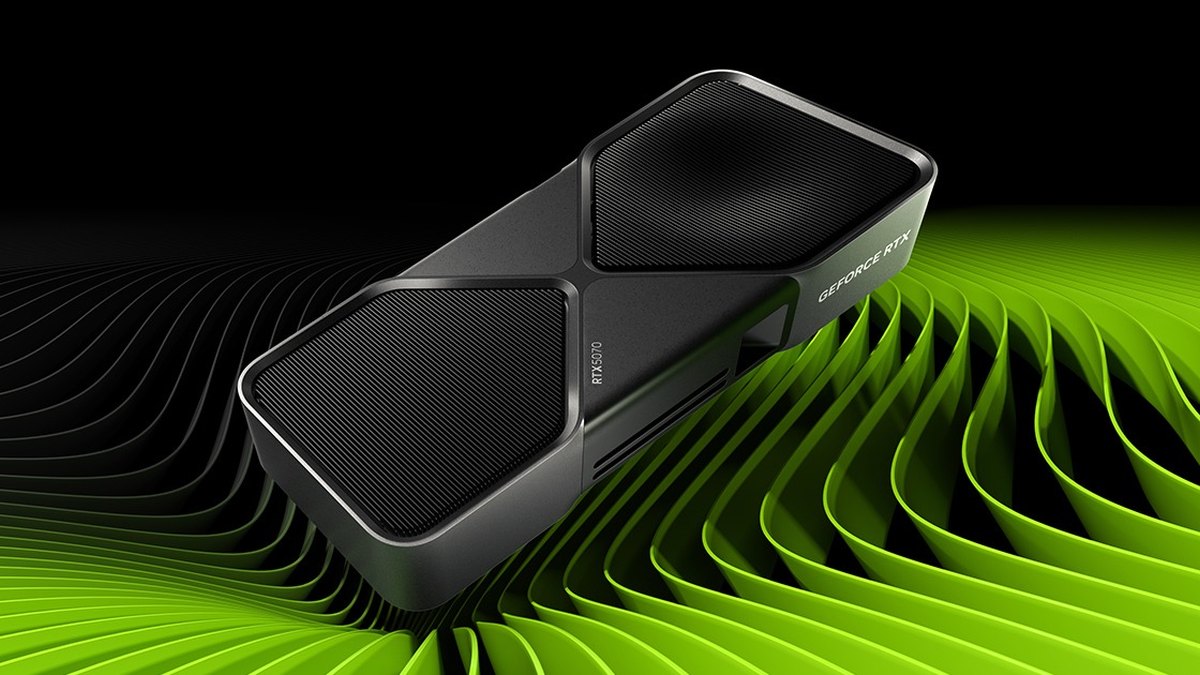
Know this before you shop: neither GPU maker sells its own version of these cards. There is no RTX 5070 Ti Founders Edition, and NVIDIA lists card dimensions as varying by manufacturer. The 9070 XT image on AMD's site is a render of a card that is not for sale.
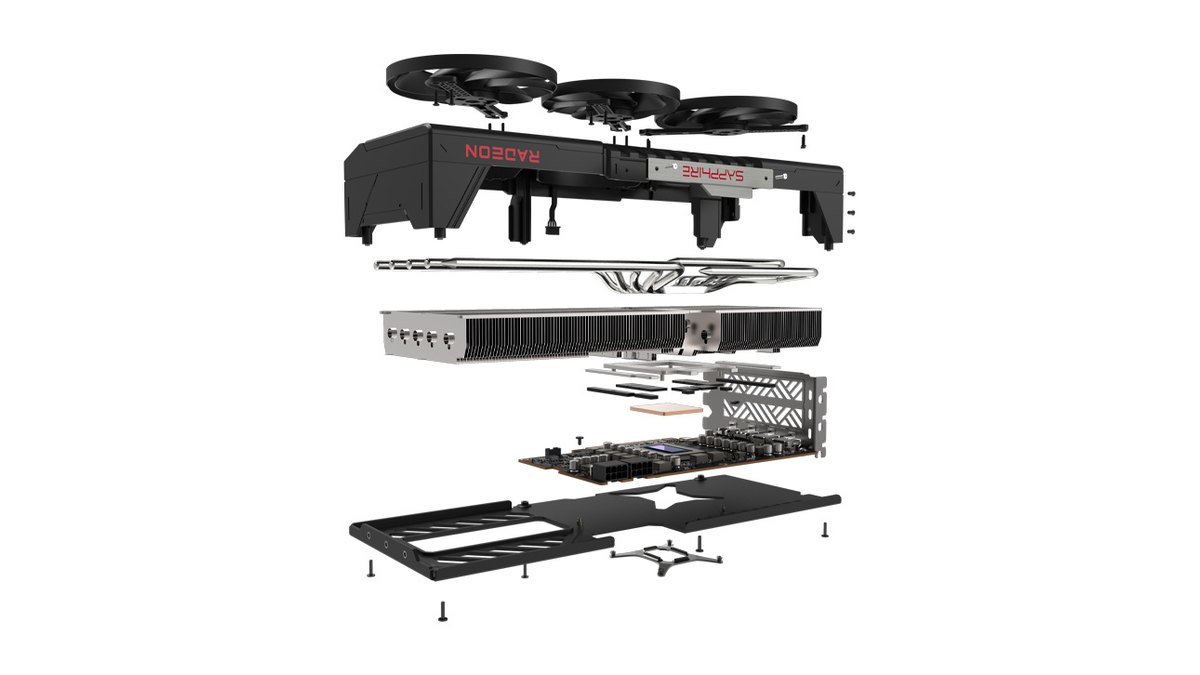
What you actually buy is an AIB card from ASUS, Sapphire, GIGABYTE, MSI, ASRock and others, and even on the same chip the size, power connector, PSU recommendation and warranty differ. The memory is also different even though the capacity is the same.
The 5070 Ti uses GDDR7, which gave it roughly 40% more bandwidth in testing, and reviewers point to that as a key reason it holds up better at 4K.
1440p raster performance: effectively a tie, but it flips game by game
Treat 1440p raster performance as a draw. In the May 2026 retest across 52 games the 5070 Ti was about 1.4% ahead on average, and 1% lows were almost identical. At 4K the 5070 Ti led by about 4%.
In the 55 game comparison from March 2025, right after launch, the 9070 XT trailed by about 5%, and even then 36 of the 55 games were within 10%. A year later the gap had narrowed further.
What matters more than the average is which card is stronger in the games you actually play, because individual results can swing by more than 20% either way.
| Game | Benchmark result | Faster card |
|---|---|---|
| Ghost of Tsushima | 9070 XT up to 14% faster | RX 9070 XT |
| Final Fantasy XVI | 9070 XT up to 21% faster | RX 9070 XT |
| Cities: Skylines II | 9070 XT 17 to 22% faster | RX 9070 XT |
| Doom: The Dark Ages (no ray tracing) | 9070 XT 10 to 12% faster | RX 9070 XT |
| Rust | 5070 Ti 44% faster at 4K max | RTX 5070 Ti |
| Red Dead Redemption 2 | 5070 Ti 24% faster at 4K ultra | RTX 5070 Ti |
| Marvel Rivals | Effectively tied | Even |
| Battlefield 6 | 9070 XT ahead on high, 5070 Ti slightly ahead on overkill | Depends on preset |
So instead of buying on one average number, check which side your two or three most played games fall on. In games that already run at very high frame rates at 1440p, the CPU often becomes the limit before the GPU does, so look at the pairing too. Our guide on matching your CPU and GPU to avoid bottlenecks walks through that.
Ray tracing and path tracing: the RTX 5070 Ti is clearly ahead
If you turn ray tracing on a lot, the 5070 Ti is the answer. In the May 2026 testing, Cyberpunk 2077 with ray tracing ran about 15% faster on the 5070 Ti at 1440p, Indiana Jones on high ray tracing about 56% faster, and Doom: The Dark Ages with path tracing about 63% faster at 1440p, close to double.
Neither card produced a comfortable frame rate in path traced Doom without upscaling, though. Some games buck the trend: in Pragmata, Resident Evil Requiem and Monster Hunter Wilds the 9070 XT matched or beat the 5070 Ti even with ray tracing enabled.
Launch testing also found the 9070 XT competitive in several games where ray tracing visibly changes the image, and concluded that ray tracing is perfectly usable at 1440p with FSR on its quality mode.
In short, light and medium ray tracing is close, and the heavier the ray tracing and path tracing load, the further things tilt toward the 5070 Ti.
Competitive shooters: the 5070 Ti posts slightly higher numbers, but you will rarely feel it
| Game | Benchmark result (May 2026) | Takeaway |
|---|---|---|
| VALORANT | Both over 500 fps even at 4K max, 5070 Ti 9 to 10% ahead at 1440p high | Both are overkill |
| PUBG: Battlegrounds | 5070 Ti 10 to 15% ahead on average fps at 4K, 9070 XT better 1% lows in every test | Average to 5070 Ti, smoothness to 9070 XT |
| Counter-Strike 2 | 9070 XT 14% ahead at 1440p medium, 5070 Ti 24% ahead at 4K max | Flips with settings |
| Overwatch 2 | 5070 Ti 16% ahead at 1440p epic, 23% at 4K epic | 5070 Ti on high settings |
| Fortnite | Both CPU limited in 1440p performance mode, 5070 Ti 20% ahead in 4K performance mode | 5070 Ti at 4K |
| Apex Legends | Both hit the 300 fps engine cap at 1440p, 5070 Ti 10% ahead at 4K | Same at 1440p |
| Rainbow Six Siege | 5070 Ti ahead from 6% at 1440p medium to 11% at 4K max | 5070 Ti |
In esports titles the 5070 Ti generally posts slightly higher numbers, but at 1440p both cards push more frames than most high refresh monitors can show. Reviewers noted that in a game like VALORANT, where both clear 500 fps, the difference is meaningless in practice.
In PUBG the 9070 XT actually had consistently better 1% lows, the metric that shows sudden frame drops.
If you play competitive games at 1440p on a 240Hz or slower monitor, you will often struggle to notice a difference either way; the 5070 Ti only matters if you insist on 4K high refresh or maxed settings. You can see what your own PC actually delivers by following our guide on how to show FPS in games.
Upscaling and frame generation: DLSS leads on features and game support, FSR 4 has closed much of the gap
On upscaling and frame generation, NVIDIA offers more. RTX 50 cards support Multi Frame Generation, which inserts several generated frames for each rendered one, DLSS 4.5 Dynamic Multi Frame Generation, which adjusts that multiplier automatically, and DLSS 5 neural rendering in supported games.
The NVIDIA app can also upgrade the DLSS version in many games. The 9070 XT supports the machine learning based FSR 4, and AMD lists more than 400 supported games.
On top of that there is Redstone, which bundles FSR Frame Generation, Ray Regeneration and Radiance Caching, plus driver level AMD Fluid Motion Frames, and games with FSR 3.1 or later can be upgraded to FSR 4 in AMD Software.
Launch reviews found FSR 4 a big step up from FSR 3, generally landing between DLSS 3 and DLSS 4 in image quality, while NVIDIA still had more supported games.
User feedback in Korean and Japanese hardware communities echoes that: FSR 4 looks good, but if you hop between many games you keep running into titles that do not support it. If you play a lot of DLSS only games, the 5070 Ti is the easier choice.

Power, size and PSU: same PSU rating, but the 9070 XT draws more
Both cards list a 750W minimum PSU, but in benchmark testing the 9070 XT drew about 20% more power while gaming, so the 5070 Ti is the better pick if you want lower power draw and less heat.
In the Korean hardware community we reviewed, several 9070 XT owners describe lowering the power limit or undervolting to bring power and fan noise down. More important is that board partner cards differ.
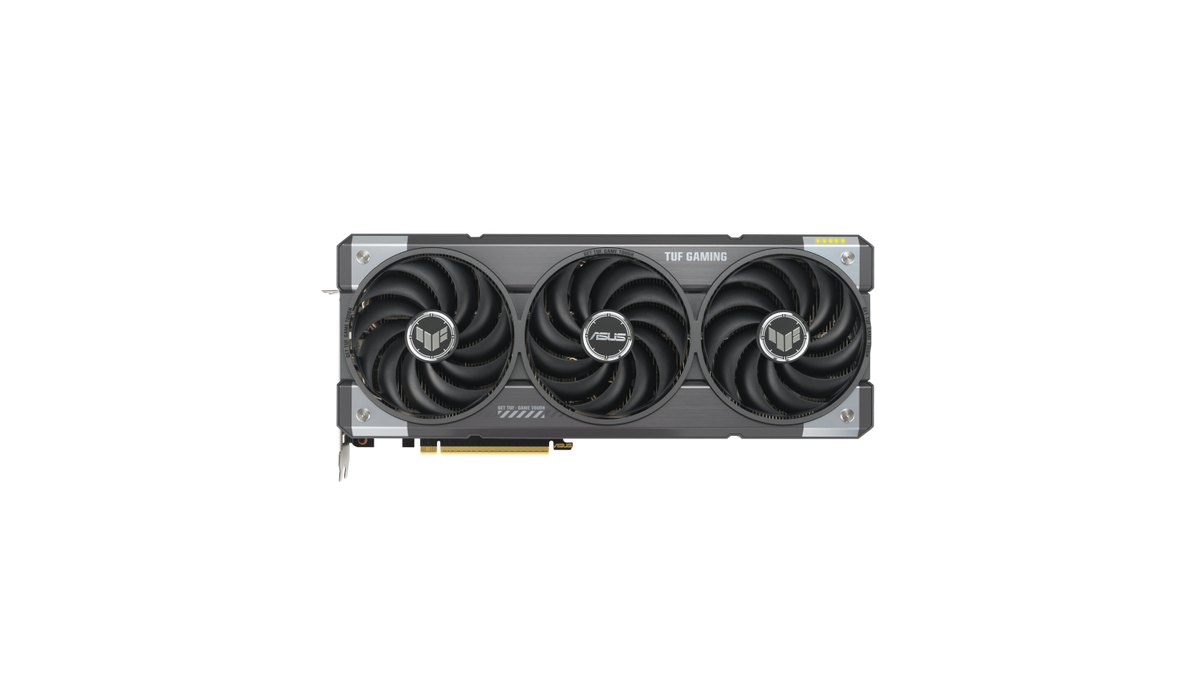
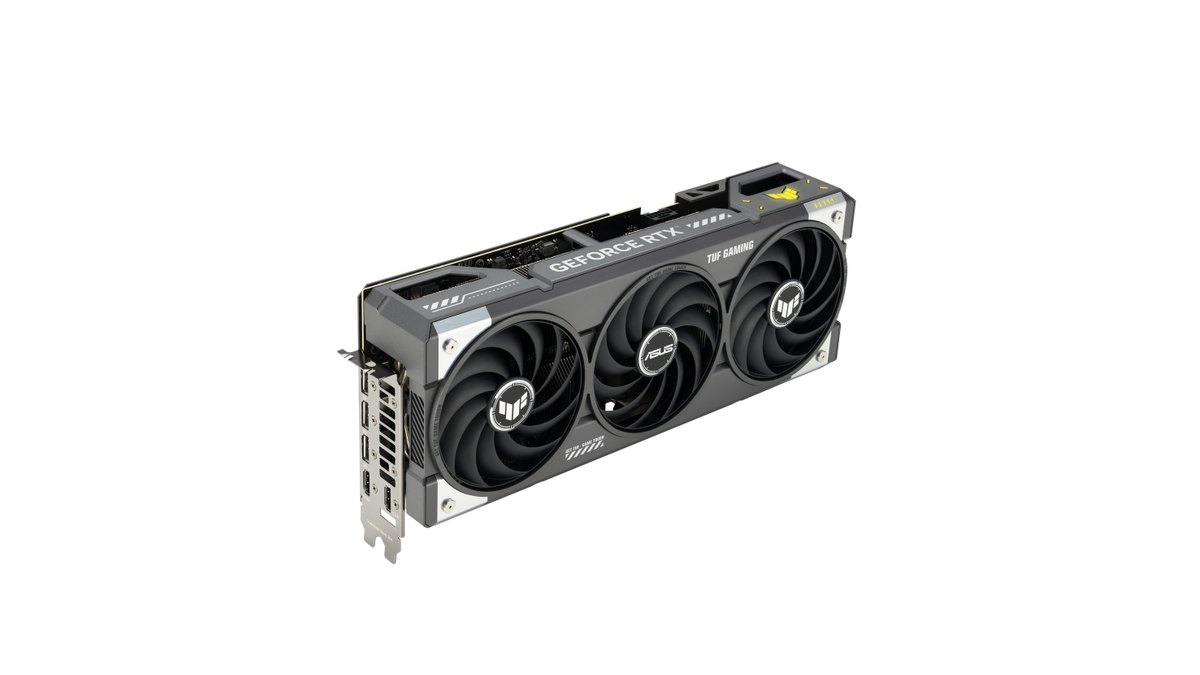
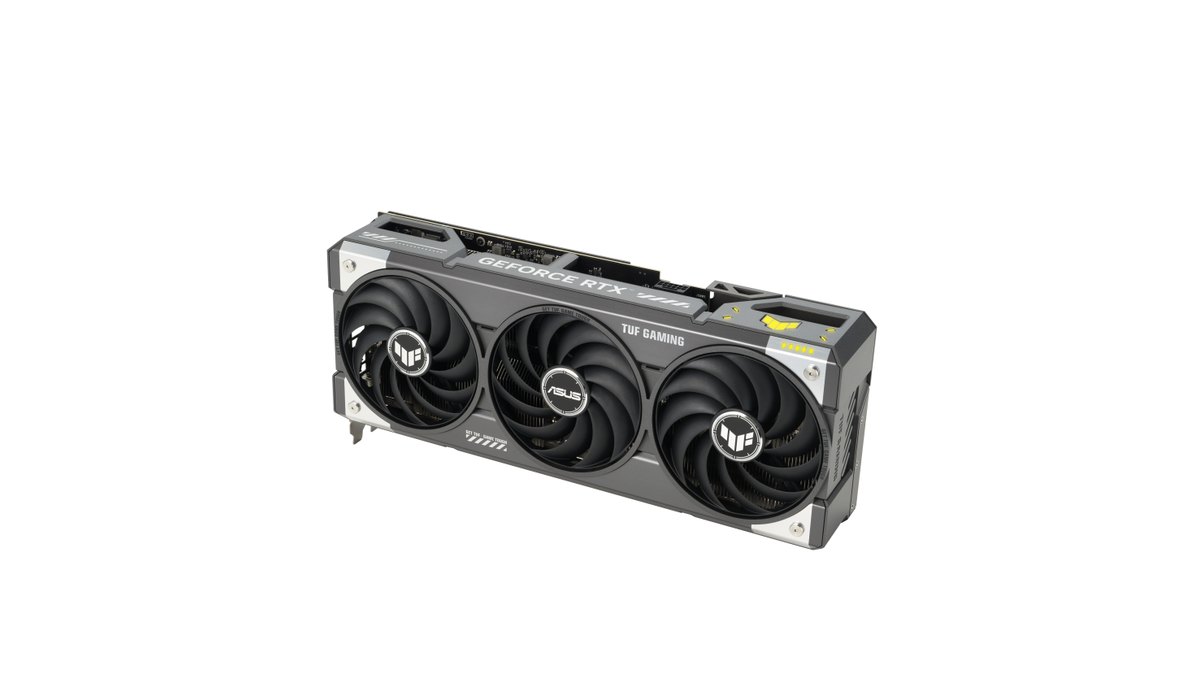
The ASUS TUF Gaming RTX 5070 Ti uses one 16 pin connector, recommends an 850W PSU, and is 329mm long and 3.125 slots thick.
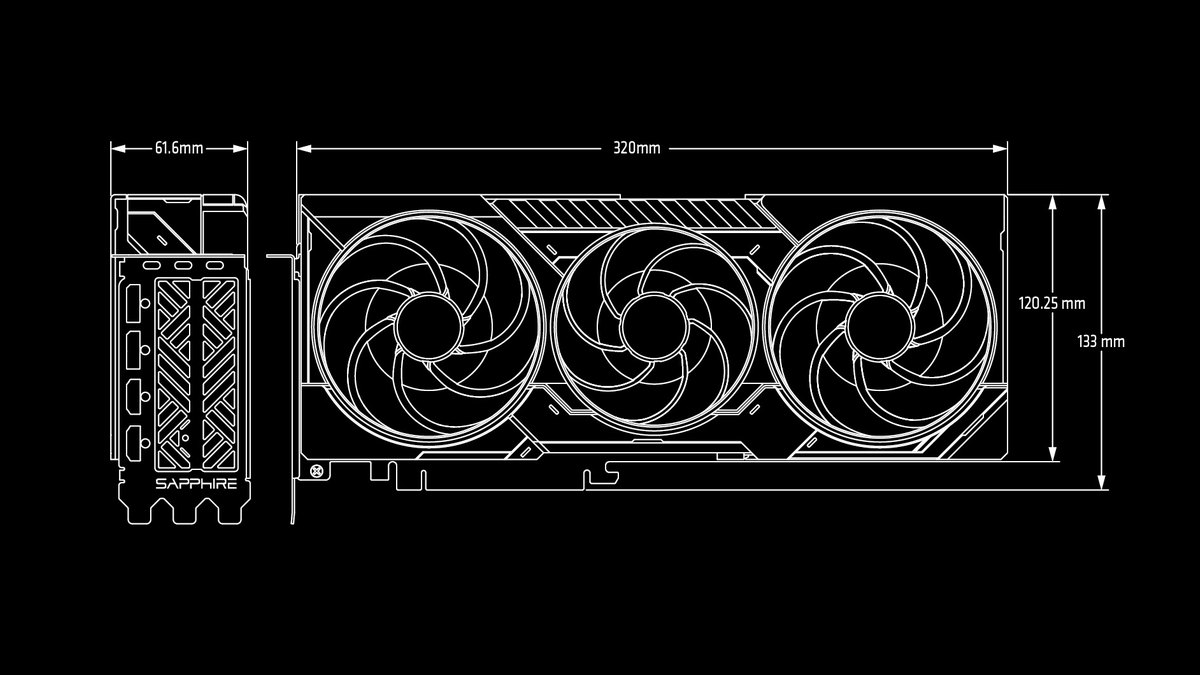
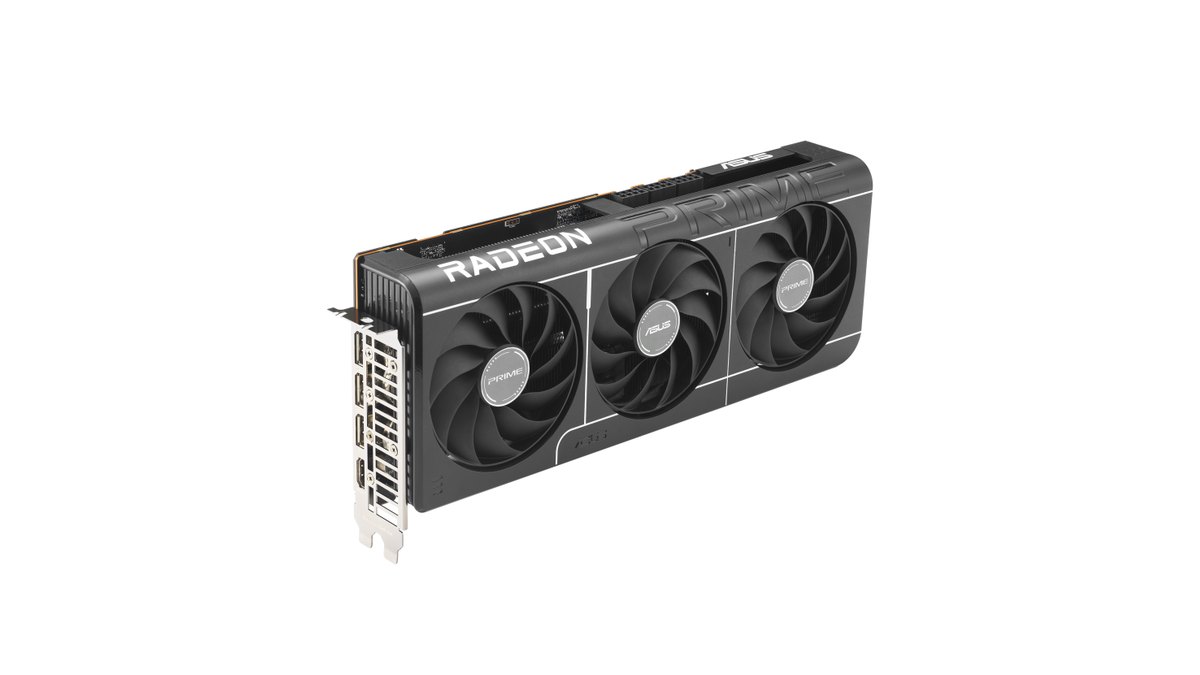
The Sapphire PULSE RX 9070 XT uses two 8 pin connectors, recommends 750W and is 320mm long, while Sapphire's NITRO+ RX 9070 XT is rated at 330W board power with a 12V-2x6 connector and an 850W recommendation. Seat any 16 pin connector fully and flat as the manufacturer instructs.
To check PSU wattage, connectors and case clearance for the exact model you plan to buy, follow our GPU upgrade PSU checklist, and after the swap keep an eye on your GPU temperature.
Recording and streaming encoders: both do AV1, the RTX 5070 Ti has two NVENC units
If you record or stream while you play, the 5070 Ti is the more convenient card. Both GPUs support H.264, HEVC and AV1 hardware encoding, and the 5070 Ti carries two ninth generation NVENC encoders.
DOR, a free game recording app for Windows, records using NVENC hardware encoding on supported NVIDIA graphics cards such as the RTX series. For recording settings by NVENC generation see our GeForce game recording settings guide, and for the difference between hardware and CPU encoding see NVENC vs x264.
We did not find measured encoder quality comparisons between the two brands, so encoder quality is not part of this rating.
If you mainly play Call of Duty or Modern Warfare 4: the 9070 XT led in the previous games
For Call of Duty players, the evidence favors the 9070 XT. In the May 2026 testing, Black Ops 7 ran about 62% faster on the 9070 XT at 4K basic settings and still 19 to 28% faster with ray tracing and upscaling enabled.
In the March 2025 testing, Black Ops 6 was about 22% faster at 1440p and about 19% faster at 4K on the 9070 XT. We could not confirm a like for like comparison of the two cards in Modern Warfare 4 as of the date of this article, so treat the earlier games as a trend only.
If you record Modern Warfare 4 with DOR, it detects the game when you launch it and records the whole session from start to exit, and you can trim the moments you want in My Clips.
Price and popularity: both sell well, and the 9070 XT is the cheaper card in this tier
A year and eight to nine months after launch, both cards are still among the most bought and discussed GPUs. In the October 2026 Steam Hardware Survey the 5070 Ti holds 1.91%, 13th among all graphics cards, and the 9070 XT holds 1.59%, 21st and the highest ranked Radeon desktop card on the list.
Both have grown every month since June. In a major Japanese price comparison site's graphics card ranking for November 3 to 9, one 9070 XT model sat at number 2, the highest of any model on either chip, with 5070 Ti models at 4 and 7.
On price, as of November 10, 2026, the 5070 Ti sits a step above the 9070 XT in the US, and the most recent benchmark review concluded it would pick the 9070 XT at the prices it saw.
The price table below has current ranges; prices move often, so look at the gap again when you buy; if it has shrunk, leaning toward the 5070 Ti is reasonable. Warranty length and support also vary by board partner and retailer, so compare those too.
Prices (as of November 10, 2026)
| Product | Launch price (MSRP) | Street price range |
|---|---|---|
| RX 9070 XT | $599 | About $830 (lowest listing, October 2026) |
| RTX 5070 Ti | $749 | About $1,180 to $1,340 (lowest listings, late October to early November 2026) |
| RX 9070 | $549 | Check retailers |
| RTX 5070 | $549 | Check retailers |
Prices vary by model and retailer and change often. The launch price is the US MSRP, and the street price is the range of the lowest US listings we saw in late October and early November 2026. Both main cards are selling well above MSRP right now, and the gap between them is roughly $350 or more, so check retailers again before you buy.
Who each card is for, and who should skip it
- Buy the RX 9070 XT if you play at 1440p and often leave ray tracing off, want the same performance for less, or mostly play Call of Duty and big console ports.
- Skip the RX 9070 XT if you turn on path tracing or heavy ray tracing, play many DLSS only games, or want the lowest possible power draw and heat.
- Buy the RTX 5070 Ti if you want ray traced AAA games and DLSS Multi Frame Generation, game mainly on a 4K monitor, record or stream while playing, or can get it for close to the 9070 XT price.
- Skip the RTX 5070 Ti if you are a 1440p gamer who rarely enables ray tracing, would not get the price difference back in performance, or mostly play Call of Duty.
What users say: close in price, buy the 5070 Ti; far apart, buy the 9070 XT
Several threads in the Korean hardware community we reviewed point the same way: if the two cards cost about the same, get the 5070 Ti; if the gap is as large as it is now, get the 9070 XT. That matches the conclusion benchmark reviewers reached at launch.
9070 XT owners there praise its price to performance, with some saying there is little to configure if you just game and others saying Radeon Software takes some getting used to. Several also wish more games supported FSR 4.
Opinion is split on partner models: some say the cheapest 9070 XT is fine because performance barely differs between cards, others say premium models are worth the extra.
5070 Ti buyers there cite DLSS, Multi Frame Generation and stability in online games, and the biggest complaint is how much its price has risen recently.
Reviews on a Japanese retail site rated the popular 9070 XT models highly overall, with one thread describing a game crash on a specific driver that the next driver release fixed.
In the Taiwanese community we read, several posts said that with the same chip the performance difference between brands is small, so buyers pick the brand with the longer warranty. Once you pick a chip, compare the partner card's cooler, power connector and warranty too.
Also consider: RTX 5070 and RX 9070
| Model | Rating | Key facts | Best for |
|---|---|---|---|
| RX 9070 | ★★★★☆ 4.0 | 56 CUs, 16GB GDDR6, 220W, 650W PSU. One step below the 9070 XT in performance | Buyers who want 16GB on a smaller budget |
| RTX 5070 | ★★★½☆ 3.5 | 12GB GDDR7, 250W, 650W PSU. Second most used GPU on Steam in October 2026 | 1440p medium settings players who want DLSS on a tight budget |
The RX 9070 keeps 16GB and only needs a 650W PSU, which suits anyone who does not want to replace a power supply, though stock is thin in some markets. The RTX 5070 is one of the most popular cards around, but its 12GB can feel tight in heavy settings like 4K ray tracing. For the tier below, see RTX 5060 Ti 16GB vs RX 9060 XT 16GB, and for choosing a whole PC including CPU, RAM and PSU, see our gaming PC buying guide.
How we picked and rated
- Performance (35%): official specs plus benchmark reviews (55 games in March 2025, 52 games in May 2026, and an October 2026 ranking), comparing raster, ray tracing and efficiency within the 16GB upper midrange tier.
- Value (25%): where each card sits on price within the same tier, based on the street price ranges in the price table as of November 10, 2026. In Korea, Japan, Taiwan and the US the 9070 XT was clearly cheaper than the 5070 Ti.
- User reputation (20%): praise and complaints from Korean, Japanese and Taiwanese hardware communities and retailer reviews; single reports did not move scores.
- Popularity (10%): the October 2026 Steam Hardware Survey, a Japanese sales ranking for November 3 to 9, and the number of listed models at retailers.
- Durability and support (10%): both are partner cards with warranties that vary by brand and retailer, and there is no independent failure data, so both get the same baseline. The overall score is a weighted average rounded to the nearest 0.5.
Record before and after your GPU upgrade to see if it really helped
- 1Record a baseline on your old cardKeep DOR running and launch a supported game you play often; DOR detects it and starts recording automatically. Record one match on the same map and route with your current GPU.
- 2Lock your settings and resolutionWrite down your graphics preset, resolution and upscaling mode, and use exactly the same ones after the swap. Turn on an FPS counter and note the numbers as you play.
- 3Record the same scene on the new cardInstall the new card and a fresh driver, then replay the same map and route the same way and record it.
- 4Compare side by side in My ClipsOpen both recordings in My Clips, trim the same section from each, and compare whether stutter dropped and how the image changed. You can also combine the two clips into a before and after video in DOR Studio.
DOR is a free game recording app for Windows. Your recordings collect in My Clips, and the free plan records at up to 1080p and 60 fps. In League of Legends, VALORANT, PUBG, Counter-Strike 2, Overwatch, Fortnite and FC Online it also cuts automatic highlight clips of moments like kills and goals.
Rather than upgrading on benchmark numbers alone, keeping before and after footage under the same conditions lets you judge for yourself whether the new card is worth it in the games you play.