The verdict: buy the RX 9060 XT 16GB unless you fit the RTX 5060 Ti 16GB profile
If you only game, get the AMD Radeon RX 9060 XT 16GB. Across launch era reviews and a ranking updated in October 2026, the GeForce RTX 5060 Ti 16GB leads by only 3 to 7% on average in rasterized games, which puts both cards in the same class.
In Korea, Japan and Taiwan, where we compared retail listings, the 5060 Ti 16GB sits a full price tier higher, while the 9060 XT 16GB lands close to what the 8GB RTX 5060 Ti costs. That makes the 9060 XT the cheapest way to get this level of performance with 16GB of VRAM.
The US is the exception worth knowing about: both cards trade well above launch pricing, the gap between them is much smaller than in Asia or Europe, and the 9060 XT 16GB is often out of stock. If the two are close in price where you shop, the 5060 Ti 16GB becomes the easy call.
- Best overall: RX 9060 XT 16GB ★★★★☆ 4.0. Ideal for gamers who want high settings at 1080p and slightly tuned settings at 1440p for years.
- RTX 5060 Ti 16GB ★★★½ 3.5. Choose it for ray tracing, path tracing, DLSS Multi Frame Generation or CUDA workloads.
- If the RX 9060 XT 16GB costs about the same as an RTX 5060 Ti 8GB, take the 9060 XT 16GB. The VRAM gap shows up hard at 1440p and with ray tracing.
- If you record gameplay often, lean RTX 5060 Ti 16GB. On RTX series and other supported NVIDIA graphics cards, DOR records with NVENC hardware encoding.
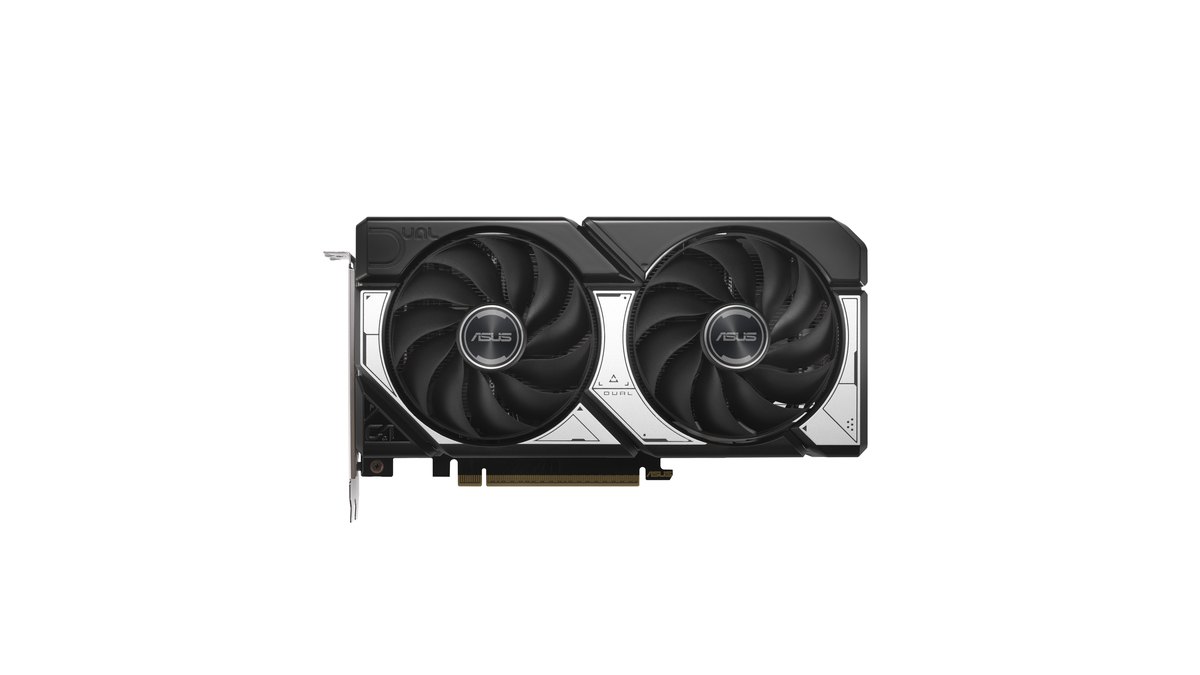
Star ratings: RX 9060 XT 16GB 4.0, RTX 5060 Ti 16GB 3.5
| Category | RX 9060 XT 16GB | RTX 5060 Ti 16GB |
|---|---|---|
| Overall | ★★★★☆ 4.0 | ★★★½ 3.5 |
| Performance (35%) | 3.5 · same tier, 3 to 7% behind in raster, further behind in ray tracing | 3.5 · same tier, slightly faster, stronger ray tracing |
| Value (25%) | 4.5 · lowest price tier among 16GB cards in this class | 3.0 · one price tier higher in the markets we checked |
| User reputation (20%) | 4.0 · praised for 16GB at its price and quiet cards, some driver and port count complaints | 4.0 · praised for gaming plus AI work, criticized for rising prices |
| Popularity (10%) | 4.0 · top 16GB card in Korea's price comparison ranking, rising Steam share | 4.5 · number one in Japan's ranking, top 10 on Steam |
| Durability and warranty (10%) | 3.5 · depends on the board partner | 3.5 · depends on the board partner, no Founders Edition |
Both cards score 3.5 for performance, but that does not mean they are equally fast. Inside the same tier, the 5060 Ti 16GB is a little quicker in regular games and clearly quicker in ray tracing. The gap just is not big enough to move it up a full step.
Value is what separates the overall scores: a single digit performance difference against a full price tier in the Asian markets we checked. For US buyers, where the gap is smaller, the 5060 Ti value score would land closer to 3.5. Popularity favors NVIDIA.
In the October 2026 Steam Hardware Survey, the RTX 5060 Ti (8GB and 16GB combined) ranked around eighth overall, while the RX 9060 XT sat near 33rd but was up from the previous month.
Specs: same VRAM capacity, different memory, bus and feature sets
| Spec | RTX 5060 Ti 16GB | RX 9060 XT 16GB |
|---|---|---|
| Release | April 16, 2025 | June 2025 |
| Architecture | NVIDIA Blackwell | AMD RDNA 4 |
| Shader units | 4,608 CUDA cores | 32 CUs, 2,048 stream processors |
| Clocks (official) | 2.57GHz boost | Up to 3,130MHz boost, 2,530MHz game clock |
| Memory | 16GB GDDR7, 128 bit | 16GB GDDR6, 128 bit, 32MB Infinity Cache |
| Rated power | 180W TGP | 160W board power |
| Recommended PSU (official) | 600W system | 450W minimum |
| Power connector and PCIe | One 8 pin, runs at PCIe 5.0 x8 | One 8 pin, PCIe 5.0 x16 |
| Upscaling and frame gen | DLSS 4.5, Multi Frame Generation | FSR Upscaling 4.1, FSR Frame Generation |
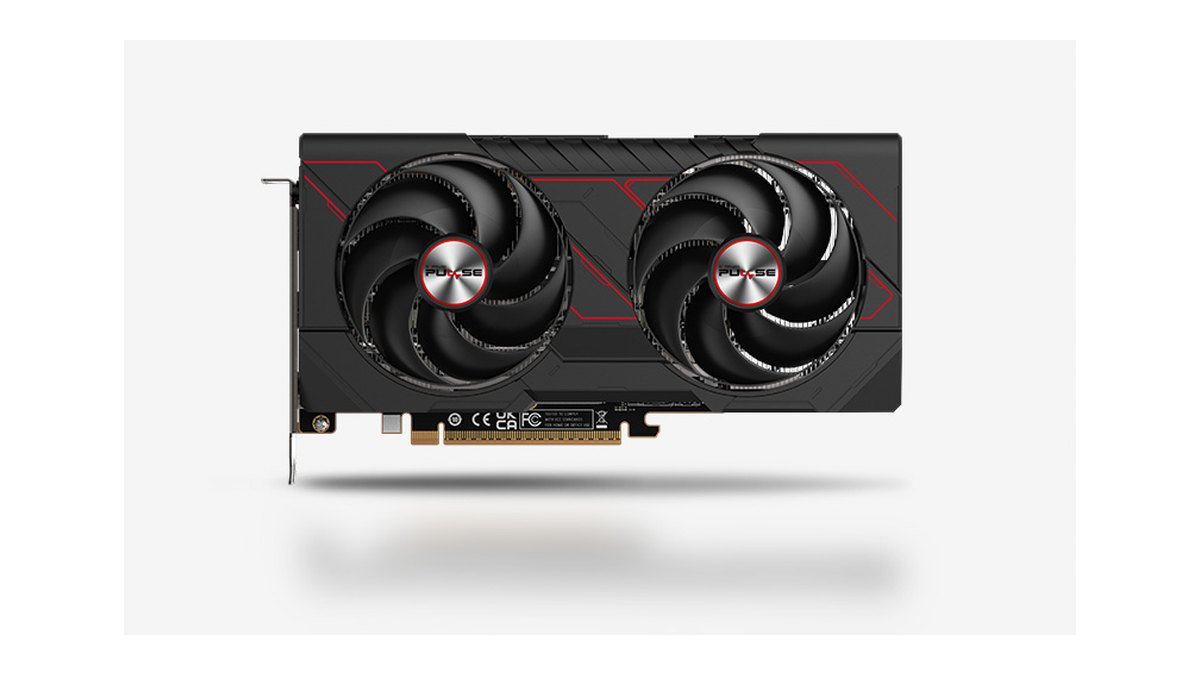
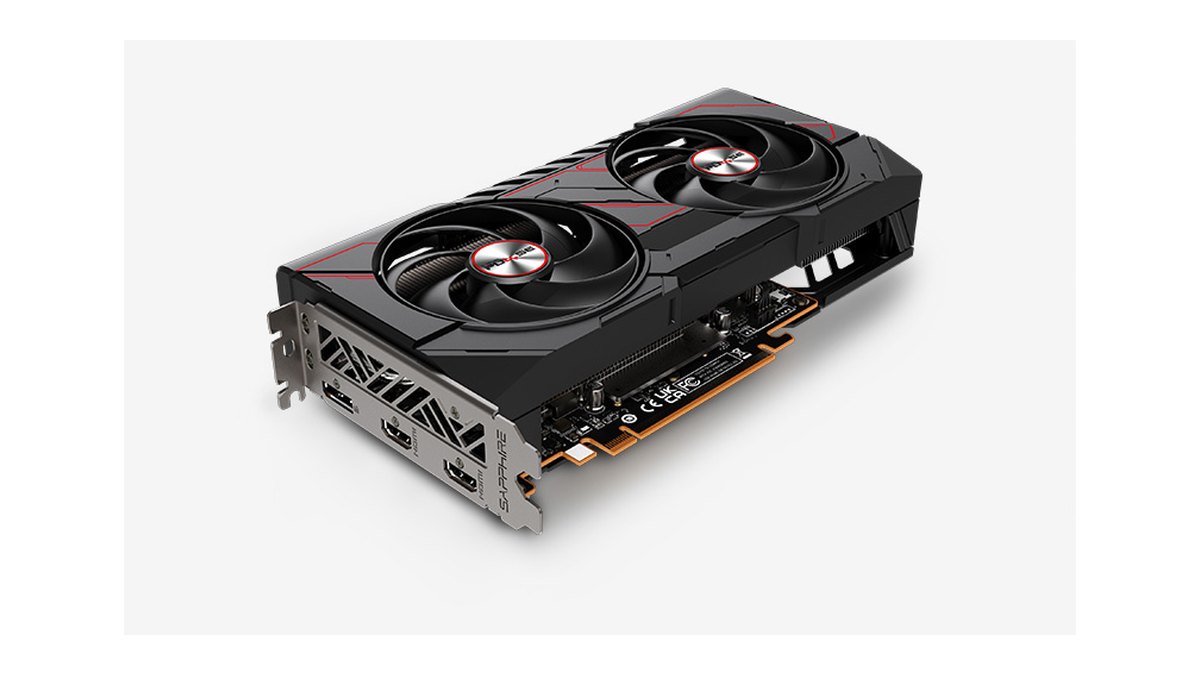
Neither chip has a first party card you can buy. NVIDIA did not release a Founders Edition of the RTX 5060 Ti, and the RX 9060 XT image on AMD's site is a render marked as not available for purchase.
What you actually buy is a board partner card from ASUS, SAPPHIRE, GIGABYTE, MSI, PowerColor and others, so length, cooler, display outputs and warranty all vary by model. The memory differs too: the 5060 Ti uses faster GDDR7, while the 9060 XT pairs GDDR6 with 32MB of on die cache.
The 9060 XT runs a full x16 PCIe link and the 5060 Ti runs at x8, which matters if you are dropping the card into an older motherboard. More on that in the 8GB vs 16GB section.
Raster performance: same tier, RTX 5060 Ti 16GB ahead by 3 to 7%
With ray tracing off, treat these as equals. In a benchmark ranking updated in October 2026, the RTX 5060 Ti 16GB led by about 3.5% at 1080p and about 4.9% at 1440p, and that ranking placed both cards in the same recommendation bucket: a clear yes for 1080p and a qualified yes for 1440p.
Launch reviews pointed the same way. One measured about a 7% lead across 18 games, while another found a 6% gap at 1080p that shrank to roughly 1% at 1440p, effectively a tie.
| Benchmark | Raster | Ray tracing |
|---|---|---|
| Ranking updated Oct 2026, 1080p | 5060 Ti about 3.5% faster | 5060 Ti about 3.8% faster |
| Ranking updated Oct 2026, 1440p | 5060 Ti about 4.9% faster | 5060 Ti about 6.5% faster |
| Launch review A (18 games) | 5060 Ti about 7% faster | 10 to 11% faster in all 4 games |
| Launch review B (18 games) | 6% at 1080p, 1% at 1440p | 20% on average, about 50% in heavy titles |
| Launch review C | Mostly 6 to 9% faster | 60 to 72% faster in Black Myth: Wukong |
Your game list matters more than the average. At launch, the 9060 XT was about 32% faster in Call of Duty: Black Ops 6 and about 17% slower in Counter-Strike 2. Drivers may have shifted those numbers since, so read them as proof that results swing per game, not as fixed gaps.
In esports titles like League of Legends, VALORANT and CS2, both cards already push very high frame rates, and at this tier your CPU and monitor refresh rate shape the experience more than the GPU. Check your pairing first with our guide to matching your CPU and GPU without a bottleneck.
Ray tracing and path tracing: the RTX 5060 Ti 16GB clearly wins
If you turn ray tracing on regularly, the 5060 Ti 16GB is the answer.
With upscaling enabled, the October 2026 ranking showed only about a 6.5% lead at 1440p, but launch reviews found the 9060 XT roughly 50% slower in the heaviest ray traced games, and Black Myth: Wukong with ray tracing ran 60 to 72% faster on the 5060 Ti. Light ray tracing effects narrow the gap.
Path tracing and maxed out ray tracing settings blow it wide open.
Keep expectations realistic either way: at this tier, neither card handles heavy ray tracing smoothly without upscaling, and launch testing found Cyberpunk 2077 at its top ray tracing preset hard to run on either card without upscaling.
Upscaling and frame generation: image quality is closer, DLSS still wins on reach
The image quality gap between upscalers is much smaller than it used to be. The 9060 XT supports machine learning based FSR Upscaling 4.1, and a benchmark review rated FSR from version 4 onward as close to DLSS. The October 2026 ranking found both DLSS 4.5 and FSR 4.1 often looking better than native.
The real difference is feature reach. As an RTX 50 series card, the 5060 Ti supports Multi Frame Generation, which inserts several generated frames per rendered frame, plus Dynamic Multi Frame Generation in DLSS 4.5, and the NVIDIA App can push newer DLSS versions into many existing games.
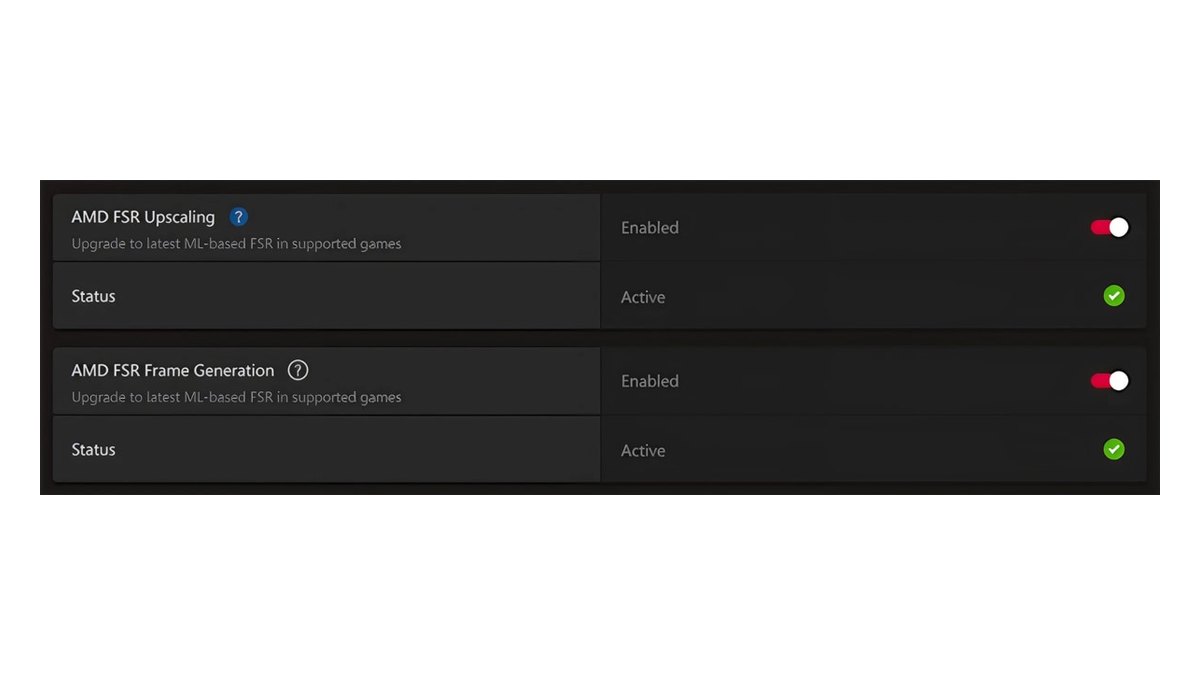
The 9060 XT offers FSR Frame Generation and driver level Fluid Motion Frames, and games with FSR 3.1 or newer can be upgraded to ML upscaling in Adrenalin. DLSS 5 is an RTX 50 series feature, but only a handful of games support it so far.
8GB vs 16GB: buy the 16GB version of either card
Both chips are also sold as 8GB cards under nearly identical names, so make sure the box says 16GB. In the October 2026 ranking, the RTX 5060 Ti 16GB beat its own 8GB sibling by about 11% at 1440p and by about 47.5% at 1440p with ray tracing.
If an RX 9060 XT 16GB costs about the same as an RTX 5060 Ti 8GB, the AMD card is the stronger buy: about 6% faster at 1440p and about 38.5% faster at 1440p with ray tracing in the same data.
One launch review was blunt about it, telling buyers to skip the 8GB models entirely and suggesting 8GB cards will hold resale value worse. If you only play lighter esports games at 1080p, 8GB still runs them, but 16GB is the safer long term choice.
- 1440p AAA at high settings: more games now go past 8GB once textures are turned up.
- Ray tracing: this is where the gap between the same chip with 8GB and 16GB grows the most.
- Frame generation: generating frames uses extra VRAM on top of normal rendering.
- Older PCIe 3.0 boards: once 8GB overflows, PCIe bandwidth starts to matter, especially for the x8 RTX 5060 Ti 8GB.
Power, size and PSU: lower rating on the 9060 XT, similar real draw
Power is not a reason to pick one over the other. The 9060 XT 16GB is rated at 160W and the 5060 Ti 16GB at 180W, but in measured reviews actual gaming power was similar, and in a couple of tests the 9060 XT system drew slightly more.
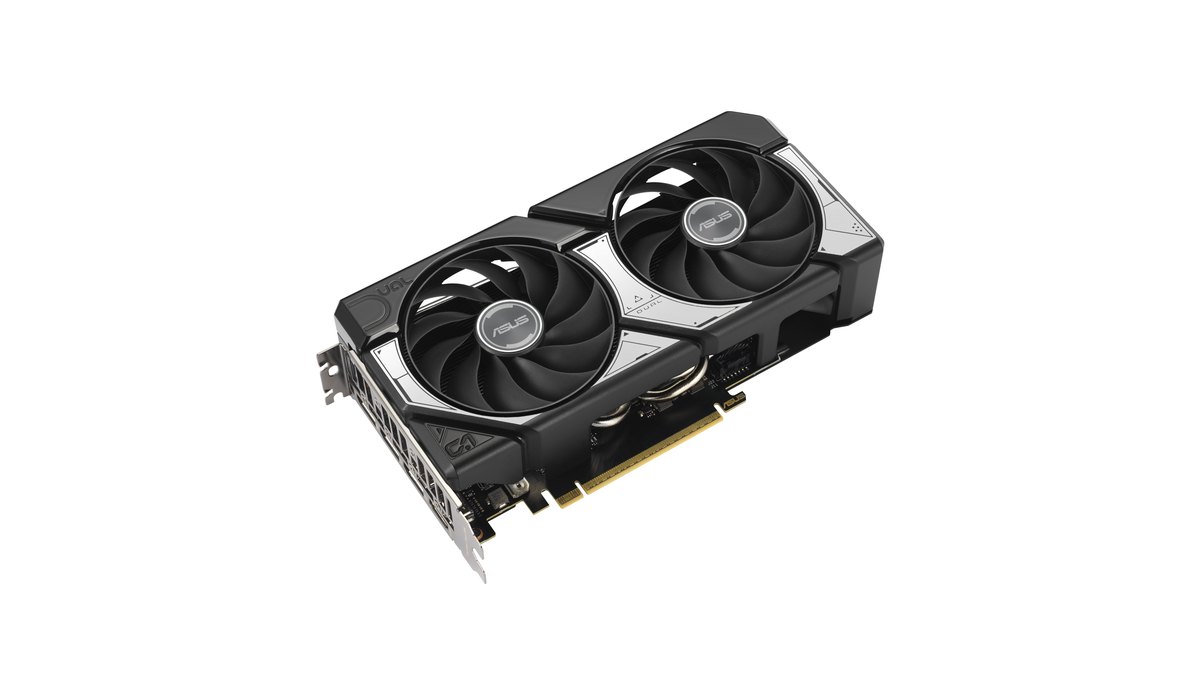
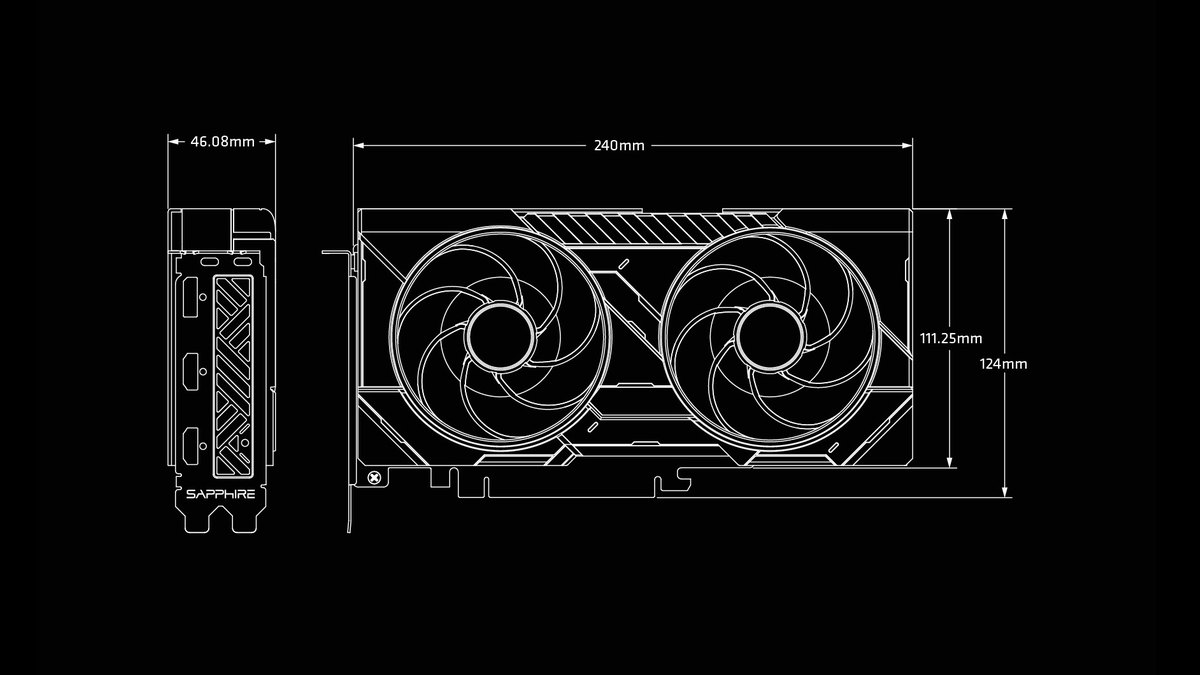
The PSU guidance is not apples to apples either: NVIDIA lists a 600W system based on a high end CPU, while AMD lists a 450W minimum. Both chips need just one 8 pin connector, and both are available as compact dual fan cards roughly 200 to 240mm long, so small cases are easy.
The SAPPHIRE PULSE RX 9060 XT 16GB, for example, is 240mm long and recommends a 450W supply. Before you buy, run through our GPU upgrade PSU checklist to confirm your power supply and case are ready.
Recording and creative work: RTX 5060 Ti 16GB if you record or use CUDA
If you record gameplay often or edit video, the 5060 Ti 16GB is the more convenient pick. Both cards include H.264, HEVC and AV1 hardware encoders, and on RTX series and other supported NVIDIA graphics cards, DOR records with NVENC hardware encoding. The 5060 Ti uses NVIDIA's ninth generation NVENC.
For tuning tips, see our NVIDIA game recording settings guide. The gap is bigger for creative apps. In launch reviews, CUDA accelerated Blender rendering ran far faster on the 5060 Ti, and many buyers pick the 16GB card to run local LLMs or image generation alongside games. If you only play games, none of that matters, and the verdict above stands: buy the 9060 XT 16GB.
Pricing, popularity and warranty: launch prices are long gone
As of November 10, 2026, both cards sell well above their launch prices in the US, and rising memory costs have pushed graphics card prices up in several markets.
The 9060 XT 16GB still undercuts the 5060 Ti 16GB, but by far less than in Korea, Japan or Taiwan, where the NVIDIA card sits a full tier higher and the 9060 XT lands near 5060 Ti 8GB money. Stock is the other US wrinkle: many 9060 XT 16GB listings show sold out, so compare live prices at checkout.
On popularity, the RTX 5060 Ti ranks near the top ten of the Steam Hardware Survey and topped the popularity ranking of a major Japanese price comparison site for the week of November 3 to 9, while the 9060 XT is the higher ranked 16GB card in Korea. Warranty comes from the board partner, not NVIDIA or AMD, so check coverage on each listing.
Prices as of November 10, 2026
| Product | Launch price (MSRP) | Street price range |
|---|---|---|
| RX 9060 XT 16GB | $349 | about $750 to $790 |
| RTX 5060 Ti 16GB | $429 | about $820 to $880 |
| RTX 5060 Ti 8GB | $379 | about $530 to $680 |
Every one of these cards now sells far above its launch price in the US, the 16GB models at roughly double.
The gap between the two 16GB cards is only about $70 to $90, which is why the US is the one market where the RTX 5060 Ti 16GB makes sense even for gaming if you value its ray tracing and DLSS lead.
Prices move fast with memory costs and stock, so confirm the final price and the 16GB label with the seller before you buy.
Who should buy which card
| Situation | Pick | Why |
|---|---|---|
| Gaming only, fixed budget, 1080p to 1440p | RX 9060 XT 16GB | Same tier performance for less |
| Ray tracing and path tracing AAA games | RTX 5060 Ti 16GB | Much faster in heavy ray tracing |
| Mostly DLSS supported games | RTX 5060 Ti 16GB | Multi Frame Generation and wider game support |
| Blender or local AI on the side | RTX 5060 Ti 16GB | Far ahead in CUDA workloads |
| Record gameplay often | RTX 5060 Ti 16GB | DOR records with NVENC hardware encoding |
| 9060 XT 16GB priced like a 5060 Ti 8GB | RX 9060 XT 16GB | VRAM advantage at 1440p and in ray tracing |
What owners say: value and quiet cooling vs AI ready and pricey
For the RX 9060 XT 16GB, the most common praise is that you get 16GB for the price of a same tier card, that 1080p high settings run comfortably, and that many models stop their fans at low load and stay quiet.
Owners often remind new buyers to enable Resizable BAR, which AMD calls Smart Access Memory.
On the critical side, some users report freezes after recent drivers while others say they have had no issues at all, some note that partner cards often have only three display outputs, and some feel DLSS still covers more games.
For the RTX 5060 Ti 16GB, owners like running local AI and image generation alongside games on 16GB, the compact models that fit ITX cases, and overall stability.
Most complaints are about price: some say it has climbed too high for a gaming only card, and that the 16GB model is harder to find at a good deal than the 8GB one. According to measured reviews, temperatures and noise depend more on which board partner model you buy than on the chip itself.
Before you buy: a quick checklist
- 1Confirm 16GBBoth chips ship as 8GB models with nearly the same name. Check the product title and spec sheet, and ask prebuilt sellers if VRAM is not listed.
- 2Check PSU and power connectorLook at the partner card's recommended PSU and confirm an 8 pin connector is available. NVIDIA's reference design uses one 8 pin or a PCIe Gen5 power cable.
- 3Measure your caseCompare card length and slot thickness with your case specs. Dual fan compact models of both chips fit small builds.
- 4Motherboard and Resizable BAROn older PCIe 3.0 boards the 16GB model is the safer pick. After installing, turn on the BIOS setting using our Resizable BAR and SAM setup guide.
- 5Count display outputsMany 9060 XT partner cards have three outputs. If you run several monitors, check port types and count.
- 6Check warrantyCoverage varies by board partner and retailer even on the same chip. Read the warranty terms on the listing.
How we rated these cards
Each category is scored in half point steps and weighted as performance 35%, value 25%, user reputation 20%, popularity 10% and durability and warranty 10%, then rounded. Performance uses the 1440p raster and ray tracing averages from the October 2026 ranking, cross checked against launch reviews.
Value reflects where each card sits in its class on price as of November 10, 2026. Popularity draws on price comparison rankings and the Steam Hardware Survey. We picked this pair because it is the most compared matchup among 16GB mainstream GPUs. For the next tier up, read RTX 5070 Ti vs RX 9070 XT, and for full builds by budget, see our gaming PC budget builds.
Record before and after your GPU upgrade with DOR
The surest way to know a new GPU actually helps is to record the same game, the same scene and the same settings before and after the swap. DOR is a free Windows app that detects supported games when you launch them and records the whole match automatically, saving everything to My Clips.
In seven games, including League of Legends, VALORANT, PUBG and CS2, it also creates automatic highlight clips for moments like kills. Turn on the in game FPS counter before recording and the numbers are captured in the video too. See how to show FPS in games and our guide to recording before and after a gear upgrade.
The free plan records up to 1080p at 60 fps, and 1440p or higher and 120 fps or higher are available with DOR Pro.