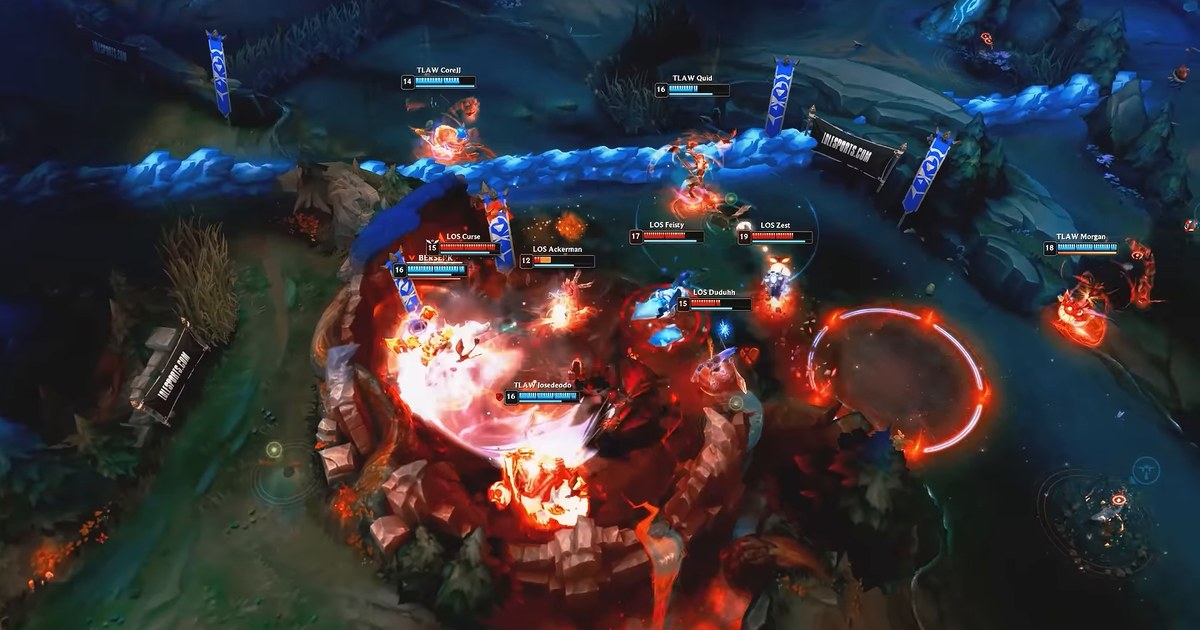

Worlds 2026 is being played in the United States for the first time since 2022, so North American fans get afternoon matches, but that still means a 2 PM PT start on weekdays for the quarterfinals. In Europe the same series begin at 11 PM CET, and a best of five can run well past midnight.
Whether you were at work, in class or asleep, the question the next morning is the same: where are the Worlds 2026 VODs and highlights, and which video should you open first?
This guide lists where the official full broadcasts, highlight reels and game by game cuts were posted as of November 3, 2026, checked against the actual Swiss Stage uploads, plus a spoiler free order for catching up.
At the end there is a short routine for comparing what the pros did with replays of your own League of Legends games. Pro matches come from the official channels; your games come from replays and your own recordings.
Short answer: full VODs on the LoL Esports YouTube channel, highlight reels when you are short on time
Start with the LoL Esports channel on YouTube. Riot runs the official English broadcast there, on the riotgames Twitch channel and on lolesports.com, and through the Swiss Stage every broadcast day stayed on YouTube as a single long VOD once the stream ended.
'WORLDS 2026 | Swiss Stage Day 8', for example, is a full stream archive of roughly eight hours. As of November 3, the 'TES vs IG | WORLDS 2026 | Quarters Day 1' stream is already scheduled on the same channel, so that is the place to look for quarterfinal VODs after each series.
In the knockout stage there is only one best of five per day, so each day's broadcast covers one series from start to finish. The same channel posted recap compilations such as 'Jaw-Dropping Moments from Swiss Stage Week Two', which runs about six minutes, plus a steady feed of short clips.
If you want game by game cuts, the regional official channels are more granular: during the Swiss Stage the LCK channel posted match highlights and single game highlights with Korean casting after each series, and LoL Esports VN uploaded every game as its own video with Vietnamese casting.
One trap when you search for lol esports vods: the older 'LoL Esports VODs and Highlights' channel still shows up in results, but its latest uploads as of November 3 date from June 2025, so it has nothing from Worlds 2026. Once you have watched the pros, apply the same review routine to your own games with our LoL VOD review guide.
Where to rewatch Worlds 2026 (checked November 3, 2026)
| What you want | Where | What we found |
|---|---|---|
| Live English broadcast | LoL Esports on YouTube, riotgames on Twitch, lolesports.com | Quarterfinals Nov 3 to 6 and semifinals Nov 7 and 8 at 4 PM CT; final Nov 14 at 2 PM ET (11 AM PT) |
| Full match VOD | LoL Esports YouTube channel | Swiss Stage days stayed up as one video each (Day 8 runs about eight hours); Quarters Day 1 is already scheduled there |
| Highlight reels | LoL Esports YouTube channel | Recap compilations such as a six minute Swiss Stage Week Two reel, plus a steady feed of short clips |
| Game by game cuts | Regional official YouTube channels such as LCK and LoL Esports VN | During the Swiss Stage, match highlights and single game uploads with Korean or Vietnamese casting went up after each game |
| Older VOD archive | LoL Esports VODs and Highlights on YouTube | Latest uploads date from June 2025, so no Worlds 2026 games are there |
| Your own games | League client replays and your own recordings | 10 replay downloads per hour, last 20 games listed, replays stop working after a patch |
Before you hit play on a Worlds VOD
- Start times: quarterfinals Nov 3 to 6 and semifinals Nov 7 and 8 begin at 4 PM CT, which is 5 PM ET, 2 PM PT, 10 PM GMT and 11 PM CET. Semifinal pairings are set once the quarterfinals finish.
- Spoilers: highlight, interview and short clip titles often name the winner, for example 'LYON win the match that will go down in HISTORY'. Search for the dated full broadcast and open it directly instead of scrolling the channel home page.
- Official channels only: tournament footage belongs to Riot, and the LCK channel's video descriptions state that unauthorized copying or commercial use is not allowed. Rewatch on the official channels.
- Language: English casting is on LoL Esports and riotgames, while LCK, LoL Esports JP, LoLEsportsTW and LoL Esports VN carry Korean, Japanese, Chinese and Vietnamese broadcasts.
- Your own replays: the client lists your 20 most recent games, and downloads are limited to 10 replays per hour.
Compare pro play with your own games in 5 steps
- 1Get the shape of the seriesWatch a highlight reel to see when the winning side took control. If you want to stay spoiler free, skip this step and start from the beginning of the full VOD instead.
- 2Note the moments worth copyingIn the full VOD, write down timestamps for scenes tied to your role: the jungler's first clear, vision setup before Baron, a team's spacing right before a fight. According to gol.gg on November 3, before the quarterfinals, the most picked champions in the main event were Lee Sin (19 games), Ezreal and Alistar (17 each) and Orianna and Nautilus (16 each), so players on those champions have plenty to study.
- 3Pick one of your games on the same championFind a matching game in your client match history and download the replay. Since patch 26.21, replay downloads are capped at 10 per hour, so grab the important ones first. The change is explained in our LoL replay download limit 26.21 guide.
- 4Save the games you want to keep as videoReplays only play on the patch they were recorded on. As of November 3, Riot's official patch schedule lists 26.22 for November 4 (Pacific Time), so games from 26.21 need to become video files if you want to rewatch them later. See how to save a LoL ROFL replay as MP4.
- 5Change one habit in your next gameWatch the pro scene and your scene back to back and write down one difference: a ward spot, a recall timing, when you joined the first Scuttle Crab fight. Keep it to one thing you can actually do next game, and check only that afterwards.
Record your own games for the comparison with DOR
DOR is a free game recorder for Windows. Launch League of Legends and it detects the game and records the whole match, then collects the recordings in My Clips.
Kills, multikills and objectives are saved as separate auto clips, and each game's Play of the Game (POTG) is picked for you, so finding the moment to compare with a pro scene takes seconds. For the full routine on keeping big plays, see how to save a LoL pentakill clip.
In League, replay and spectator recording are on by default in the per mode recording settings, so when you play a .rofl replay in the client, DOR records that playback too, which is handy right before a patch lands.
You can trim a clip in the app at 16:9, 9:16 or 1:1, then use DOR Studio to merge clips, add text notes, music and effect templates, and export an MP4 or share a dor.gg link that opens in any phone browser. Sending it to your duo is covered in how to share League gameplay with friends.