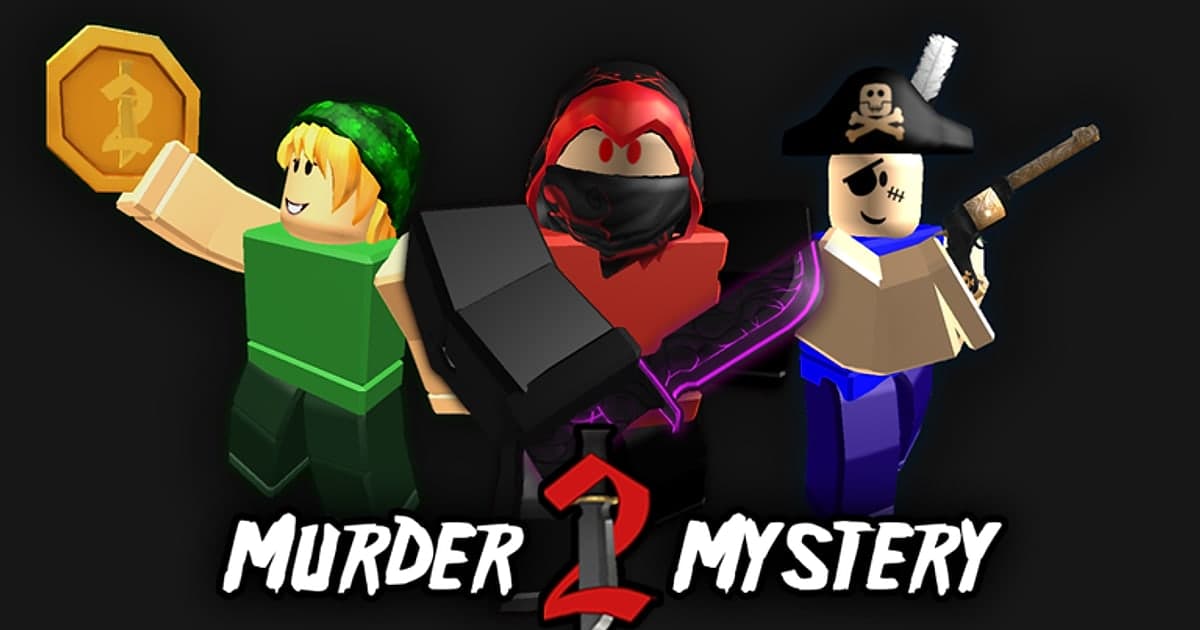
Murder Mystery 2 (MM2) is a 1 vs All Roblox experience created by Nikilis in 2014. Based on the experience details we checked on October 14, 2026, it had about 100,000 concurrent players at that moment and roughly 31.2 billion visits, with up to 12 players per server. Player counts change throughout the day, and the experience itself can change with updates. The official description lists three roles. Innocents run and hide from the Murderer and use their detective skills to expose them. The Sheriff works with the Innocents and carries the one weapon that can take the Murderer down. The Murderer has to eliminate everyone without getting shot by the Sheriff. That setup means most MM2 highlights are decided in a few seconds: the sheriff's shot at the last possible moment, a murderer chaining takedowns without being spotted, an innocent who stays hidden until the round ends. These moments come with no warning, and the next round starts right after. If you only hit record once something happens, you are already too late, so you need recording running in advance and a way to save what just happened. Why the built-in capture is not enough for this is covered in detail in How to Record Roblox for Longer Than 30 Seconds. This guide walks through which moments to keep for each role, how to record rounds and save clips on PC, and how to turn the clips into a montage. Knife trading values and item prices are not covered here.
Bottom line: keep recording through every round and save the shot right after it lands
To avoid missing MM2 highlights, keep a recorder running on PC while you play and press a hotkey right after a moment to save the stretch that just happened. Roblox's built-in capture works the other way around. You open the in-experience menu in the top-left corner, select Captures to show the capture icon, and recording starts only when you tap that icon, so a sheriff's shot that already happened cannot be saved. According to the official help center, checked on October 14, 2026, video captures last up to 30 seconds, do not record voice chat or in-experience sounds, and remove the UI and the usernames above avatars. A silent 30-second clip without the gunshot and your friend's scream is hard to use in an MM2 montage. Developers can also turn off capture in their own experience, so first check that the Captures option actually appears inside MM2. On PC, the ways to record the whole experience while saving the last 30 seconds with a hotkey are compared tool by tool in How to Clip Roblox. If you are not sure why a sheriff turning a round around at the last moment is called a clutch, read What Is a Clutch? as well. If you play on a phone or tablet, use the built-in capture or your device's screen recorder, but check the sound and length limits first.
How to capture MM2 highlights, step by step
- 1Pick the moments to chase as Sheriff, Murderer or InnocentEach role has a different goal, so the moments worth chasing differ too. As the Sheriff, the key shot is finding and hitting the Murderer, especially a comeback when only a few Innocents are left. As the Murderer, the highlight is a chain of takedowns while staying out of the sheriff's sight, plus the moves that dodge a shot. As an Innocent, look for finding a hiding spot and surviving to the end, or the moment you read suspicious movement and spot the Murderer. If you record several rounds, you can collect moments from different roles in a single session.
- 2Turn on PC recording before you join MM2Start your recorder first, then join MM2. With DOR, recording starts automatically the moment you enter the experience with the PC version of Roblox from roblox.com, and stops when you leave. If you open Roblox and jump straight into an experience, the first recording can start 15 to 20 seconds late, so if the first seconds after you join matter, check later where the recording actually begins. If you use OBS, follow Roblox's official guidance and set up the source with window or display capture instead of game capture.
- 3Make sure gunshots and reactions come throughMuch of what makes an MM2 clip fun is the gunshot, the knife and your friends' reactions. Record a short test round to confirm your recorder picks up both game sound and your mic. DOR records your mic by default with noise suppression, and in settings you can choose between capturing all desktop sound or Roblox sound only. If you want your friends' voices from a Discord call too, keep desktop sound; if you only want your own voice and the game, choose Roblox sound only. Game sound and mic are mixed into a single track, so balance the volumes before you record.
- 4Press F8 the moment the shot landsPress the clip hotkey right after the sheriff's shot or the murderer's streak ends. In DOR, pressing F8 (you can change it) saves the last 30 seconds as a separate clip. The length is a single setting you choose from 15, 30, 45 or 60 seconds: 30 seconds covers a quick sheriff shot, but if you want to include a murderer sneaking up and taking out several players in a row, raise it to 45 or 60 seconds in advance. As long as you press within the clip length after the moment ends, the stretch before it is saved, so if you can't take your hands off the controls mid-fight, pressing it as soon as the round is over works too. No save notification appears on the game screen, so check the library for your clips after you leave the experience.
- 5Cut missed rounds from the full recordingMissed the hotkey? If the whole experience was recorded, you can still find the moment. When you finish playing and leave the experience, the recording ends and lands in the DOR library; open it and use the trim tool to set a start and end point. The library shows Roblox and the recording time rather than the experience name, so remembering roughly when a good round happened makes it easier to find. You can export at 16:9, 9:16 or 1:1.
- 6Group clips by role into an MM2 montageUpload your saved clips to DOR Studio (dor.gg/studio) and merge several videos into one. Grouping sheriff, murderer and innocent moments by role, or stacking short moments before longer ones, gives the montage a flow. Drop a punch zoom or shake zoom from the effect templates on the instant the shot lands, and use a glitch transition between scenes for a montage feel. Add a few words of text to set up each moment, such as last innocent standing, then add background music and balance the volume.
- 7Pick a ratio, export and check usernamesExport at 16:9 for regular YouTube videos and at 9:16 for Shorts, TikTok or Reels. Cropping to 9:16 cuts off the sides of the screen, so preview the result to make sure both the Murderer and the Sheriff stay in frame. Download the finished video as an mp4 to upload, or share it as a dor.gg link. Other players' usernames and chat may appear on screen just as they were, so check before you post.
MM2 moments worth keeping by role, and how to save them
| Moment | Why it is worth keeping | How to save it |
|---|---|---|
| Sheriff: the shot that drops the Murderer with only a few Innocents left | One shot decides the round, which makes it the signature MM2 moment. It only lands in a montage with the gunshot and your friends' reactions. | Built-in capture starts only after you tap the icon and records no sound, so keep PC recording on and press the clip hotkey right after the shot to save the stretch before it. |
| Sheriff: suspecting the Murderer and drawing the gun | Viewers feel the weight of the final shot only if they see you working out who the Murderer is. | The read can take a while, so set the clip length to 45 or 60 seconds in advance, or cut from the full recording starting where your suspicion began. |
| Murderer: a chain of takedowns without being spotted | Picking players off one by one while staying out of the sheriff's sight builds the tension on its own. | If the streak runs longer than your clip length, the start gets cut off, so after you finish playing, cut it from the full recording starting at the first takedown. |
| Murderer: dodging the sheriff's shot and taking them out | For a role that must not get shot, this is the most dramatic reversal, and it is over in seconds, which makes it good Shorts material. | A 30-second clip is enough. When editing, add a zoom effect on the dodge to highlight it. |
| Innocent: surviving a whole round in hiding | You lasted with no weapon by hiding and running, so the reaction when the round ends is the payoff. | Hiding tends to run past the clip length, so pick the near misses and the end of the round from the full recording and join them. |
| Innocent: spotting the Murderer first from suspicious movement | It shows the detective side of the role described in the experience, and shouting a warning to your friends adds to the fun. | The voices are the point, so check beforehand that your mic and your friends' voices are recorded, then press the clip hotkey right after you spot them. |
Check before you record
- You play on PC with Roblox downloaded from roblox.com (DOR support for the Microsoft Store version, Roblox - Windows, has not been confirmed).
- Roblox auto-recording is turned on in DOR settings (it is on by default).
- The clip length suits the moments you most want: 30 seconds for quick shots, 45 to 60 seconds to include a murderer's full streak.
- F8 does not clash with a Discord or other app hotkey; if it does, change it.
- A short test recording confirmed that game sound, your mic and your friends' voices come through the way you want.
- You checked the recording quality (1080p at 60fps by default) and the free space on the drive where recordings are saved.
- Before sharing, you checked whether other players' usernames and chat appear in the video.
Recording MM2 rounds with DOR
DOR is a free Windows PC app. It automatically detects Roblox running on PC (the version downloaded from roblox.com), starts recording when you enter an experience and stops when you leave it, either by returning to the home screen or closing Roblox. It is on by default, and you can turn Roblox recording off in settings. Time spent waiting for the next round inside the experience is recorded too, and as long as you do not leave the experience the recording usually continues as one file across rounds. If you open Roblox and join right away, the first recording may start 15 to 20 seconds late. While recording, pressing F8 (changeable) saves the last 30 seconds (15, 30, 45 or 60 selectable) separately, and your mic is recorded by default with noise suppression, along with game sound. Quality defaults to 1080p at 60fps, up to 2160p. Roblox has no automatic kill clips or automatic highlights, so you choose moments yourself with F8 or the library's trim tool. In the library you can cut to 16:9, 9:16 or 1:1 (text only in 1:1) and share a dor.gg link. Merging clips and adding effect templates, text and background music happen in DOR Studio in your browser, and you download the result as an mp4. The 9:16 Shorts workflow continues in How to Make Roblox Shorts. Roblox on phones, tablets, Xbox and PlayStation is not recorded by DOR; for mobile, see How to Record Roblox on Your Phone, and use DOR when you play on PC.
 #Roblox