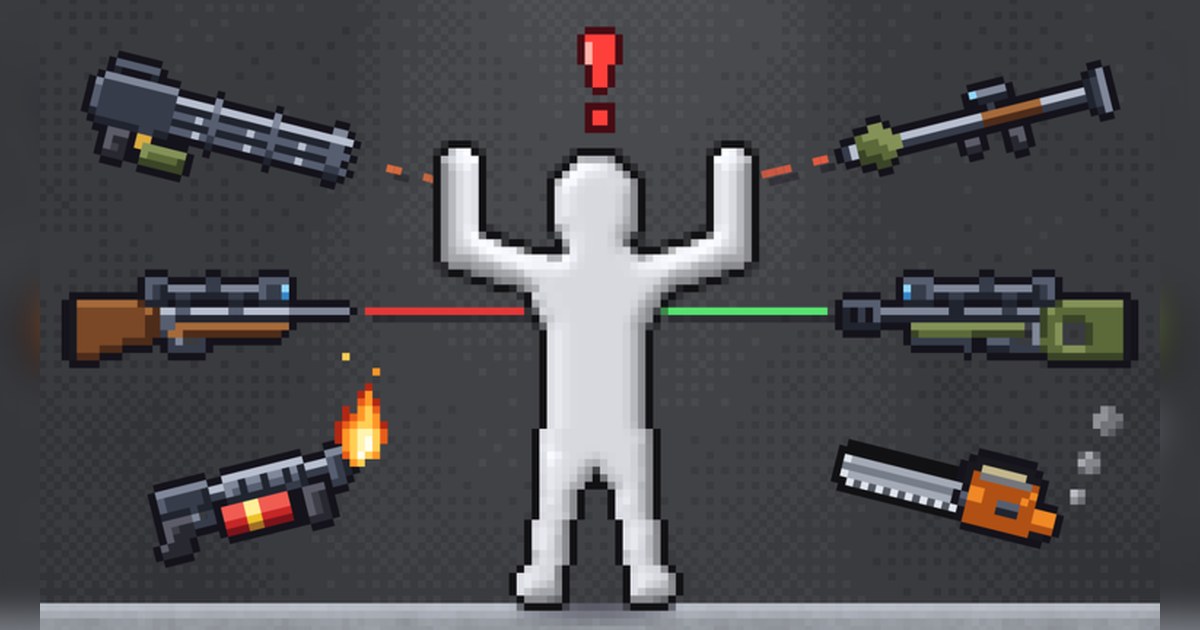
Ragdoll Playground is the kind of Roblox experience that is easier to show than to explain. There is no score, no round timer and no win condition.
You get a white dummy in a 2D room, a menu of tools and a physics engine that makes every hit land a little differently, because a ragdoll is a floppy physics body whose joints go limp the moment something pushes it.
The developer's own description calls it your own 2D ragdoll sandbox and lists the toys: guns, swords, chainsaws, bombs and nukes; black holes, tornadoes, meteors and time stop; zombies, aliens, skeletons and other creatures to spawn; and real sand, water, fire and lava.
The creator is the verified Roblox group Speedwagon Gaming Foundation. The experience was created on September 27, 2026 (Eastern Time) and was last updated in the early hours of November 3. Roblox files it under Simulation, Physics Sim, and each server holds up to six players.
When we checked Roblox's official charts on PC on the morning of November 3 (ET), it had about 19,000 people playing, roughly 9.7 million visits, about 445,000 favorites and a like ratio of about 96 percent.
With the country set to the United States it was fourth in Top Trending and seventh in Up-and-Coming, and worldwide it was fourth and second. This guide starts with the codes, then covers the controls, the tool combos and how to keep the funniest physics moments as clips.
Everything here comes from the developer's description and Roblox's official pages, not from fan wikis or code list sites.
Three things to know first: two codes, seven controls, six player servers
First, the codes. Right in the middle of the game description the developer wrote CODE: RELEASE, 30KTHANKS!. Those are the only two codes listed as of November 3, 2026.
The description does not say where the code box is or what each code gives you, so look for the code entry inside the experience and type both exactly as written: all capitals, with the exclamation mark at the end of 30KTHANKS!. No expiry date is published either.
If you come back later and the CODE line is gone from the description, the codes have most likely ended, and the description is a better guide than old lists on other sites. Second, the controls.
The description lists them in full: left click grabs and flings, right click uses the item you are holding, G is slow motion, Space pauses, H heals everyone, R resets the room and F1 shows every key. Slow motion is an in game effect, so it is recorded exactly as it looks on screen.
If you would rather slow a moment down after the fact, see how to add slow motion to game videos. Third, the player count. Servers cap at six players, so if you want friends in the same server, join a public server that still has open slots together.
How to play Ragdoll Playground, step by step
- 1Find the original experienceSearch Roblox for Ragdoll Playground and check that the creator is Speedwagon Gaming Foundation with the verified badge. As of November 3 the name carries an [💉INJECTIONS] update tag in front, and tags like this can change with updates, so search by the core name. Ultimate Ragdoll Playground from 2022 and a small same name experience made in October come from other creators.
- 2Redeem the two codesOnce you are in, enter RELEASE and 30KTHANKS! before anything else. Type them in capitals and keep the exclamation mark. If you paste them from somewhere else, make sure no extra space slipped in at the start or end.
- 3Learn the core controlsLeft click to grab the dummy and fling it, right click to use the item in your hand. When the room gets messy, press R to reset it, and press H to heal everyone. F1 brings up the full key list whenever you forget one.
- 4Spawn creatures and lay down terrainSpawn zombies, aliens or skeletons, then add sand, water, fire or lava to the room. The same tool can play out differently depending on what the dummy lands on, so try a drop onto sand and a drop into water back to back.
- 5Stack two or three toolsPair a black hole with a tornado, or drop meteors and then try time stop. Nobody can predict which combo will be funny, so run each pairing once and remember the one that got the biggest laugh.
- 6Replay the best moment in slow motionWhen a combo lands, reset with R, set up something similar and press G for slow motion. A ragdoll rarely moves the same way twice, so keeping the moment at normal and slow speed gives you options when you edit.
Tools and features from the official description, and what to record
| Tool or feature | What the description says | When you record it |
|---|---|---|
| Guns, swords, chainsaws | 'Guns, swords, chainsaws', used with right click | Keep a second or two before the hit and the full bounce after it |
| Bombs and nukes | 'bombs and nukes' | Start the clip on the quiet beat right before the blast |
| Black holes and tornadoes | 'Black holes, tornadoes' | Watch where the pull takes the dummy before choosing a 9:16 vertical crop |
| Meteors and time stop | 'meteors and time stop' | Capture the freeze and the restart in one cut |
| Zombies, aliens, skeletons | 'Zombies, aliens, skeletons and creatures to spawn' | Record crowded rooms from start to finish |
| Sand, water, fire, lava | 'Real sand, water, fire and lava' | Lots of particles can drop frames, so lower graphics quality first |
| Injections update | Update tag on the name as of November 3, plus an official thumbnail of syringes around the dummy (no effect description) | Record the first time you try a new item, reaction included |
Before you jump in
- The creator is Speedwagon Gaming Foundation with the verified badge
- You typed RELEASE and 30KTHANKS! exactly, and the CODE line is still in the description
- Your whole group fits inside the six player server cap
- If Roblox closes mid session, you worked through the Roblox crashing on PC fixes before rejoining
- You have free disk space for a long sandbox session
Record every ragdoll launch automatically with DOR
DOR is a free Windows PC app that detects Roblox and starts recording the moment you join an experience. When you leave Ragdoll Playground, everything you tried ends up as one video in My Clips.
In a game where you never know which combo will be funny, not having to hit record at the right second is the whole point. Game audio and your mic are captured on one track, so the explosion and your own laugh stay in sync with the picture.
Recording defaults to 1080p at 30fps, and you can switch to 720p or 60fps in settings. Afterward, open My Clips, trim just the part where the dummy flew somewhere absurd, and pick 16:9, 9:16 or 1:1.
To turn several experiments into one video, use DOR Studio (dor.gg/studio) to merge clips, add effect templates such as shake zoom, punch zoom and handheld, glitch transitions, text, background music and volume, then export an mp4 or share a dor.gg link that plays right in a phone browser.
As recordings pile up, older videos are cleared only when the full gameplay storage (5GB by default) runs out, and recent recordings and videos you liked are kept. The link sharing steps are in how to share Roblox gameplay videos, cropping for Shorts is in how to make a vertical 9:16 game video, and adding a shake to every blast is covered in how to add a screen shake effect to game clips.