If you are choosing R.E.P.O. clipping software, the answer is simple: use an app that records automatically from launch to exit while you just play.
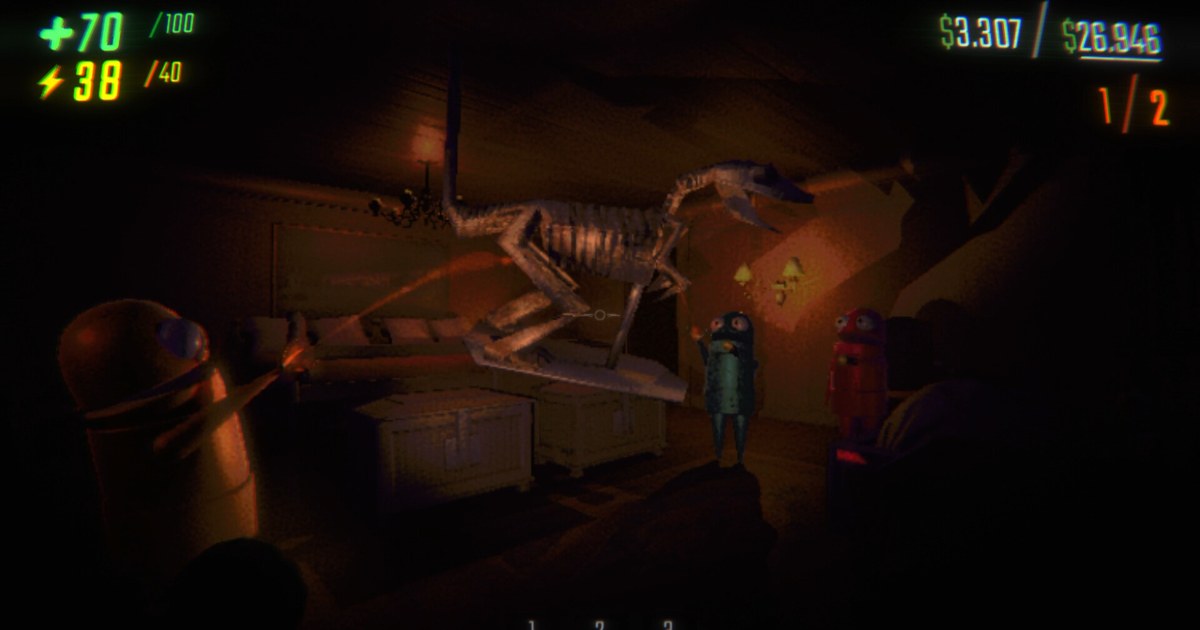
R.E.P.O. is a physics based co-op horror game where up to six players haul valuables together, so a friend dropping a vase or getting dragged off by a monster happens with zero warning.
On top of that, there is no replay feature to rewatch a run after it ends, so if nothing was recording, that moment is gone for good. This guide compares Windows Game Bar, NVIDIA app Instant Replay, OBS Studio and DOR as of November 29, 2026, using three questions.
Can it bring back a moment you forgot to save? Does it keep the whole run with your friends? And how many steps does it take to trim and post?
The verdict: leave something running instead of pressing a button
Most great R.E.P.O. moments only become great after everyone stops laughing. Game Bar, NVIDIA Instant Replay and the OBS Replay Buffer all save the stretch right before you press save, so the moment you hit the button is what counts.
If the loot shatters, the whole squad loses it, and you only remember a few minutes later, that clip has already rolled out of the buffer. Record the whole run instead and you can find and trim that moment later, no matter how long ago it happened.
That is why, for a co-op game where chaos can break out at any second, an app that records from launch to exit misses the least. How tools that save the last few seconds work, and how to set them up, is covered in how to record the last 30 seconds on PC.
Ways to record and clip R.E.P.O. (as of November 29, 2026)
| Method | Bringing back a missed moment | Full run and steps to post |
|---|---|---|
| Windows Game Bar | With background recording on, only the stretch before you press save (30 seconds by default, adjustable in settings) | Full runs need a manual recording, trimming and vertical edits need another editor |
| NVIDIA app Instant Replay | On NVIDIA graphics cards, only the stretch before you press save (the length you set) | Manual recording covers a full run, vertical edits and sharing need another editor |
| OBS Replay Buffer | Only if you started the buffer beforehand and assigned a save hotkey, up to the length you set | Possible with Start Recording, but scenes and sources must be set up first |
| OBS regular recording | Only what happened while recording was on | Keeps the full run if left on, but you start and stop it every time |
| DOR | Records from launch to exit, so you can find and trim a moment from minutes ago | Automatic recording, trim to 16:9, 9:16 or 1:1 in the app and share a dor.gg link |
What to check before recording, whichever tool you use
- Confirm recording is actually running during your first run. Finishing one run and checking that a file appeared is the surest test.
- If you use Game Bar, background recording must be on in Settings > Gaming > Captures for saving the last few seconds to work. Details are in the Xbox Game Bar recording guide.
- With tools that save the last few seconds, a longer buffer means fewer misses, but you still need the habit of pressing save.
- Check your free storage. Recording whole runs creates bigger files than saving short stretches. DOR only clears the oldest videos once the full gameplay video allowance (5GB by default) is exceeded, and keeps recent recordings and videos you liked.
- Decide where you will post first and trimming goes faster. Use 9:16 for Shorts or TikTok, and keep 16:9 for Discord.
How to record a R.E.P.O. run and post only the funny parts
- 1Start the recording app firstInstall the free Windows app DOR and leave it running. When you launch R.E.P.O., it detects the game and starts recording automatically, and keeps going until you close the game. There is no record button to remember.
- 2Play with friends as usualHaul, run and extract without thinking about recording. When something hilarious happens, just remember roughly which level it was on so it is easier to find later.
- 3Find the moment in My ClipsWhen you close the game, the recording lands in My Clips in the app. Scrub the timeline to find the second the loot broke or the monster grabbed someone.
- 4Trim it and pick a ratioCut the start and end in the app so only the few seconds you need remain, then choose 16:9, 9:16 or 1:1 to match where you will post. To stitch several moments together, merge them in DOR Studio and add text, background music and effect templates such as shake zoom.
- 5Send it to friends as a linkExport an mp4 from DOR Studio or share a dor.gg link. Drop one link in the group chat and everyone can watch. More sharing options are in sharing R.E.P.O. funny moments.
DOR keeps the whole R.E.P.O. run as long as it is running
DOR is a free Windows game recording app. When you launch R.E.P.O., it detects the game and records from launch to exit, and the recordings collect in My Clips in the app.
There is no need to time a save button, so the moment a friend tips over the valuables or the whole team flees a monster can simply be found and trimmed later.
Trim sections to 16:9, 9:16 or 1:1 in the app, then in DOR Studio merge several moments, add effect templates such as shake zoom and punch zoom, text and background music, and export an mp4 with no watermark or share a dor.gg link. Recording quality goes up to 1080p at 60fps for free. Game specific tips are on the R.E.P.O. page, and a broader comparison with other recorders is in best free game recorders compared.