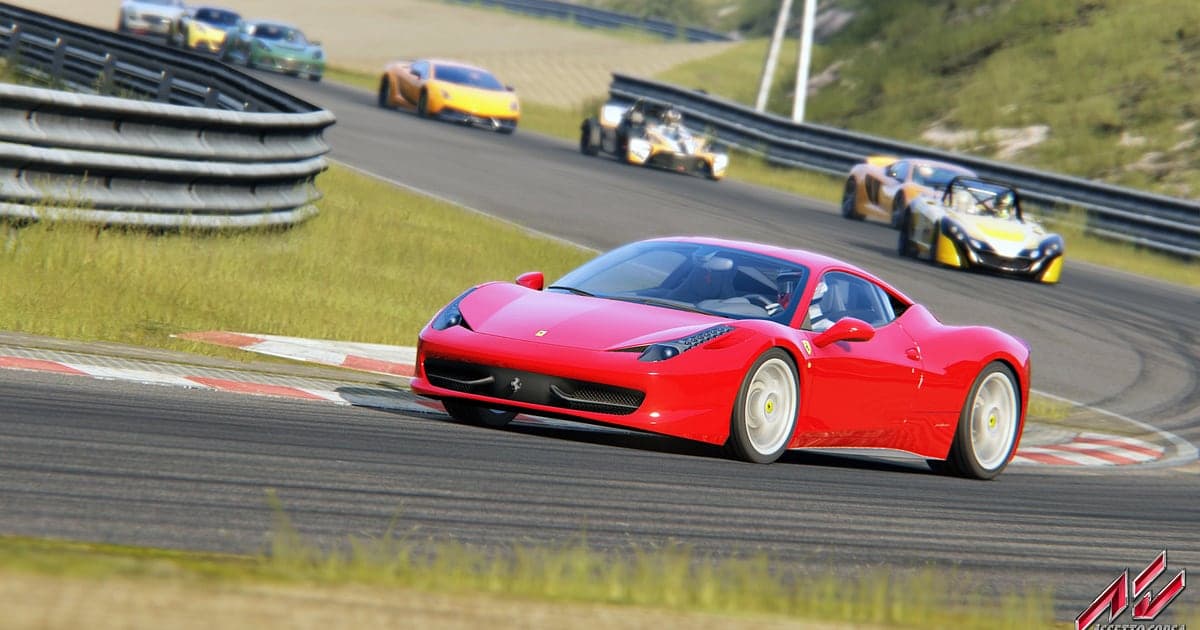
Assetto Corsa records automatically: install DOR, launch the game, and AI keeps everything from your practice session to the checkered flag without a button press. A Nordschleife personal best, a dive up the inside at Monza's first chicane and a night drift run on Shutoko all end up in the recording. Scrub through it like onboard footage to see where you missed the braking point or ran wide at the exit. This guide covers setup, saving moments while you drive, turning replays into MP4, finding league radio chat, editing a racing video, sharing, and high refresh settings.
- Keep a whole session, from practice to the checkered flag, as one video.
- Clip a Monza chicane pass or a last lap overtake right after it happens.
- Play an in game replay from any camera and save that screen as an MP4.
- Find radio lines like 'just went purple in sector two' with AI Voice Notes and jump to that lap.
- Add lap time and car name as text to a best lap and post it to your league Discord with one dor.gg link.
Before you record Assetto Corsa: install and recording mode
All you need is DOR, a free Windows app that adds no watermark. This guide covers Assetto Corsa for PC, launched from Steam. If you start the game through another launcher such as Content Manager, DOR still detects the game once it runs and records it. Recording is per session, so even if you swap cars and tracks across several sessions, everything stays in one video until you quit. If you drive at 144Hz or 240Hz, a recommended spec GPU is the way to keep that high refresh rate while recording. Recording defaults to 1080p at 30fps; choose 60fps to keep fast corners smooth. How hands free automatic recording works is explained in DOR automatic game recording.
| Item | For Assetto Corsa | Notes |
|---|---|---|
| Install DOR | Free Windows app | No watermark on videos |
| Game version | Assetto Corsa for PC, launched from Steam | Also detected when started through Content Manager or other launchers |
| Recording mode | Session recording: one video from launch to exit | Practice, qualifying and race stay in one recording |
| Display mode | Fullscreen, windowed and borderless all record | Switches to monitor capture if game capture is blocked |
| Resolution and frame rate | 1080p at 30fps by default, 60fps available | A recommended spec GPU for 144Hz or 240Hz driving |
| Replays | Play the in game replay with DOR running | Recorded as ordinary video from the camera you choose |
Record Assetto Corsa with DOR: step by step
- 1Install DOR and leave it runningInstall DOR and open it once; it then waits in the background for the game. If you talk to league mates on Discord while racing, check that DOR picked the right microphone.
- 2Launch Assetto CorsaStart the game from Steam or Content Manager and DOR detects it and starts recording. Capture begins at the car and track selection screen, so the recording also shows what you drove.
- 3Confirm the recording is liveIn your first session, open the DOR app once while you sit in the pits to confirm it is recording. Recording uses GPU hardware encoding, so a close pack race adds very little load.
- 4Clip right after an overtake or driftRight after you take Eau Rouge flat out at Spa, or slide through a string of corners on Shutoko, press the clip save shortcut. The last 30 seconds become a clip and the session recording carries on.
- 5Save a replay as videoAfter the race, open the in game replay, pick a camera and play it. With DOR running, that screen is recorded as it is, so you can make a separate video from a chase cam or TV cam view.
- 6Quit and check My ClipsWhen you close the game, the session recording and your saved clips appear in My Clips. Check that today's personal best is in the recording.
Find your recordings
Recordings collect in My Clips, the library in the DOR app. Each launch and quit makes one session recording, and clips saved with the shortcut are listed separately. In a recording that mixes practice, qualifying and the race, use pit entries and start line crossings as markers to find the lap you want quickly. Trim a best lap from one start line crossing to the next and export it in 16:9, and cut a single drift section separately in 9:16 or 1:1. Like any lap you plan to use as proof. When space fills up, older videos you have not liked are cleared first, so liked laps stay. Trimming tips are in how to trim game clips.
Save the moments you want to keep
The clip save shortcut keeps the stretch of driving just before you press it. The default is 30 seconds, with 15, 30, 45 or 60 seconds available. A pass that is done in one chicane, or a spin and save, fits in 15 or 30 seconds. A side by side battle over several corners or a linked drift needs 45 or 60 seconds to capture from the start. Press it once the pass is complete and the other car is in your mirror. If you miss it, it is still in the session recording, ready to trim from the library. The idea is explained in save the last few seconds instantly.
Find what was said with AI Voice Notes
AI Voice Notes logs what you say to whoever you are racing with and pins it to the recording timeline. Lines such as 'I'm going up the inside at the hairpin', 'tires are cold, one more warmup lap' or 'server's up, let's hit Shutoko' are saved as sentences at the moment they were said, and selecting one jumps to that scene. Read back which corner you said you would send it into and what setup change you made, right next to the footage. To capture Discord calls cleanly, see record Discord call audio.
Build a montage with AI Highlight
AI Highlight joins the clips you check into one montage. Check 'Nordschleife PB', 'Monza Chicane Pass', 'Shutoko Night Drift' and 'Last Lap Overtake', press AI Highlight, and the quickest moments of a session become one racing video. Drop a 'Spin and Save' in the middle to keep the tension up. To set the order yourself, use merge game clips.
Edit in DOR Studio
DOR Studio opens in your browser with nothing to install. Merge and trim clips, add text, background music and effect templates, and export in 16:9, 9:16 or 1:1 as an mp4 or a share link. Put a punch zoom on the frame where you cross the line and add the lap time and car as text. A handheld effect suits onboard shots over the curbs, and a glitch transition works between laps. Lay music over the engine note and export a 16:9 onboard or a 9:16 drift short. See everything in the DOR browser clip editor and vertical shorts in record vertical shorts from games.
Share with a dor.gg link
Send a best lap clip as one dor.gg link. Drop it in your racing league Discord or a sim racing subreddit and people watch it in a browser with no app. There is no watermark, so it doubles as clean lap proof on YouTube. Pulling a single lap out of a recording that mixes practice, qualifying and the race is covered in how to share Assetto Corsa best lap videos.
Assetto Corsa recommended settings and troubleshooting
Assetto Corsa records in fullscreen, windowed and borderless. On a high refresh monitor, a smooth combination is running the game at 144Hz or 240Hz and recording at 60fps. If the game's frame rate wobbles while recording, lower graphics options one at a time and compare on the same track, and if it still struggles, switch to 720p/30fps mode. If frames drop only while recording, start with fix FPS drops while recording.
| Symptom | What to check | Fix |
|---|---|---|
| Frames wobble while driving at high refresh | Game graphics options and GPU headroom | Lower options one by one; if it still struggles, switch DOR to 720p/30fps mode |
| Recording seems missing after launching through Content Manager | Whether DOR was running before the game | Open DOR first, then start the game; any launcher is detected |
| The engine sound is missing | The Windows output device and DOR settings | Match them to the headset or speakers you use and record a short test |
| The recording is a black screen | Display mode and other overlay software | Close other recorders and relaunch. DOR switches to monitor capture if game capture is blocked |