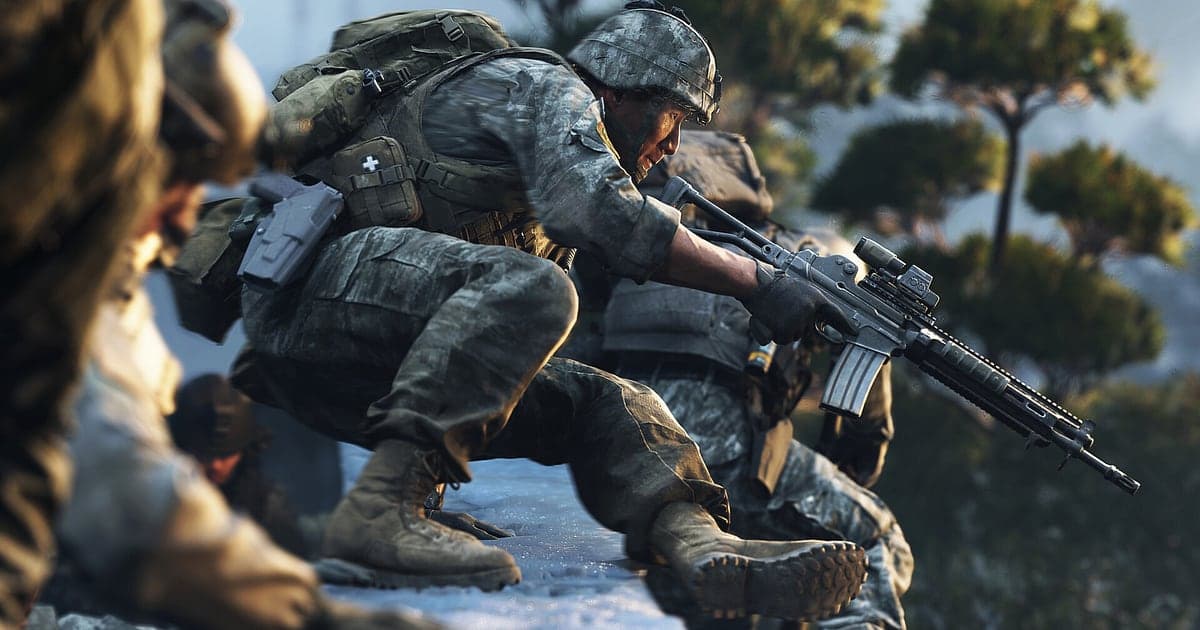
Modern Warfare 4 records automatically once DOR is installed: launch the game and the AI takes care of the recording. There is no record button and no capture source to pick. MW4 launches the campaign and multiplayer as separate executables, and DOR detects both, so whichever one you start is recorded as one video from launch to exit. Whether you are pushing through the Korean front line trenches in the campaign, jumping into a large multiplayer map or working through the Hajin exclusion zone in DMZ, there is nothing to configure. This guide is for anyone recording MW4 for the first time. It covers getting ready, confirming the recording, saving your best moments, finding them later, building a montage, sharing with your squad, and settings and fixes for high refresh play.
- Record the 16 mission campaign from launch to exit and rewatch the Korean trench breakthrough or the Mumbai night raid.
- Save the moment you chain kills into a streak or win the last round in a 1v3 as its own clip.
- Use AI Voice Notes to find the squad call to bring in the exfil chopper in DMZ and jump straight to it.
- Mix campaign, multiplayer and DMZ clips into one deployment montage, and cut single moments into 9:16 Shorts.
- Send the firefight you just played to your squad on Discord with a single dor.gg link.
Before you record Modern Warfare 4: install and recording mode
All you need to record Modern Warfare 4 is DOR. It is a free Windows app and never adds a watermark to your videos. MW4 uses full session recording, so several multiplayer matches played back to back sit in one video. The game itself takes a lot of SSD space to install and requires TPM 2.0 and Secure Boot, so before you set up recording, check Modern Warfare 4 system requirements and Modern Warfare 4 install size. Recordings need their own space on top of the game install. The table below covers what to check before your first MW4 recording.
| Item | For Modern Warfare 4 | Notes |
|---|---|---|
| Install | DOR, free Windows app | No watermark on your recordings |
| Game version | Windows PC version on Steam | Both the campaign and multiplayer executables are detected |
| Recording mode | Full session recording | One video from launch to exit, with back to back matches in sequence |
| Display mode | Fullscreen, windowed and borderless all record | Switches to monitor capture if game capture is blocked |
| Resolution and frame rate | 1080p at 30fps by default | 60fps is available, plus a lighter 720p/30fps mode |
| High refresh monitors | Playing at 144Hz or 240Hz | A recommended spec GPU is advised to hold your in game frame rate while recording |
| Storage | About 30MB for a 30 second 1080p clip | Keep free space for recordings separate from the game install |
Record Modern Warfare 4 with DOR: step by step
- 1Install DOR and set your recording optionsDownload and install DOR, then leave it running. MW4 is recorded from the instant it opens, so choose 60fps and your clip length in DOR settings before you launch. If you want fast gunfights to look smooth, 60fps is a good fit.
- 2Launch the campaign or multiplayerStart Modern Warfare 4 from Steam and open whichever side you want to play. The two modes use different executables, but DOR detects both and starts recording right away. Everything from the first campaign briefing to the multiplayer lobby is captured.
- 3Check the recording before your first matchBefore you queue up or before the first mission begins, open the DOR app once and confirm MW4 is being recorded. If it is not detected, follow what to do when the recorder does not detect your game. After that, focus on the fight.
- 4Save a clip right after a big playWhen you clear the two enemies at the far left of the trench and push the line, or when you board the chopper and exfil from DMZ, press the clip save shortcut right after. The last stretch is saved as a separate clip, so you never have to scrub through a session of back to back matches.
- 5Quit and open My ClipsFinish your last match and close the game. The session video and every clip you saved appear together in My Clips in the DOR app. Quit from the campaign and you get a campaign session; quit from multiplayer and you get a multiplayer session.
Find your recordings
Your recordings live in My Clips in the DOR app, also called the library. Each time you open and close MW4 becomes one session, and anything you grabbed with the clip save shortcut shows up as its own clip. To find a specific match in a multiplayer session, use the end of match results screen as the border between matches. In a campaign session, the cutscenes between missions work as landmarks. A DMZ run starts when you deploy into Hajin and ends with an exfil or a wipe, so trim between those two points. Once you find the scene, set a start and an end point to keep only the part you need, then export it as 16:9, 9:16 or 1:1. The full walkthrough is in how to trim game clips. Like the matches you want to keep. When space fills up, older videos you have not liked are cleared first. How to size your recording space and choose a save path is covered in Modern Warfare 4 recording storage space.
Save the moments you want to keep
Even with the whole session recorded, saving the plays you will rewatch as clips on the spot is much faster. Press the clip save shortcut and the last stretch of gameplay is saved as a clip. The default length is 30 seconds, and you can choose 15, 30, 45 or 60 seconds in settings. In MW4, good moments to press it are right after you chain kills into a streak, right after you ambush and take out a vehicle, and right after you turn a 1v3 round around. A DMZ exfil runs long, from calling the chopper and holding out to finally getting on board, so setting clips to 60 seconds keeps the firefight before exfil in the same clip. Long campaign fights like the trench breakthrough also fit well in 60 seconds. Tips for saving great moments on PC right after they happen are in Modern Warfare 4 clips on PC.
Find what was said with AI Voice Notes
Squad play in MW4 is decided by comms. Calls like 'two at the far left of the trench, throw a grenade', 'one more for the streak, cover me' and 'vehicle incoming, who has a launcher' fly back and forth all match. DOR records game audio and your microphone together, and AI Voice Notes writes what was said onto the recording timeline as text. If you want the moment someone said 'calling the exfil chopper, grab the loot' in DMZ, find that line in the timeline text and select it to jump straight to the scene. When you review a wiped run, you can line up who called what and when against the footage, which is useful for planning the next deployment. If your own voice sounds quiet, check your input device with recording games with mic audio.
Build a montage with AI Highlight
Different modes can live in the same video. In the library, check your clips of breaking the Korean trench line, the Mumbai night raid breach, a vehicle ambush on a big map, chaining kills into a streak, the firefight before DMZ exfil and the 1v3 that took the round, then select AI Highlight. DOR joins them into one MW4 deployment montage. Pick only campaign clips for a story recap, or only multiplayer clips for a launch season montage. How the campaign missions are structured and how to time your own playthrough is covered in Modern Warfare 4 campaign.
Edit in DOR Studio
DOR Studio opens in your browser with nothing to install. Trim out respawn waits, put a shake zoom on the moment artillery lands, and add a punch zoom on the frame where you drop the last enemy. Use a glitch transition between matches, then add background music and a text line like '1v3 clutch' to keep the montage moving. Export the montage in 16:9 and single moments in 9:16; framing tips for vertical video are in recording games for vertical Shorts. When you are done, download an mp4 or share a link straight away.
Share with a dor.gg link
Send trimmed moments as dor.gg links. Whoever opens the link plays the video right in their browser without installing anything. For the squad you just played with, paste the firefight into your Discord squad channel; for your clan, post the week's best plays in the group chat. Posting to Discord is covered in sharing clips on Discord. DMZ squads can rewatch a failed exfil together and pick a better route for next time. DMZ progression and how the FOB works are covered in Modern Warfare 4 DMZ.
Modern Warfare 4 recommended settings and troubleshooting
MW4 sets its graphics options to match your hardware on first launch, and the built in benchmark tool shows average FPS and input latency. Run the benchmark once with recording on to check your frame rate, then change upscaler, visibility and ray tracing settings one at a time. If you play on a 144Hz or 240Hz monitor, a recommended spec GPU is advised so you hold a high frame rate while recording. For recording, the default 1080p at 30fps is enough. Choose 60fps to keep fast fights smooth, or the 720p/30fps mode if your PC is near its limit. DOR uses GPU hardware encoding, so its impact on in game frame rate is small. Every display mode records, and if anti cheat blocks game capture, DOR switches to monitor capture. Graphics options to settle before you record are in Modern Warfare 4 best settings. DOR has no cheat features and never touches your game files or play data.
| Symptom | What to check | Fix |
|---|---|---|
| The game will not start or crashes | Shader install, graphics driver, TPM 2.0 and Secure Boot | Follow [Modern Warfare 4 not launching or crashing fixes](mw4-crashing-not-launching-fix). Everything you played before a crash stays in the library. |
| The recording is a black screen | The display mode in the game's settings | DOR records fullscreen, windowed and borderless, and switches to monitor capture when game capture is blocked. See [fixing fullscreen recording](fullscreen-recording-not-working). |
| Frame rate drops at high refresh | In game upscaler and recording frame rate | Adjust the upscaler first, then drop recording to 720p/30fps if needed. See [fixing FPS drops while recording](game-recording-fps-drop-fix). |
| It seems only the campaign records | Recording status in the DOR app | Both executables are detected. After starting multiplayer, check the DOR app to confirm it is recording. |
| Worried a recorder could affect your account | How DOR works | DOR only captures the screen, has no cheat features and does not modify game files or play data. |