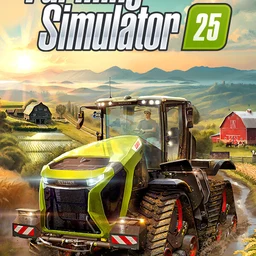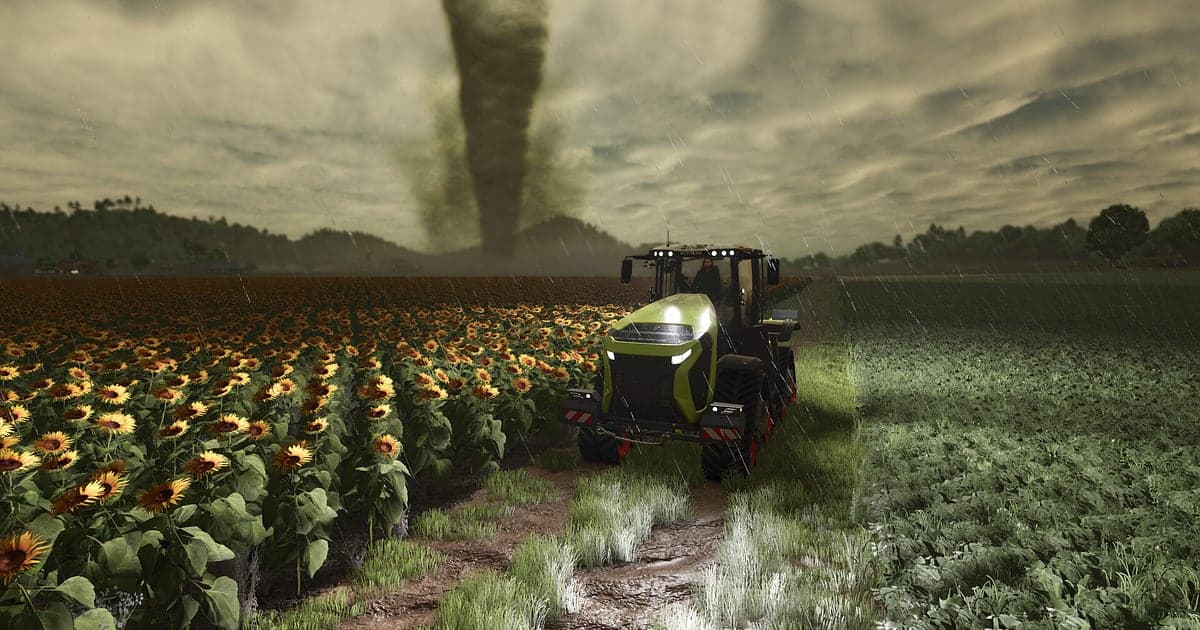
Farming Simulator 25 records automatically once DOR is installed: launch the game and the AI handles recording. You never press a record button before each job. From the moment you start the tractor in the morning until you close the game, cultivating, sowing, harvesting and silo runs all end up in one video. This guide covers the full routine in order: installing DOR, checking the recording, saving harvest moments, finding them later, building a farm tour and sharing it. Long jobs stay unbroken, which makes the footage handy for farm vlogs and timelapses.
- Keep a whole day of farm work in one video, from sowing through harvest to the silo delivery.
- Save the moment your combine finishes the last row of wheat, or your first drive in a modded tractor, as a separate clip.
- Use AI Voice Notes to find co op chatter like 'field three isn't ready yet' and jump to that moment.
- Combine flooding the rice paddy, the first pass on a new field and a co op workday into one farm tour.
Before you record Farming Simulator 25: install and recording mode
Farming Simulator 25 is fairly light on hardware, so running a recorder next to it is simple. DOR is a free Windows app and never adds a watermark, so the originals go straight to a farming channel. Farming Simulator uses full session recording, so the video keeps running as seasons change and you move between fields, until you close the game. Modded gameplay records exactly the same way. Hours of fieldwork mean bigger files, so read reducing game recording file size ahead of time. The table below lists what is worth knowing before your first FS25 recording.
| Item | For Farming Simulator 25 | Notes |
|---|---|---|
| Install | DOR, free Windows app | No watermark, so footage works as farm vlog originals |
| Game version | Windows PC version on Steam | DOR records Farming Simulator 25 on your PC, modded or not |
| Recording mode | Full session recording | One video from launch to exit, unbroken as jobs and seasons change |
| Display mode | Fullscreen, windowed and borderless all record | Windowed FS25 with grain prices open beside it still records |
| Resolution and frame rate | 1080p at 30fps by default | 60fps for smoother machinery shots, or the lighter 720p/30fps mode |
| Storage | About 30MB for a 30 second 1080p clip | Leave plenty of drive space on long harvest days |
Record Farming Simulator 25 with DOR: step by step
- 1Install DORDownload and install DOR. It takes about a minute and is free. Leave it running afterwards, and there is nothing to prepare each time you load your farm.
- 2Launch Farming Simulator 25Start Farming Simulator 25 from Steam and load your save. As soon as DOR detects the game, recording begins, so everything from climbing into your first tractor in the farmyard is captured.
- 3Check that recording is runningBefore your first job, glance at the DOR app once to confirm the recording. If nothing starts, follow what to do when the recorder does not detect your game. After that, focus on your fields and implements.
- 4Clip right after a job is donePress the clip save shortcut right after your combine finishes the last row of wheat, or right after you tip a trailer at the silo. The last stretch is saved as a clip, so you never have to hunt for it in hours of fieldwork.
- 5Quit and open My ClipsWhen the day's work is done, save and close the game. The full session and every clip you saved show up together in My Clips in the DOR app. The day of your first harvest and the day you bought new land are filed the same way.
Find your recordings
Your recordings live in My Clips in the DOR app, also called the library. Each time you open and close Farming Simulator becomes one session, and clips saved with the shortcut appear underneath it. To find a particular job inside a long session, use moments like getting in or out of a machine, or pulling up at the silo or a selling point, as landmarks. Set a start and an end point to trim the part you need, then export it as 16:9, 9:16 or 1:1. The full steps are in how to trim game clips. Like the videos you want to keep, such as your first harvest or the day the farm expanded. When space fills up, older videos you have not liked are cleared first, so your liked footage stays.
Save the moments you want to keep
Farm jobs are long, but the moments worth showing are short. Even with the whole session recorded, saving a clip the moment something good happens makes editing much faster. Press the clip save shortcut and the last stretch is saved as a clip. The default length is 30 seconds, and you can pick 15, 30, 45 or 60 seconds in settings. In Farming Simulator, good times to press it are right after the combine finishes the last row, right after you empty a trailer at the silo, right after you finish flooding a paddy, and right after your first drive in a modded machine. For a mod showcase that needs time to show off the movement, set 60 seconds. A quick delivery only needs 15. See saving the last few seconds instantly for which length fits which moment.
Find what was said with AI Voice Notes
On a co op farm, lines like 'I'll take the combine, hook up a trailer', 'field three isn't ready yet' and 'sell when grain prices go up' never stop. DOR records game audio and your mic together, and AI Voice Notes writes those lines onto the recording timeline as text. Find who said they would spread fertilizer on which field, or when someone suggested trying the new modded tractor, and select it to jump to that scene. On solo days, talk through what you are doing and the text doubles as a draft narration for your farm vlog. To get your mic levels right, see recording games with mic audio.
Build a montage with AI Highlight
When a season of farming is done, turn your saved clips into a farm record. In the library, check the wheat harvest with the combine, the trailer run to the silo, flooding the rice paddy, the first pass on a new field and the modded tractor test drive, then select AI Highlight. DOR joins them into one montage, and hours of work become a farm story a few minutes long. To arrange the clips in job order yourself, see how to merge game clips.
Edit in DOR Studio
DOR Studio opens in your browser with nothing to install. Trim long jobs, merge the clips and label field numbers and crop names with text. Add a calm track and you have a farm tour. Glitch transitions suit the points where seasons change, and a punch zoom works well when a modded machine first rolls into frame. Download the finished video as an mp4 or share it as a link straight away. Exporting in each aspect ratio is covered in exporting game clips.
Share with a dor.gg link
Send trimmed moments as dor.gg links. The person you send it to plays it in the browser without installing anything, so a harvest link in Discord is all your co op crew needs. One link is also enough to show a mod creator how their equipment looks in your game. Tips on picking only the harvest and co op farming scenes are in sharing Farming Simulator 25 videos.
Farming Simulator 25 recommended settings and troubleshooting
The default 1080p at 30fps already captures crops and machinery clearly in Farming Simulator 25. If you want driving shots or a camera sweeping across a wide field to look smoother, switch to 60fps. If you farm for hours on a laptop, the 720p/30fps mode keeps the load down. Fullscreen, windowed and borderless windows all record, so keep the game's display settings as they are. DOR uses GPU hardware encoding, so its effect on your frame rate is small. For days you leave the game open through harvest, also read recording long gameplay without stutter. DOR has no cheat features and never touches your game files, saves or mods.
| Symptom | What to check | Fix |
|---|---|---|
| Engine sounds or friends' voices are missing | Your Windows output device and DOR audio settings | Confirm which device the game plays through, then work through [fixing game recordings with no sound](game-recording-no-sound-fix). |
| Frame rate drops when crossing big fields | Recording resolution, frame rate and in game graphics | Drop to 720p/30fps mode and tune settings with [fixing FPS drops while recording](game-recording-fps-drop-fix). |
| The recording is a black screen | The game's display mode | DOR records fullscreen, windowed and borderless alike. If it is still black, try switching to borderless. |
| Harvest season recordings are huge | Free drive space | Clip what you want to show, and leave watched sessions unliked so they are cleared first when space fills up. |