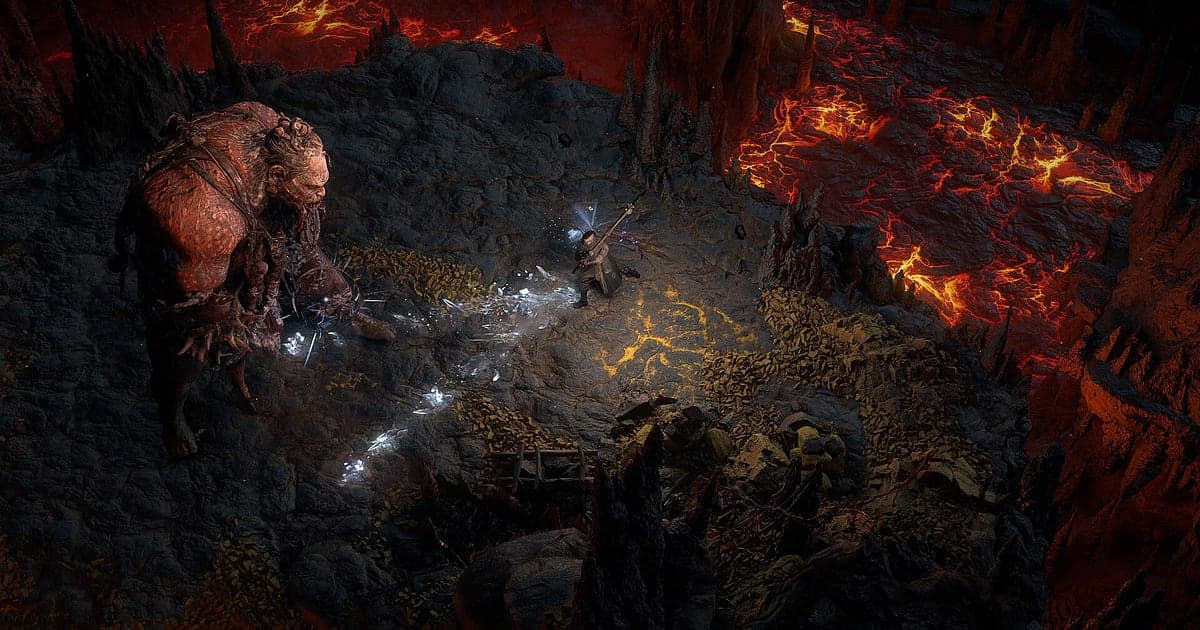
Path of Exile 2 records automatically: install DOR, launch the game, and AI does the rest. Nobody warns you the moment the build you spent hours planning on the passive tree finally melts a boss. DOR detects PoE 2 as it starts and records from Act 1 through endgame maps until you quit, so that moment is on video when it comes. This guide covers getting ready for long mapping sessions, saving drops and boss kills, finding your party's build talk, editing a build showcase, sharing it, and fixing frame rate problems.
- Keep a whole league start marathon, from Act 1 onward, in one video.
- Clip a Divine Orb hitting the floor or an endgame boss deleted in one combo the moment it happens.
- Find party lines like 'I need to respec this whole tree' with AI Voice Notes and jump to that map.
- Combine boss, map clear and Ascendancy trial clips into a build showcase with AI Highlight.
- Turn a dodge roll through a slam into a 9:16 short and post it to Discord with one dor.gg link.
Before you record Path of Exile 2: install and recording mode
All you need is DOR, a free Windows app that puts no watermark on your videos. This guide covers Path of Exile 2 for PC (Windows). Recording is per session, so whether you push the campaign, head back to town or run dozens of maps, it all stays in one video until you quit. A long league start day means a long recording. PoE 2 is heavy on the graphics card, and both frames and recording stay steady on PCs at or above the recommended spec. Start at the default 1080p and 30fps, and if frames get tight in effect heavy maps, switch to the lighter 720p/30fps mode. Tips for capturing long sessions without hitches are in record long gameplay without stutter.
| Item | For Path of Exile 2 | Notes |
|---|---|---|
| Install DOR | Free Windows app | No watermark on recordings |
| Game version | Path of Exile 2 for PC (Windows) | Detected automatically when the game opens |
| Recording mode | Session recording: one video from launch to exit | Campaign and mapping stay in the same recording |
| Display mode | Fullscreen, windowed and borderless all record | Switches to monitor capture if game capture is blocked |
| Resolution and frame rate | 1080p at 30fps by default, 60fps available | PoE 2 is GPU heavy, so use 720p/30fps mode when frames are tight |
Record Path of Exile 2 with DOR: step by step
- 1Install DOR and leave it runningInstall DOR and open it once; it then waits in the background for PoE 2 to start. If you map with a party on Discord, check the microphone DOR picked.
- 2Launch Path of Exile 2Start the game and DOR notices and begins recording. Capture starts at character select, so stepping into Act 1 with a fresh league starter is included.
- 3Confirm the recording is liveFrom somewhere safe like the first town, open the DOR app once to check that it is recording, then go back. Recording uses GPU hardware encoding, so even maps where whole packs explode at once add little load.
- 4Clip right after a drop or a bossWhen a Divine Orb hits the floor or an Ascendancy trial boss goes down, press the clip save shortcut. The last 30 seconds become a clip, covering the kill and the loot landing, while the session recording keeps going.
- 5Quit and check My ClipsWhen you close PoE 2, the session recording and your saved clips appear in My Clips. Open it to make sure the first map with today's finished build was captured.
Find your recordings
Recordings collect in My Clips, the library in the DOR app. Each launch and quit makes one session recording, and clips you saved with the shortcut are listed separately. Mapping sessions repeat the trip back to your hideout between maps, so use the hideout screen as a divider to find the map you want quickly. When you find it, set a start and an end, trim, and export in 16:9, 9:16 or 1:1. Like the maps and boss fights you plan to use in a showcase. When space fills up, older videos you have not liked are cleared first, so liked videos stay. To shrink long recordings, see reduce game recording file size.
Save the moments you want to keep
The clip save shortcut keeps the stretch of play just before you press it. The default is 30 seconds, and 15, 30, 45 or 60 seconds are available. A Divine drop or a dodge roll through a slam fits in 15 or 30 seconds. A boss fight where you survive several phases before melting it needs 45 or 60 seconds to capture from the start. Press right after the item name appears on the floor, or right after the boss health bar disappears. If you miss it, it is still in the session recording, ready to trim from the library. Picking a length is covered in save the last few seconds instantly.
Find what was said with AI Voice Notes
AI Voice Notes writes down what your party says and pins each line to that point on the recording timeline. A PoE 2 party talks builds nonstop while mapping, and nobody remembers which map someone insisted on swapping that support gem. Lines like 'Divine just dropped, I'm not kidding', 'Dodge rolled too late, got one shot' or 'Let's push higher tier Waystones' appear as sentences, and selecting one jumps to that moment. When you rewatch a one shot death, you can see the mechanic and the conversation together. To capture Discord voices in the mix, see record Discord call audio.
Build a montage with AI Highlight
AI Highlight joins the clips you check in your library into one montage. Check 'Endgame boss deleted', 'Full map clear', 'Ascendancy trial cleared' and 'Finished build first run', press AI Highlight, and you have a build showcase. It sells your build before anyone reads the guide. Put the Divine Orb drop at the end and viewers also see what the build earned you. To set the order yourself, use merge game clips.
Edit in DOR Studio
DOR Studio opens in your browser with nothing to install. Merge and trim clips, add text, background music and effect templates, and export in 16:9, 9:16 or 1:1 as an mp4 or a share link. For PoE 2, cut the walks between packs and keep the boss fights, then add a punch zoom on the roll that dodged the slam and a shake zoom as the boss falls. Add the build name and key skill as text and it looks like a proper guide video. Use 16:9 for showcases where the whole screen matters and 9:16 for a short about a single skill. See the full feature list in the DOR browser clip editor and vertical editing in record vertical shorts from games.
Share with a dor.gg link
Send the edit as one dor.gg link, and the person who opens it watches in a browser on PC or phone with no app. Post a Divine drop link in your guild Discord or a Reddit thread and nobody can call it fake. Build showcases go up on YouTube or TikTok with no watermark. Pulling highlights out of a long mapping recording is covered in how to share Path of Exile 2 gameplay videos.
Path of Exile 2 recommended settings and troubleshooting
PoE 2 records in fullscreen, windowed and borderless, so keep your usual display mode. Recording starts at 1080p and 30fps; choose 60fps if you are making a showcase full of flashy skill effects. If the game itself is short on frames, lower PoE 2's graphics options one at a time and compare in the same map. If frames drop only while recording, check fix FPS drops while recording first.
| Symptom | What to check | Fix |
|---|---|---|
| Frames drop in maps where packs explode | Game graphics options and recording frame rate | Lower graphics options one by one; if it still struggles, switch DOR to 720p/30fps mode |
| The recording is a black screen | Display mode and other overlay or recording software | Close other recorders and relaunch the game. DOR switches to monitor capture if game capture is blocked |
| Party voices are missing | The Windows output device and DOR microphone setting | Match them to the devices you use and record a short test |
| Recording does not start when the game opens | Whether DOR was running first | Open DOR first, then relaunch the game |