Verdict: PRO X SUPERLIGHT 2 for the mouse, ZOWIE XL2546X+ for the monitor, Cloud II for the headset
Count the gear of 64 PUBG: BATTLEGROUNDS pros on a public list (as of November 10, 2026) and the picture is surprisingly simple: a light symmetrical wireless mouse, 400 or 800 DPI, a 24.5 inch 240Hz class ZOWIE TN monitor, and a closed back wired headset or a pair of earbuds.
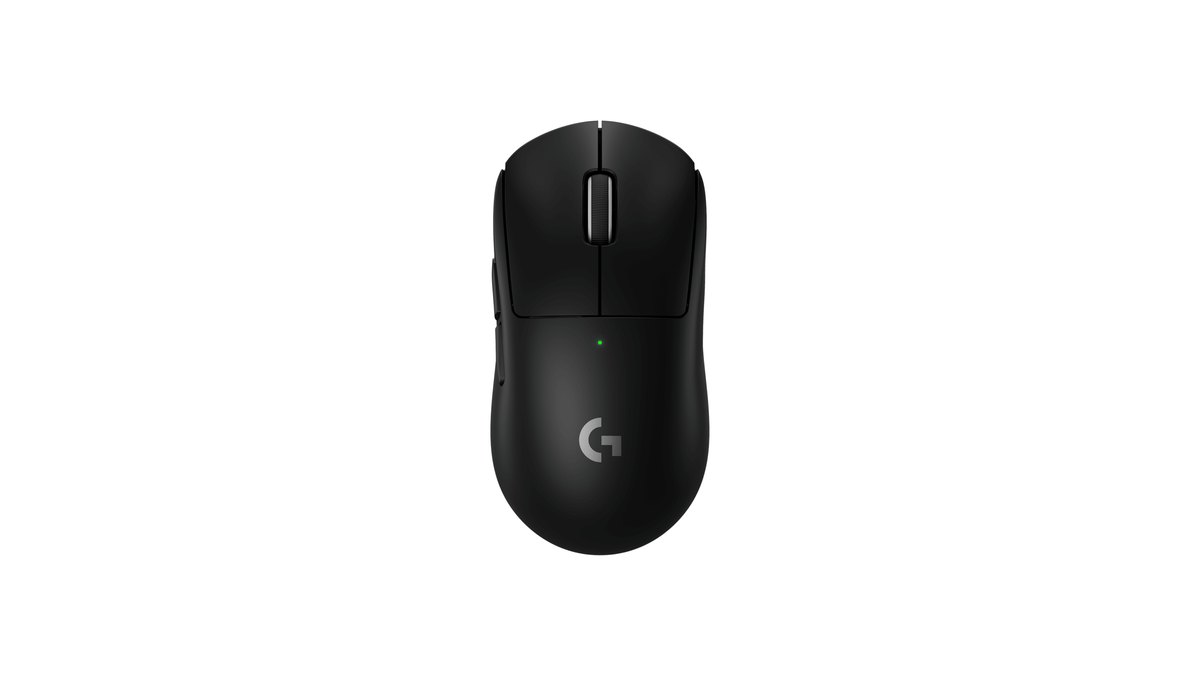
If you want the best mouse for PUBG right now, buy the Logitech G PRO X SUPERLIGHT 2. It is the current model of the SUPERLIGHT shape, which is the most common shape on the PUBG pro list by a wide margin. For the monitor, get the ZOWIE XL2546X+, the current model of the XL2546 line that pros use most.
For audio, the HyperX Cloud II is the most common headset among pros who list one. If you want an even lighter mouse, the Razer Viper V4 Pro is the alternative, and if you want wireless audio with noise cancelling, look at the Razer BlackShark V3 Pro. Sensitivity numbers are covered separately in our PUBG pro sensitivity roundup, so this page focuses on hardware.
- Mouse: the SUPERLIGHT shape family leads with 25 of 64 pros. The model to buy today is the PRO X SUPERLIGHT 2
- DPI: 800 for 27 pros, 400 for 26 pros, a near tie. Only 7 use 1600
- Monitor: 42 of the 55 pros who list one use ZOWIE, mostly 24.5 inch 240Hz class models such as the XL2546, XL2540 and XL2546K
- Headset: HyperX Cloud II leads with 9 of the 32 pros who list a headset. Some pros use earbuds instead
PUBG pro gear list: what 64 players actually use
Pro gear lists are built from the equipment and settings that players share publicly. For this guide we went through one public list of 64 PUBG players (38 on teams, 18 free agents, 8 content creators) on November 10, 2026 and counted every row ourselves.
We show head counts instead of percentages because the sample is small. Move one or two players and a percentage swings a lot, so read the numbers below as a trend, not a rule.
| Category | Most common | Runner up | Worth noting |
|---|---|---|---|
| Mouse model | PRO X SUPERLIGHT family, 25 | ZOWIE EC family, 7 | 22 of them are the first generation SUPERLIGHT |
| Mouse brand | Logitech, 32 | ZOWIE, 13 | Razer has only 5 |
| DPI | 800, 27 | 400, 26 | 1600 has 7 |
| Monitor | ZOWIE XL2546, 18 | ZOWIE XL2540, 10 | XL2546K has 9; 280Hz plus models total 4 |
| Resolution | 1728×1080, 36 | 1920×1080, 24 | Stretched resolution is more common |
| Field of view | 95, 21 | 103, 13 | 90 has 10 |
| Headset | HyperX Cloud II, 9 | Logitech G Pro X family, 5 | 32 of 64 list no headset |
Three caveats before you copy anything. First, the list has no per player update date. Four players still list the G Pro Wireless, a mouse that is several generations old, so some rows are likely stale.
Second, the sample leans on certain regions: Thailand 13, China 8, Russia 7, the United States 5, with Australia and Korea at 4 each. It is not a picture of any single scene. Third, PUBG does not look like other shooters.
A combined snapshot of more than 2,000 pros across several games at the end of June 2026 had Razer and Logitech mice almost level and a 360Hz XL2566K as the top monitor. In the PUBG list, Logitech accounts for 32 of 64 players, Razer for just 5, and most monitors are 240Hz class.
That is why the best PUBG setup is a little different from the average esports setup you see in general pro settings articles.
Mouse: the SUPERLIGHT shape leads, and the SUPERLIGHT 2 is the one to buy
The Logitech PRO X SUPERLIGHT shape family is the most common mouse among PUBG pros with 25 players. But 22 of those are the first generation PRO X SUPERLIGHT, only 2 use the SUPERLIGHT 2, and 1 uses the smaller SUPERLIGHT 2c. So saying most PUBG pros use the SUPERLIGHT 2 would be wrong.
The accurate version is that the SUPERLIGHT 2 is the current model of the shape pros use most. Next come the ZOWIE EC family with 7 and the FK family with 5, which means the second brand on the PUBG list is ZOWIE, not Razer.
What these mice share is a safe, familiar shape and, for most of them, a wireless connection. PUBG fights tend to happen at mid to long range, where you control recoil and track a moving target for longer than in close quarters shooters.
One reasonable reading is that keeping a shape your hand already knows matters more than chasing the newest spec.
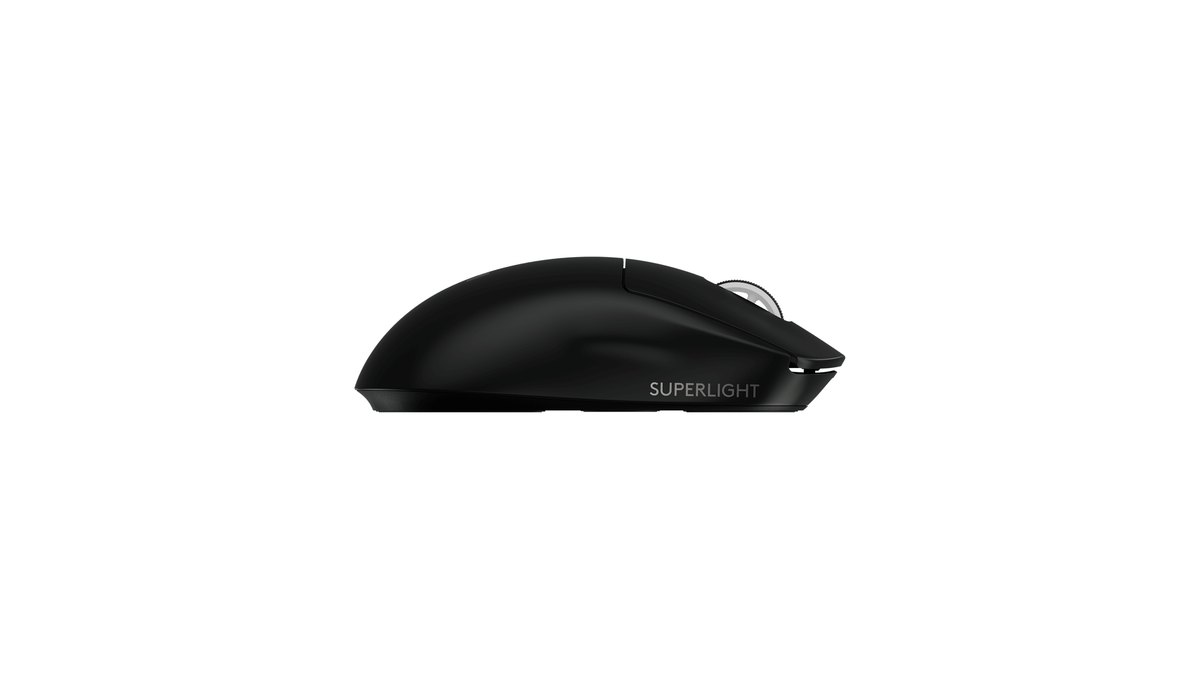
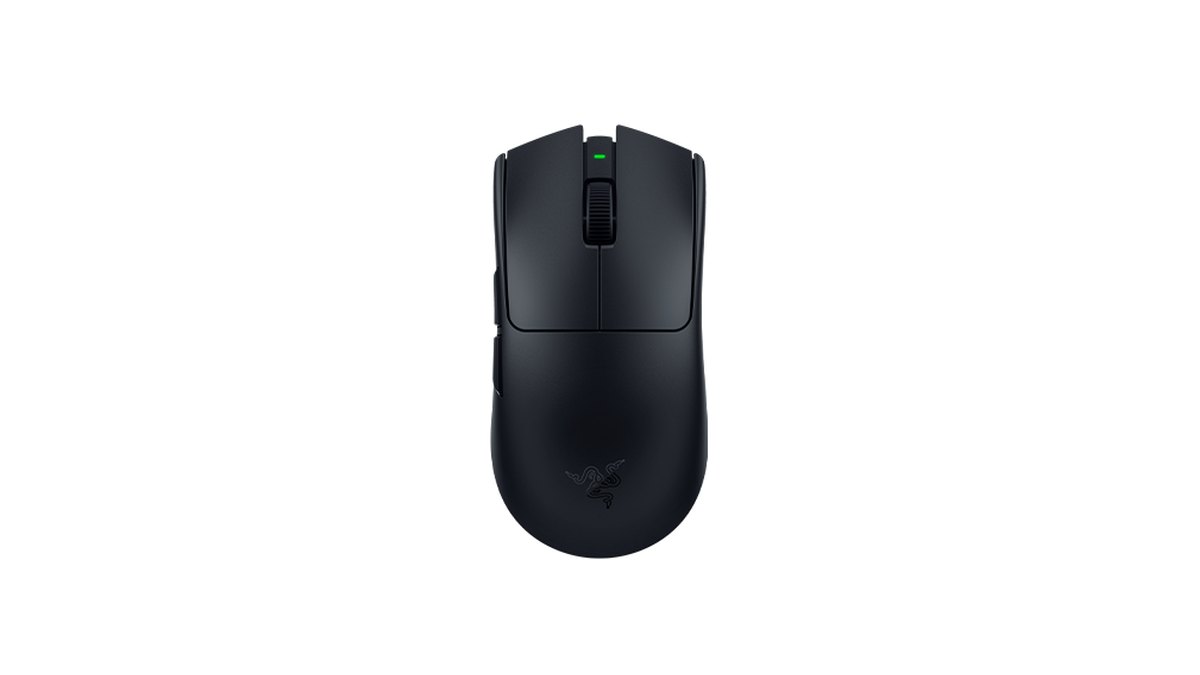
Logitech G PRO X SUPERLIGHT 2: the default pick for most players
The SUPERLIGHT 2 is a 60g symmetrical wireless mouse measuring 125 × 63.5 × 40mm.
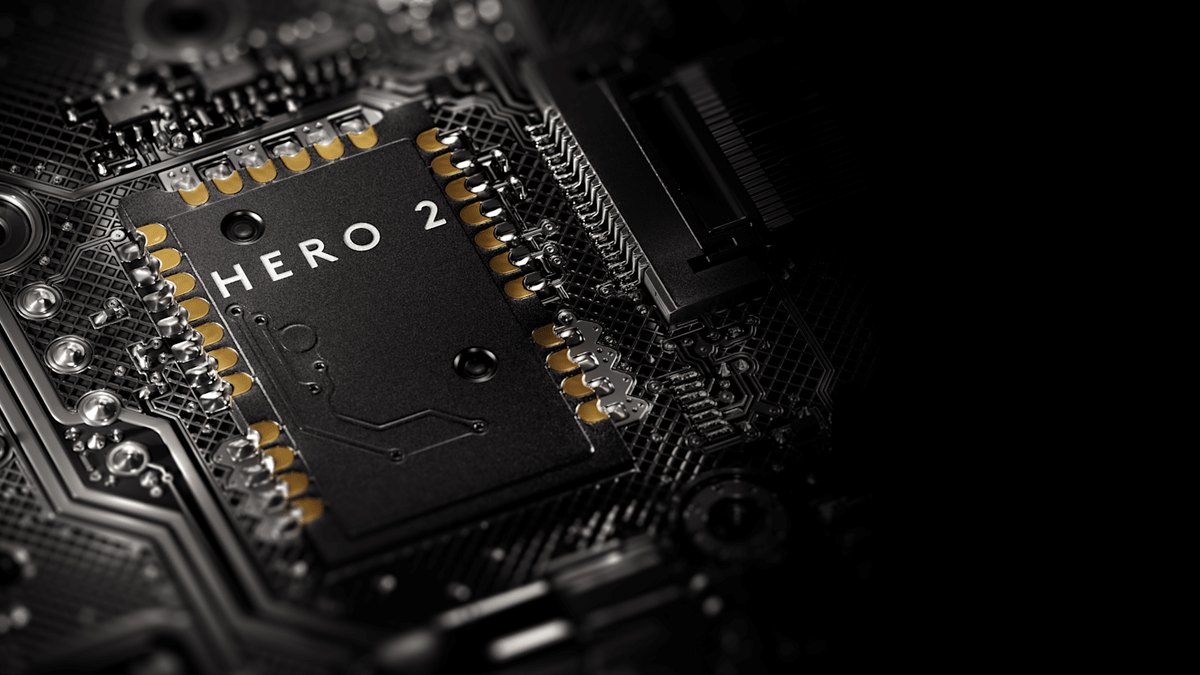
Logitech lists a HERO 2 sensor, polling up to 8000Hz (advanced settings need G HUB), LIGHTFORCE hybrid optical and mechanical switches, up to 95 hours of continuous use, USB C charging and POWERPLAY wireless charging support.
A lab review measured it at about 59.4g, found very low sensor and click latency, and noted that the symmetrical shape suits most hand sizes and grips. The usual complaints are no Bluetooth and only two side buttons.
Logitech's regional store pages we checked list a two year limited hardware warranty, so confirm the terms for the country where you buy. If your hands are small, look at the 51g SUPERLIGHT 2c or the 59g G304 X SUPERLIGHT. If you want adjustable actuation, read our PRO X3 SUPERSTRIKE vs Viper V4 Pro comparison.
Watch out for the similarly named SUPERLIGHT 2 SE, which tops out at 1000Hz, and double check the model name before you check out.
Razer Viper V4 Pro: if you want something even lighter
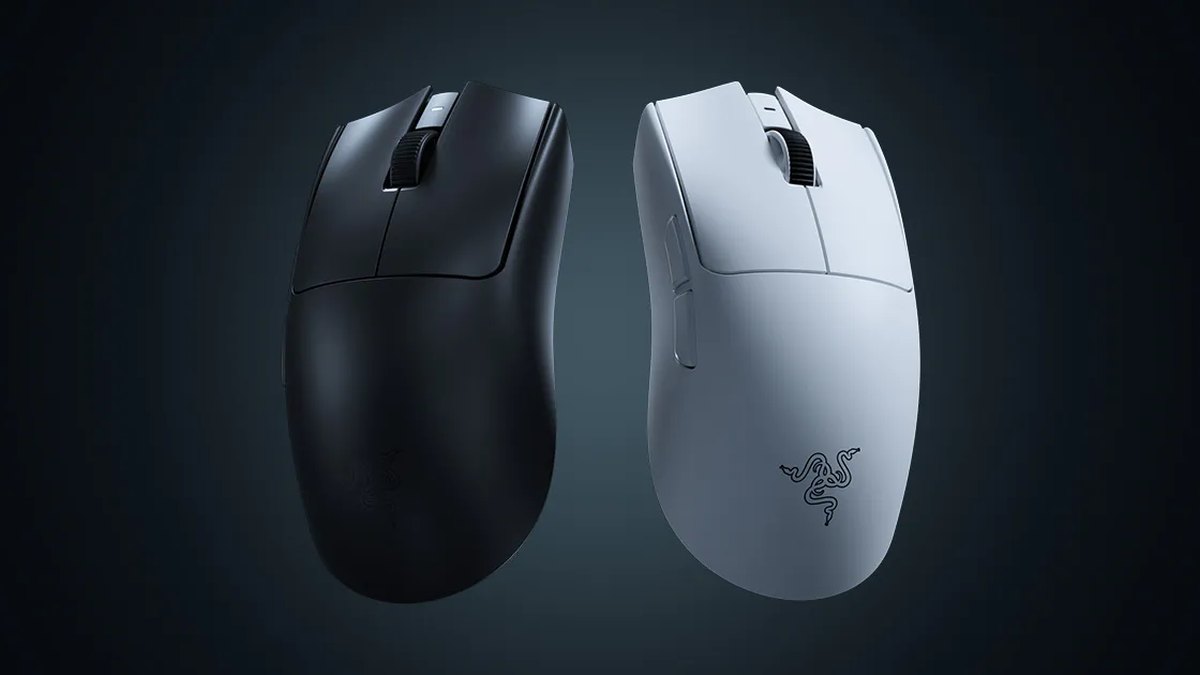
The Viper V4 Pro is a lightweight Razer wireless mouse that was announced and went on sale on March 24, 2026. The black version weighs under 49g and measures 127.1 × 63.9 × 39.9mm with a right handed symmetrical shape.
It uses the Focus Pro 50K Gen 3 sensor, up to 8000Hz polling on both wired and wireless, and Gen 4 optical switches rated for 100 million clicks. Battery life is up to 180 hours at 1000Hz and up to 45 hours at 8000Hz.
Its default DPI stages include 400 and 800, so you can match typical PUBG pro values right away.
In the combined pro snapshot it reached the top five only three months after launch, but on the PUBG list it has a single user, so treat it as a lighter symmetrical alternative rather than the PUBG pro standard.
Both a lab review and user feedback point out that the clicks are loud, which matters if you play late at night or share a room. Razer lists a warranty of up to two years in the US. For the generational differences, see Viper V4 Pro vs V3 Pro.
| Spec | PRO X SUPERLIGHT 2 | Viper V4 Pro |
|---|---|---|
| Weight (maker) | 60g | Under 49g (black) |
| Size | 125 × 63.5 × 40mm | 127.1 × 63.9 × 39.9mm |
| Shape | Symmetrical | Right handed symmetrical, side buttons on the left |
| Sensor | HERO 2 | Focus Pro 50K Gen 3 |
| Max polling | 8000Hz | 8000Hz wired and wireless |
| Battery | 95 hours continuous | 180 hours at 1000Hz, 45 hours at 8000Hz |
| Switches | LIGHTFORCE hybrid | Optical Gen 4, 100 million clicks |
| PUBG pro list | Family of 25 (SUPERLIGHT 2 itself: 2) | 1 |
DPI and sensitivity: 400 and 800 are tied, 1600 is rare
PUBG pro DPI is essentially a coin flip: 27 players use 800 and 26 use 400. Seven use 1600, and 950 and 1000 have one player each. You will often read that 800 DPI is the PUBG standard, but the pro list shows 400 is just as common.
Both values come from the long running habit of using a low DPI and fine tuning with in game sensitivity, and there is no evidence that one beats the other.
PUBG sets a separate sensitivity for every scope from 2x up to 15x, so it makes sense to lock your mouse to one DPI and tune each scope inside the game. A vertical sensitivity multiplier of 1.0 was the most common value.
If you already have a DPI you are comfortable with, carry it over when you switch mice instead of starting from scratch. To dial in numbers around 800 DPI, use our PUBG 800 DPI sensitivity guide, and to convert values between scopes, try the PUBG scope sensitivity calculator. If you are not sure your new mouse actually tracks at the DPI you set, run through how to check mouse DPI.
Monitor: 24.5 inch 240Hz class ZOWIE, and the XL2546X+ if you buy today
When it comes to the best monitor for PUBG, the pro list is dominated by ZOWIE. Of the 55 players who list a monitor, 42 use ZOWIE, and the top three models are the XL2546 with 18, the XL2540 with 10 and the XL2546K with 9.
All three are 24.5 inch models, and the XL2546 and XL2546K are 240Hz TN monitors. Newer 280Hz plus models (XL2546X+, XL2566X+, XL2586X and XL2586X+) add up to only 4 players. That contrasts with the combined pro snapshot, where the 360Hz XL2566K was number one.
There is no single explanation. PUBG has big maps and a heavy graphics load, which can make very high frame rates harder to hold, and many rows on the list may simply be old entries.
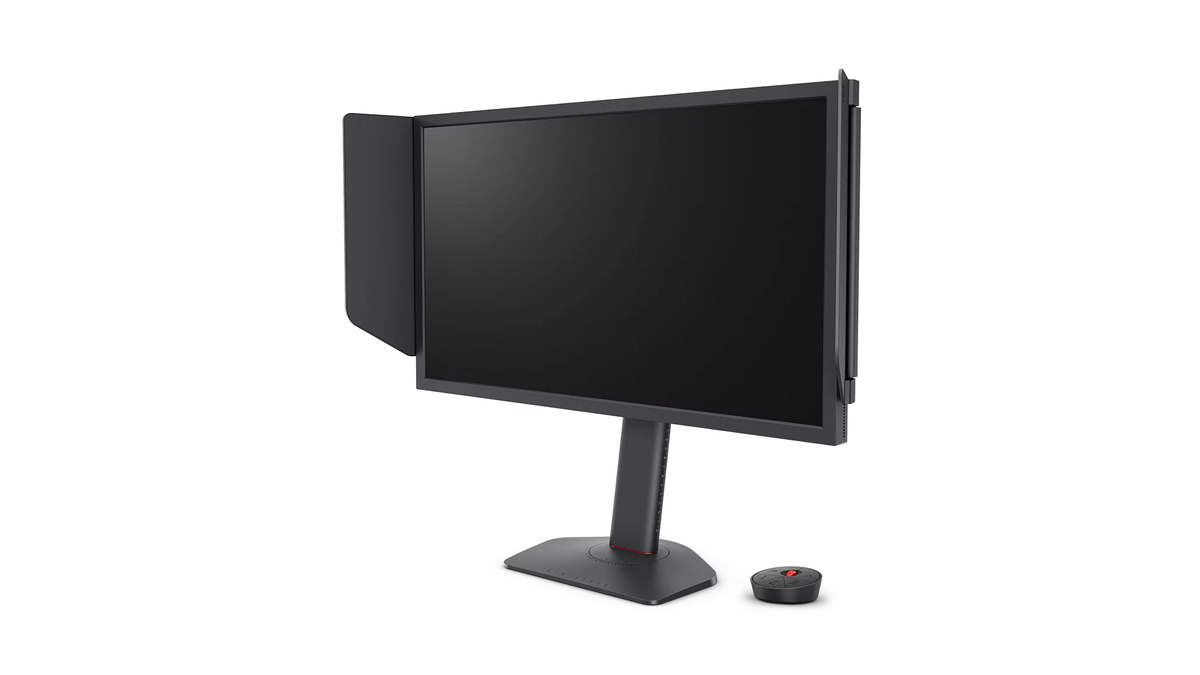
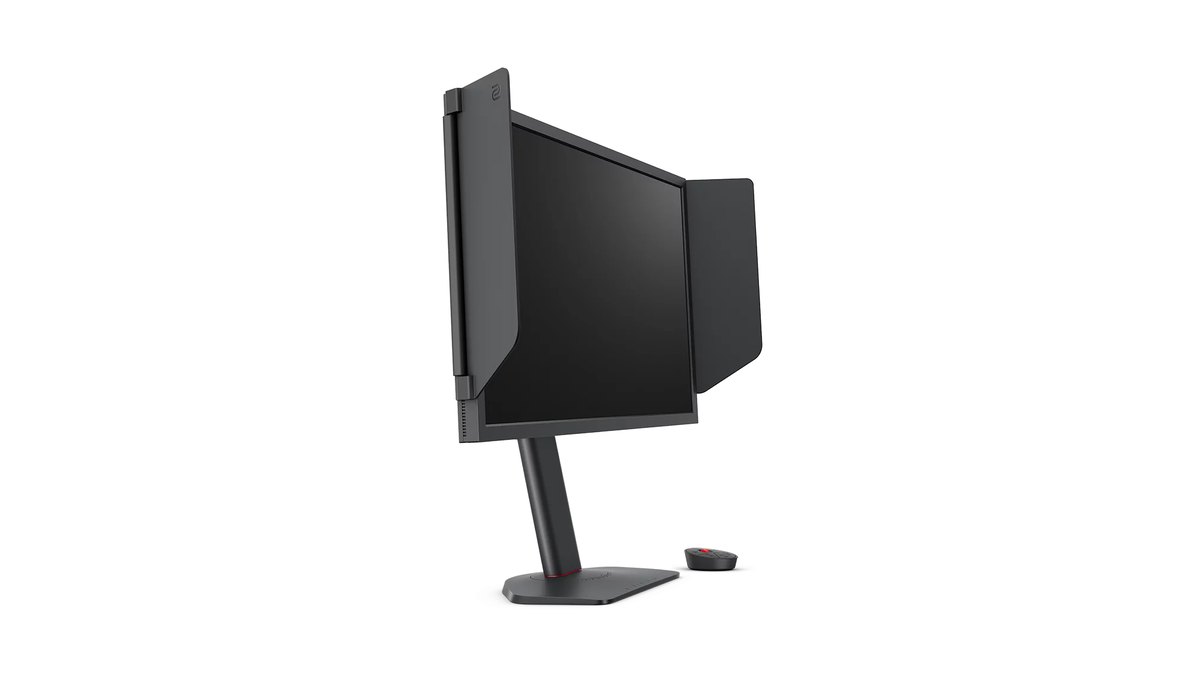
That makes the ZOWIE XL2546X+ our pick. It is the current model of the XL2546 line pros use most, with a 24.1 inch 1920 × 1080 Fast TN panel at 280Hz and ZOWIE's DyAc 2 motion blur reduction. DisplayPort 1.2 drives 280Hz, and three HDMI 2.0 ports handle consoles at up to 120Hz.
You get 155mm of height adjustment, side shields and the S Switch controller in the box. VRR and flicker free mode are only available with DyAc 2 turned off. In the US, ZOWIE's current lineup is the X+ generation (XL2540X+, XL2546X+, XL2566X+ and XL2586X+), so this is the easy one to find.
If your GPU holds well above 300 fps in PUBG, the 400Hz XL2566X+ is the next step up. The 360Hz XL2566K, which tops the multi game snapshot, no longer appears on ZOWIE's US lineup page as of November 10, 2026, so treat the XL2566X+ as its spot.
To save money, the XL2540X+ in the same line also runs at 280Hz, but its game feature list does not include DyAc. After you set it up, check our monitor overdrive settings guide.
Headset: Cloud II or earbuds, and BlackShark V3 Pro if you want wireless
Audio is the weakest part of the data, since 32 of the 64 pros list no headset at all. Among the 32 who do, the HyperX Cloud II leads with 9, followed by the Logitech G Pro X family with 5, and the Razer BlackShark V2 Pro and Bose QuietComfort 20 earbuds with 3 each.
It stands out that a few PUBG pros play on earbuds. Player discussions split along the same line: some say earbuds make footsteps and gunshot direction easier to pick out, while others say a headset gives a better sense of distance and is more comfortable over long sessions.
Both sides point to pros to make their case, so treat it as preference. Either way, your in game audio settings matter more than the hardware. We cover them in PUBG footstep sound settings.
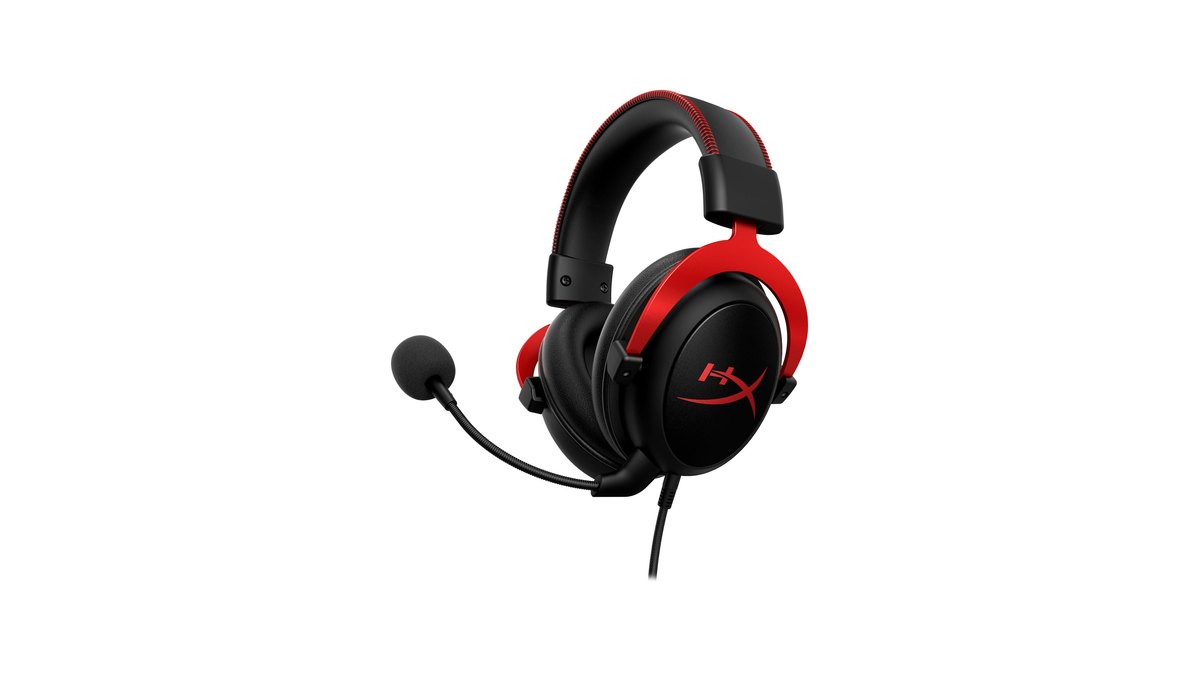
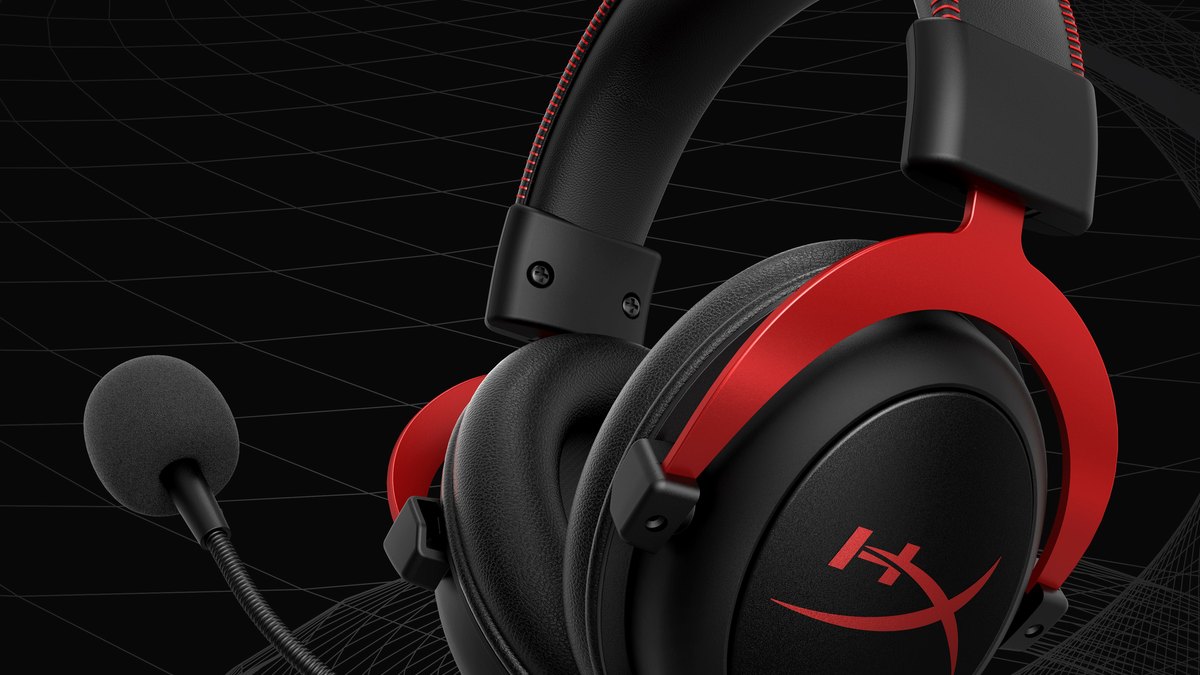
The HyperX Cloud II is a wired, closed back, over ear headset with 53mm dynamic drivers. It has a detachable noise cancelling mic, a USB audio control box and virtual 7.1 surround, and weighs about 318g (converted from 0.7 lb).
It works with PC, consoles and mobile, and the US page lists a two year warranty. A lab review found latency negligible, sound and mic solid, and the build sturdy and comfortable, but noted weak noise isolation and a slightly sharp sound on some tracks. If your room is noisy, keep that in mind.
Its share has dropped over the past year in the combined pro snapshot, yet on the PUBG list it is still the most common headset. For what changed in the successor, read HyperX Cloud II vs Cloud III.
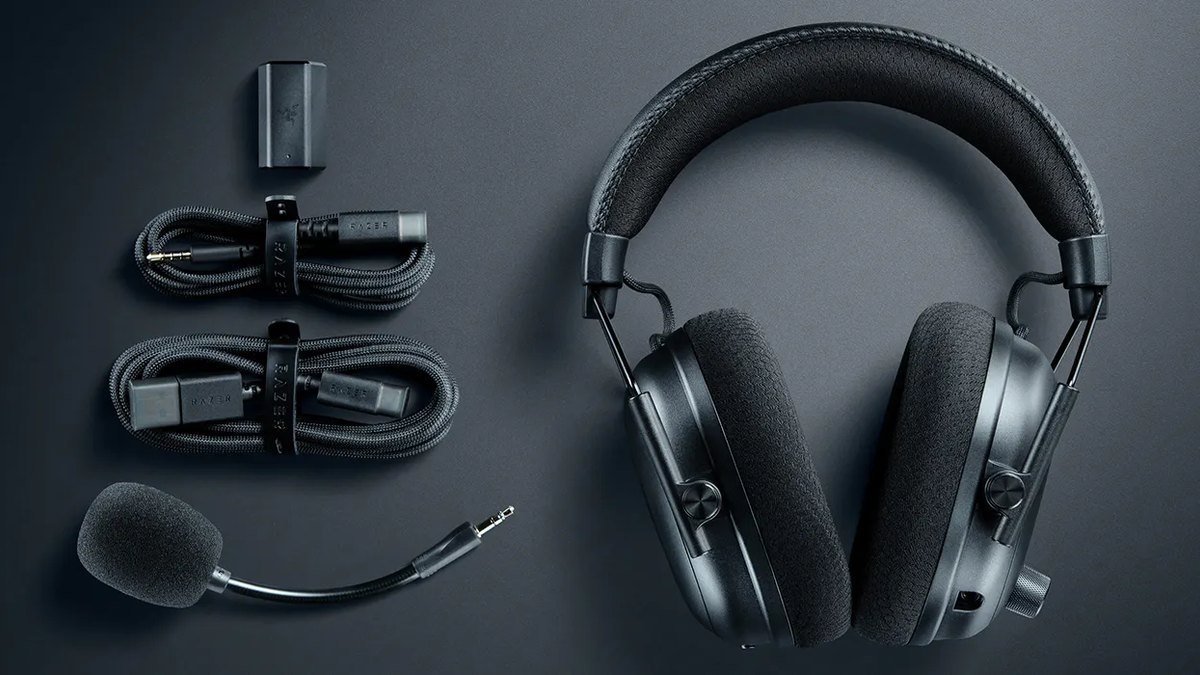
If you want wireless, active noise cancelling and a strong mic in one headset, the Razer BlackShark V3 Pro is the alternative.
Announced on July 29, 2025, it has 50mm drivers, four level hybrid ANC, and 2.4GHz wireless, Bluetooth, USB wired and 3.5mm connections, with up to 70 hours of battery on PC over 2.4GHz. A lab review praises its mic noise handling and low latency on both wired and 2.4GHz.
It was the number two headset in the combined pro snapshot but has no users on the PUBG list yet. At 367g it is heavier than the Cloud II, and the same review notes that sound changes noticeably with head size and glasses. For the full lineup, see our best gaming headset picks.
What to copy from the pros and what to skip
- Lock your DPI at 400 or 800 and tune sensitivity per scope inside the game
- Pick a light symmetrical wireless mouse that fits your hand; around 60g is plenty
- Use a 24 to 25 inch 1080p monitor at 240Hz or higher so the whole screen stays in view
- Use a closed back headset or earbuds that make footstep direction clear
- Get a large mouse pad; ZOWIE is the most common pad brand on the PUBG list, with 10 players on the G-SR
Alternatives by tier: budget to high end
| Tier | Mouse | Monitor | Headset |
|---|---|---|---|
| Budget | Logitech G304, G102 | ZOWIE XL2540X+ (280Hz) | HyperX Cloud II, Razer BlackShark V2 X, earbuds |
| Mid range | G304 X SUPERLIGHT, SUPERLIGHT 2 SE, Viper V3 Pro | ZOWIE XL2546X+ (280Hz, DyAc 2) | HyperX Cloud III |
| High end | PRO X SUPERLIGHT 2, Viper V4 Pro, PRO X3 SUPERSTRIKE | ZOWIE XL2566X+ (400Hz), XL2586X+ | Razer BlackShark V3 Pro |
The budget row is the minimum for a pro style setup. The G304 is an entry level symmetrical wireless mouse that lasts a long time if the shape suits you, and the G102 is the wired starter.
Your monitor does not have to be a ZOWIE: any 24 to 25 inch 1080p panel at 240Hz or more puts you in the same range as most of the PUBG list. In the mid range, the G304 X SUPERLIGHT weighs 59g, close to the SUPERLIGHT 2, and the Viper V3 Pro weighs 54g.
The high end row buys headroom in weight, polling and battery, not guaranteed results. For more options, see our best gaming mouse picks and best gaming monitor picks.
Prices (as of November 10, 2026)
| Product | MSRP / list price | Street price range |
|---|---|---|
| Logitech G PRO X SUPERLIGHT 2 | $159.99 | $139.99 to $159.99 |
| Razer Viper V4 Pro | $159.99 | About $159 |
| ZOWIE XL2546X+ | $499.99 | Check retailer |
| ZOWIE XL2566X+ | $649.99 | $628.67 to $649.99 |
| HyperX Cloud II | $79.99 | $49.99 to $59.99 |
| Razer BlackShark V3 Pro | $259.99 | $209.99 to $259.99 |
Prices move with stock, promotions and exchange rates. The figures above were checked around November 10, 2026, so confirm the final price, seller and warranty terms before you buy.
Both mice share the same $159.99 list price, while stepping up from the XL2546X+ to the 400Hz XL2566X+ adds about $150 at list price. The XL2546X+ street price varies widely by seller in the US, so compare a few retailers.
What players are saying: sensitivity and sound questions keep coming up
Recent posts in a Korean PUBG community show sensitivity and sound questions coming up alongside gear questions. In one example, a player whose 6x scope bounced up and down at long range asked about the vertical multiplier and about splitting X and Y sensitivity on the mouse itself.
Sound is where opinions split. One side says turning on a sound card or audio enhancement makes footsteps louder and easier to hear; the other says it buries one side of the mix during fights and makes gunfire tiring.
On products, praise for the SUPERLIGHT 2's symmetrical shape and balance shows up in several places. The Viper V4 Pro gets credit for its sensor and low weight, while some owners wish the clicks felt and sounded better.
The XL2546X+ earns praise for clear motion, alongside hesitation that it is expensive for a 1080p panel. Whichever gear you pick, expect to retune your sensitivity and audio settings after the switch.
Record before and after you change gear
- 1Record your current playLeave DOR running and play a few PUBG matches as usual. DOR detects PUBG when it launches, records the whole match, and saves kill, knock and death moments as automatic clips in My Clips.
- 2Fix the conditionsChoose the same map, the same mode and a similar weapon loadout. When you compare, group fights at a similar distance so the differences stand out.
- 3Change one thing and record againSwap only one variable, such as the mouse, the DPI or the monitor refresh rate, then record a few more matches under the same conditions. Change several at once and you will not know what helped.
- 4Compare fights side by sideUse the post match highlight analysis to pull your fights, then watch the before and after clips side by side to see how recoil control and long range tracking changed.
Footage is more honest than feel. In fights at the same distance, before and after clips show right away whether your spray drifts up or whether you overshoot a moving target. On the free plan, DOR records at 1080p and 30 or 60 fps, and the original recordings are saved on your PC. The full comparison routine is in how to check a gear upgrade with before and after recordings, and setup for PUBG is in how to record PUBG gameplay.