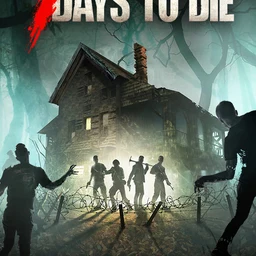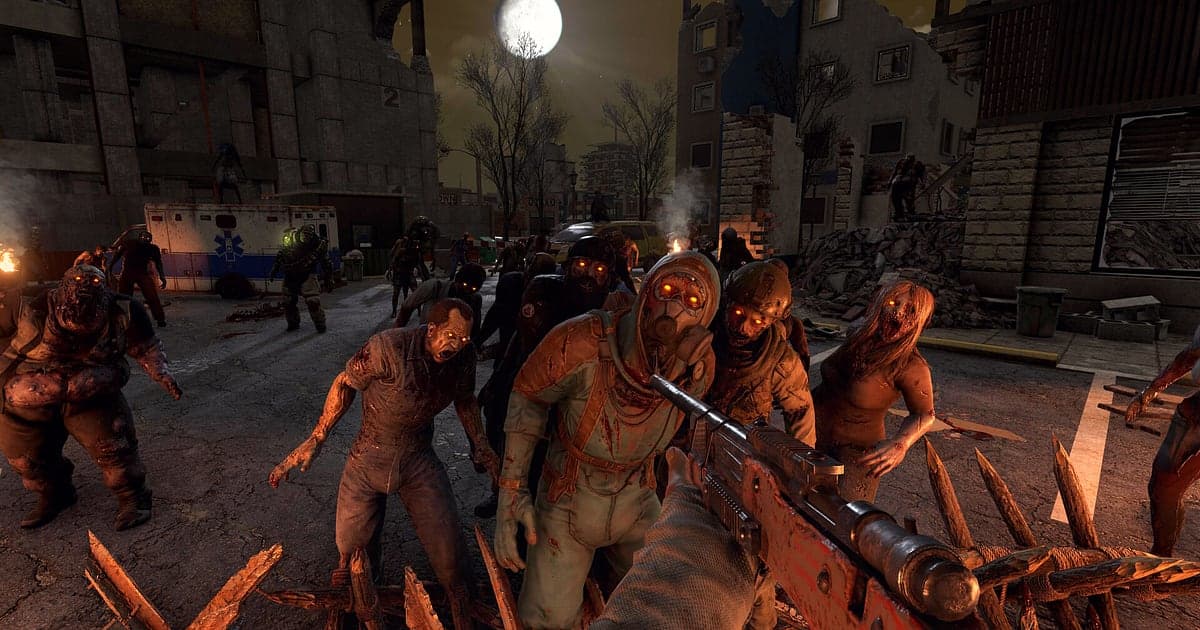
7 Days to Die records automatically once DOR is installed: launch the game and the AI takes care of recording. Without ever touching a record button, everything from the first loot run on day one to the Blood Moon on day seven ends up on video, along with zombie groans and your friends' voice chat. This guide takes survivors through it in order: installing DOR, checking the recording, saving horde moments, finding them later, building a survival log and sharing it. When you can rewind and see which wall gave way after the Demolisher went off, planning for the next Blood Moon gets a lot easier.
- Keep every survival day on video, from day one looting to the day seven Blood Moon horde.
- Save the disaster when a Screamer calls the whole neighborhood, or the moment a Demolisher blows, as a separate clip.
- Use AI Voice Notes to find calls like 'Demolisher incoming, watch the chest' and jump to the moment the wall broke.
- Combine a POI rooftop loot run, a trap hallway cleanup and an auger dug bunker tour into a survival log.
Before you record 7 Days to Die: install and recording mode
7 Days to Die is GPU heavy. At or above the recommended spec you can keep both the in game frame rate and the recording stable, and Blood Moon nights are the heaviest stretch by far. If frames worry you, start with fixing FPS drops while recording. DOR is a free Windows app and never adds a watermark. Recording covers the full session, so the video keeps running through every new day and every day and night cycle until you close the game. The table below gathers what to check for 7 Days to Die before you start.
| Item | For 7 Days to Die | Notes |
|---|---|---|
| Install | DOR, free Windows app | No watermark, so a day by day Blood Moon series goes up as it is |
| Game version | Windows PC version on Steam | DOR records 7 Days to Die on your PC, solo or on a friend's server |
| Recording mode | Full session recording | One video from launch to exit, not split when the in game day changes |
| Hardware | GPU heavy game | Set recording up around the busiest moments, like a Blood Moon night |
| Resolution and frame rate | 1080p at 30fps by default | 60fps for smoother gunfights, or 720p/30fps mode if it struggles |
| Storage | About 30MB for a 30 second 1080p clip | Clear plenty of space on days you play through a whole seven day cycle |
Record 7 Days to Die with DOR: step by step
- 1Get DOR installedGrab DOR and install it. It is done in a minute or so and costs nothing. Leave it running, and there is nothing to set up again before you join a server.
- 2Start 7 Days to DieLaunch the game from Steam and load your world or join a friend's server. The moment DOR recognizes the game, recording kicks in, so even day one, punching grass with bare hands, is on record.
- 3Glance at the recording statusBefore you enter your first POI, look once to see the recording indicator in the DOR app. If nothing has changed, use what to do when the recorder does not detect your game to find the cause. After that, think only about ammo and food.
- 4Leave a clip right after a close callWhen you hold the Blood Moon horde to the last wave, when a Demolisher goes off in front of the wall, or when a Screamer brings a crowd, press the clip save shortcut right after. The 30 seconds before it become a clip, so you never scrub through a long night from the start.
- 5Save, quit and open My ClipsWhen the day's survival is done, save and close the game. The whole session and every clip you left are stacked together in My Clips in the DOR app. The nights your base held and the nights it fell sit in the same list.
Find your recordings
Recordings collect in My Clips in the DOR app, also called the library. One launch to exit is one session, and anything saved with the shortcut hangs underneath it as a clip. To find a Blood Moon night inside a long session, look for the stretch where the sky turns red, which is the fastest landmark there is. For trader quests, look for the moment you take the quest at the trader. Set a start and an end point to cut what you need, then export as 16:9, 9:16 or 1:1. Cutting is explained in detail in how to trim game clips. Like the videos you want to protect, such as the first Blood Moon you survived. When space runs short, older videos you have not liked go first, so liked footage stays.
Save the moments you want to keep
The longer the night, the more the moments that matter bunch into a few seconds. Even with everything being recorded, leaving a clip right then makes it much faster to find when your group rewatches the next day. Press the clip save shortcut and what just happened becomes a clip, 30 seconds by default, with 15, 30, 45 and 60 seconds available in settings. In 7 Days to Die, press it right after the last Blood Moon wave, right after a Demolisher explodes, right after you sweep the zombies packed into your trap hallway, and right after you find good loot on a POI rooftop. To catch everything from just before the wall broke, set 60 seconds. For a single blast, 15 is enough. Lengths and their uses are laid out in saving the last few seconds instantly.
Find what was said with AI Voice Notes
On a friend's server, lines like 'Blood Moon tonight, grab all the ammo', 'heard a Screamer, kill the lights' and 'one more trader quest before dark' keep coming over Discord. DOR records game audio and your mic together, and AI Voice Notes leaves that conversation on the recording timeline as sentences. To check which wall went first after the 'Demolisher incoming' call, find that line in the timeline text and select it to land right on the scene. The defense plan you worked out the day before the Blood Moon is there in writing too, ready to reuse on the next cycle. To record your friends' voices as well, see recording Discord call audio.
Build a montage with AI Highlight
Once you have survived a few Blood Moons, build a survival log from your saved clips. In the library, check the day seven Blood Moon defense, the Screamer disaster, the POI rooftop loot run, the trap hallway cleanup and the Demolisher blast, then select AI Highlight. DOR joins them into one montage. Add the auger dug bunker tour at the end and the video shows what you built on that server too. To lay the clips out by day yourself, see how to merge game clips.
Edit in DOR Studio
DOR Studio opens in your browser with nothing to install. From a horde night recording, the minute before the wall broke is plenty. Put a shake zoom on the explosion and add a day counter like 'Day 7' with a music track. The handheld effect adds tension to shots of zombies pounding on the door. For framing when you export a 9:16 short, see recording games for vertical Shorts. Download the finished video as an mp4 or send it as a link straight away.
Share with a dor.gg link
Send trimmed moments as dor.gg links. Whoever gets the link plays it in the browser with no app, so the horde defense you survived together just needs to be pasted into your Discord server. A day by day Blood Moon series on YouTube carries no watermark either. The editing order for showing off horde night defense and your trap base is in sharing 7 Days to Die Blood Moon videos, and posting to Discord is covered in sharing clips on Discord.
7 Days to Die recommended settings and troubleshooting
7 Days to Die is GPU heavy, and the number of zombies on screen climbs sharply on a Blood Moon night. At or above recommended spec, start at the default 1080p and 30fps, and pick 60fps when you want gunfights to look smoother. If frames wobble on horde night, dropping to the 720p/30fps mode is the quickest fix. DOR uses GPU hardware encoding, so recording itself does not cut deeply into your frame rate. Fullscreen, windowed and borderless windows all record, so leave the game's display settings alone. On weekends when the server runs all day, also read recording long gameplay without stutter. DOR has no cheat features and does not touch your game files or world data.
| Symptom | What to check | Fix |
|---|---|---|
| Zombie sounds or friends' voices are blank | Windows output device, DOR audio settings | Check which device the game and Discord use, then follow [fixing game recordings with no sound](game-recording-no-sound-fix) step by step. |
| Fullscreen comes out black | Game display mode, capture method | Switch to borderless, or move to monitor capture as described in [fixing fullscreen recording](fullscreen-recording-not-working). |
| Frames plunge on Blood Moon night | Recording resolution and frame rate, in game graphics options | Drop to 720p/30fps mode and try lowering the in game graphics one level. |
| Concerned a recorder could cause account trouble | How DOR works | DOR only records the screen, has no cheat features and does not modify game files or world data. |