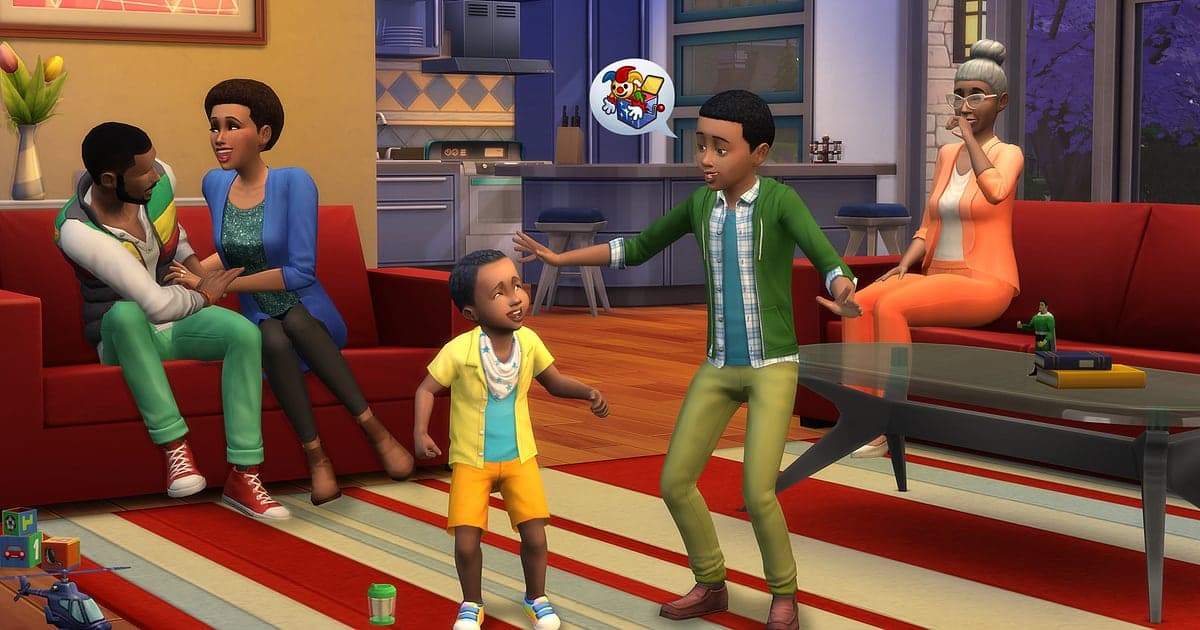
The Sims 4 records automatically once DOR is installed: launch the game and the AI handles the rest. Start The Sims 4 from the EA app or Steam and DOR detects it, keeping everything from the hour you spent in CAS through building on an empty lot in build mode and your Sims' days in live mode, all in one video until you close the game. DOR records the screen as it is, so CC hair, outfits, furniture and modded UI all show up exactly as they do in game. This guide covers installing DOR, saving chaotic moments, making speed builds and house tours, and sharing them.
- Keep everything on video, from the Sim you spent an hour on in CAS to a family story across generations.
- Save the moments nobody planned, like kitchen fire chaos, a Grim Reaper visit or the pool ladder incident, as separate clips.
- Use AI Voice Notes to find commentary such as 'redo the second floor later' and jump to that part of the build.
- Chop wall and furniture placement into a speed build, and turn the finished lot into a house tour.
- Show off a finished house to your Discord, Reddit or group chat with a single dor.gg link.
Before you record The Sims 4: install and recording mode
The Sims 4 is light on hardware, so getting ready to record is simple. DOR is a free Windows app and never adds a watermark. The Sims 4 uses full session recording, which means the video keeps running when you switch between build and live mode or swap households, until you close the game. Building one house can easily take hours, so it is worth reading recording long gameplay without stutter first. The table below lists what is worth knowing before your first Sims 4 recording.
| Item | For The Sims 4 | Notes |
|---|---|---|
| Install | DOR, free Windows app | No watermark on your videos |
| Launching the game | The Sims 4 on PC from the EA app or Steam | Either way, DOR detects the game once it is running |
| Recording mode | Full session recording | CAS, build mode and live mode stay in one video until you quit |
| CC and mods | Recorded exactly as shown on screen | CC hair, outfits, furniture and modded screens appear as they do in game |
| Resolution and frame rate | 1080p at 30fps by default | 60fps is available, plus a lighter 720p/30fps mode |
| Storage | About 30MB for a 30 second 1080p clip | Leave plenty of free space on marathon build days |
Record The Sims 4 with DOR: step by step
- 1Install DORDownload DOR and install it. Setup takes about a minute and the app is free. Leave DOR running afterwards. You do not need to press a record button every time you start a new build.
- 2Launch The Sims 4 from the EA app or SteamStart The Sims 4 from whichever you use, the EA app or Steam. Recording begins as soon as DOR detects the game, so the loading screen and household selection at the start of the video are expected.
- 3Check that recording is runningOnce you load a household and arrive on the lot, glance at the DOR app once to confirm the recording is in progress. If the game is not picked up, follow what to do when the recorder does not detect your game. After that, build or play however you like.
- 4Clip the chaos right awayWhen a cooking Sim sets the stove on fire and starts panicking, or the Grim Reaper turns up at the door, press the clip save shortcut before the firefighters arrive. The last 30 seconds are stored as a separate clip, so you will not have to hunt for that moment in hours of footage.
- 5Quit and open My ClipsSave and close the game, and the full session video plus every clip you saved appear together in My Clips in the DOR app. The day you finished the house and the day the baby arrived are kept the same way.
Find your recordings
Your recordings live in My Clips in the DOR app, also called the library. Each time you open and close The Sims 4 becomes one session, and anything you saved with the clip save shortcut appears as its own clip. Build mode work repeats similar screens for hours, so note when you started and finished a build and you can open just that stretch. Switching between build mode and live mode is another clear divider. Set a start and an end point to trim what you need, then export as 16:9, 9:16 or 1:1. The full walkthrough is in how to trim game clips. Like the videos you want to keep, such as a generation handover in your legacy challenge. When space fills up, older videos you have not liked are cleared first, so liked videos stay.
Save the moments you want to keep
Even with the whole session recorded, moments that are over in seconds are far easier to find if you clip them on the spot. Press the clip save shortcut and the last stretch becomes a clip. The default length is 30 seconds, and you can pick 15, 30, 45 or 60 seconds in settings. In The Sims 4, good moments to press it are right after a kitchen fire starts, right after the Grim Reaper appears, and right after a first baby arrives. Set the clip length to 60 seconds for long scenes like a backyard wedding, and when you finish a Sim in CAS, rotate them once before saving so the full look lands in one clip. To change the shortcut, see saving the last few seconds instantly.
Find what was said with AI Voice Notes
Playing The Sims 4 brings out running commentary like 'who removed the pool ladder', 'kitchen is on fire, where's the extinguisher' and 'this exterior came out so good'. DOR records game audio and your microphone together, and AI Voice Notes writes what you say onto the recording timeline as text. Every 'redo the second floor later' becomes a build note, and finding that line in the timeline text takes you straight back to the scene. Talking through your house concept as you build also means less captioning later for the house tour. If your voice sounds quiet, check your input device with recording games with mic audio.
Build a montage with AI Highlight
Clips saved across generations add up to a family chronicle. In the library, check your clips of the CAS reveal, the build mode house tour, the kitchen fire chaos, the Grim Reaper visit, the backyard wedding and the first baby, then select AI Highlight. DOR joins them into a legacy challenge recap, and running from wedding to first baby, moves and generation handovers tells the full family saga. To set the order of generations yourself, see how to merge game clips.
Edit in DOR Studio
DOR Studio opens in your browser with nothing to install. Chop wall raising and furniture placing into cuts a few seconds long and it plays like a speed build. Finish with a music backed walkthrough of the completed lot and the lot size in text for a proper house tour. Try a shake zoom on a fire, a punch zoom as you step through the front door, and a glitch transition when you switch floors. Export 9:16 for Shorts and Reels; vertical framing tips are in recording games for vertical Shorts. Download the result as an mp4 or share it as a link right away.
Share with a dor.gg link
Send trimmed videos as dor.gg links. Whoever opens the link plays it in the browser without installing anything, which makes house tours easy to post on Reddit, Discord or a group chat. Builders will enjoy a speed build that picks a few seconds from each stage, from foundation to finished house, while friends who do not play can get a chaotic moment like a kitchen fire trimmed to just a few seconds either side. Tips on picking build stages and chaotic scenes are in sharing Sims 4 house build videos.
The Sims 4 recommended settings and troubleshooting
The Sims 4 is fairly light, so recording runs smoothly even at minimum spec. The default 1080p at 30fps captures furniture textures and CC outfits clearly, and 60fps makes camera sweeps around a house smoother. If you build for hours on a laptop, the 720p/30fps mode lowers the load, and on an older PC see recording games on a low end PC. Opening the cheat console to place objects is recorded just as it appears on screen, which makes build tip videos easy. Fullscreen, windowed and borderless windows all record, and GPU hardware encoding keeps the frame rate impact small. DOR itself has no cheat features and never touches game files, saves or CC.
| Symptom | What to check | Fix |
|---|---|---|
| The recording is a black screen | The display mode in the game settings | DOR records fullscreen, windowed and borderless alike. If it is still black, follow [fixing fullscreen recording](fullscreen-recording-not-working) to switch to monitor capture. |
| Files get large after hours of building | Recording resolution and free drive space | Save the scenes you rewatch as clips and adjust settings with [reducing game recording file size](reduce-game-recording-file-size). |
| Stutter on lots full of CC | Recording resolution and frame rate | GPU hardware encoding keeps the impact small, but if your PC still struggles, drop to 720p/30fps mode. |
| The build process is too long to watch | Editing in DOR Studio | Pick a few seconds from each stage in DOR Studio and join them into a speed build. |
| Worried CC or mods could break | How DOR works | DOR only captures the screen, has no cheat features and does not modify game files, CC, mods or saves. |